
update: Hotfix #1 has been released for GTA III, Vice City, and San Andreas! This hotfix includes a few new smaller fixes, and addresses several known issues introduced by the latest update, including a critical issue with the Purple Nines in GTA III still spawning after the mission, and fixes incompatibilities with multiple mods, most notably with Maxo’s Vehicle Loader. Updating is strongly advised.
If in GTA III you used the latest build of SilentPatch and saved your game after finishing ‘Rumble’, Purple Nines persisted in your save. Once you update SilentPatch, you may use this CLEO script to undo the damage caused by this issue. Simply put this CLEO script in your game, load the affected save, then save again. After that, the script may be safely deleted:
Introduction
After SilentPatch went open source in late 2024, it’s time for another update. In the epilogue of the last release post, I theorized that this may be the last update of this size:
Will there ever be another SilentPatch for the GTA games? I don’t know. Half a decade passed between “The Corona Update” and this post, so if that’s any indicator, it’s likely there won’t be.
However, by now it’s an informal rule that nothing I foresee about the future of SilentPatch holds true. The community created hundreds of reports on GitHub, and many discoveries were made that culminated in this SilentPatch update being the biggest content update to date: over 100 new fixes were introduced across the trilogy, many of which restore content that was shipped in the game, but didn’t work due to miscellaneous issues. Many possible crashes and mod incompatibilities were fixed, and dozens of little gameplay bugs were corrected. Numerous interesting GTA mods were also released this year, so if you were considering starting a new playthrough, now it’s the best time to update SP and enjoy these games again!
Traditionally, this blog post will detail the most interesting fixes introduced in this update. This is not a full change log, mind you: the full list on the mod pages includes more than what is highlighted here. If you enjoy reading about obscure issues, grab a cookie and enjoy the read!
Before I start: you may have noticed numerous changes on the blog that went live alongside this post. A few changes are worth noting:
- Most importantly: The blog branding has undergone a makeover! The old banner was fairly outdated, and the previous cookie was getting a bit… stale 😆 It’s a subtle upgrade, but the new art is much sharper and scales to different displays perfectly. Hope you like the refreshed look!
- Multiple buttons at the bottom of each page have been replaced with a single, unified button that leads to a new Support Me page. This new page lists my profiles on websites like Patreon and includes all my affiliate links. If you want to support me, e.g. by buying games through my links, this is the easiest way to use them.
- Page titles are now more descriptive, so it’s easier to tell apart the mod pages from portfolios, both in the browser tabs and in the search engines.
- The Dark Mode has been improved to also affect the scroll bars and dropdowns, and I fixed a bug where the blog could have flashbanged users using the Dark Mode on the blog, but Light Mode in the OS/browser. The overall experience should now be much nicer.
- Separate share buttons may have been nice in 2018 when I started the blog, but they are kind of outdated now. They have been replaced with a single Share button that uses a “native” sharing feature present in Windows, Android, and iOS.
- Font Awesome has been upgraded to 7, so more modern icons are now in use.
New fixes
Shared fixes
Thirteen years in, scaling issues persist
Affects: All trilogy games.
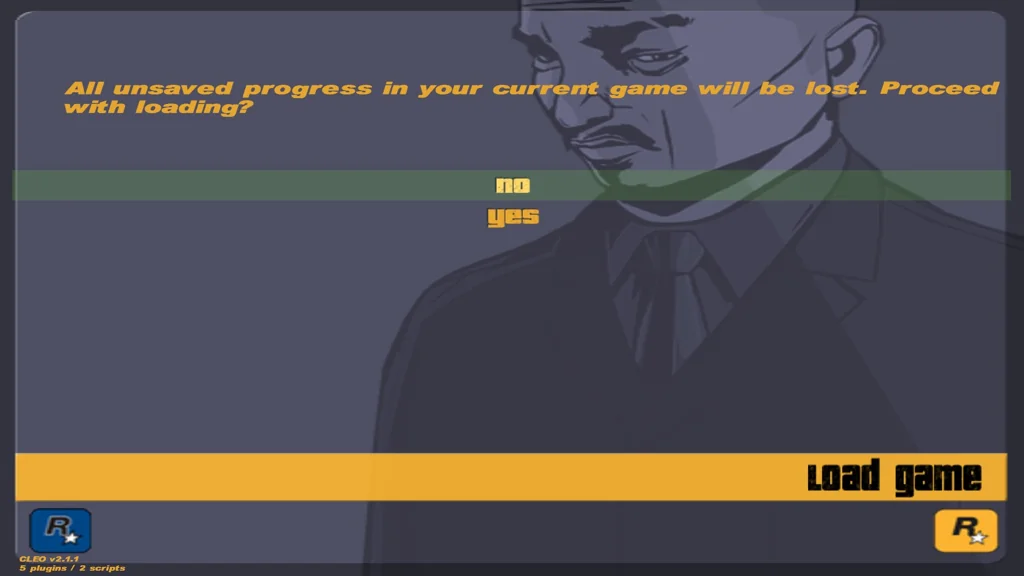
The PC port of GTA III was not the most thorough when it comes to making the UI scale to resolutions, as evidenced by SilentPatch fixing numerous issues like those for well over a decade. In the past, I fixed a range of scaling issues that made UI elements too small on higher resolutions. I did, however, overlook that some text positions are also not correctly adjusted, even though the texts themselves scale properly. This affects a few screens in GTA III, but is most noticeable in Load Game and Brief menus:
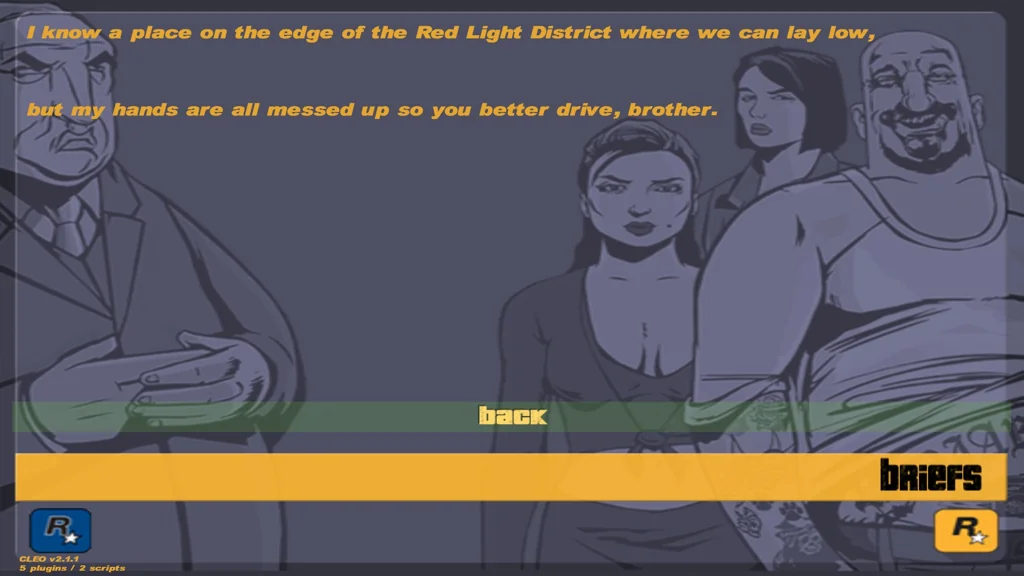
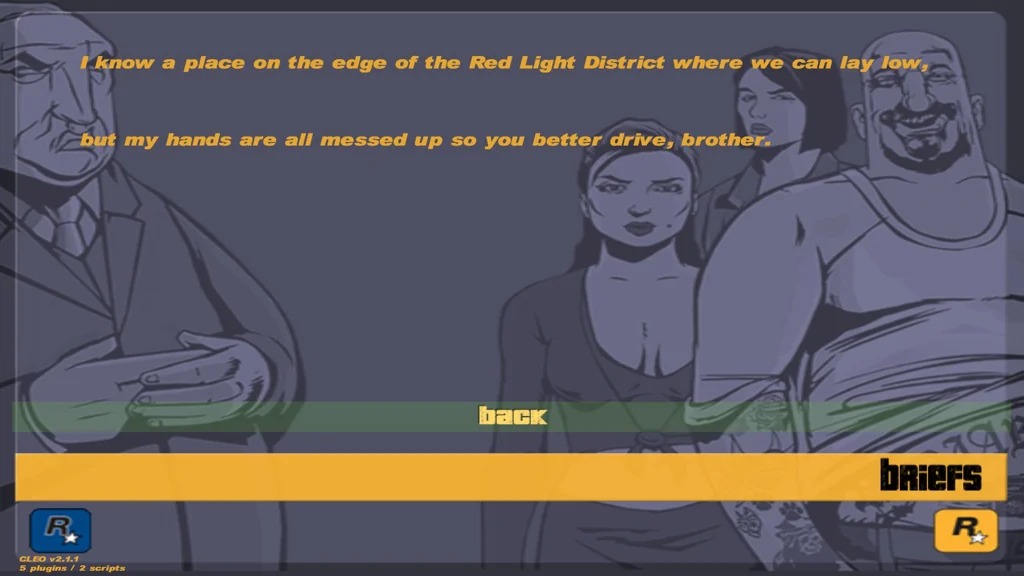
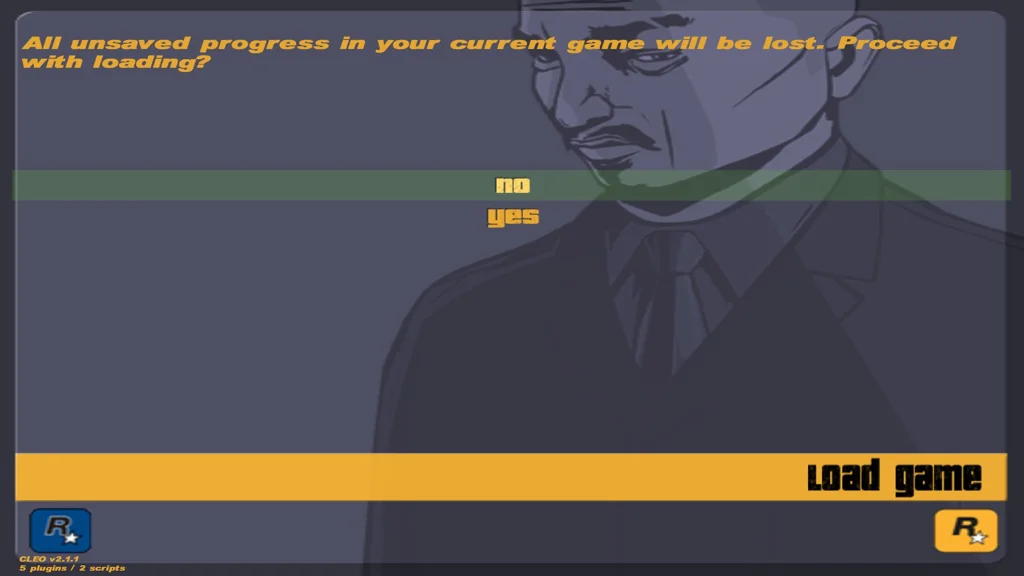
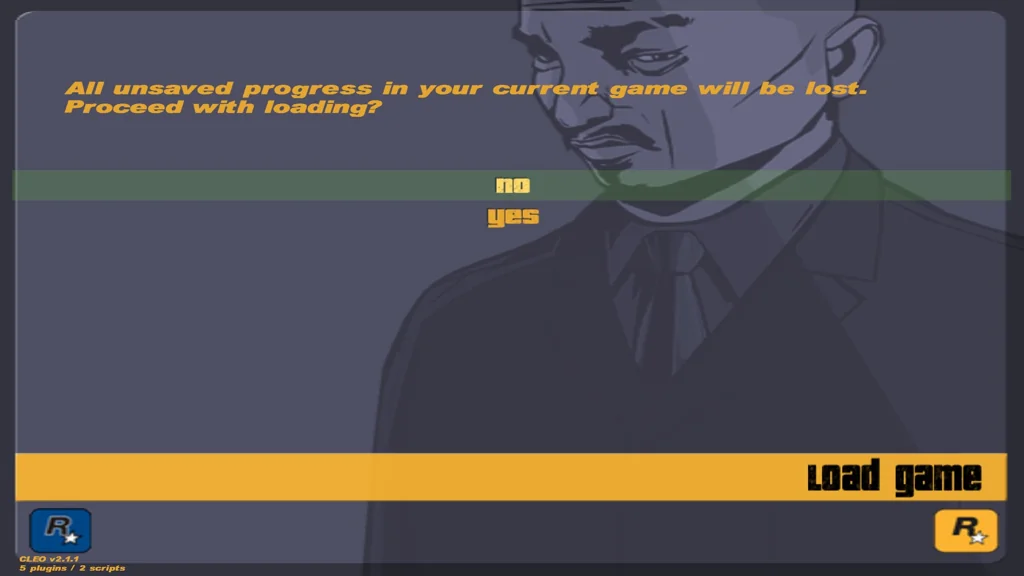
Fixing sizes and placement was not enough, but I only spotted that once everything else was sorted out: at higher resolutions, the right-hand text margins were also incorrect and not scaling to the resolution! This one is subtle enough that even San Andreas had multiple instances of those margins not scaling to the resolution. That said, once they’re fixed, the difference is obvious:
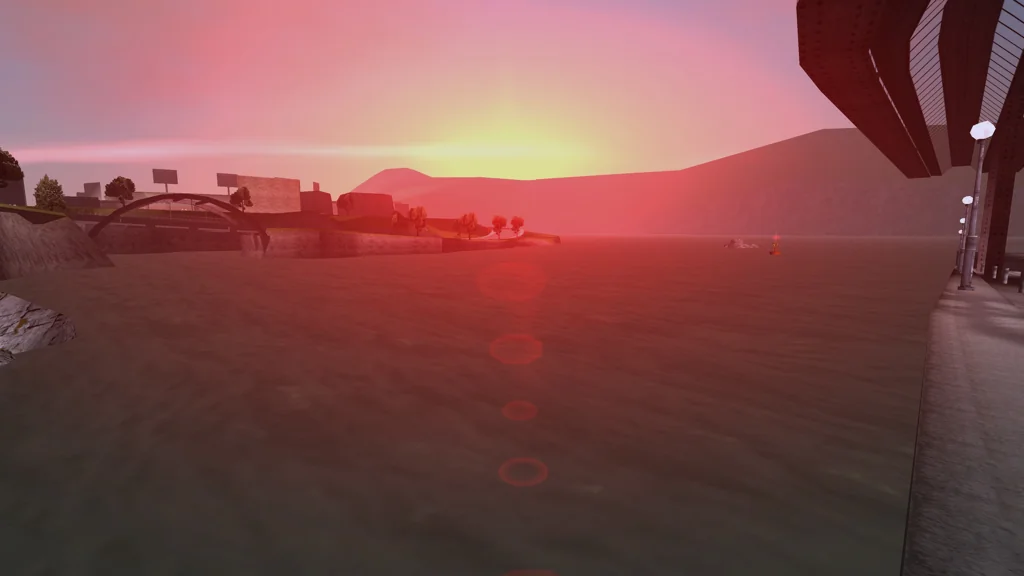
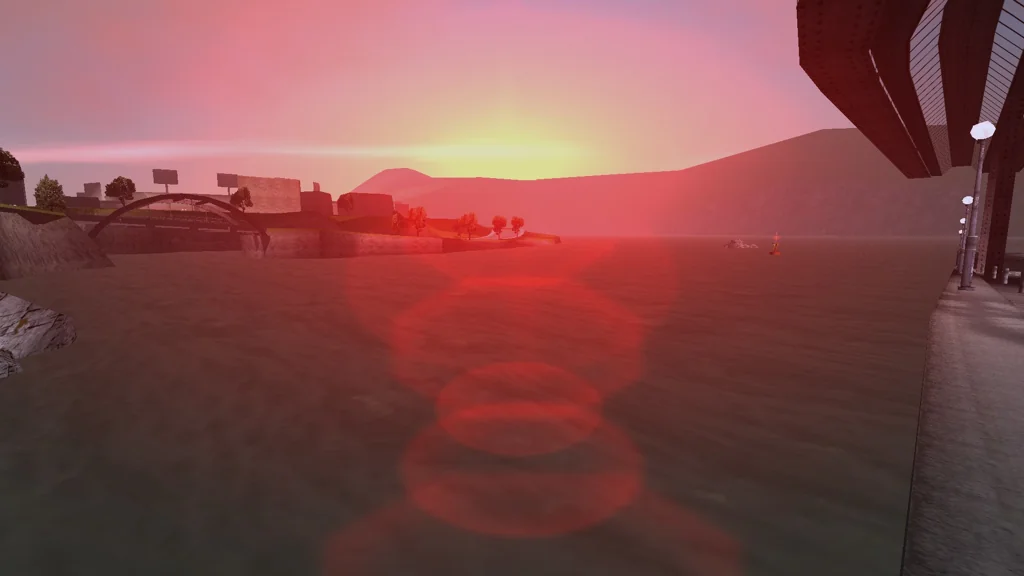
Not only the UI elements needed scaling fixes: while coronas always scaled to resolution correctly, recently it’s been identified that the corona flares did not! Turns out, this is one of the reasons why the emergency sirens and sun always felt “weaker” on PC. In 4K, the difference is striking:
That’s a really weird rock
Affects: All trilogy games.
It’s always a cool synergy when other mods reveal dormant game issues – in early April, a long-awaited Upstate Liberty mod for GTA III released, adding a huge new area beyond the Shoreside Tunnels. People quickly noticed that at night some (but not all) rocks in the countryside don’t look quite right, and they are not lit correctly. Those particular objects were identified as being pitched (rotated along the X axis), which none of the stock GTA III or Vice City objects are (not sure about San Andreas).
As it turned out, that rotation axis was ignored by the shadow and light-casting calculation function, so shadows and lights ended up hovering over the object, as if it was not rotated. Ironically, the original code performed some obscure vector math, while the fixed version is more straightforward – it simply multiplies a vector by the object transformation matrix.
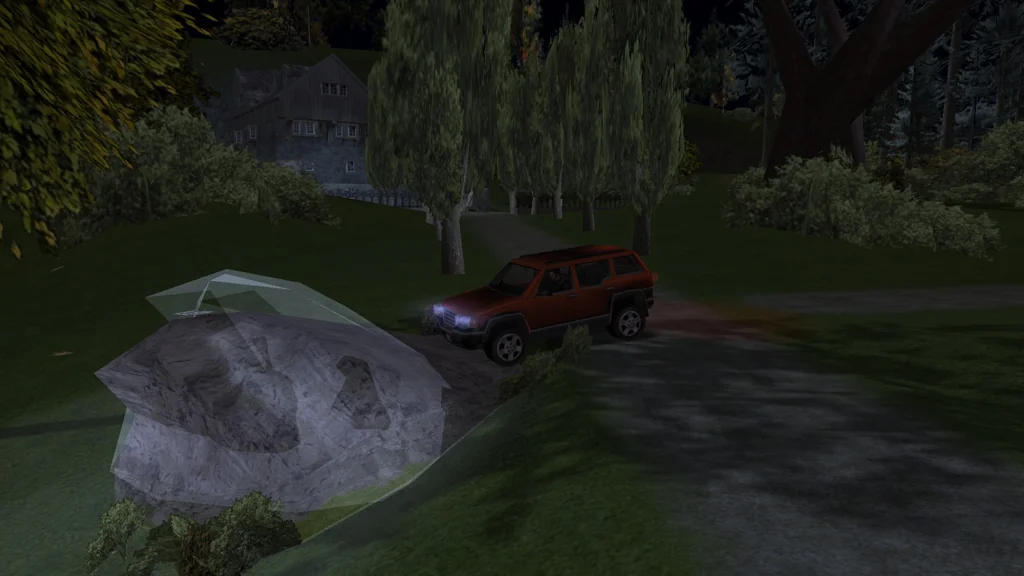
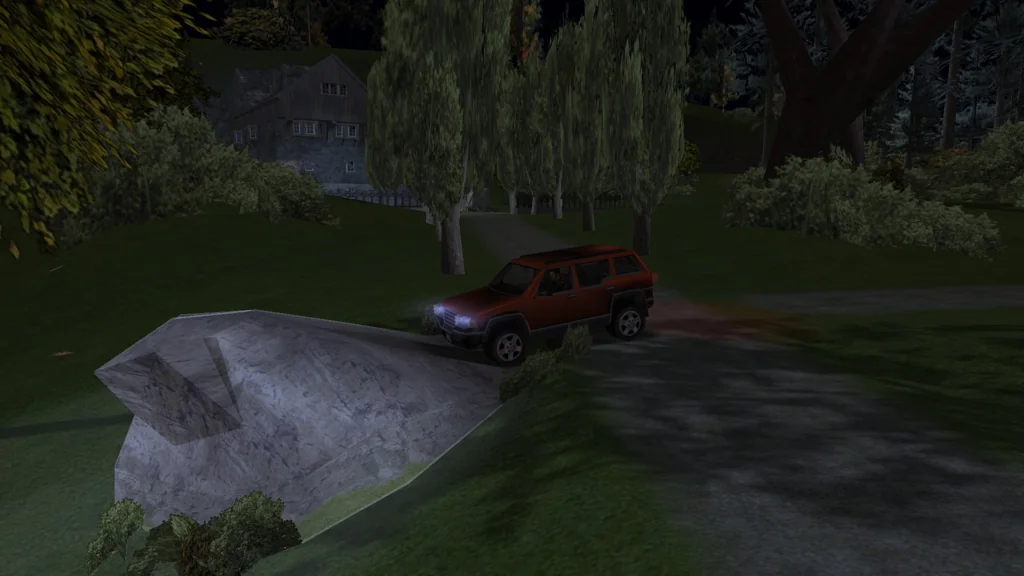
Quite a few objects in Upstate were affected by this bug, so thanks to this new fix, the new areas look even better.
Unused features may still be useful sometimes
Affects: GTA III, GTA Vice City.
“Script sprites” are images that are drawn on screen through SCM scripts and missions. This feature is commonly used in San Andreas: every single arcade game, video poker, ITB machines, etc. use script sprites; CLEO mods also widely utilize this feature.
GTA III and Vice City never used this feature, but it is supported, albeit not as widely as in San Andreas. However, since it remained unused in the stock game, it never got updated to scale to arbitrary resolutions: sprites stay confined to a 640x448 rectangle in the corner.
In this release of SilentPatch, script sprites scale properly, and they always use bilinear filtering (this bug was fixed in San Andreas several releases ago). This might be useful for mods – I now can realize a devilish idea I had for Upstate…
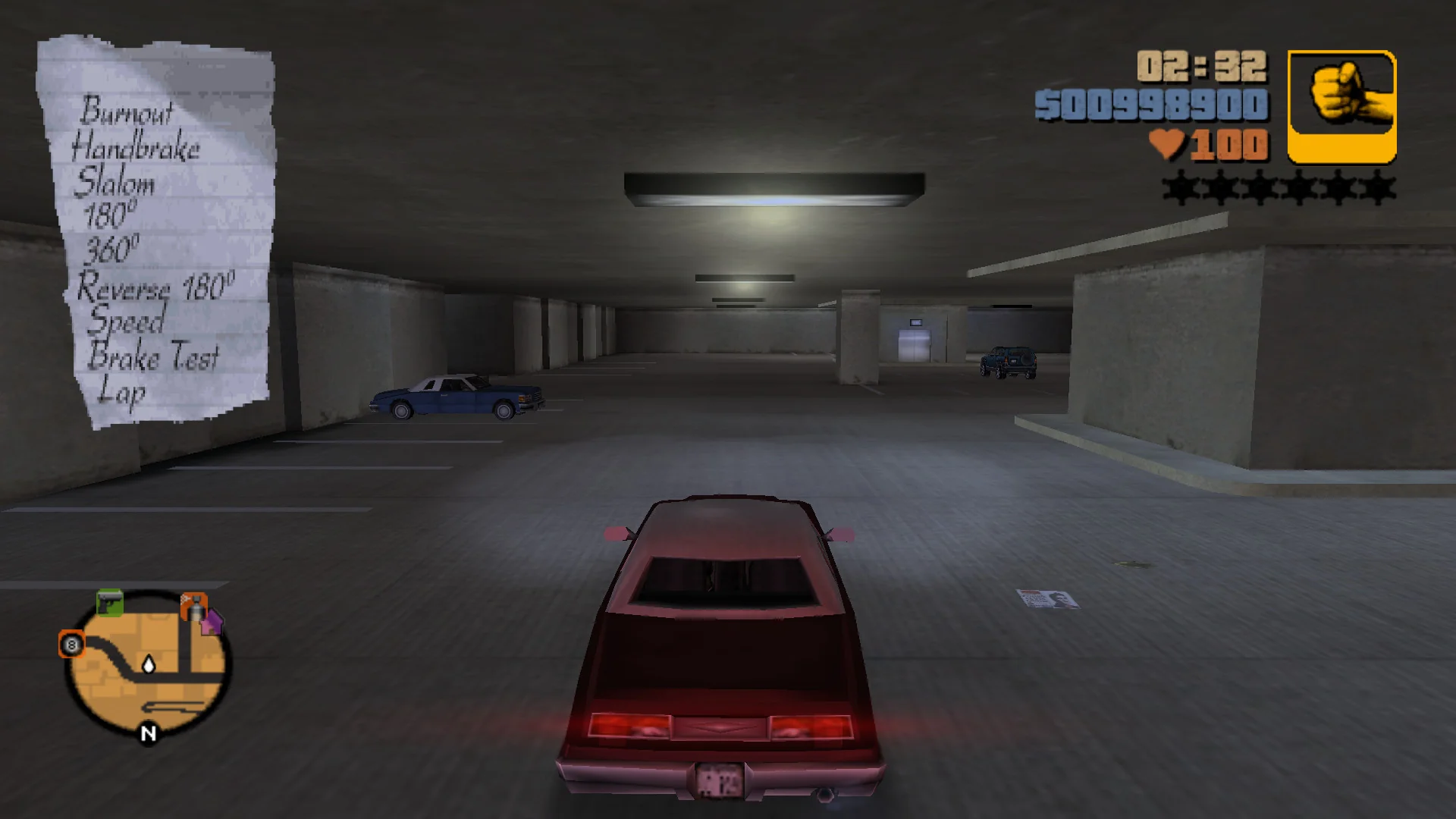
In GTA III, script sprites now also unload from the mission cleanup routine, like in Vice City.
In both games, scaling can be disabled from the configuration file. Most users shouldn’t ever need to disable this fix, but there may be CLEO mods for III and Vice City that are “aware” of these scaling issues and perform scaling on their own. In these situations, SilentPatch can opt out and avoid double-scaling.
—It’s too unpredictable, don’t let it overcharge!
—What do you mean “overch…” 💥
Affects: GTA III, GTA Vice City.
Ever played the Vigilante mission on Shoreside Vale? Map layout aside, it plays kind of weird: the criminals are supposed to have the strongest weapons, but they don’t seem to pose all that much threat, except when they are given the M16. This weirdness comes from two separate bugs:
-
In GTA III, NPCs are incapable of using the sniper rifle. They aim and fail to shoot, and if the player aims in first person during that time, they get injured by the shot that comes… from the camera’s origin:
This bug was fixed officially in Vice City (as “Hit the Courier” features enemy snipers), and now SilentPatch fixes it in GTA III too. Funny enough, a data error in Vice City makes enemy snipers use a punching animation while shooting; but since this is not caused by code, SP doesn’t do anything to fix this.
-
RPGs are even funnier: NPCs can fire them, but the projectile spawns inside them and explodes instantly. This turns RPG-wielding characters into bombers:
SilentPatch makes both III and Vice City respect the proper fire source position – turns out, NPCs can be quite competent at ruining the player’s day with their rockets. S.A.M. is the only storyline mission that grants a rocket launcher to a single enemy, and the presence of this guy singlehandedly ruins the idea of doing the mission quicker by driving straight to the airport. That said, he’s quite slow to react, so neutralizing him should not pose an issue.
Your bulletproof Patriot won’t save you here.
Other fixes
- (All trilogy): All three games can now be configured to run at the desktop refresh rate instead of defaulting to 60Hz. This resolves an annoying quality-of-life issue where startup and minimizing the game while in fullscreen were slow and required a display mode change.
- (All trilogy): Improved fixes for the mouse cursor leaving the game window in multi-monitor setups. The old re-centering fix has been replaced with a new one, constraining the mouse cursor to the game window. In III and Vice City, an old SilentPatch fix was replaced, while in San Andreas, Rockstar’s own solution was swapped for mine.
- (GTA III, GTA VC): Car and ped generation now uses 16-bit randomness, like on the PS2. This resolves issues with traffic generation on bigger modded maps. Upstate Liberty is technically affected by this issue, but they resolved it on their own earlier.
- (GTA III, GTA VC): In the Stats menu, Hidden Packages displayed x out of 100, but in reality, it was a percentage counter. This makes no difference in an unmodded game, but if additional packages are added by other mods, the Stats stopped reflecting reality and didn’t match the text displayed when picking packages up. This has now been resolved, so the actual amounts are listed.
- (GTA VC, GTA SA): Securicars in the entire trilogy had a 7x damage boost when damaged by the player (because of III’s “Van Heist”),
but only in GTA III they had the general toughness high enough to compensate; this resulted in Securicars being extremely fragile against the player,
especially in San Andreas.
This code has now been removed.
- (GTA III, GTA VC): The game’s text display functions had a bug where they over-read strings by a single character. This had a random, but very low, chance of crashing the game any time mods tried displaying texts not from the GXT files – for example, FXT files from CLEO or the Mod Loader. In the past weeks, I contributed fixes to multiple mods to make them account for this bug, and at the same time, I fixed the root cause in SilentPatch.
- (GTA III, GTA VC): Pool allocation functions had a bug (fixed in San Andreas) where the code could get stuck in a loop and freeze if the pool was full and the game tried to create a new object more than once. Theoretically, this could happen with dynamic objects: the game could handle a New (fail) → Delete → New (success) pattern without issues, but froze on a New (fail) → New (fail) pattern. I’m not aware of any reliable ways to replicate this freeze in either game, but I’m sure some poor soul encountered it in the past during a speedrun.
Grand Theft Auto III
Zoom in, enhance, fix a single pixel
Ever felt like the weapon icons in GTA III look off? You’re not going crazy; they really are, and it becomes especially evident when using higher quality assets:


Later officially fixed in Vice City, GTA III slightly skews the rendered icon by cutting off a single column of pixels in the bottom left corner of the icon, but not in the top left corner, making the icon appear slightly tilted outwards. In Vice City, this unusual single-pixel-cutoff has been removed completely, so icons render fully; making GTA III do the same appears to have no adverse effects and fixes this issue.
Icon filtering was also not set consistently, so depending on what other UI elements were showing on the screen, the icon could either be nearest filtered or bilinear filtered; at 640x480 it was practically impossible to spot, but with high resolutions, it becomes obvious. Once again, Vice City fixes this issue, so it was spotted at some point, just too late for III PC to get this fix.
Echo, echo, echo… I didn’t hear the car start
This PC-exclusive and highly specific bug involves two systems intertwining together in a perfectly broken way: users reported that sometimes the engine start SFX would not play when entering parked cars, but other times, it would.
Finding the root cause took a while: the above video might suggest that the SFX doesn’t play when entering the car through the driver’s door, but even that works from time to time, therefore automatically ruling out something like “the game can’t play the door closing SFX and the engine start SFX at once”. In reality, it has to do with the reverb, and all those conditions must be met for the bug to surface:
- “Dynamic Acoustic Modelling” is enabled in Audio Setup.
- The car is parked in a “reverb-y” place, like the docks, Callahan Bridge, or the apartments in Shoreside Vale.
- The car is entered through the driver’s door.
- Claude gets the chance to close that door.
What’s going on?
- When “Dynamic Acoustic Modelling” is enabled, the game adds a reverb effect by replaying the same SFX multiple times from different spots.
- This system relocates the coordinates of the SFX to replay, and then does not restore them.
- For each entity, the game sets up the SFX coordinates once and plays all samples at the same spot. For this bug, it plays the door closing SFX, followed by the engine start SFX.
You might have guessed the root cause by now – the game plays the door closing SFX, then relocates the sound to add the reverb effect, and it doesn’t restore the original location afterwards, so the engine starting SFX plays… someplace else. Arguably, this is a bit of a design defect, as reverb should never have been “relocating” anything in the first place; it should be using a separate copy of the position data instead; but what’s done is done. Once I identified what’s going on, Sergeanur remarked that the reverb code was slightly changed in Vice City: it now saves the positions and restores them after playing the reverb. Sure enough, backporting the same fix to GTA III resolves the issue completely:
Subtitles, now in Vice City style, as intended
Turns out, GTA III has a half-finished feature, only finalized in Vice City – in gameplay, subtitles were supposed to be off-center to make space for the radar, and fully centered in cutscenes. However, this didn’t actually work, leaving subtitles off-center everywhere, yet not making an effort to try not to overlap the radar – worst of both worlds.
In this SilentPatch update, I took and completed this feature to be like in Vice City, so subtitles no longer overlap the radar, and they make use of the entire screen width in cutscenes:
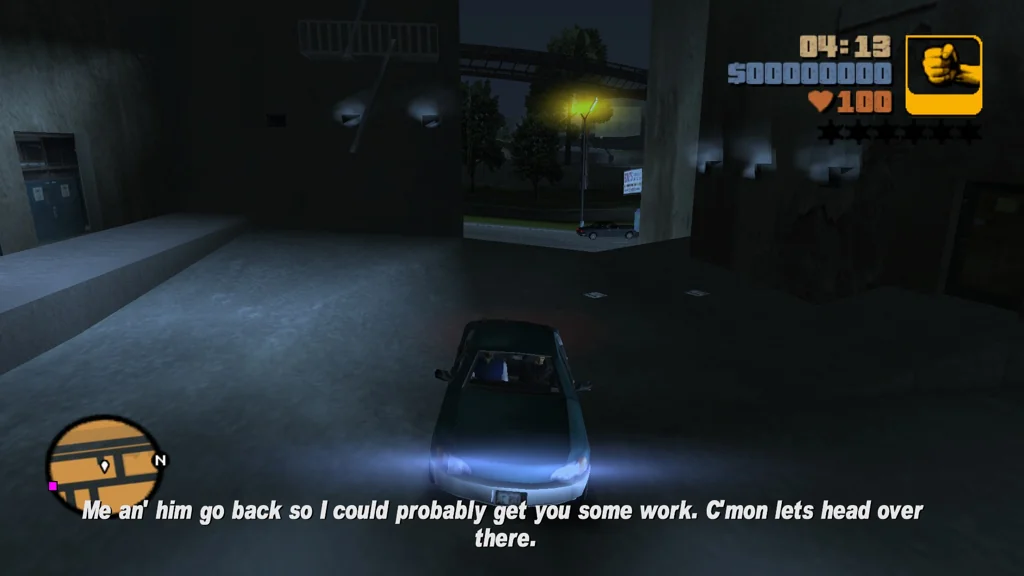
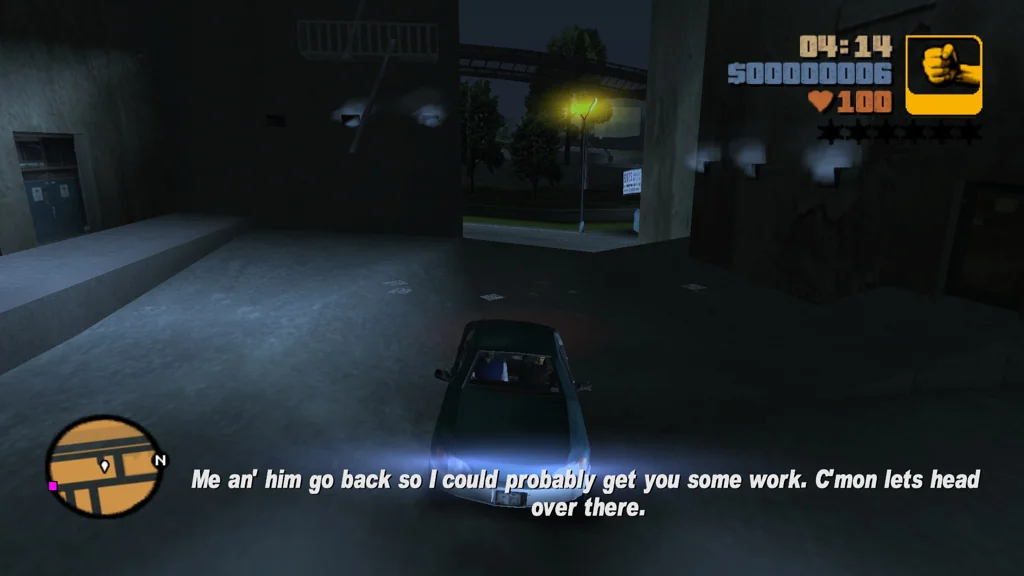
This feature is available as a configuration option, enabled by default. If you prefer the subtitles to always stay in the same spot, this feature can be turned off.
Left! Left! Left, right, left!
Gang spawning was broken in GTA III on PC in multiple ways. Eagle-eyed players may have noticed that sometimes, random gang members would just stand still and do nothing:
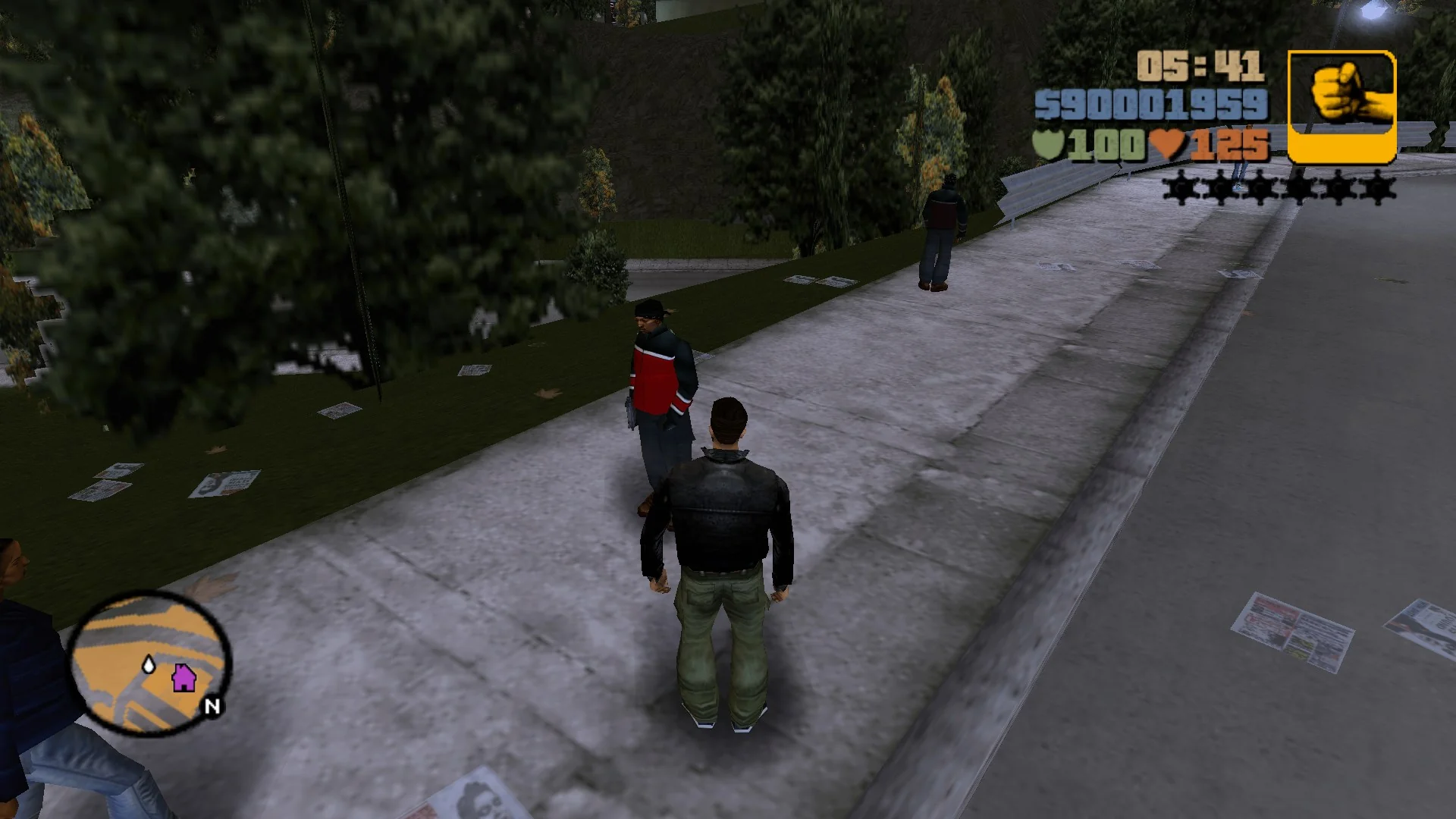
I initially found it difficult to believe, but this issue is exclusive to the PC version. It wouldn’t be the first time: even in the last big update in 2024, I mentioned how early Vice City code incidentally getting added to the PC port of III broke the car lights. Gang spawning is another victim of this mistake – turns out that on PC, groups of gangsters spawn in circles (like in Vice City), but in most cases they immediately disperse! Sometimes they will stand still, so we can see that “circle”:
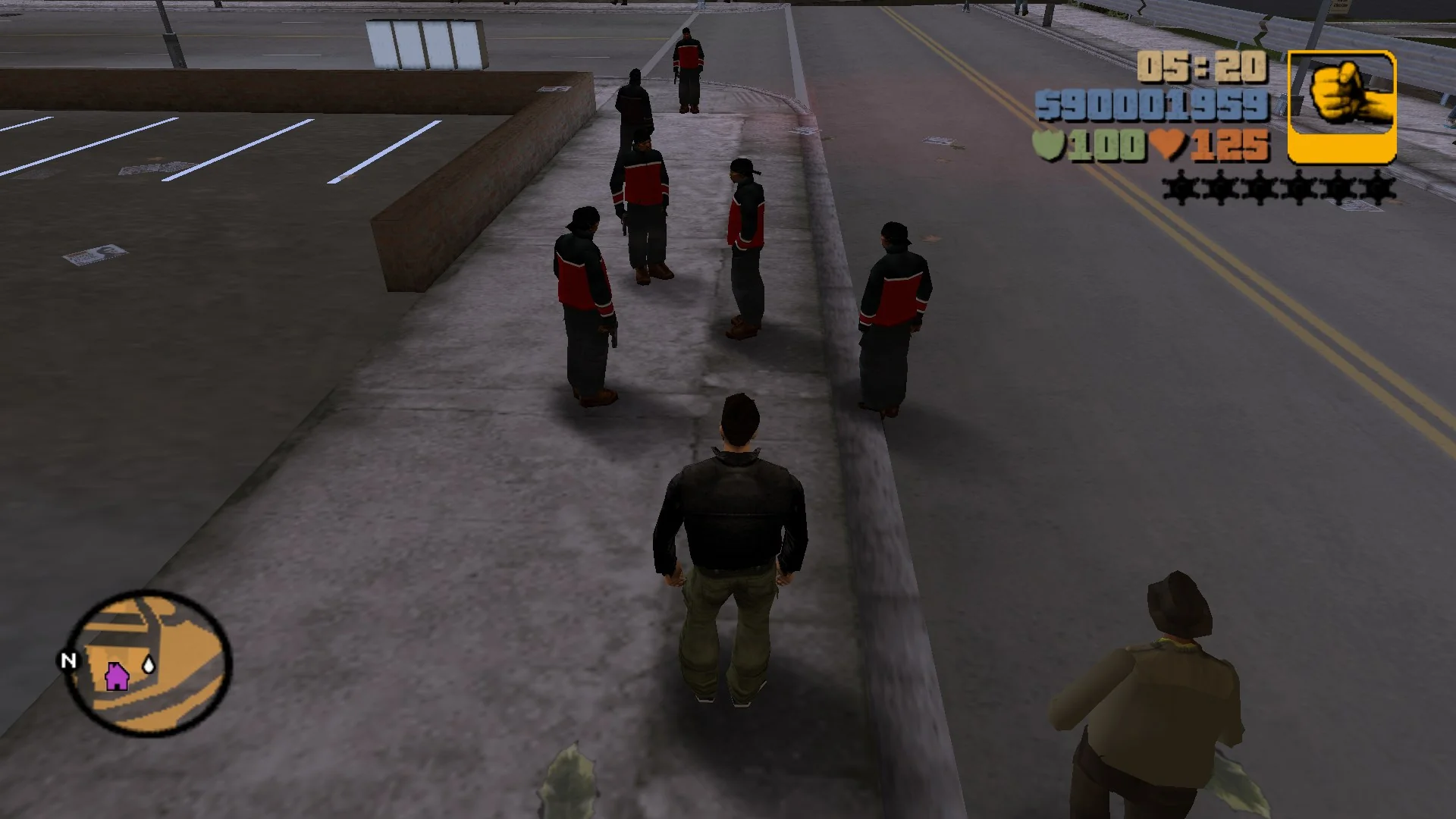
Those randomly frozen gangsters are “leaders” who spawned in the center of that short-lived circle. Everyone else left, but their objective (unfinished Vice City code) can “infect” the nearby peds, so they also freeze. Sometimes that leads to them standing solo; sometimes bigger groups are affected, as seen above.
While comparing the PS2 and PC code, I spotted something unusual: the PS2 version also had code for spawning groups of gangsters, but it also evidently always “gave up” after spawning the first one. In more technical terms, a loop to spawn X characters was broken out of after the first spawn. This is concerning because of how the odds of gangs spawning were done (on all platforms) – for normal pedestrians, each spawn request “produces” one character, but since a single “spawn request” for a gang member could create a group up to 4 people, there was a 50% chance that a spawn request would not spawn anyone! When the PS2 code was modified not to spawn groups, those odds were never undone, so there are multiple consequences of this decision:
- On PS2, the gang density is half of what the developers intended.
- On PC, groups can spawn, so their density is exactly as originally envisioned. They simply spawn in an incorrect formation.
I didn’t want to just port that questionable PS2 behaviour; instead I wanted to see what the PS2 gang formations looked like. Implementing the PS2 code (minus the loop break) reveals that they spawn in a queue and follow one another, much like gangs in GTA2:
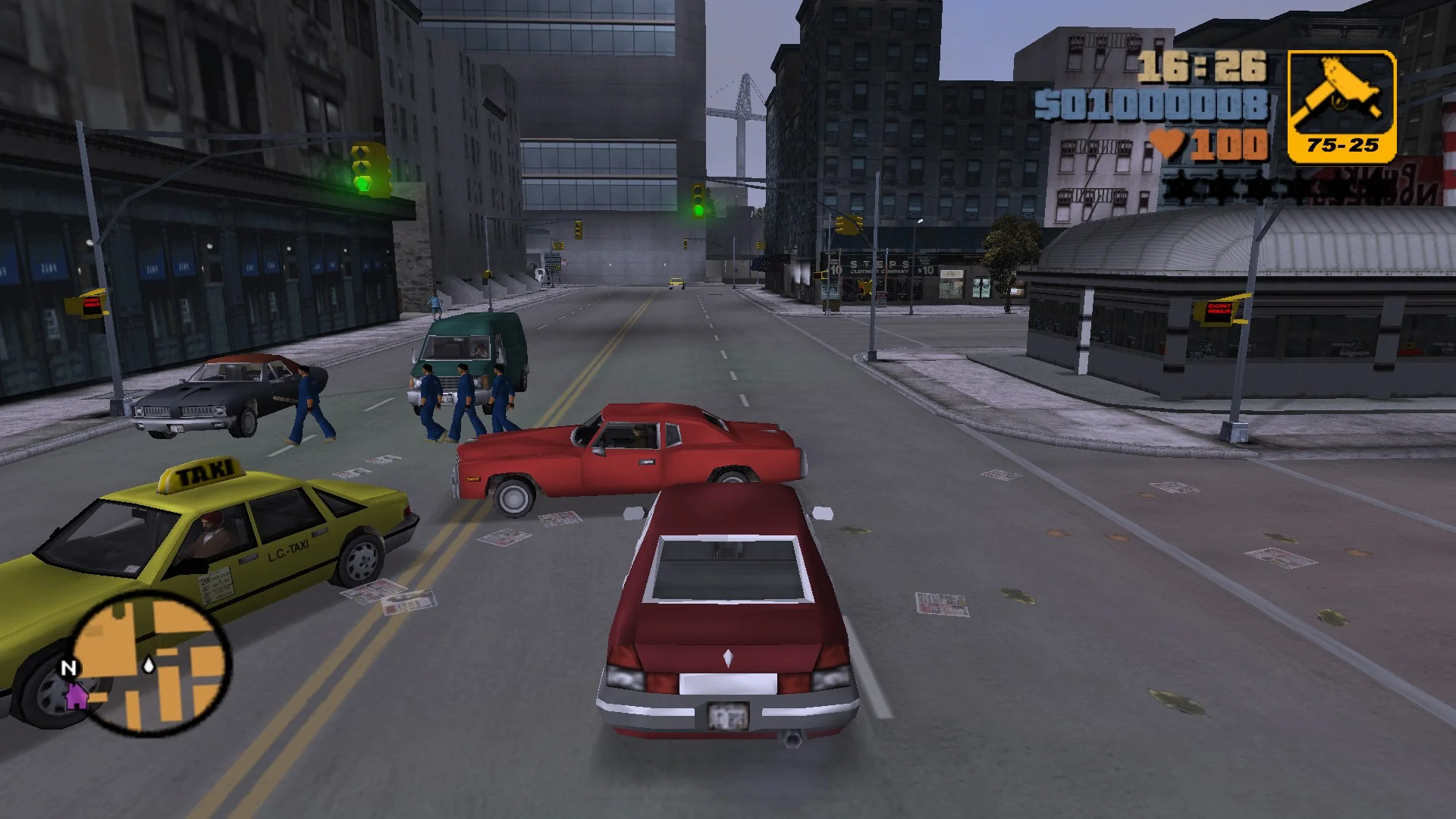
This is where this research gets really interesting: multiple pre-release clips from GTA III showed those formations in action! Here you can see a group of Triads following each other:
Based on the PS2 code, and on my own mistakes I made whilst reimplementing it, I’m pretty confident I know what happened to this feature during development:
- Gang formations were implemented, and those clips were recorded.
- A bug was identified where gangsters sometimes spawned on top of cars or other pedestrians. A clearance check was added, but it was done incorrectly: each formation member after the first performs a clearance check in the spot where the previous member was just spawned. That spot is, of course, not free, so the feature regressed and only one gang member can spawn at a time.
- A developer spotted those clearance checks, maybe during performance profiling, and instead of fixing them, they “disabled” formations by breaking out of the spawning loop after the first gangster is spawned.
Fixing the clearance checks fixes the spawning behaviour fully, so I was able to replicate this pre-release clip in the final version of GTA III:
The “formations” feature is available as a configuration option, enabled by default. This provides the best of both worlds:
- When the option is enabled, formations are present, as originally envisioned by the developers, before this feature broke and was disabled mid-development.
- When the option is disabled, gangs spawn like in the final PS2 version, but the 50% chance of not spawning anyone was removed. This ensures that the gang density stays consistent with the original PC spawning and with the “intended” PS2 formations.
Sometimes psychic debugging and figuring out what wrong assumptions the original programmer made is the most entertaining part of the process.
Why is this text so low? Oh right, PC-only
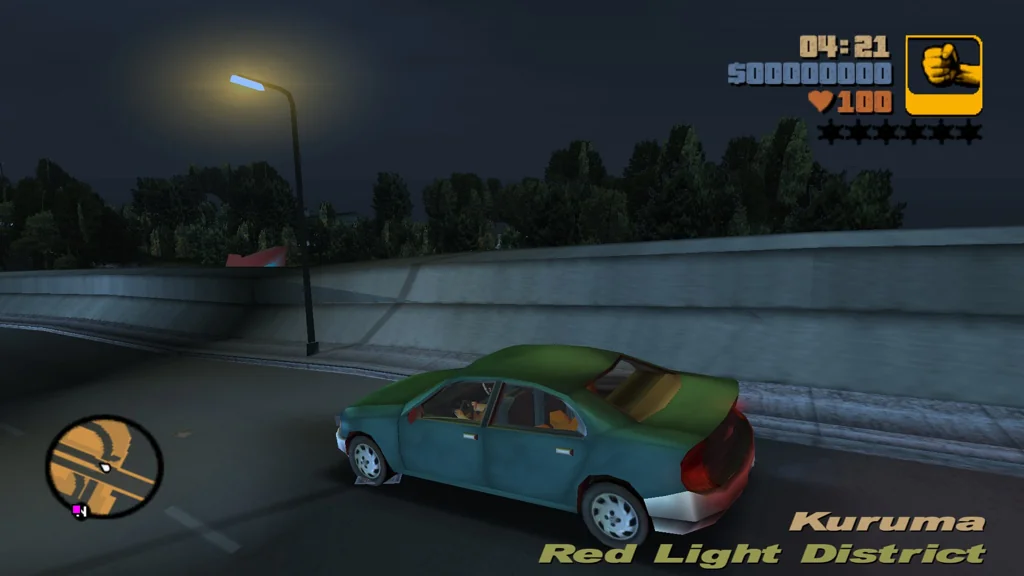
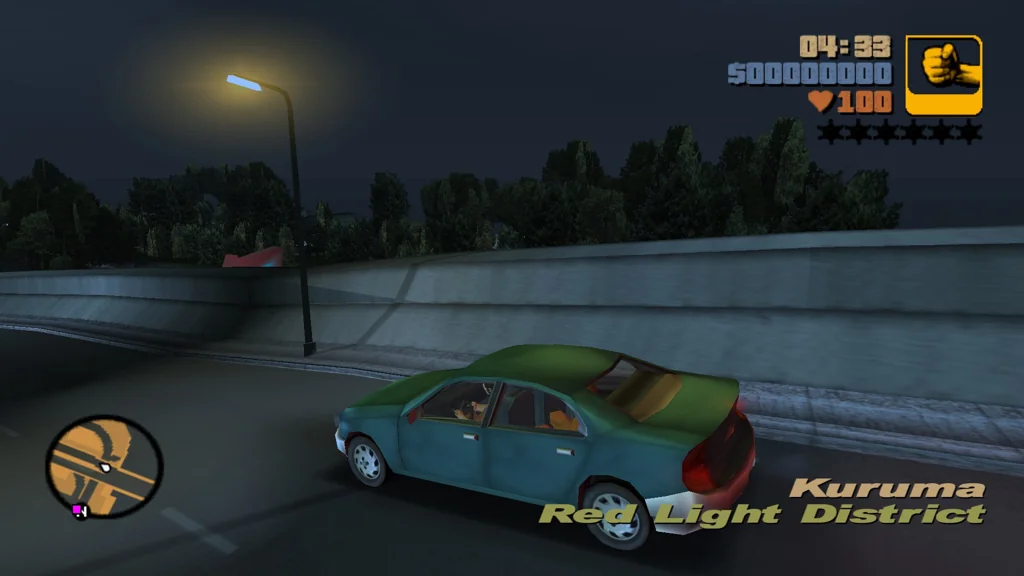
Most PC ports of GTA games keep the in-game HUD as-is, but GTA III is an exception: texts in the bottom of the screen (zone name, vehicle name, “Wasted” text, subtitles) were moved down significantly, as PC games typically don’t need to concern themselves with overscan.
The thing is: it looks really ugly. It’s inconsistent with the PC ports of Vice City and San Andreas, with subtitles cutting off if they are 3 or more lines long, and the zone name is placed so low I initially suspected its position doesn’t scale to resolution (like it was with the radar’s horizontal position before SP fixed it). For this reason, SilentPatch now offers an option to relocate those UI elements to how they were on console; disabled by default – as it’s not a bug, but a change introducing “parity” with the later PC ports. This option can also be used together with the fixed subtitle placements.
Take cover! Wait, not like this
An unlikely PS2 vs PC behaviour disparity (once again caused by Vice City code sneaking through, of course) was discovered by Nick007J: when in a shootout, cops choose different spots to duck for cover! On PS2, only one cop can duck behind each car at a time, and the point they pick is the furthest point from the threat that is also covered by the car’s engine (smart, to be honest). On PC, three cops can duck behind each car, and they choose one of the three predefined spots, much like in Vice City. They can also choose any car, while on PS2, they are limited to the cop cars.
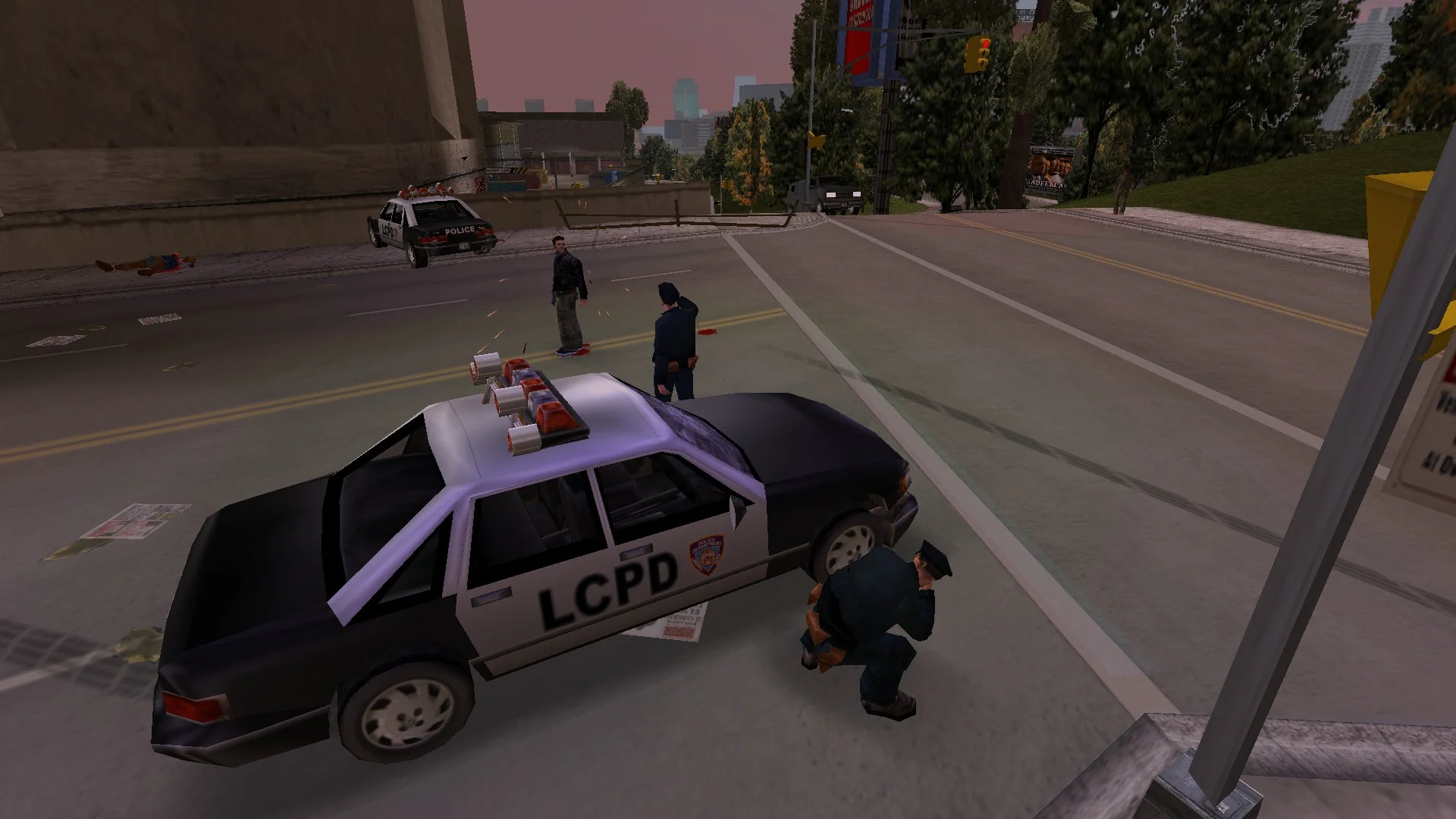
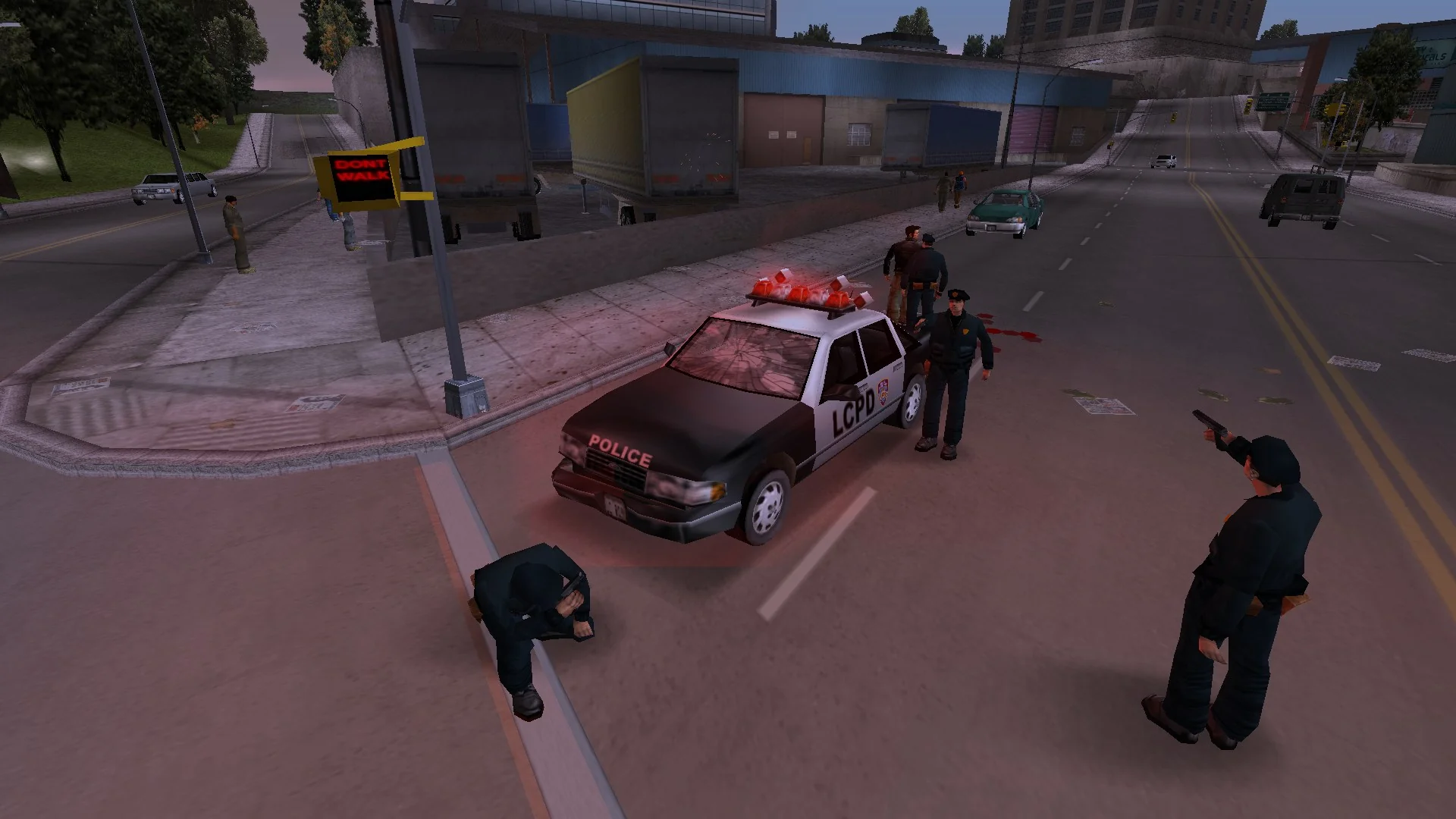
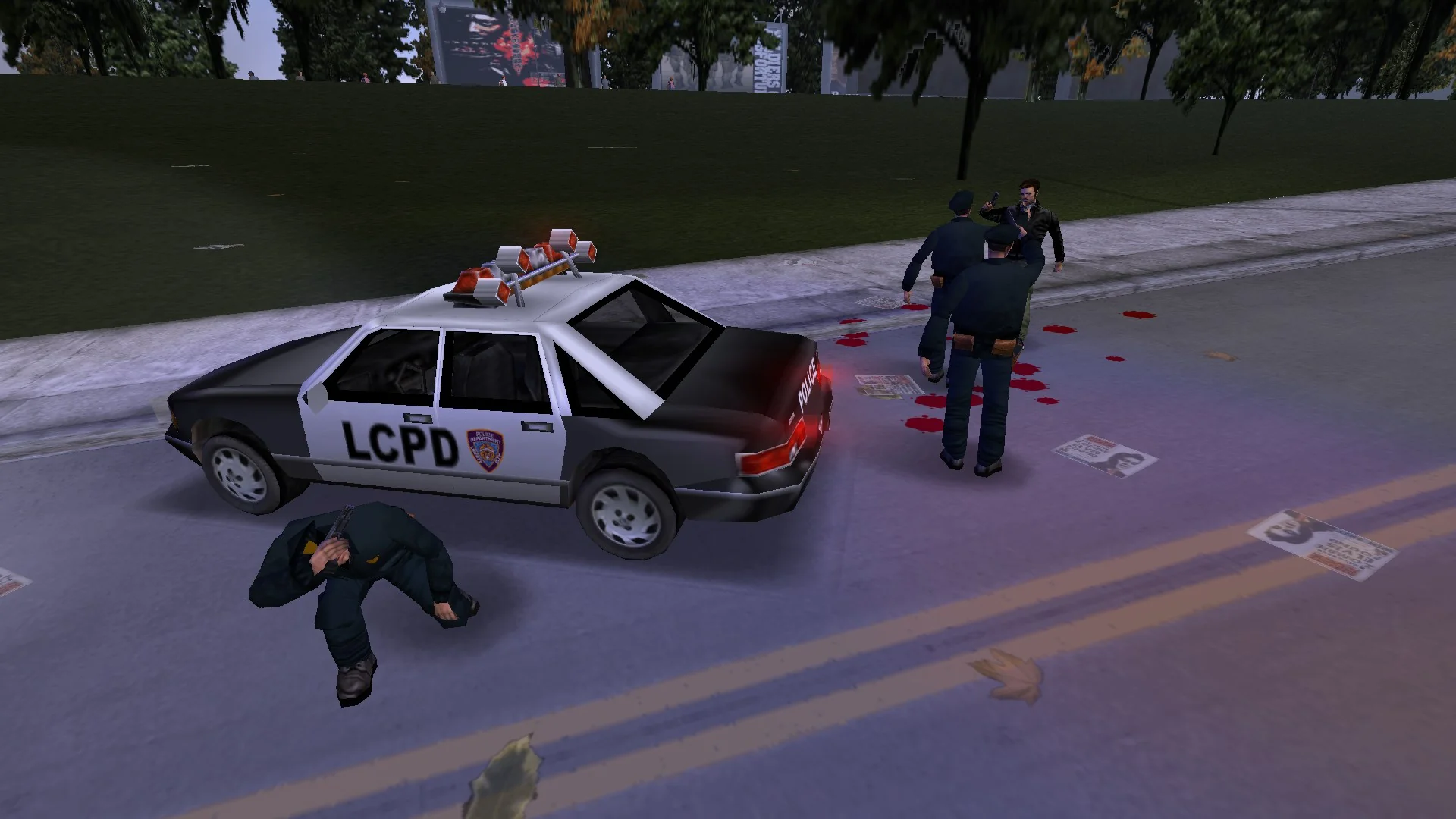
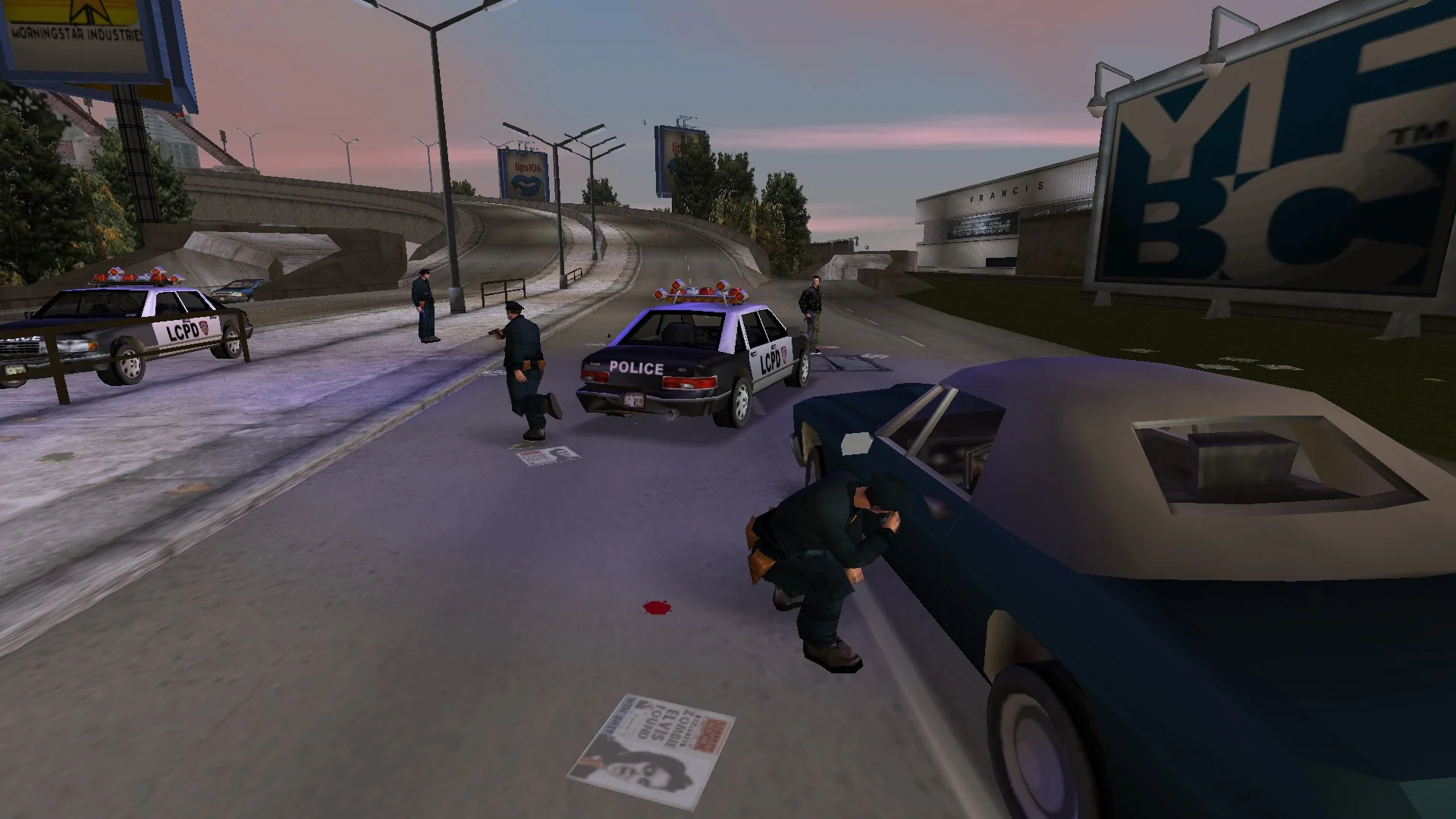
SilentPatch now restores the original PS2 behaviour. While the PC behaviour could be seen as an improvement, it’s Vice City code that should have never been in GTA III, and it’s not fully finished either, so it may have caused more unforeseen side effects.
The thrill of the police chases is just not there
Remember those nice little “tutorials” GTA III has when picking up the pickups in front of the Portland hospital or the police station? They teach the player how the wanted level works and what happens when Claude dies and respawns at the hospital. The “Busted” tutorial has a short cutscene showing two police cars chasing a Diablo Stallion, but this “chase” is a bit anemic: the police cars just follow the escapee, and their sirens are off.
That’s not by design: the mission script orders these police cars to engage their sirens and ram the Diablo Stallion. They never do that, because… the player has no wanted level during this part of the cutscene! A mistake in the car AI code assumed that every law enforcement vehicle chasing another vehicle must be chasing the player, and therefore, if they have no wanted level, it’s only logical to “give up”. San Andreas fixed this bug, so this behaviour applies only if the chased vehicle belongs to the player – now, SilentPatch applies this fix to the other two games of the trilogy.
Blocking the road is hard, OK?
Most road blocks in GTA III look the same, but on around 30 roads in Liberty City (and a few roads in Upstate), they look very wrong:
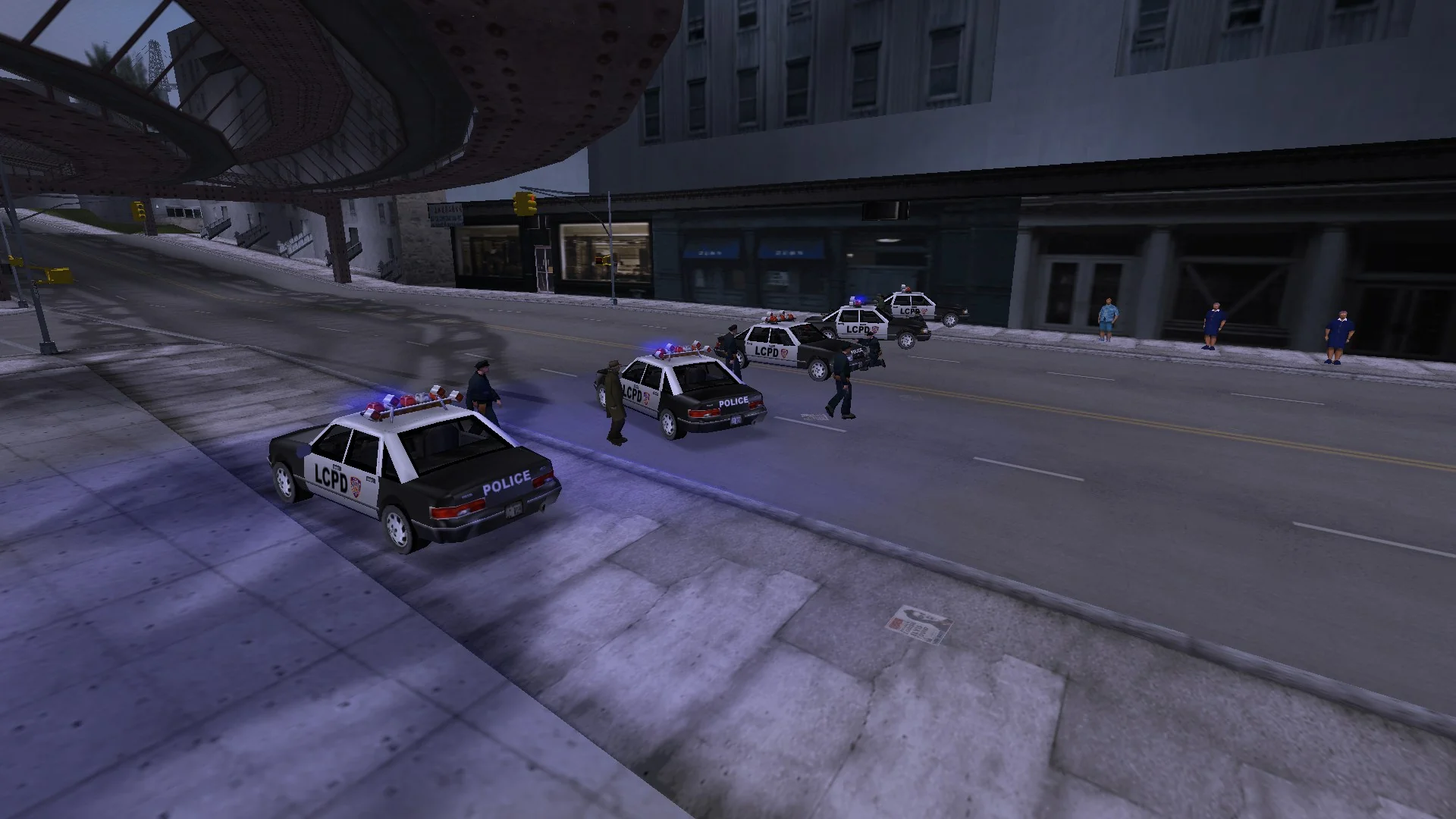
Those roads are unique: you wouldn’t be able to tell by looking at them in the city, but those road models are internally rotated 90° compared to the rest. When their models are not rotated, those road models don’t lead from south to north (like most other models), but from east to west. The road block spawning code took that into consideration when placing cars across the road, but it ignored that property when setting up rotation. Conditionally applying an additional 90° rotation to the spawned cars fully fixes this issue.
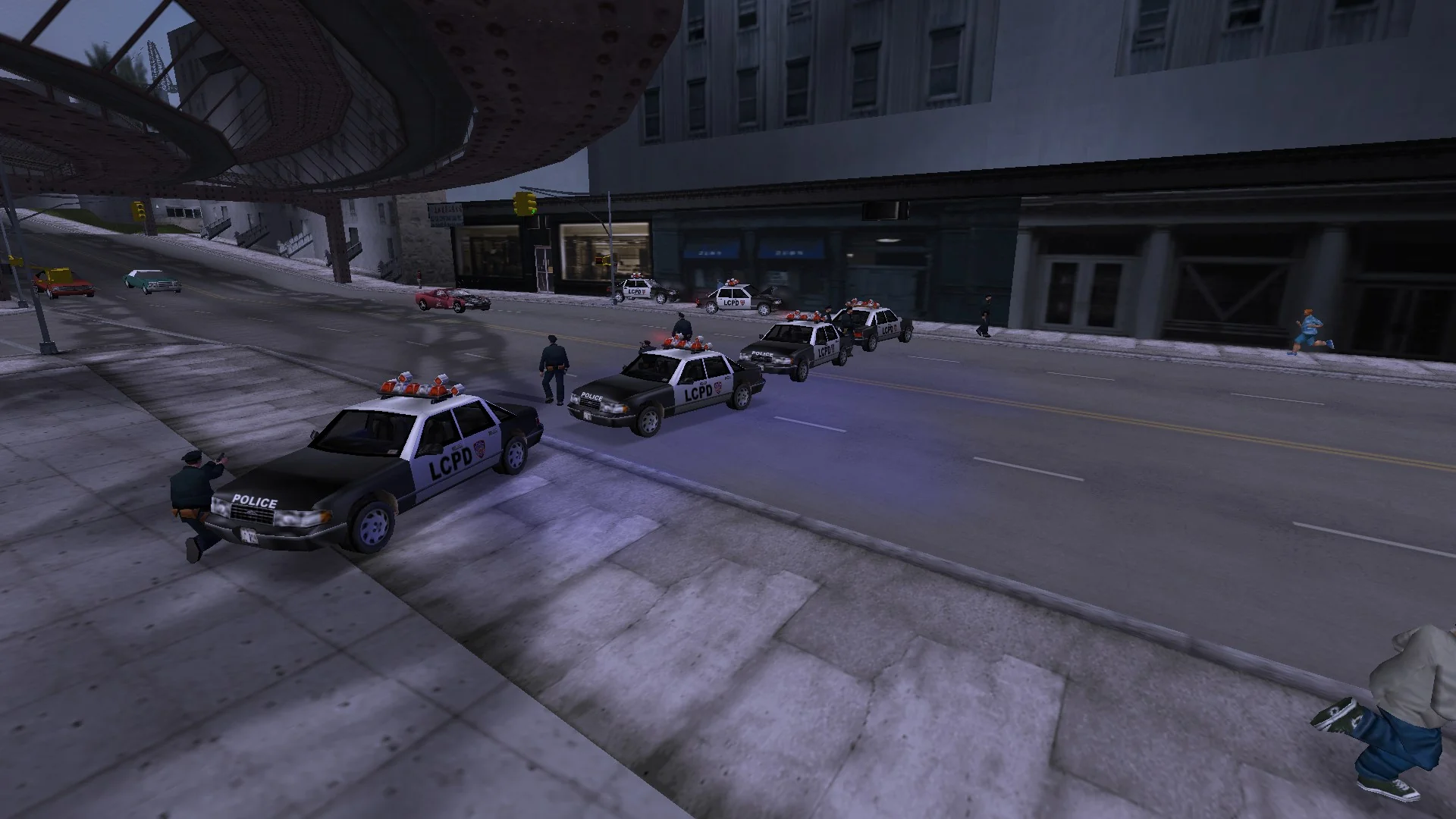
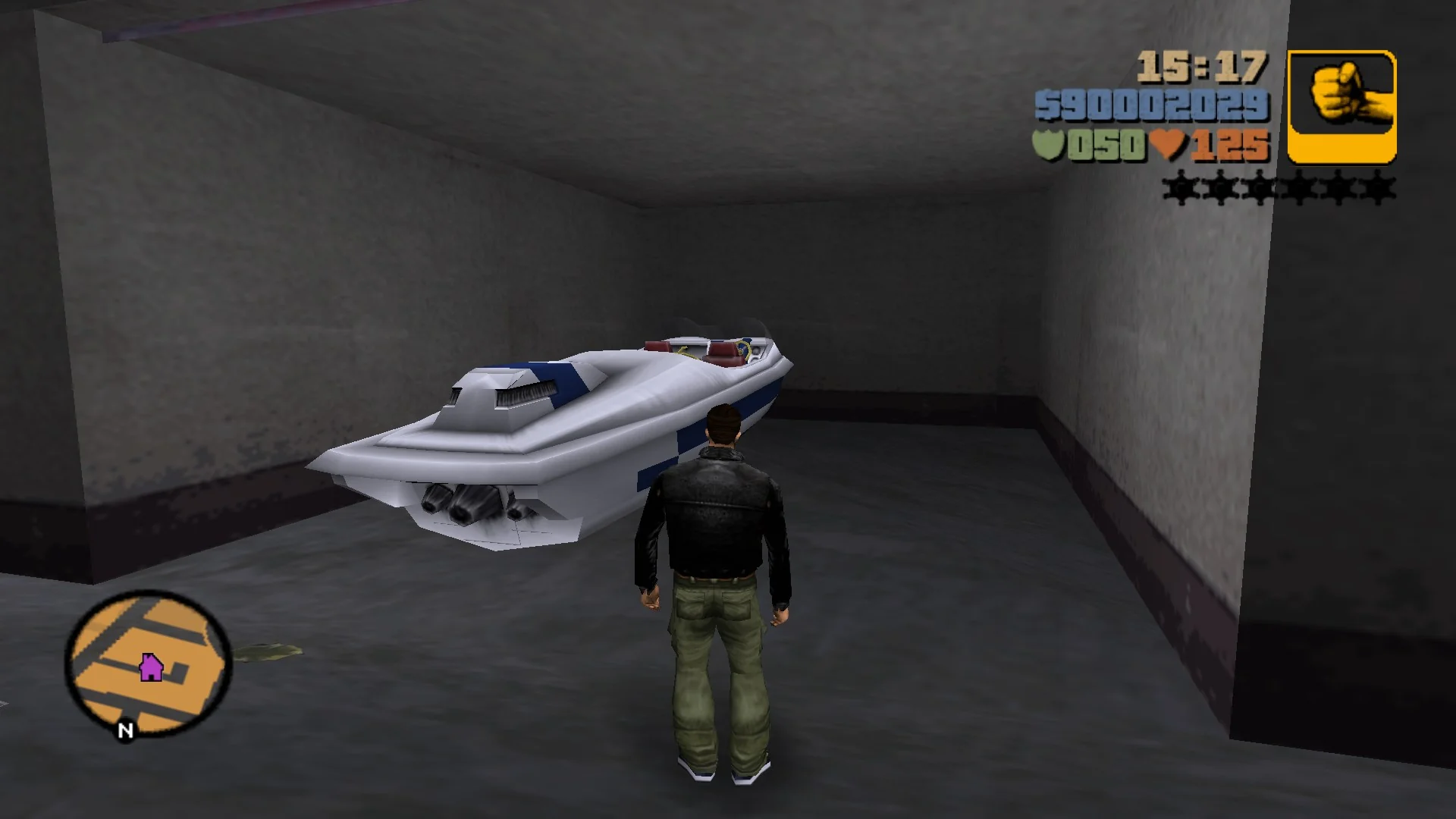
Garages are not for boats, but if you try hard enough…
I don’t know how bored one would have to be to attempt that, but there is technically nothing preventing players from getting a boat ashore and then pushing it to a hideout garage. “It’s a cool souvenir”, you might’ve thought. Wrong! Storing a boat in a garage makes the game crash when trying to open it and renders that garage permanently unusable on this save file, so that’s about the worst reward for persistence the game may have “rewarded” the player with.
Once again, Obbe explained on Twitter (although his comment about boats with wheels isn’t accurate): GTA III garages simply can’t create vehicles other than cars. Vice City added bikes, so the developers had to fix that, and also added code to create boats while at it. A backport of identical code to GTA III makes boats spawn properly, and is even fully backwards compatible – any saves “broken” by such stored boats will work again!
“Get out of jail free” card
GTA III has a little-known prize for eliminating 10 criminals in a row in a Vigilante mission: the player is granted a one-time “get out of jail free card”, and the next time they get busted, they don’t pay a fee. The code also made it obvious that the player was supposed to keep their weapons (as an unused “free healthcare” bonus lets them keep their equipment), but they were forcibly removed anyway. This has now been corrected, so the next time the player eliminates 10 criminals and then gets busted, they keep everything.
The same issue has been fixed in Vice City, although the corresponding script command has been cut, so the feature is unused.
Me windows are ruined!
If you were to shoot out windows in Liberty City, you’d never notice anything is off. Try shooting out windows in some places in Upstate Liberty, like a restaurant in Carrington or the internet café in Gostburg, and the effect looks atrocious and makes no sense:
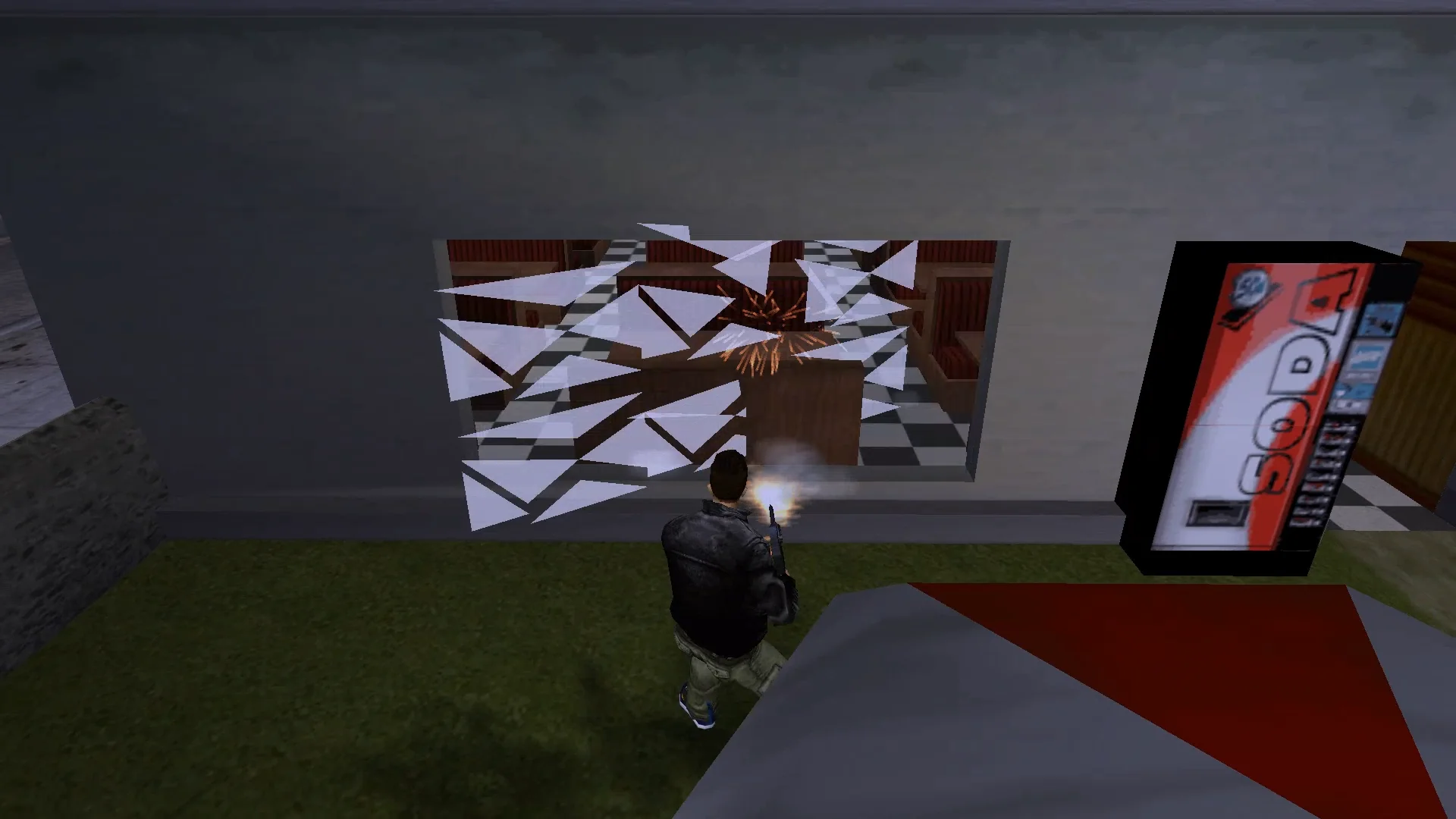
If one bug isn’t enough for you, good news – you’re looking at two distinct bugs:
- Square glass shatters without any visual issues, but shards from rectangular panes are sized incorrectly. That’s what causes the shards to look “disjointed” on my screenshot. This bug was previously spotted by Fire_Head when developing his Breakable Windshields mod, but the mod only fixes it for the windshield glass shards and isn’t applying a generic fix.
- Glass that is perfectly axis-aligned (i.e. angled 0°/90°/180°/270°) or rotated 0°–90° or 180°–270° shatters without issues. However, the stock game code completely falls apart if the glass is rotated 90°–180° or 270°–360°, and produces this broken, incorrectly rotated effect.
You guessed it: in Liberty City, all glass panes are square and axis-aligned, so both bugs snuck through. Both issues were later fixed by Rockstar in Vice City – they most likely noticed them in North Point Mall, as that place is full of windows of varying shapes and placements. Luckily for us, porting their fixes back to GTA III works exceptionally well:
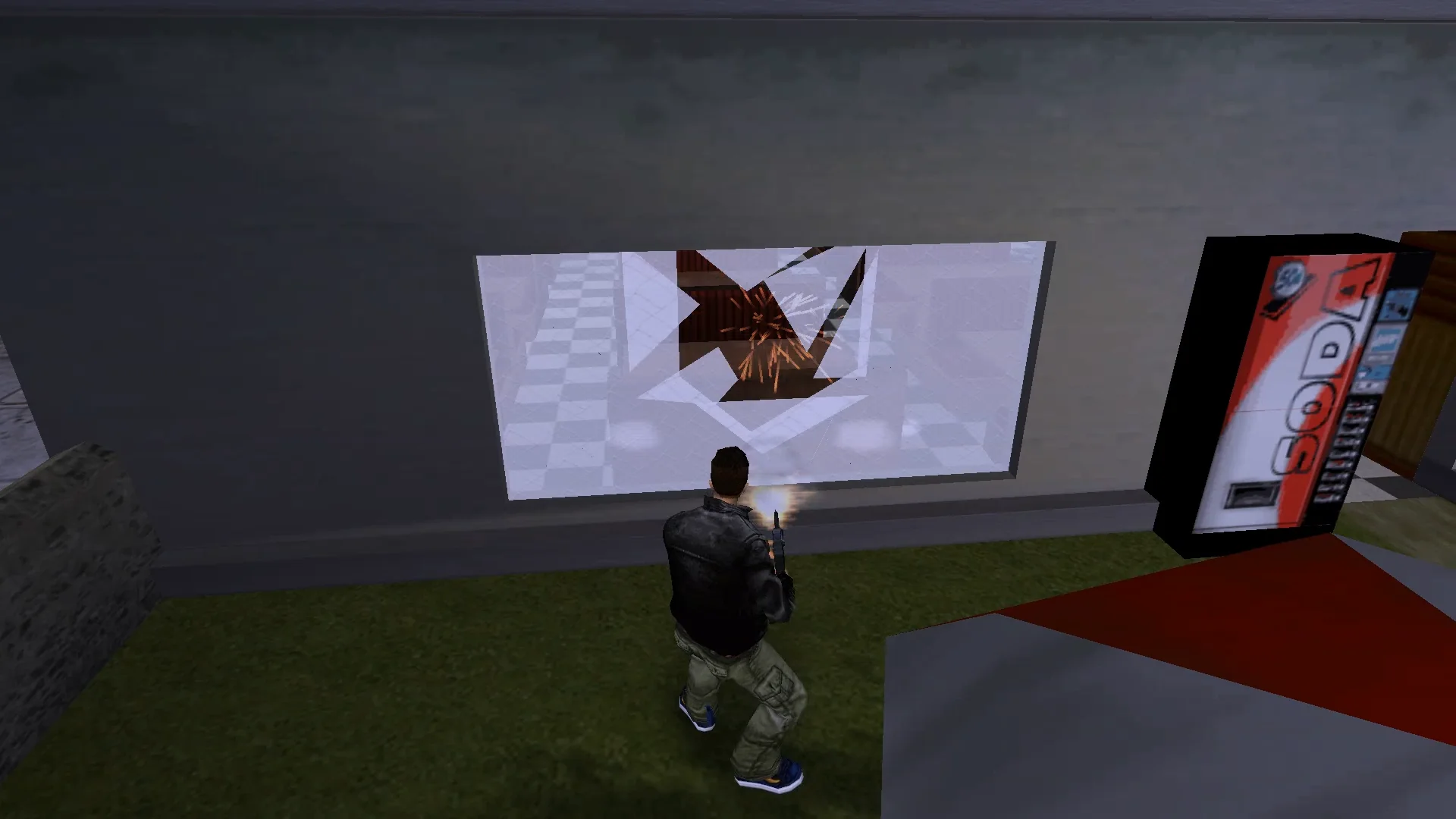
Upstate seems to have a knack for revealing previously unknown bugs, but that’s great – everyone benefits from having them fixed.
Other fixes
- The game’s window icon is now correct, like in Vice City and San Andreas.
- The mission script can now stop the mission audio immediately on demand, like in Vice City. While this never happens in the stock game, it’s useful for mods.
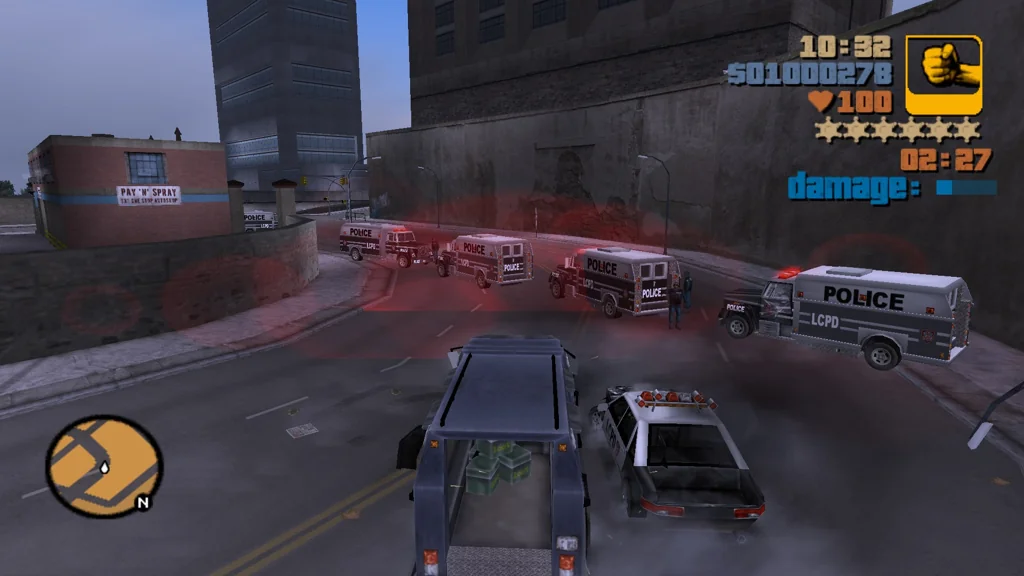
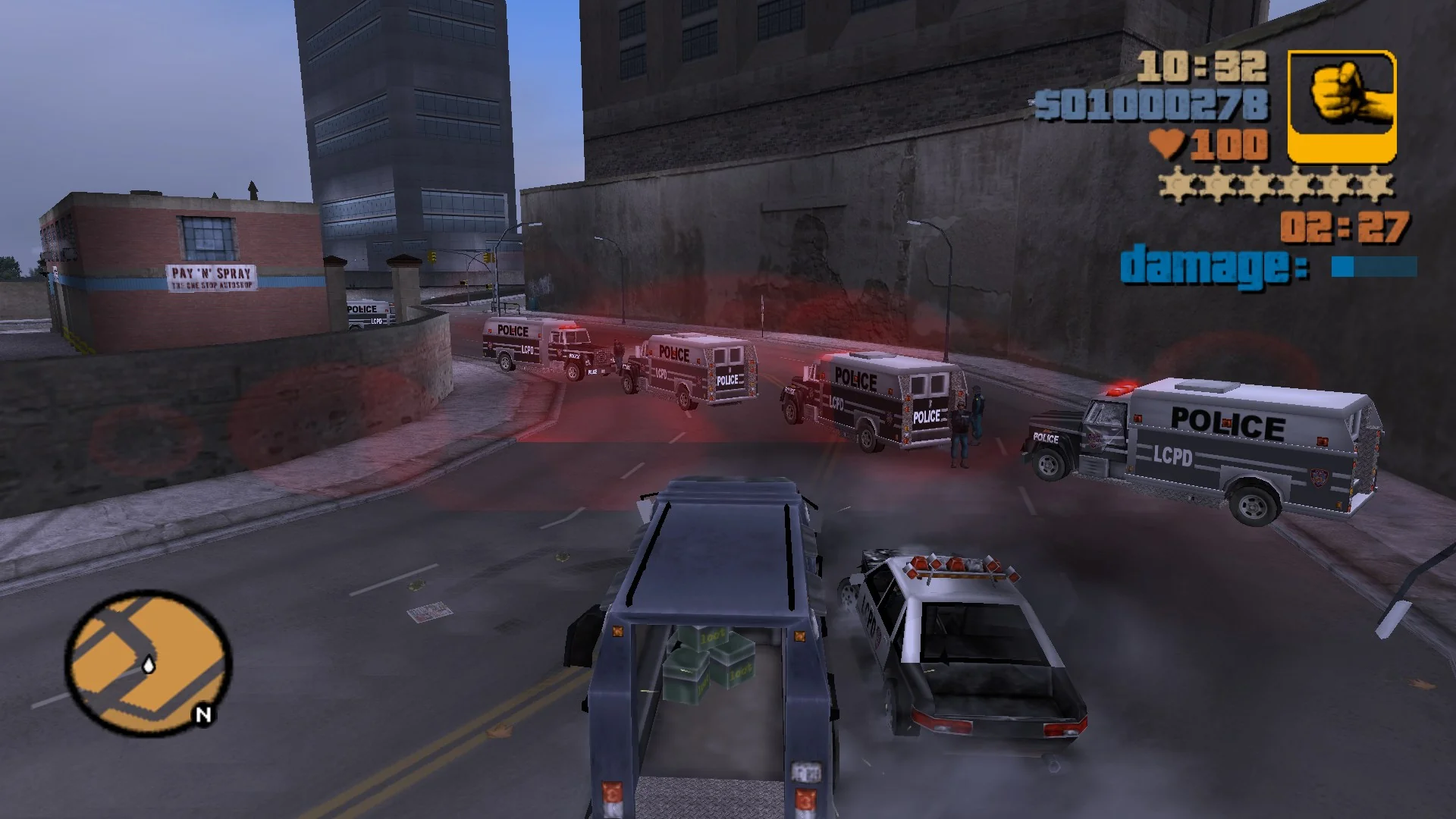
- The road blocks in ‘Decoy’ now use Enforcers and SWAT members instead of Barracks and the army. This makes them match the pursuing units that are forced by the mission script.
-
Two script commands that “slipped through” from Vice City to III PC,
SET_ENTER_CAR_RANGE_MULTIPLIERandSET_THREAT_REACTION_RANGE_MULTIPLIER, now function correctly, and their effects reset on New Game and from the mission cleanup routine. - Fire_Head discovered that in the PS2 version, cars driving in shallow water (like the pond in Belleville Park) would be affected by the water resistance,
while that behaviour was absent from the PC version – most likely cut by accident when the particle effects were downgraded for the PC port, as the lines of code were right next
to each other. It has now been restored to its original PS2 state.
On PS2, the car struggles to traverse this pond. On PC, it wooshes through with ease. - Nick007J discovered two PS2 vs PC differences related to helicopters:
- The dust effect was broken on PC, and it ignored the terrain elevation changes. The effect was broken visually, and it performed 32 times more ground height checks
than intended. SilentPatch restores the PS2 behaviour, fixing the visuals and optimizing the code.
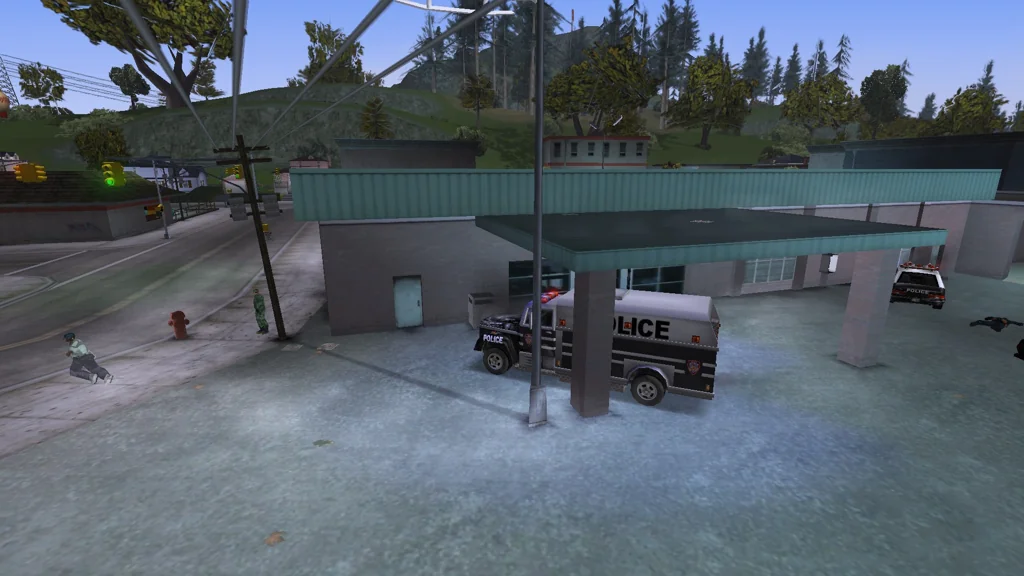
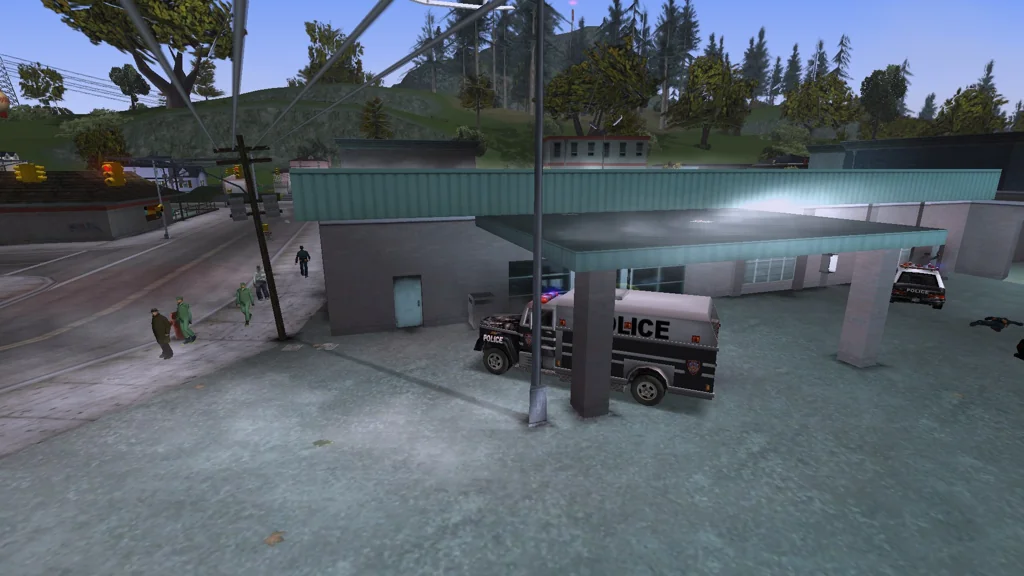
- The police helicopter AI had a subtle bug introduced in the PC version, where it switched from the “searching” behaviour right after spotting the player. In the original PS2 release, the helicopter kept flying towards the player for a bit longer to ensure a better view.
- The dust effect was broken on PC, and it ignored the terrain elevation changes. The effect was broken visually, and it performed 32 times more ground height checks
than intended. SilentPatch restores the PS2 behaviour, fixing the visuals and optimizing the code.
Grand Theft Auto: Vice City
“Thanks for the money, sucker!”
GTA III (and before that, GTA2) had criminals pickpocketing people on the street; in Vice City, they stopped doing that. The feature wasn’t cut; however, it just broke due to the other ped objective-related additions in Vice City: SilentPatch now fixes the mugging objective, so once again you can see some quite amusing scenes happen.
Where is this business? I’m lost
The green house/property icon was widely used in San Andreas, but it actually originated from Vice City: at some point, as shown in the BradyGames guide, it was used to mark safehouses that were available for purchase:
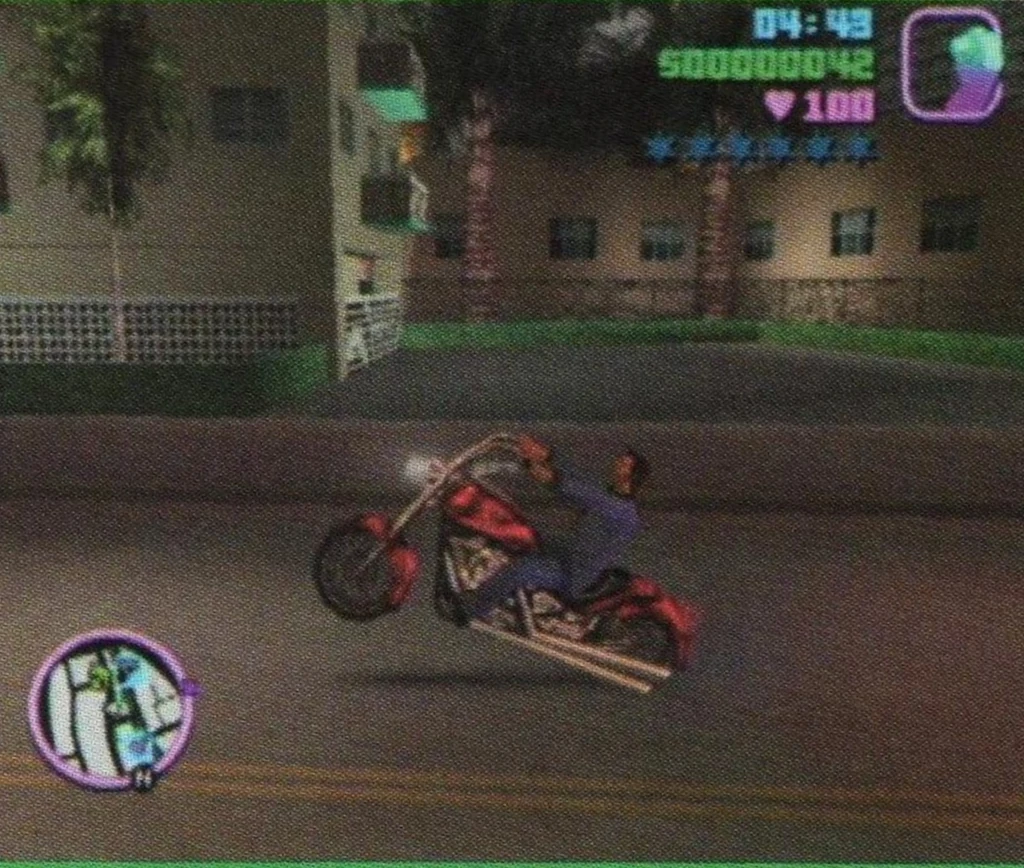
In the final game, it’s never used… in practice. In theory, this icon is still used to mark businesses available for purchase, but it’s not showing on the map either due to a bug or a rushed hack removing it from the game. In this update of SilentPatch, I added an option to bring it back.
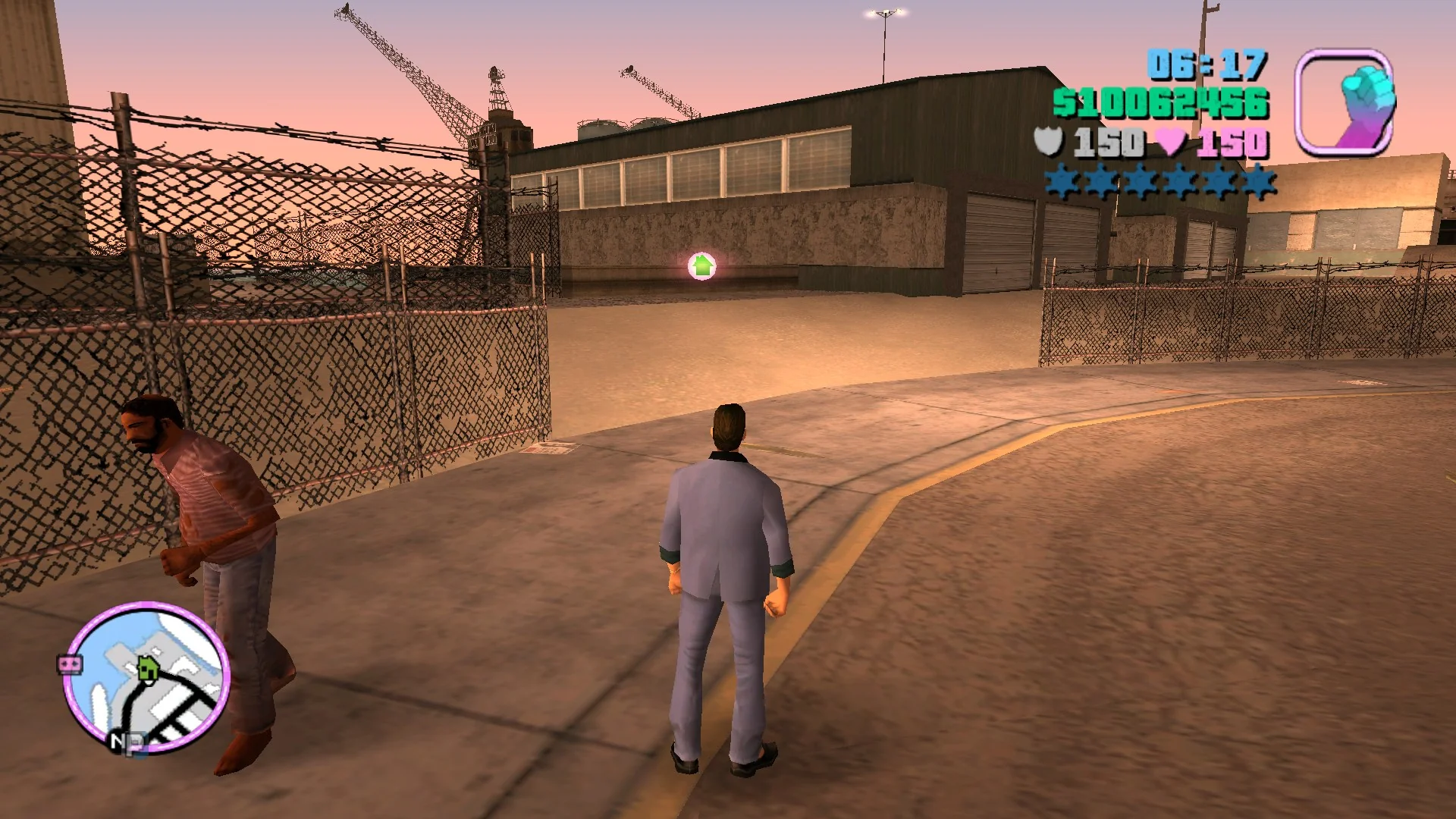
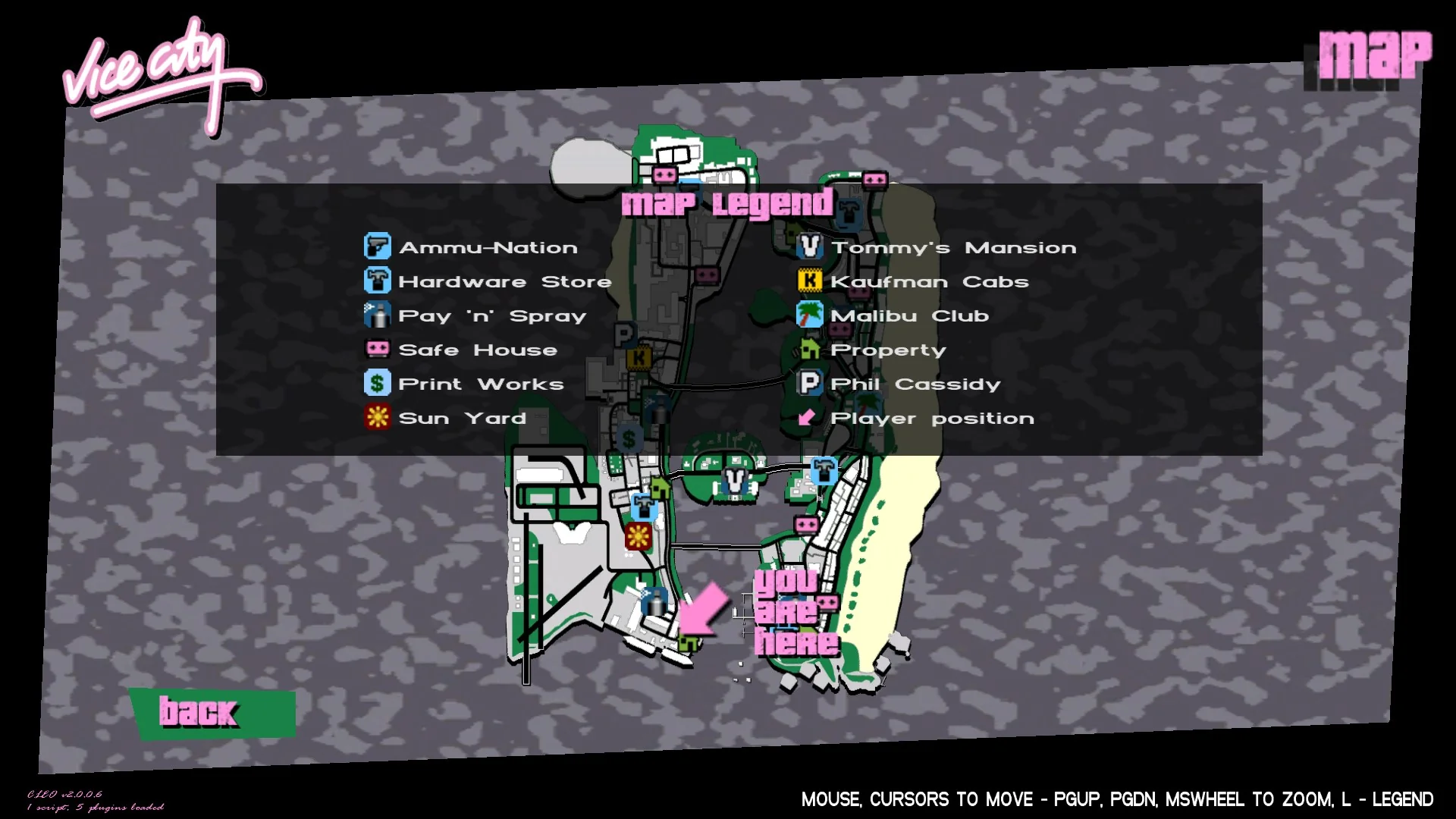
As I can’t prove beyond any doubt that the icon was just bugged, it’s hidden under a configuration option and disabled by default.
Even more vehicle animations?
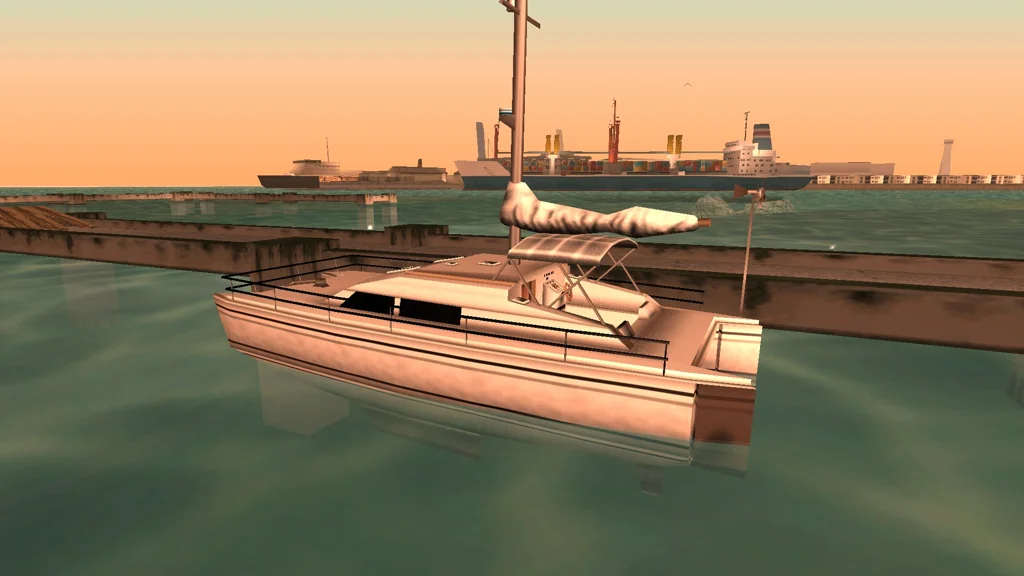
Rio is unique in Vice City – the stock game only supports extra components on cars and bikes, yet Rio, being a boat, has one. The canopy roof it has was supposed to be optional, but since the game never processed extras on that model, it spawns as a permanent part. In this SilentPatch release, boats can now have up to 6 extras, so the roof works as it was intended in the first place.
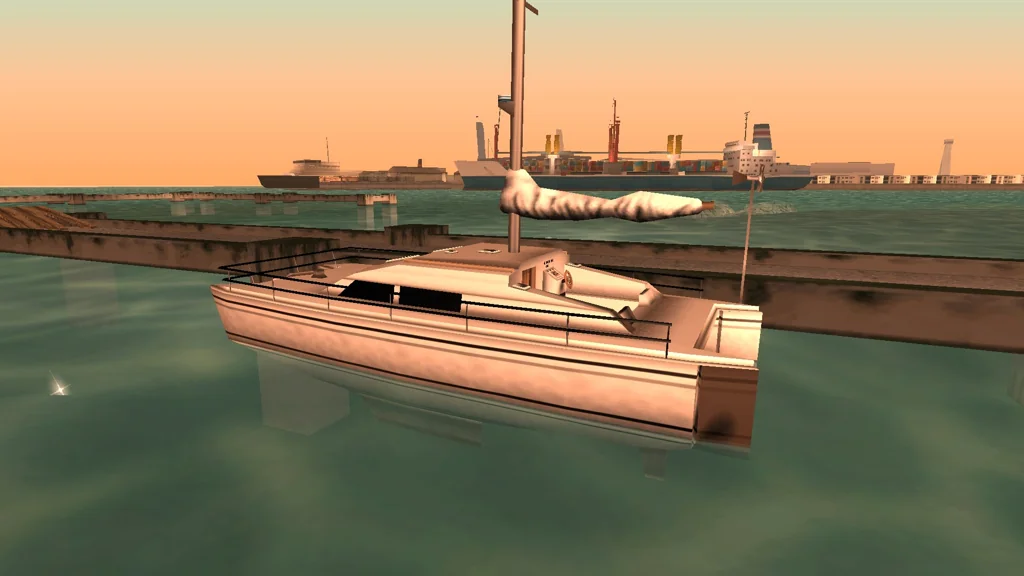
A spinning radar that the Reefer and Predator have is also present on the Tropic, but it wasn’t functional due to a typo in the model and missing code. SilentPatch now corrects both issues.
Skimmer is a seaplane, but technically also a boat (remember the “24H2 bug” in San Andreas?). The elevators on the rear wing only animated in response to the left analog stick, and never reacted to the keyboard controls; additionally, unlike the other moving parts, they immediately snapped to the inputs, leading to jarring visuals with sudden input changes. SilentPatch animates this part in response to either gamepad or keyboard controls, and makes it ease into input, so it looks smooth regardless of inputs.
Post effects are uglier than they should have been
Over the years, I received multiple reports saying that the Trails effect (absent from the PC versions by default, but easily re-enabled) looked really bad and produced a grey “blob” around the player’s vehicle. Back then, I mistakenly thought it was how the effect is and higher resolutions simply expose it, but I was wrong. For this release, I dived into the code responsible for this effect and exposed multiple bugs.
With Trails enabled, the game renders a “heat haze” around the exhausts of the player’s vehicle. This effect is supposed to be subtle, but on PC, it was anything but: in 4K, it covered nearly half of the screen!
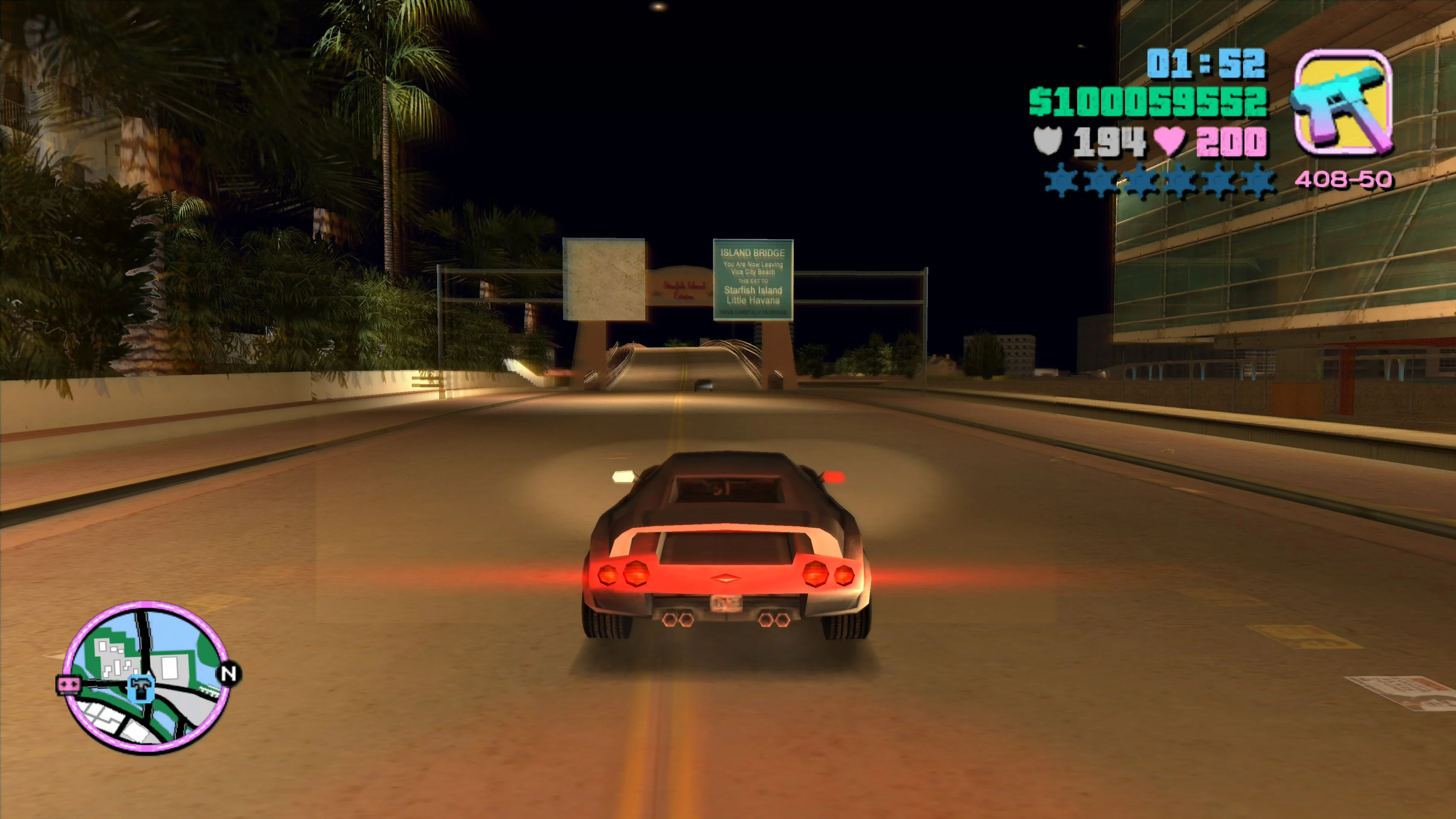
The effect scaled to resolution twice, making it quadratic (and not linear) to resolution. The bug makes this effect look horrible, but when fixed, it is pretty elegant. It might be difficult to spot on a shrunk and compressed recording, but in-game it’s obvious. To see this heat haze, you must use the default Trails; Sharptrails does not implement this effect.
Water and blood droplets were intended to be excluded from the areas of the screen with the UI: they shouldn’t be able to draw under the HUD, radar, and the vehicle and zone name texts (if present on the screen). However, those “safe zones” also didn’t scale to resolution correctly, so on higher resolutions, big chunks of the screen were incorrectly excluded. SilentPatch now addresses this, and it makes the heat haze effect ignore those safe zones – the haze is a “3D” effect, so the UI should not interfere! This fixes a bug where the haze effect didn’t display when the zone or vehicle name was shown on-screen.
I will pop your tires and crash your game
These bugs came to light in a pretty unusual way: rather than being discovered in Vice City, they were all discovered while testing Fire_Head’s GTA III mod porting the stingers (spike strips) from Vice City. The mod faithfully recreated the VC code, with all its bugs, and stress tests revealed them!
Stingers are apparently a speedrunner’s nightmare, since they are known to randomly crash the game during long gameplay sessions. They could also crash the game on exit if you were to shut it down with stingers spawned. Turns out that these objects, unlike most other “temporary” in-game objects, do not react well if the game’s object pool fills up. Hitting the limit was especially easy with stingers, since each strip consists of 12 objects and fills the pool quickly. Once I lifted the “limit” of 2 stingers at once for a test, crashing the game was easy:
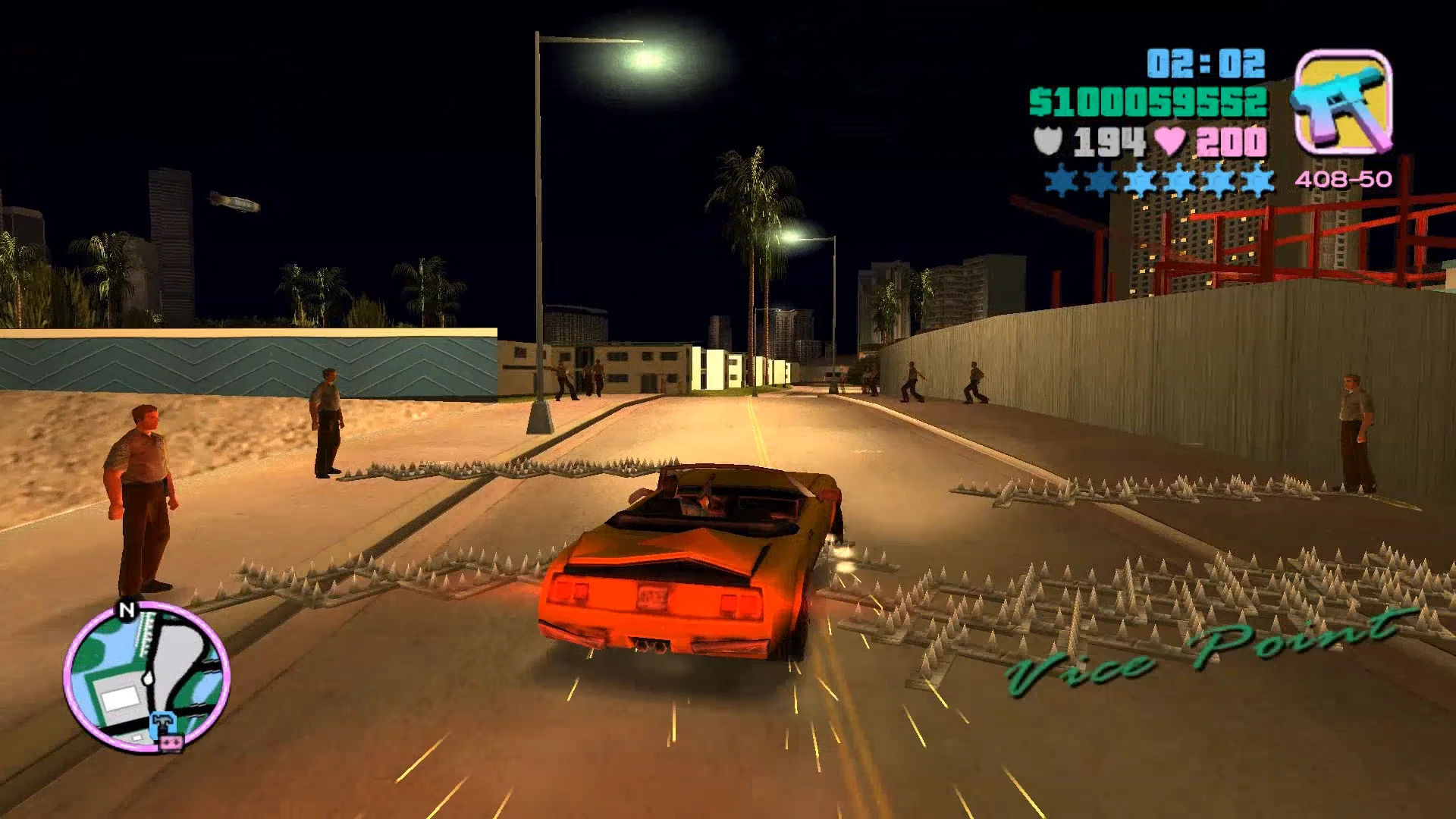
Several bug fixes later, SilentPatch makes stingers and the road block barriers handle this edge case gracefully. If the objects pool is filled, cops will still perform a throwing animation, but the stinger isn’t going to spawn. The same fixes were applied to the GTA III mod, too.
Other fixes
- Shadow underneath the “You are here” arrow in the Map screen was not scaling to the resolution, even with all the scaling fixes already present in SilentPatch. It’s now been resolved.
- The 2024 update of SilentPatch introduced multiple fixes for the radar disc scaling and shrunk it by 2 pixels to get rid of a tiny gap in the bottom part of the radar. However, the PS2 radar disc texture and some modded textures were made with the old scale in mind, and that change made the radar show through the outer edges of the disc. In this release, a configuration option has been added to undo this scaling change to account for the affected mods.
- The “speech delay” responsible for peds saying almost nothing on PC is now configurable via the INI file. The default value is 0 (no delay), but some people felt that it makes gangsters too talkative, so users can now adjust this value to their own liking.
- SWAT and FBI agents stationed on the road blocks now fire their weapons, like in San Andreas and the Stories games. They had them in the inventory,
but due to leftover code from GTA III, they were not equipped.
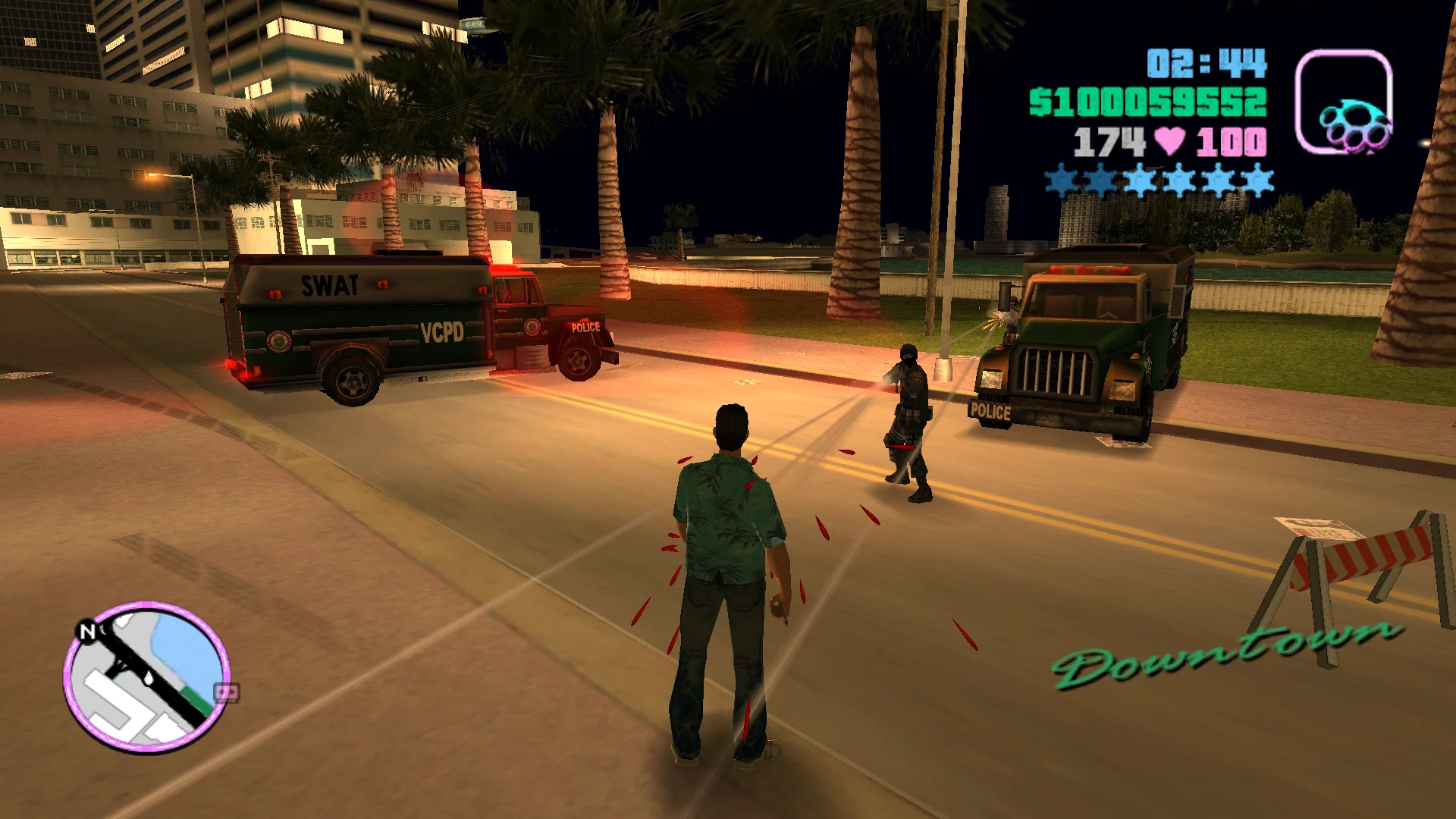
- Radar blips are now bilinear filtered when displaying the radar in the “Blips Only” mode.
- Enter car and threat reaction range multipliers (set during several missions) now reset on New Game and on loading a save.
- CanerKaraca contributed a fix for the Python revolver and sniper rifles ejecting shell casings – for those weapons, it simply made no sense.
Grand Theft Auto: San Andreas
Improving vehicles, one animation at a time… again
For this release, even more fixes were done around the vehicle animations:
- One of the moving parts on Dodo was incorrectly named. The game now treats this name as a valid alias, so its elevator is no longer static:
- B1ack_Wh1te contributed a fix for the bike jumping animation, where CJ would sink into the bike during the animation. A simple change from
Zto-Zfixes the issue.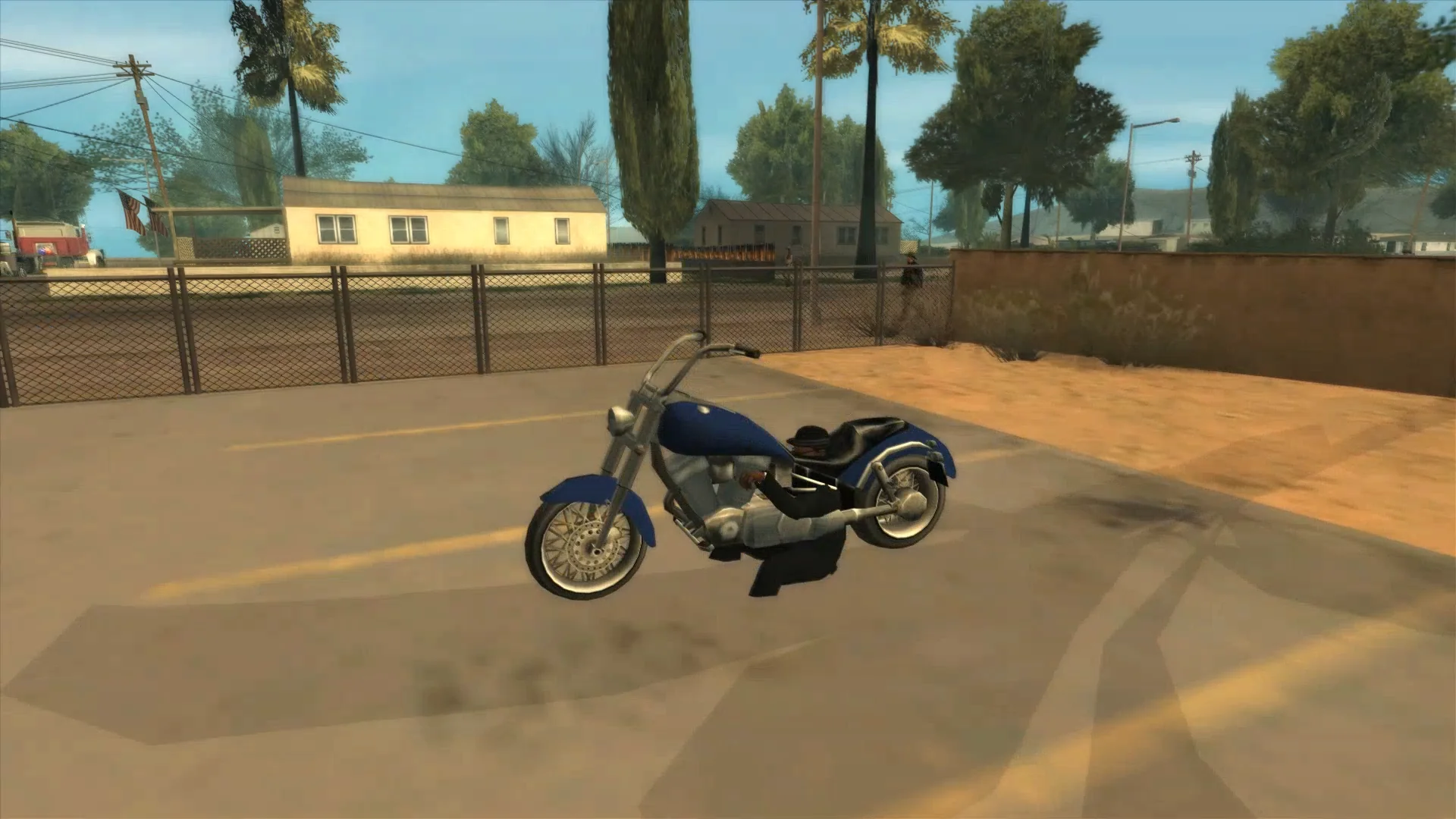
Are you OK, CJ? - B1ack_Wh1te found a one-liner mistake in
CCarEnterExit::GetPositionToOpenCarDoorthat broke the special-case code intended for the van door opening animations, and fixed it. This fixes characters “snapping” as they start playing the door opening animation. It’s not easy to notice unless you’re paying attention, but at 50% speed, the difference is noticeable.A snap is visible, especially on the second character. With a fix, no snap whatsoever. -
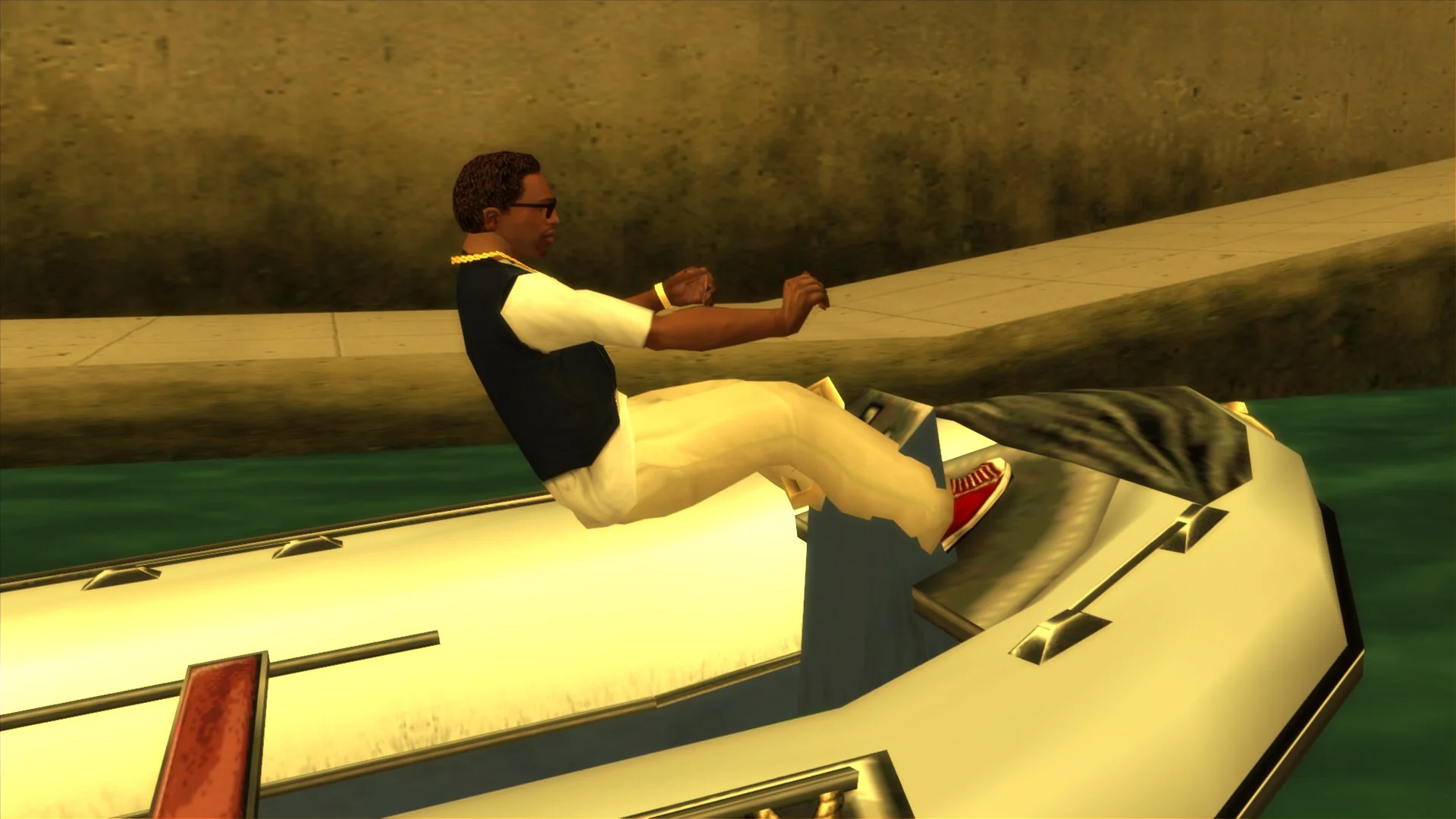
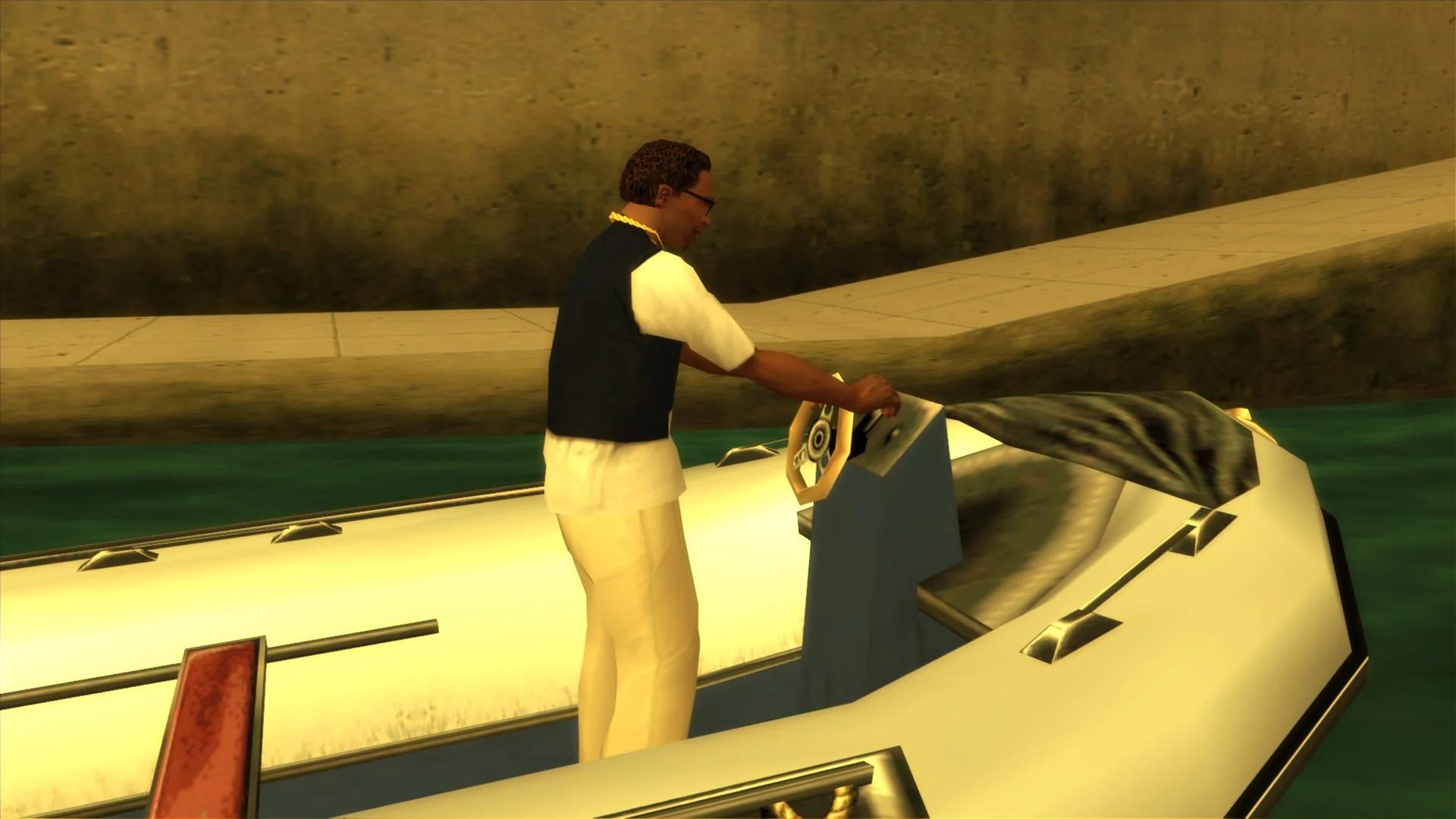
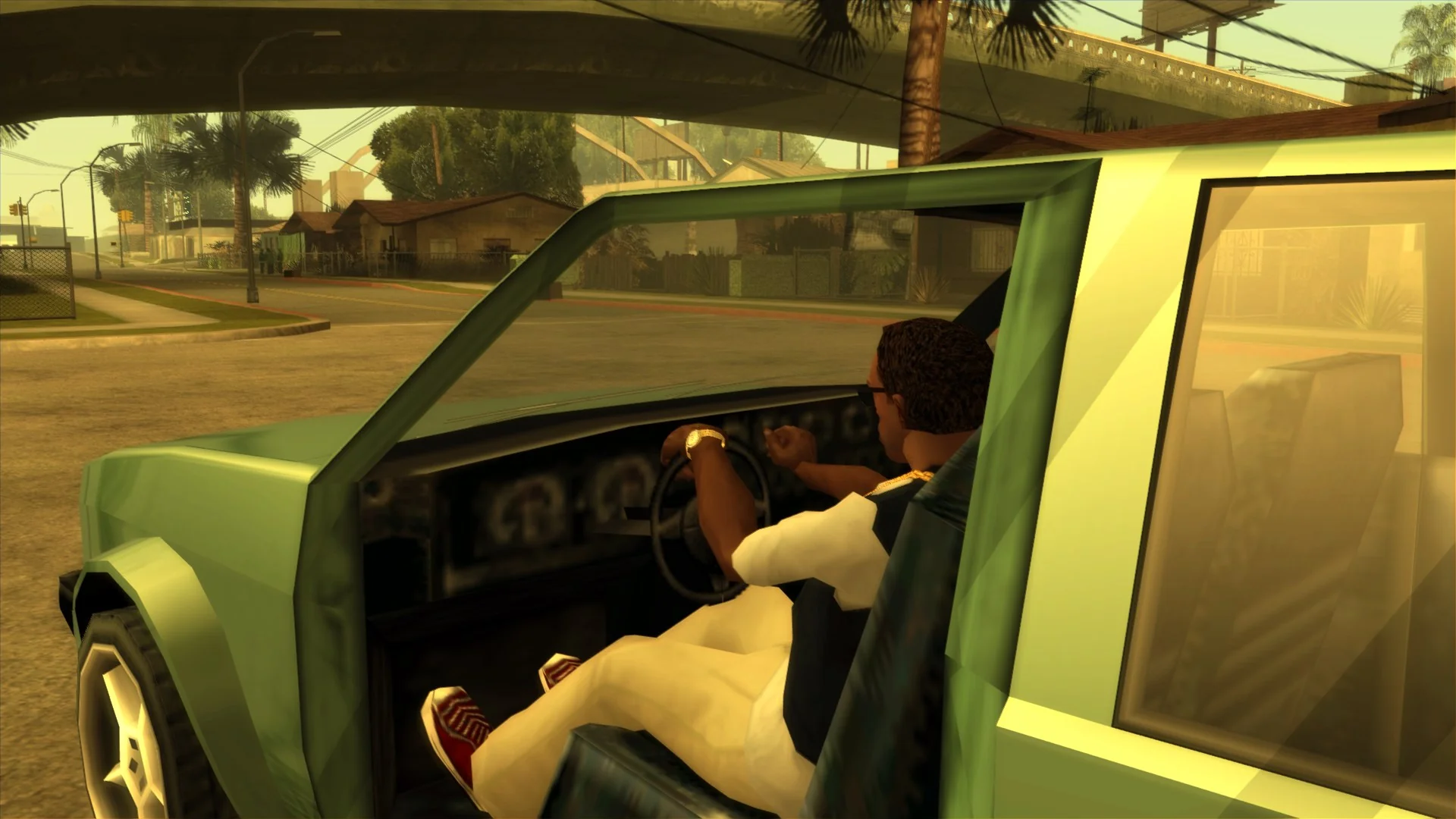
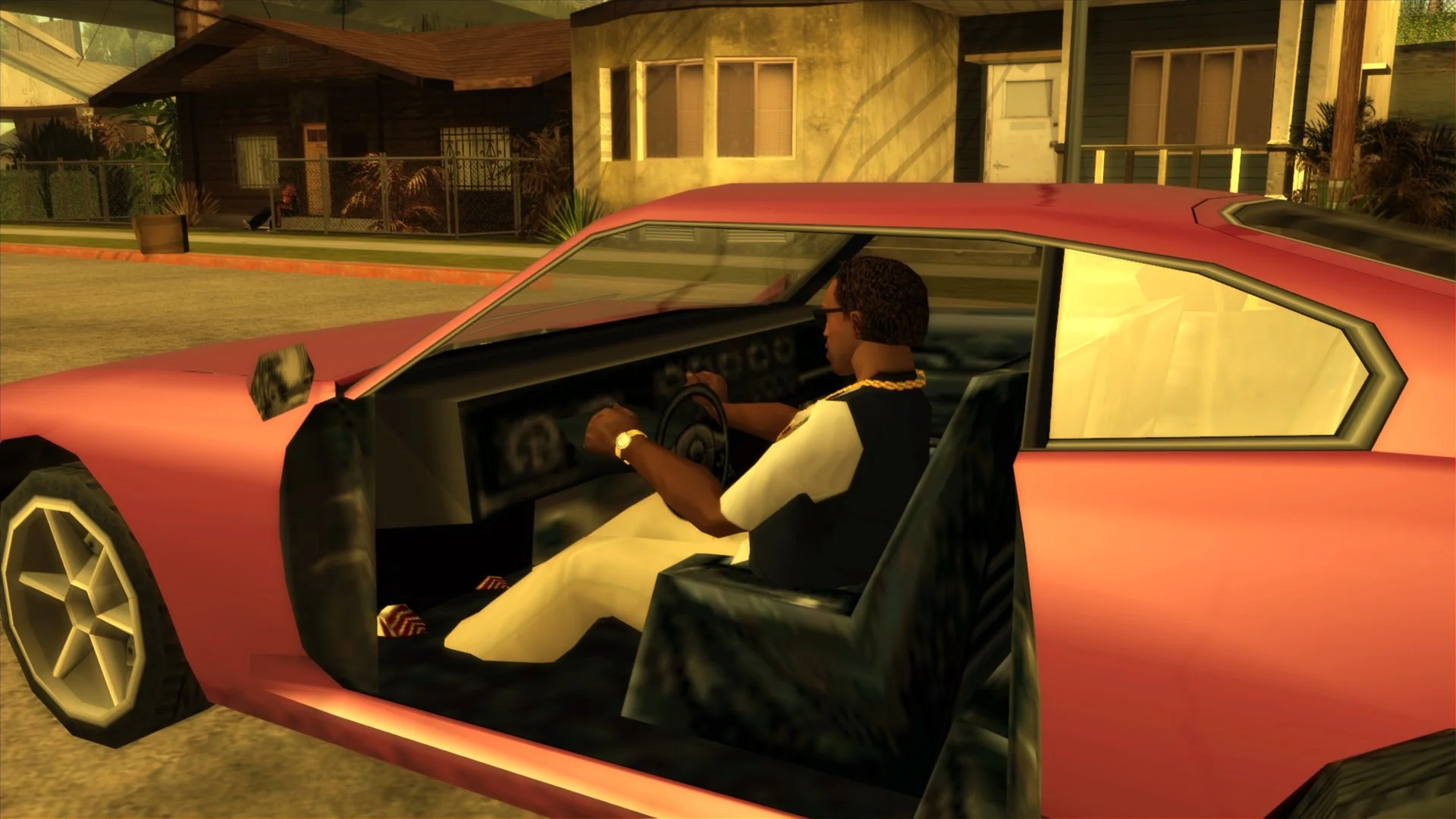
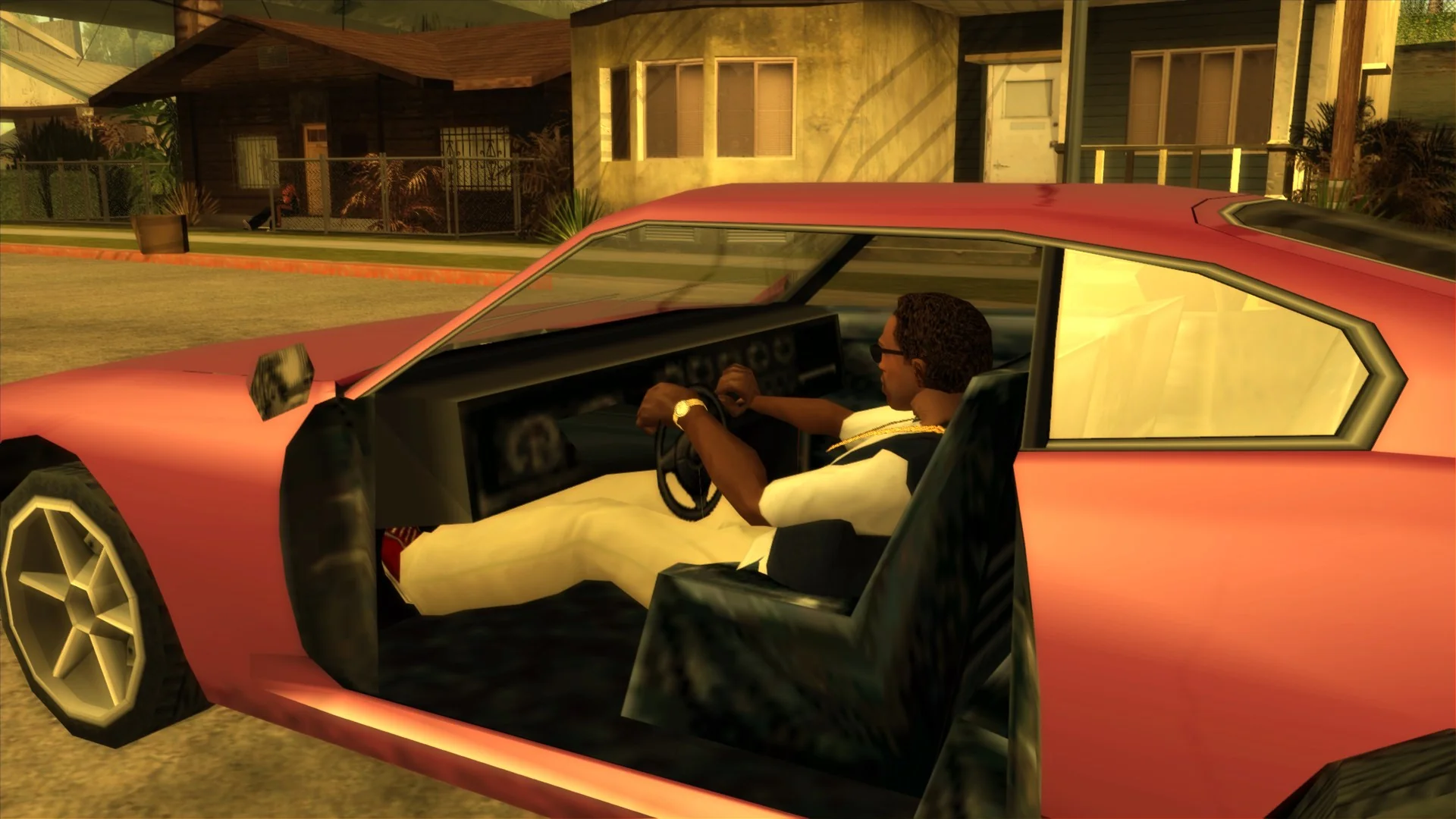
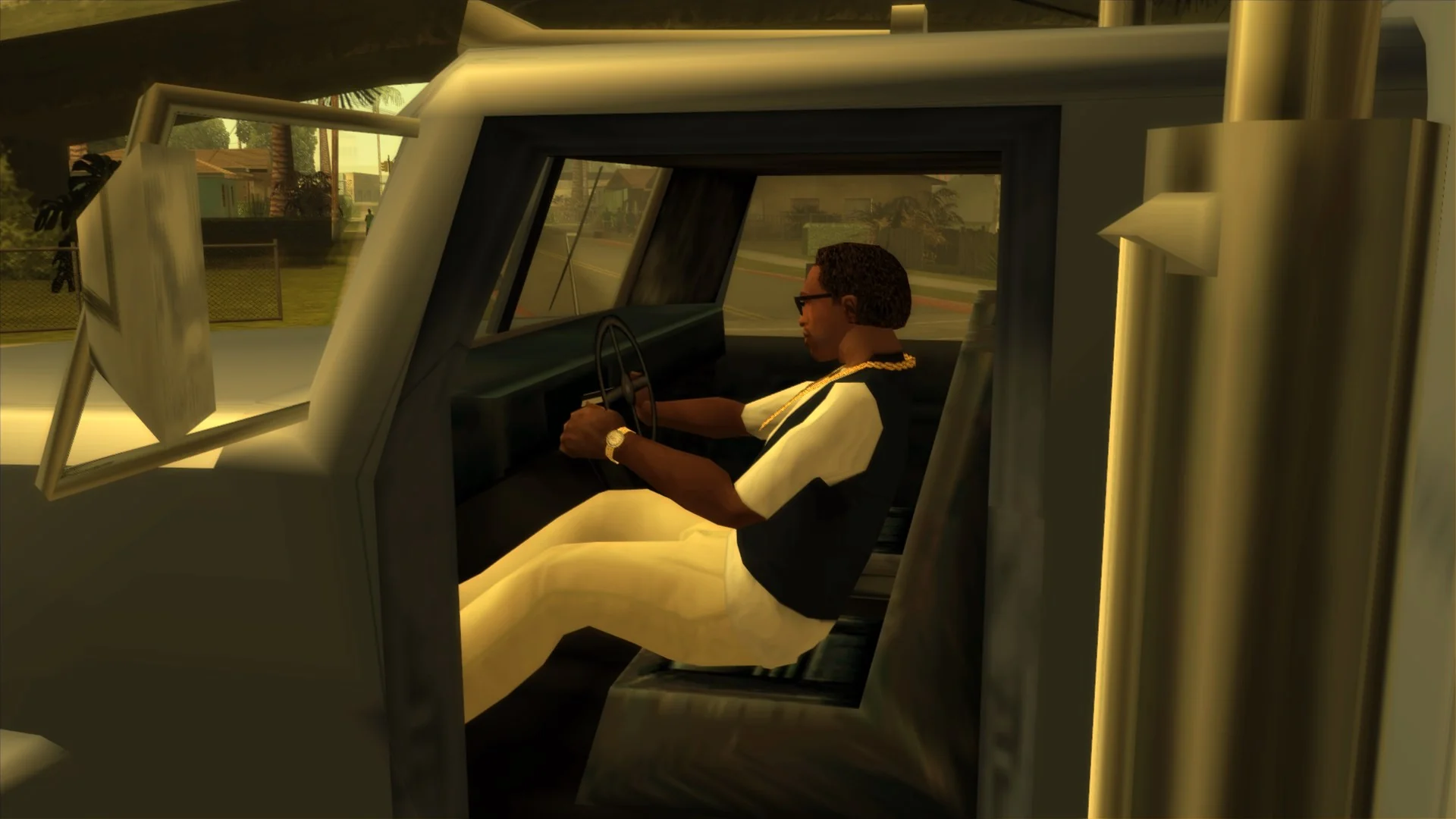
In the previous SilentPatch update, the radio station changing animation was disabled for the Dinghy, as the lack of a suitable standing radio changing animation made CJ float. For this release, B1ack_Wh1te proposed a better fix: keep the animation, but animate only a few select bones. This blends the current stance with the radio change animation, so everything looks in order:
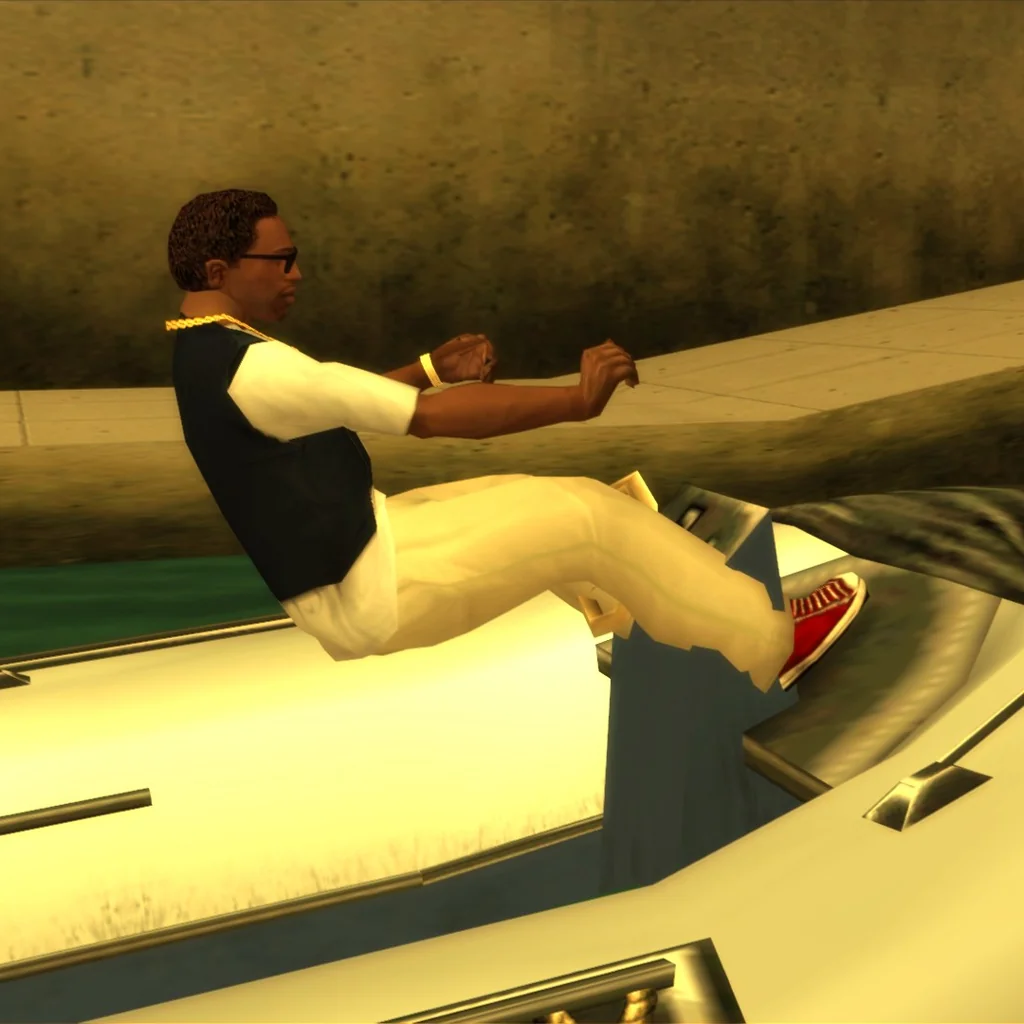
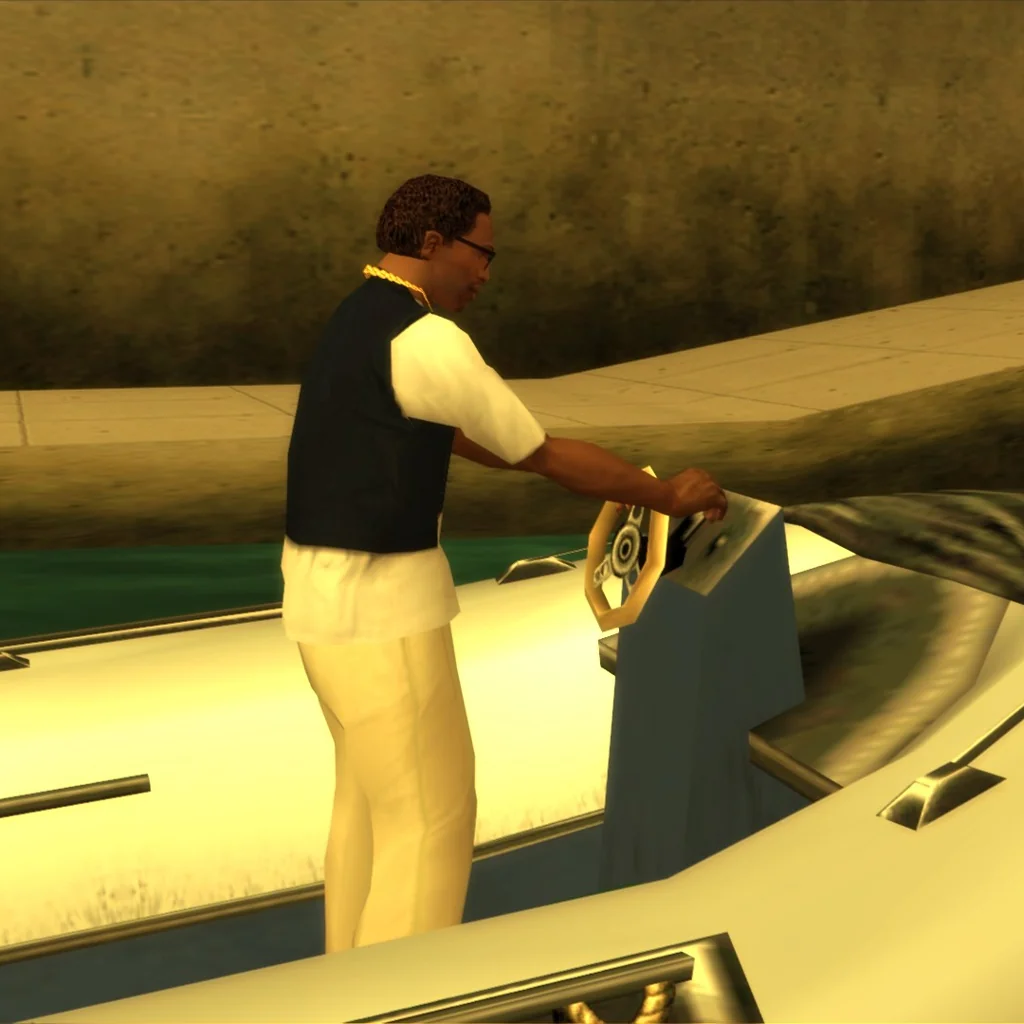
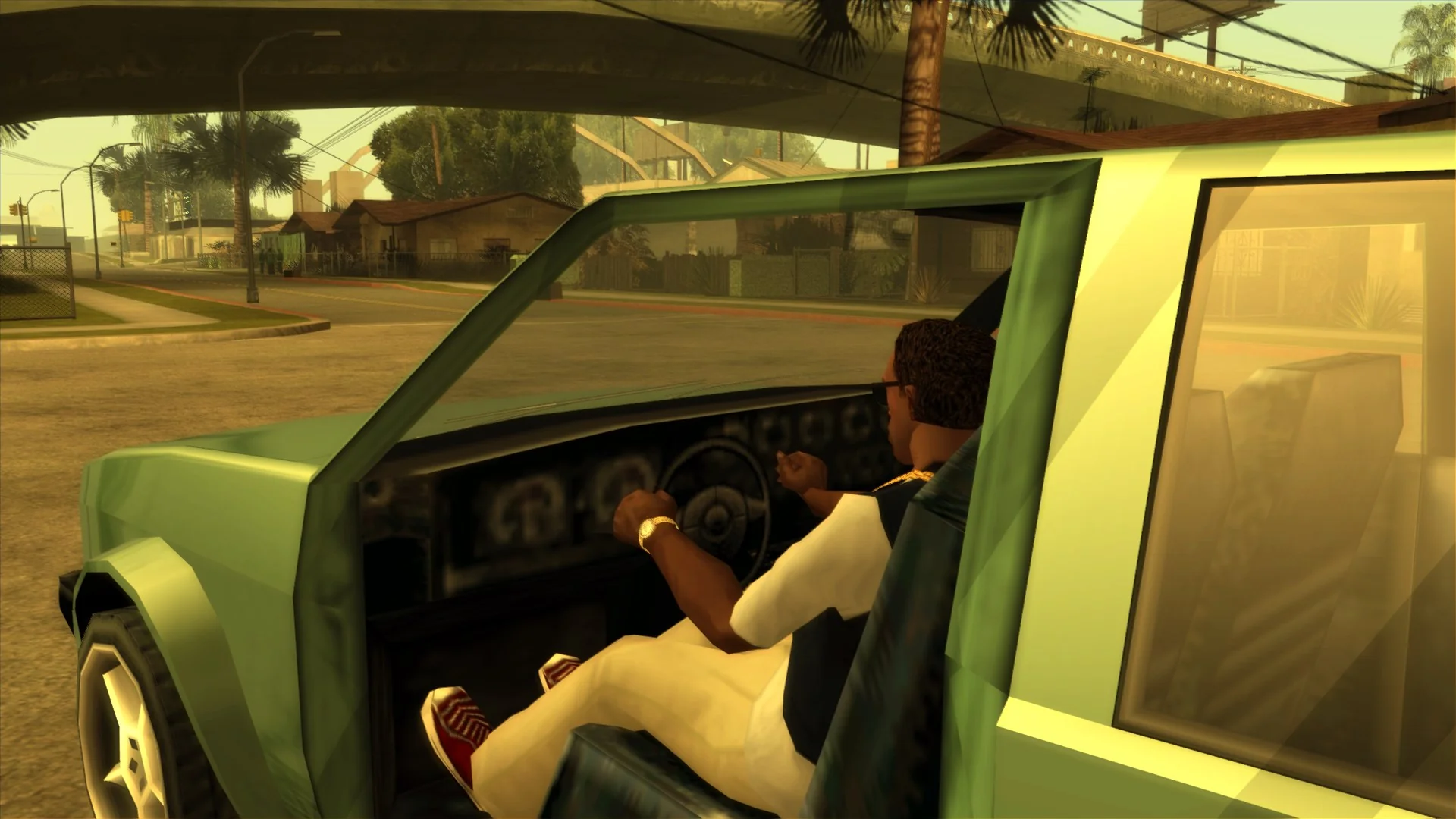
You are a wizard, Carl (again). Cars benefit from this fix too. San Andreas has multiple distinct driving animations: regular cars, regular cars driven by CJ with a high driving skill, low vehicles, and trucks; but it has only one radio changing animation. With this fix in place, CJ no longer snaps into a default driving animation when changing the radio stations:
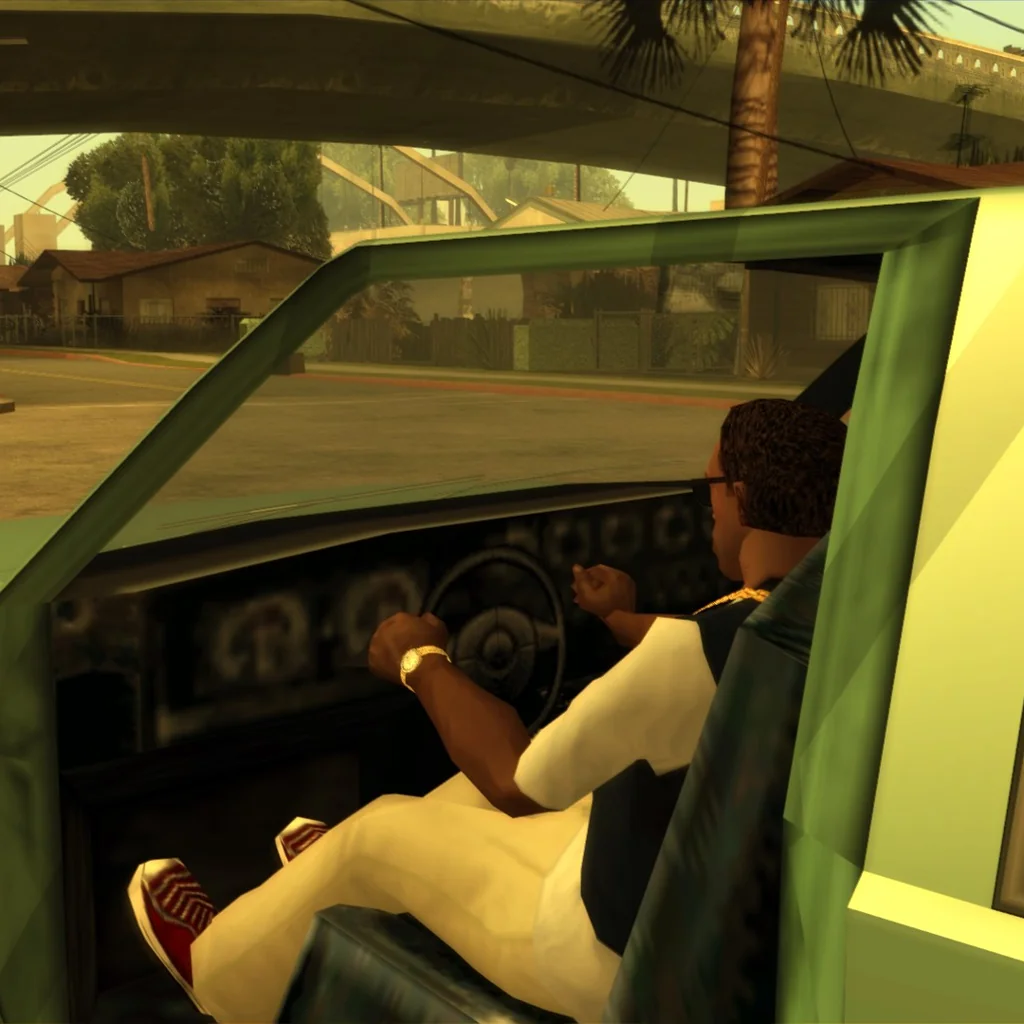
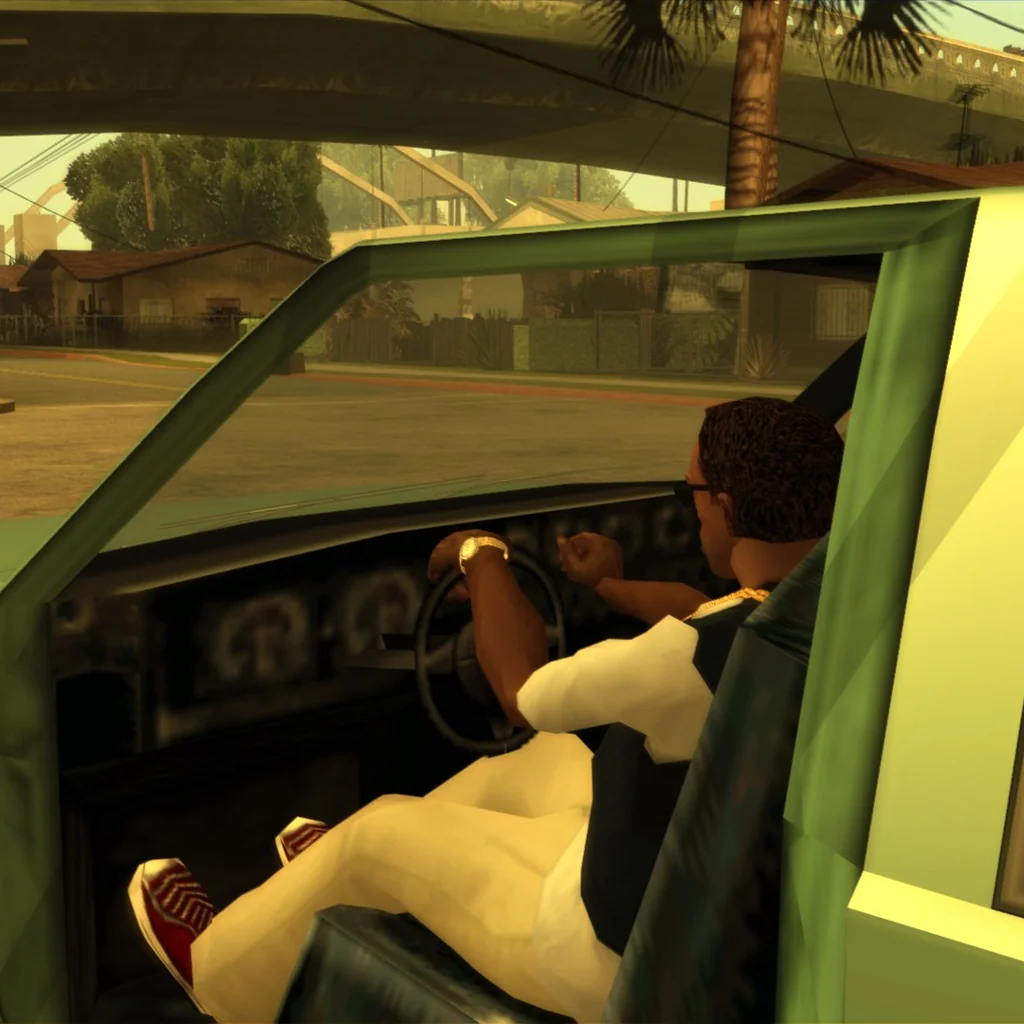
With the “pro” driving stance, CJ no longer moves the hand around the steering wheel when changing radios. 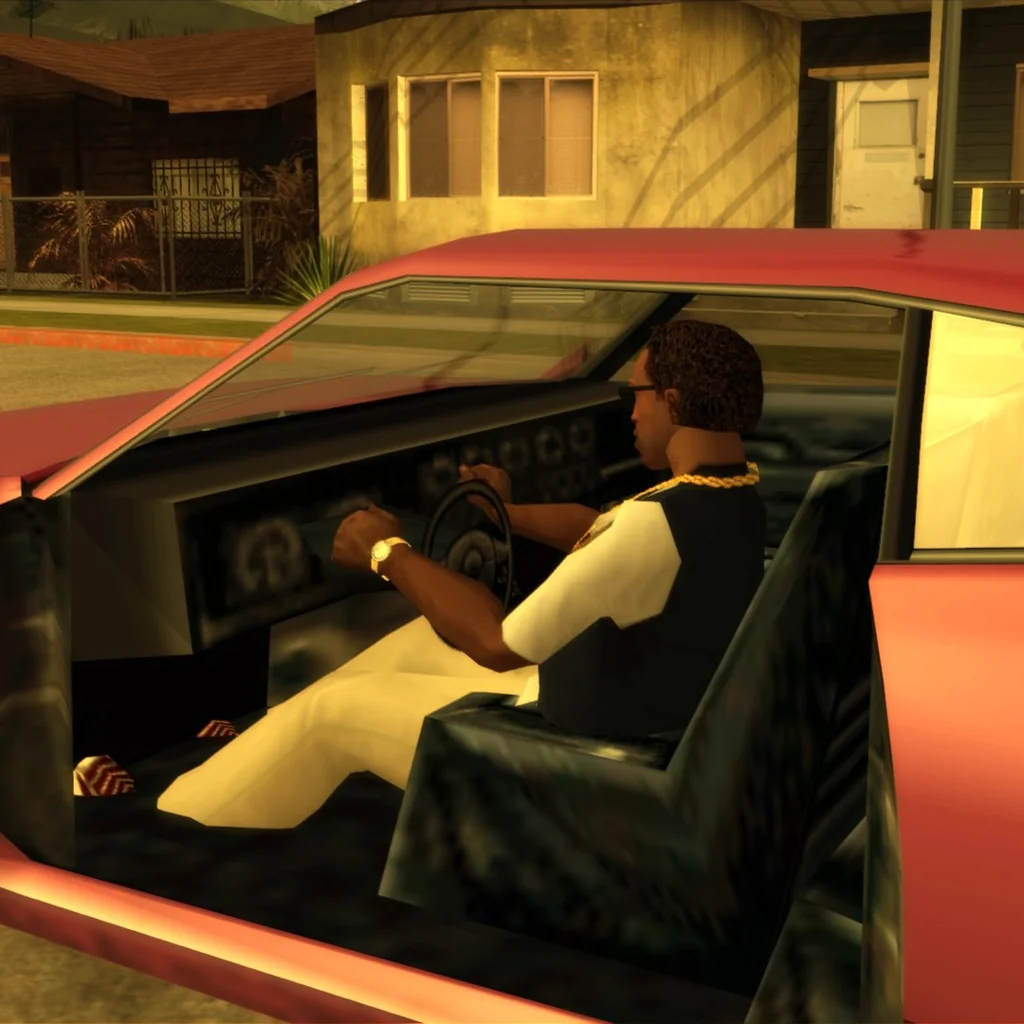
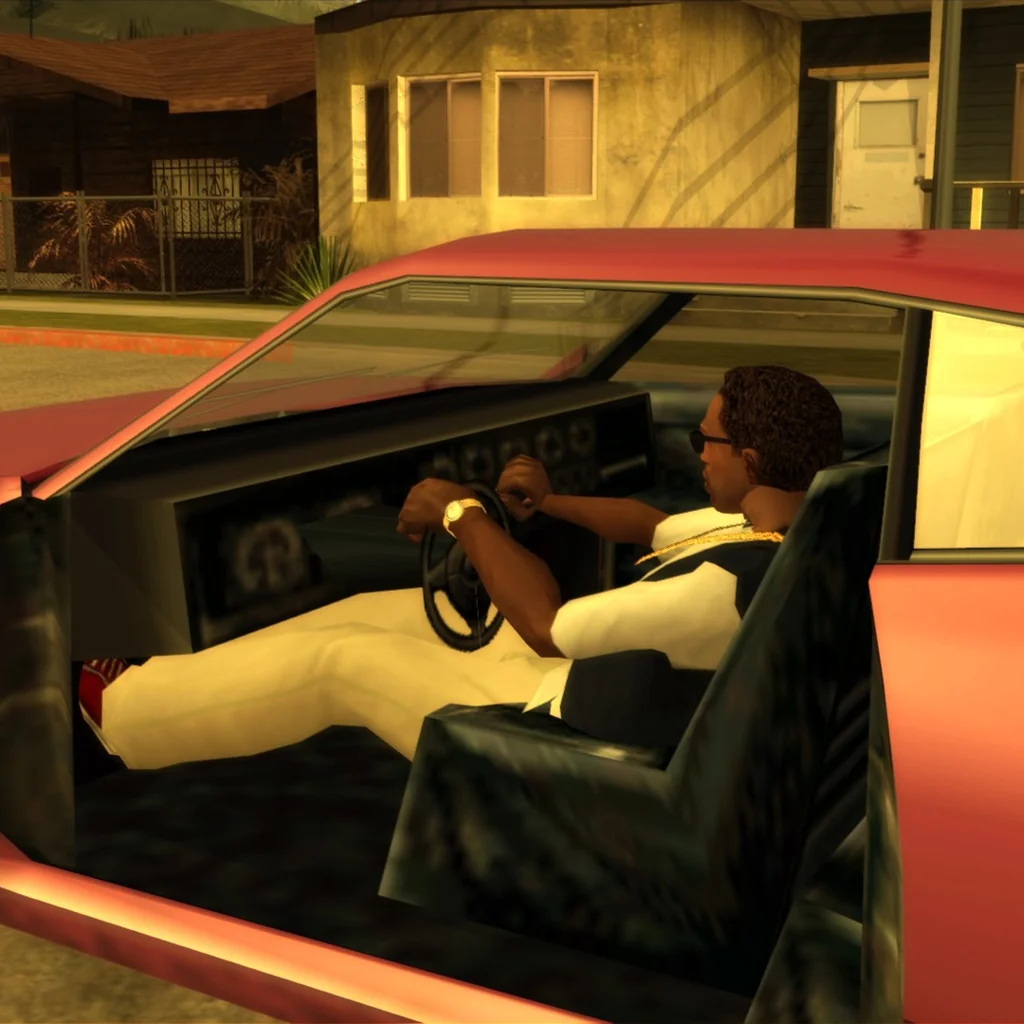
In low cars, CJ used to hunch forward, and his legs clipped through the floor. 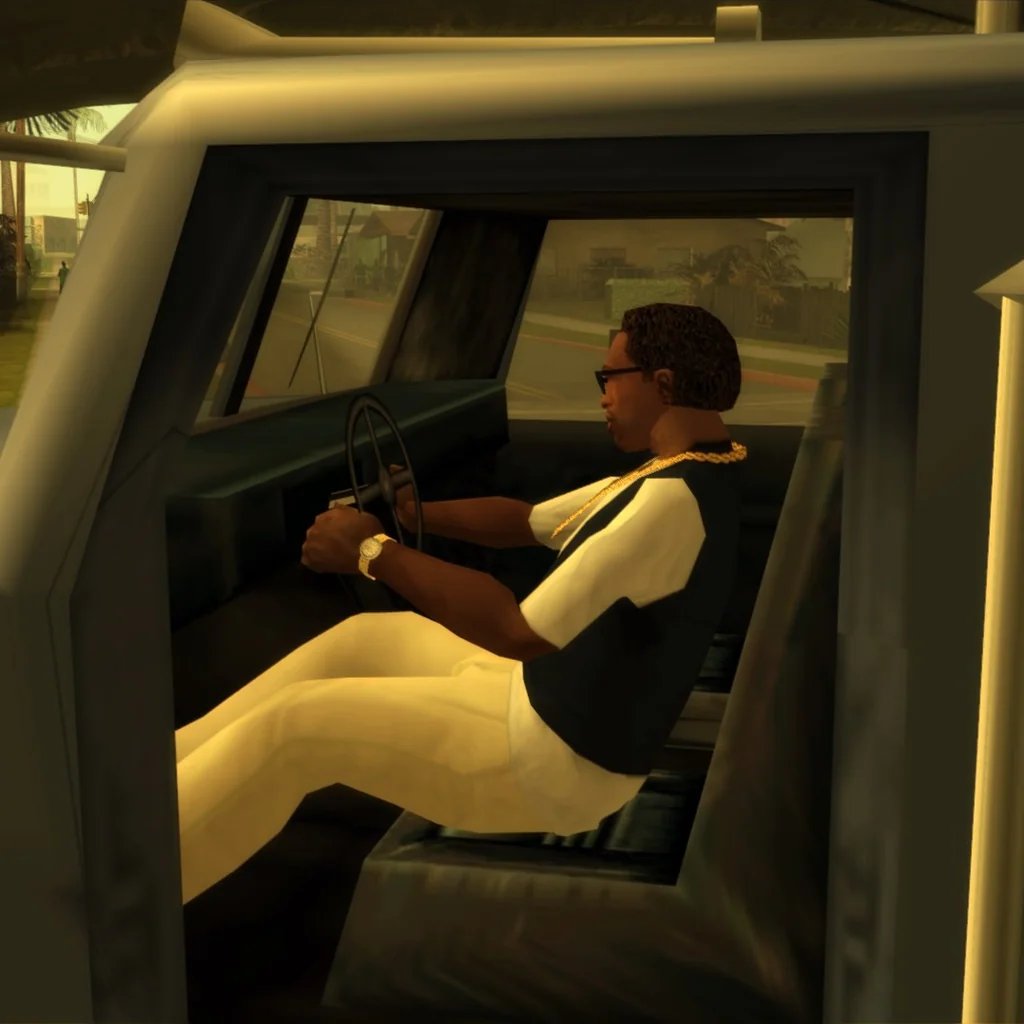
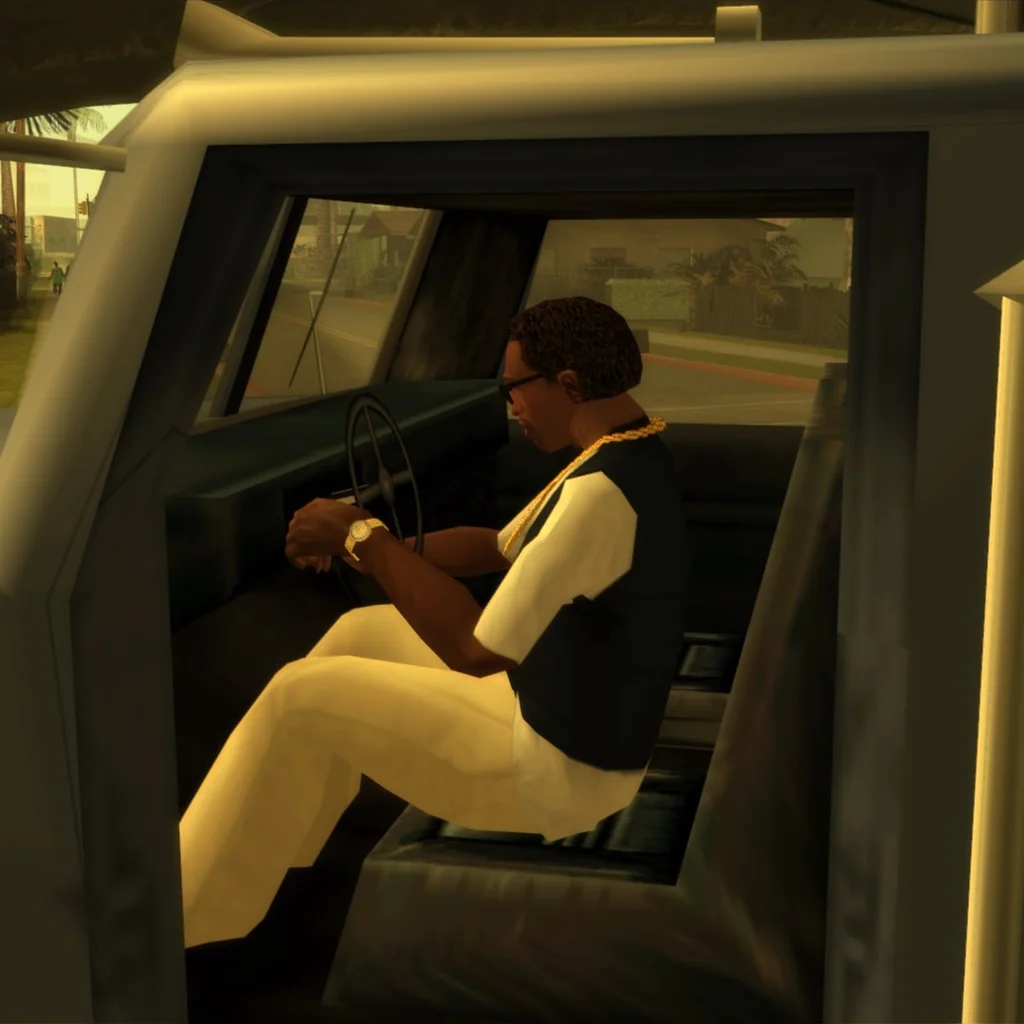
In big trucks, it was the opposite: CJ leaned back for no reason.
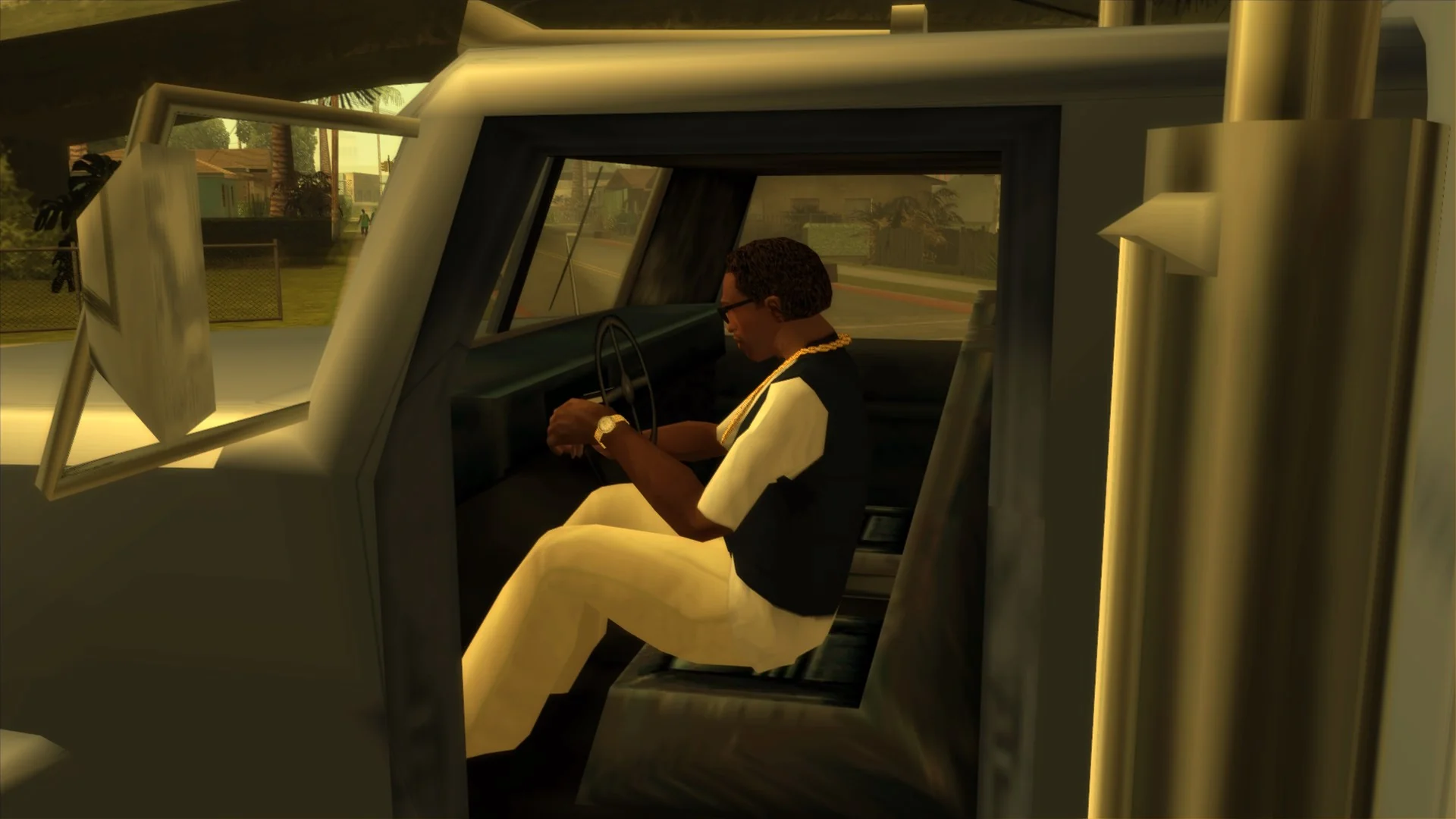
Dude, where’s my Skimmer?
This particular issue was already covered on my blog, and it went viral to the point where even Raymond Chen covered it on The Old New Thing.
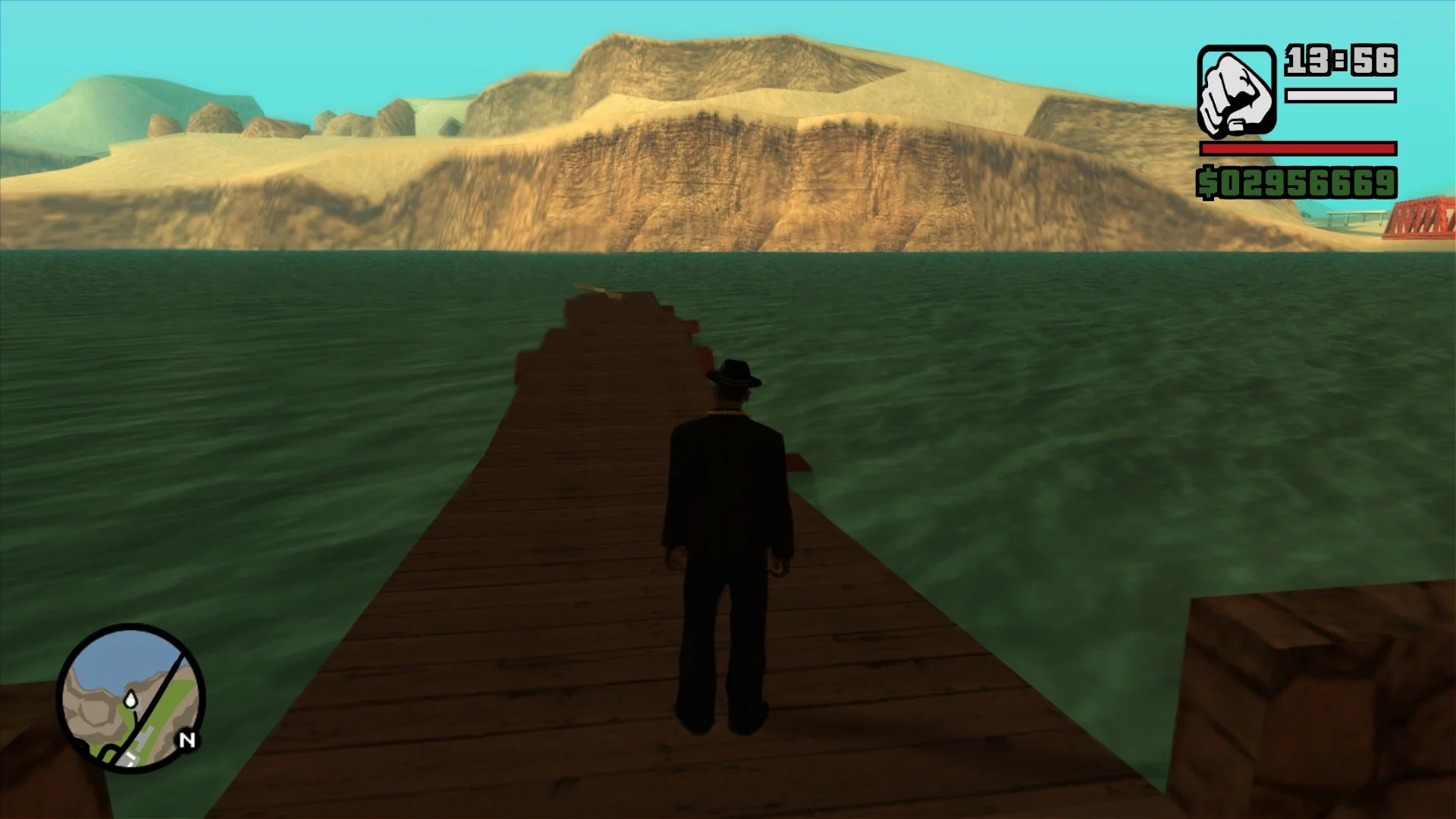
For more detail, I invite you to read the linked blog post again, but the TL;DR is: in this SilentPatch update, a graceful fallback was added to the vehicles.ide parser.
Reasonable defaults are supplied for incomplete definition lines, like the one for Skimmer, thus fixing this issue once and for all, without the need to modify the data files.
Of course, if your game copy already has the data files corrected, there is no harm in leaving them as-is.
Birds, birds everywhere
Did you know San Andreas can spawn birds through a script command? Probably not, because it was broken until now. It must have remained unnoticed by QA too, because Ice Cold Killa was supposed to create birds during one of the cutscenes, but no one noticed it didn’t work. With two separate bug fixes applied to the game, we can now see the original vision:
When a bug makes a bug bugged
The official 1.01 patch lists this fix:
- Crash when entering advanced display options with only 32 meg of video ram (32 meg of video ram is not supported and will only allow use of 640*480 in 16 and 32 bit. At this resolution it is likely you will see the “Black Roads” LOD problem). We do NOT however disallow machines with 32 meg of video ram from running GRAND THEFT AUTO: San Andreas.
SilentPatch never backported this fix to 1.0, so it was a matter of time before someone reported that they hit it. I started troubleshooting, and it turned out that SP had a regression matching this original game bug perfectly, and so this report actually covers a regression. While fixing it, I also figured out the exact fix applied in 1.01. Therefore, in this release:
- The game no longer crashes with 32MB VRAM when entering Advanced Graphics Settings with a single monitor. This one was a regression caused by SP.
- With multiple monitors, the game allowed the player to select any resolution, not just 640x480, regardless of how much VRAM they have. Selecting any resolution bigger than 640x480 and then entering Advanced Graphics Settings caused a crash. This one was the original bug fixed in 1.01.
If you try to do that now, the game will display - instead of the resolution, and you will only be able to select 640x480. This improves upon the 1.01 fix that instead displayed
some random, unrelated string.
Countryside myths? Or just broken data?
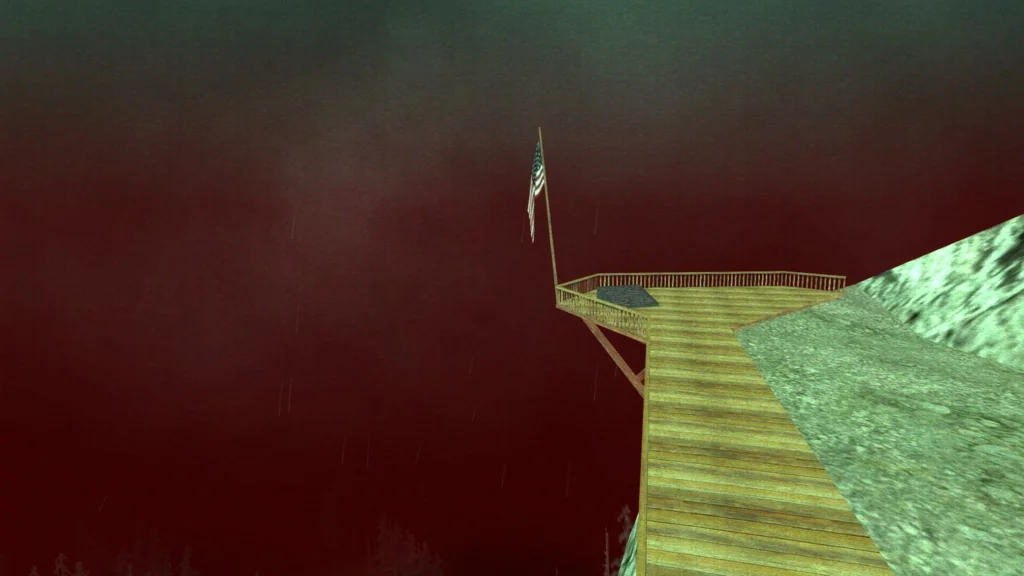
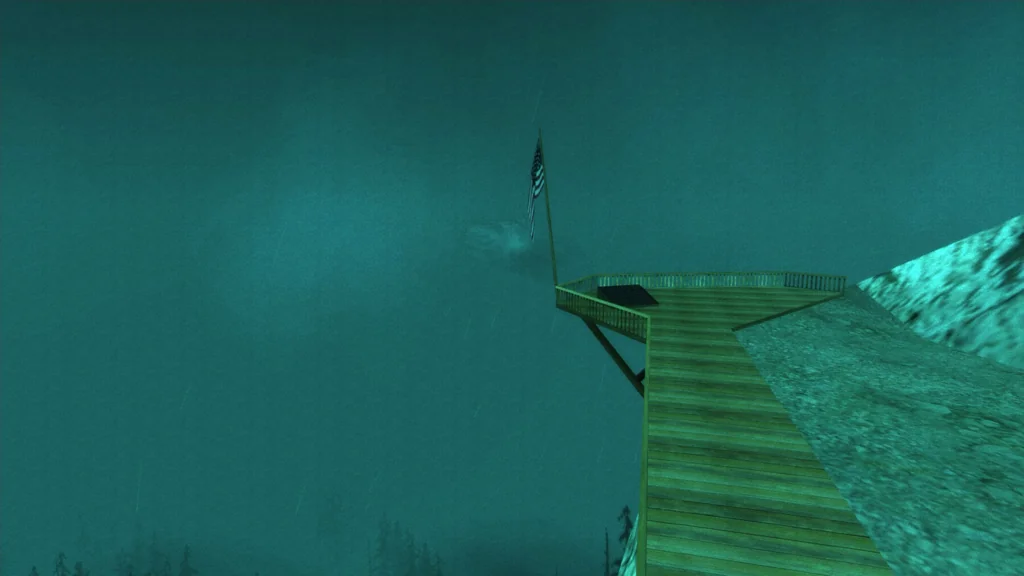
The PC version of San Andreas has the rainy countryside sky go completely red at 8 PM; this was never the case in the PS2 version.
This “myth” was a result of a malformed timecyc.dat line, and this particular weather + time combo lacked multiple values, so the parsed data was completely incorrect.
In this SilentPatch update, I added a graceful fallback for this particular data error, and I read the malformed line correctly, fixing the issue.
Custom timecycle modifications are unaffected by this change.
Fixing a hundred speech lines
The highlight of this release was possible only thanks to Kaizo M and his extensive research on the ped speech system in San Andreas. If you want to learn more about it, I recommend watching those two videos from him before you continue reading; they are an excellent breakdown of this system. English subtitles are available.
In this release of SilentPatch, I built on top of Kaizo M’s research and used his tools to identify even more audio issues, and fixed as many as I could. Not every single unused dialogue line is restored, as some didn’t have a suitable spot to use in the final game – but everything that I think was missed and not deliberately cut was restored; with this update, you’re bound to notice a wider variety of lines used virtually everywhere in the game.
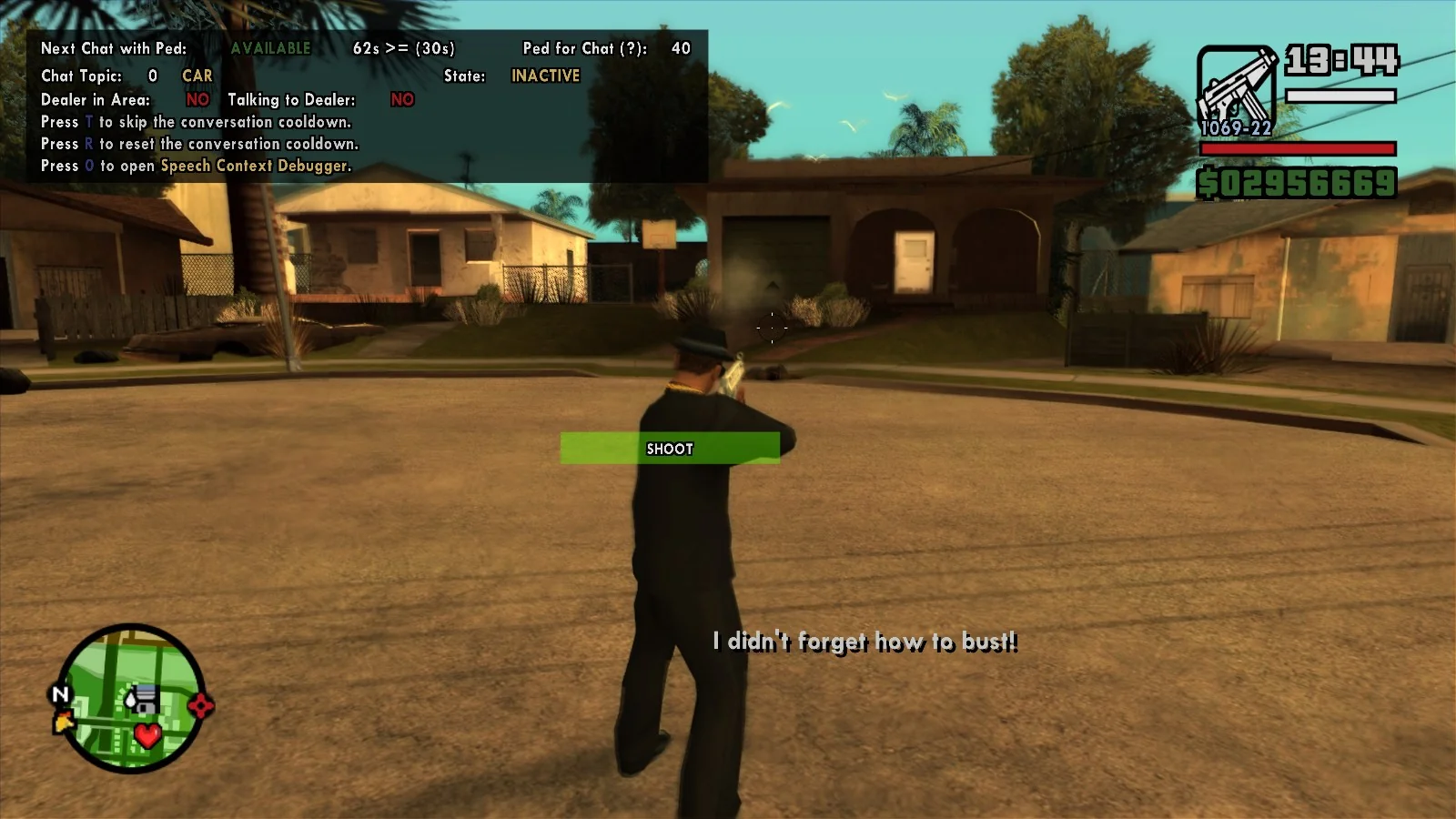
Note: To showcase these changes more easily, I am using Kaizo M’s Speech Context Debugger and the work-in-progress Free Roam Subtitled mod. The subtitles shown in these presentations are not added by SilentPatch.
Weather conversations
Conversations about the weather are now fully functional:
- Pedestrians can now initiate conversations about the weather.
- CJ can reply to those regardless of his mood (the dialogue lines were only recorded for his Fat and Well Dressed moods).
- CJ now picks a correct, special response for negative comments about the weather, instead of using a generic dismissive reply.
Criminals running away from cops
Criminals running away had special voice lines, but they used to be immediately overwritten by the scream sample. This has been resolved.
Silent characters, now with voice
- WMYSGRD and BMYPIMP had their voices go unused due to typos in the code.
- VBFYST2 had a voice, but I suspect that the files that were used to generate the hardcoded speech contexts had typos, as all her voice lines were located in incorrectly named contexts only occupied by this one voice.
- Maccer had a voice in the files, but it was never assigned to his model name.
Turf takeover cheer
In the game files, CJ has voice lines for cheering after taking over specific neighbourhoods, but they went unused in game. The game attempts to make use of this feature, but it tries to play those lines on the GSF gang members CJ recruited (if there are any), and fails: this speech context was only valid for CJ, and even then it was fully set up in the files. SilentPatch fixes both issues, so you can now hear those lines in action.
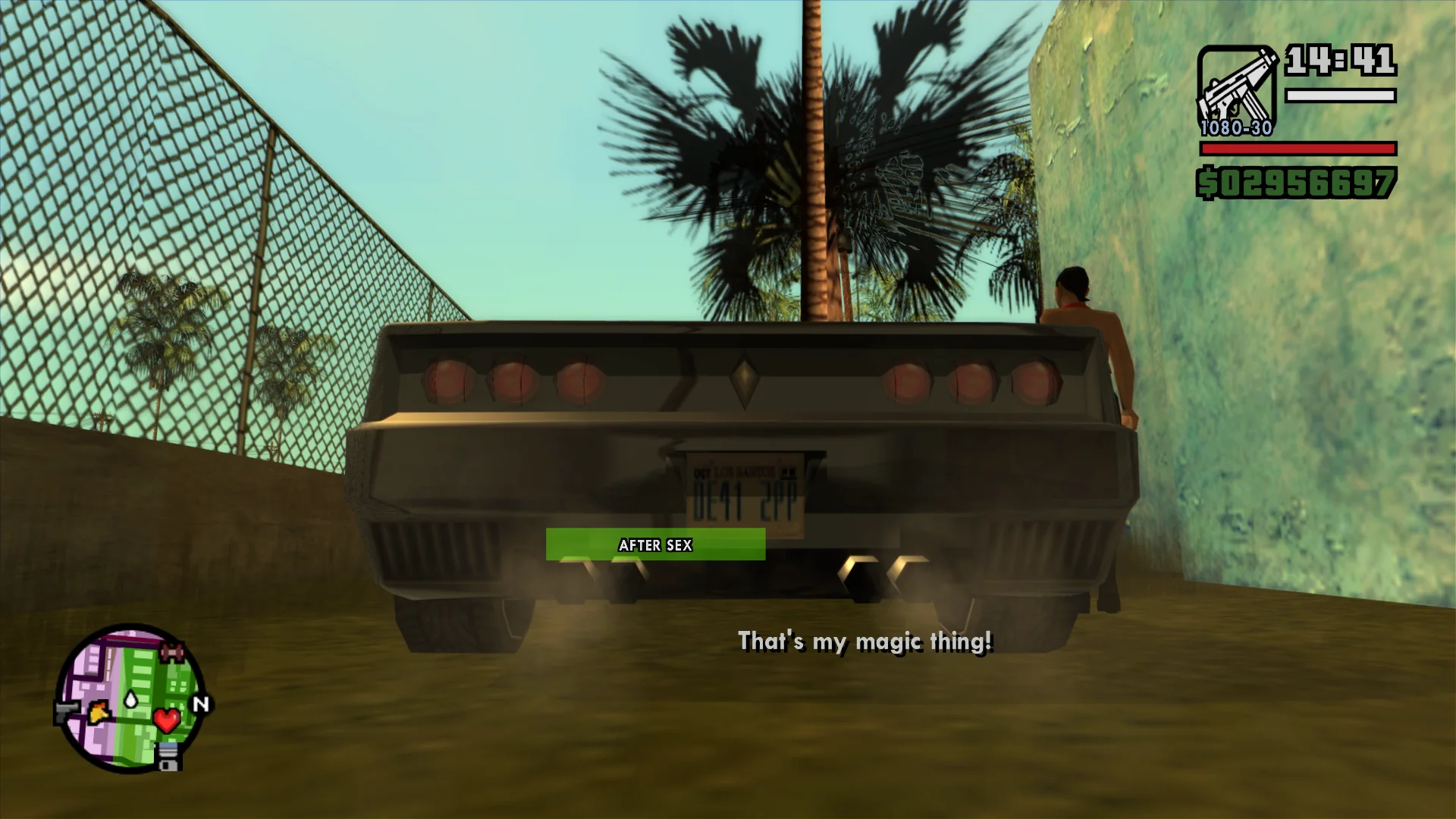
Wisecracking solicitor
CJ always said a cheeky comment after using the prostitute services, but it was played after his mood changed to Wisecracking, rendering all the other lines unused. Now, the line plays before the mood changes, so multiple new lines can be heard.
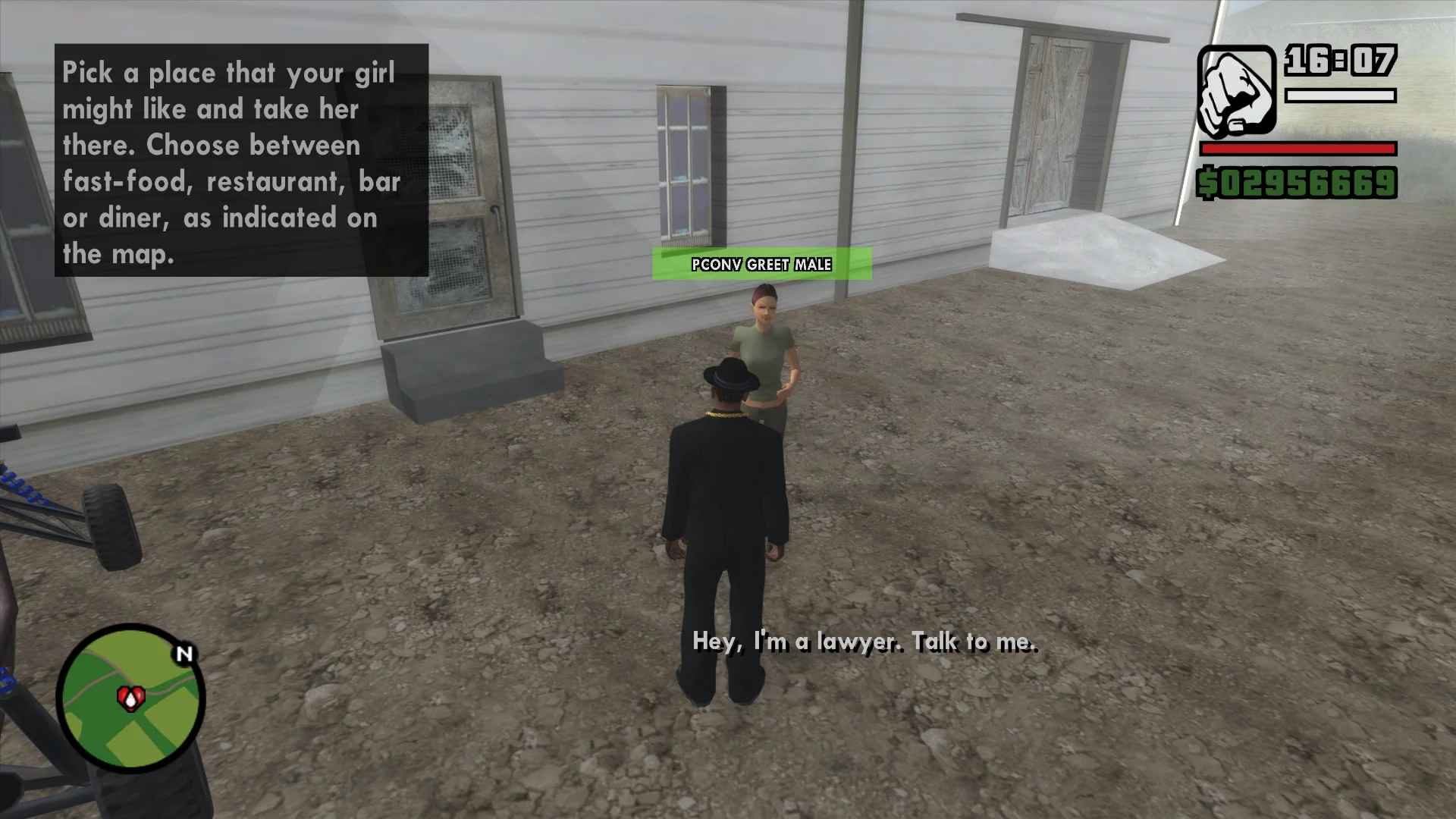
Chattier girlfriends
Shopkeepers and girlfriends had lines present in multiple speech contexts, but they were not set up correctly. The assignments were fixed, so these lines can now be used. Not every re-enabled line can be heard naturally in the game, but if other mods use those characters freely, they will play.
Spooked shopkeepers
Food and clothing vendors had voice lines that played when CJ aimed a gun or spooked them, but shopkeepers like the Ammu-Nation vendor and barbers did not. Their voice lines were present in the files, but assigned to the wrong context, which has now been fixed. Most notably, the Ammu-Nation vendor had over fifteen voice lines for this event, all previously unused!
More gang taunts
-
Gang taunts towards Los Santos Vagos, Triads, San Fierro Rifa, and Da Nang Boys were all present in the game files, but not set up correctly. Now they can be played, but with how the gang zones are laid out, not all occurrences may happen in the game naturally. A speech context for taunts towards the Mafia is present in the game too, but no character has lines recorded for that.
-
Hostile gang members were checking for the player when attacking CJ, but they never had the voice lines set up for this case. As the game has a distinct speech context for attacking the player, it’s now been re-enabled.
-
Hostile gangsters can ask CJ what gang he’s affiliated with, and he can give a positive (“Grove!”) or a negative (“I’m not a gangbanger”) reply. An unused reply to CJ’s positive response has now been re-enabled, so gangsters say an extra line before they attack CJ.
Even more pain
San Andreas uses three distinct pain sounds for each character: low, high, and fire. There is a fourth, previously unused, pain sound, specific for getting sprayed. In this update, SilentPatch uses this new sound instead of the high pain sound that plays before coughing.
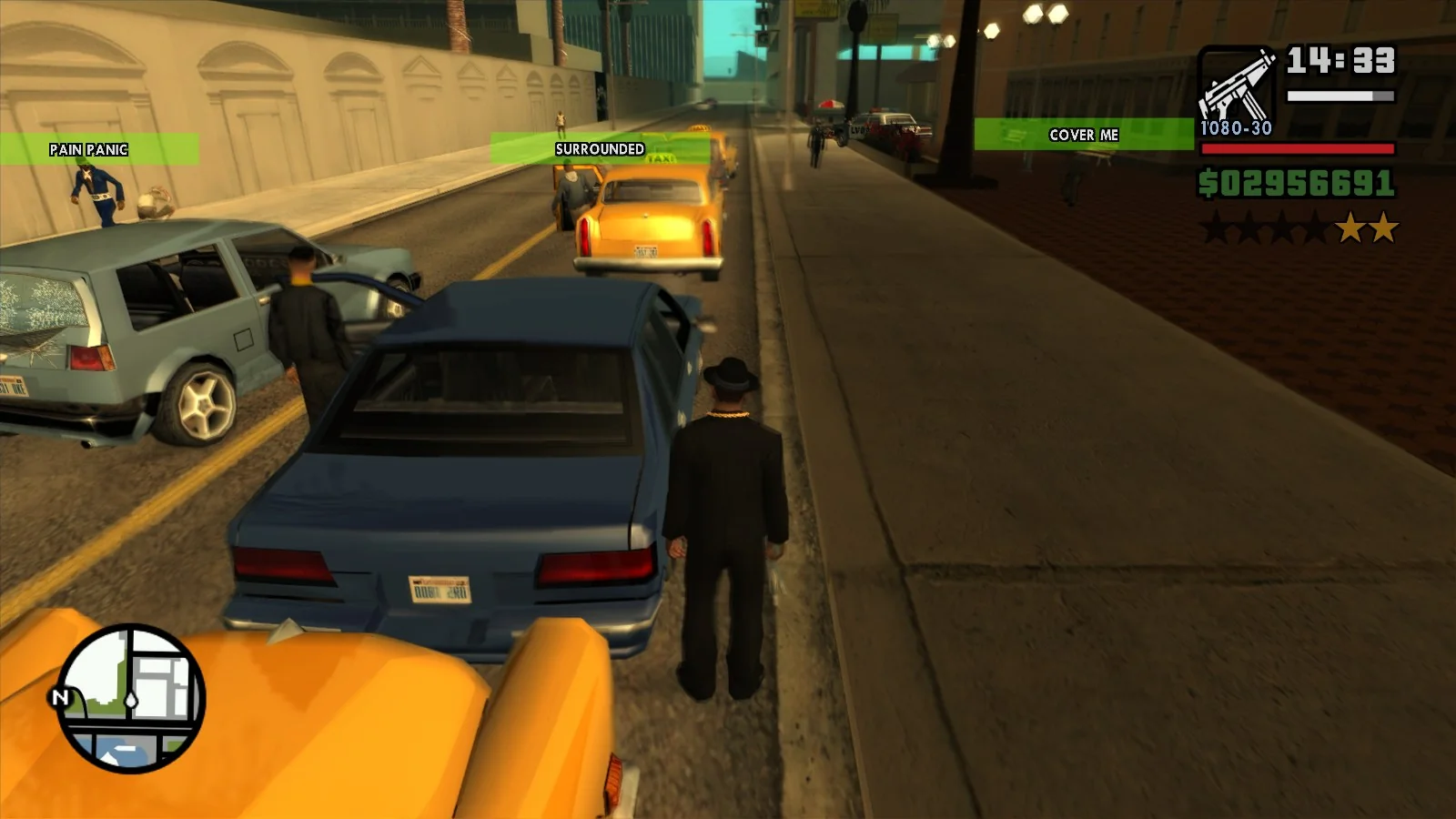
Cover me!
Gangsters and cops use a lot of context-specific lines during shootouts, such as “Moving in” and “Solo”. A code issue with how the “You’re surrounded” and “Cover me” lines were set up made them work only on gangsters, but not cops; furthermore, gangsters never had any lines for the former. With this fix, shootouts with the police use a lot of new voice lines.
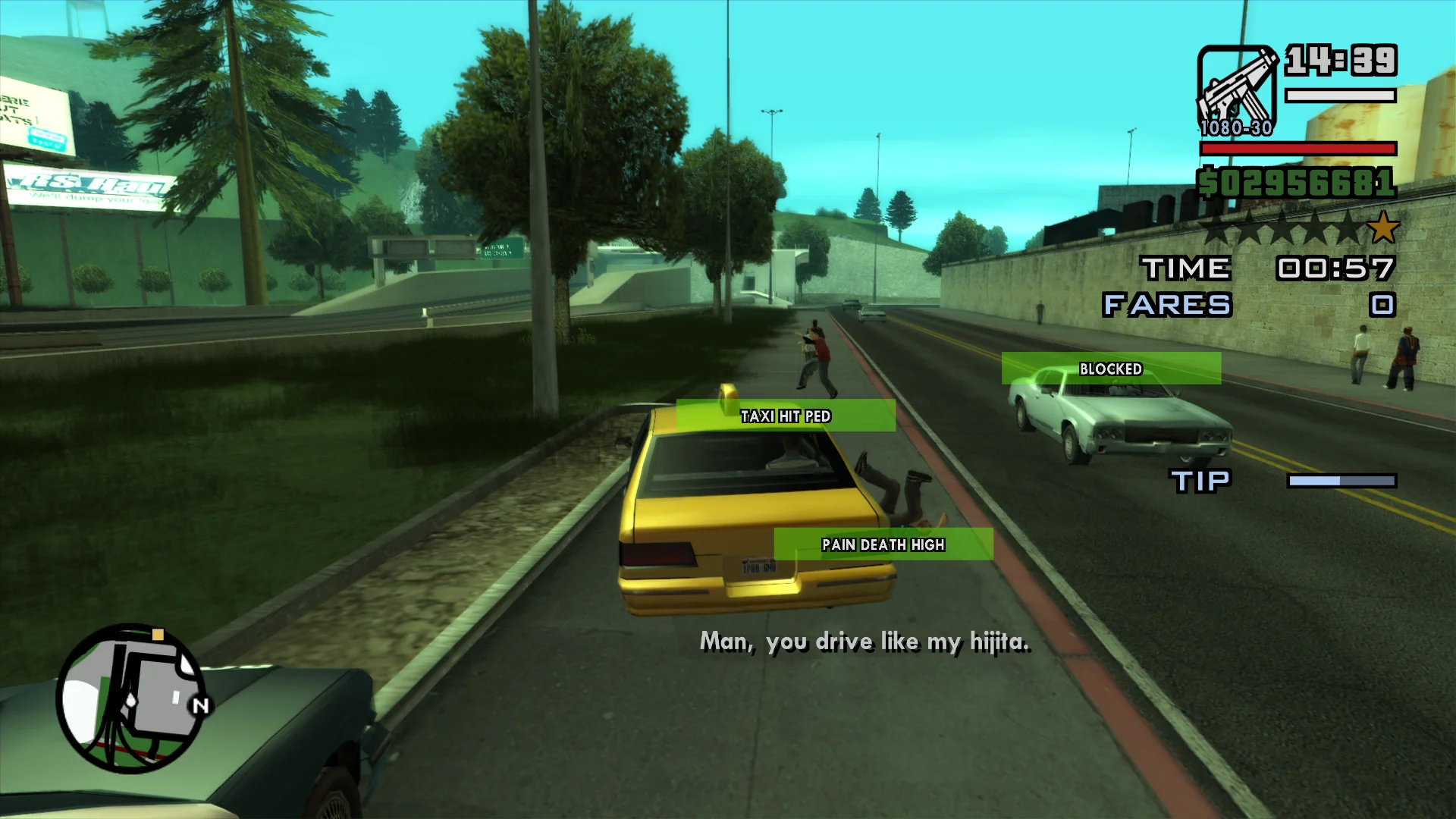
Crazy Taxi?
SilentPatch restored the passenger comments on CJ running over pedestrians years ago. However, only now, thanks to Speech Context Debugger, it was discovered that those voice lines only applied to story characters and girlfriends, while regular civilians had similar, unused lines in the speech context related to the taxi side mission. In this SilentPatch update, those lines are used by passengers if possible: while technically they can play outside of the taxi side mission, this and the Paramedic side mission are the only times when CJ can drive with civilian passengers in an unmodded game.
Miscellaneous audio fixes
- VWMOTR1 now uses the correct lines when getting mugged.
- FAM3 now uses his voice lines for getting attacked by CJ.
- LAPDM1 now uses his voice lines when attempting to arrest criminals.
- Some of CJ’s moods had mis-assigned lines for stealing cars from female drivers; this has been resolved.
- Characters with no voice lines specific to crashing cars or bikes will now fall back to generic crash voice lines. This fixes CJ not making any comments when crashing on a bike.
- CJ’s voice lines for being chased by the police now play more often with 1 wanted star. With 1 star,
CJ’s mood is still “calm”, and Fat-specific and Well Dressed-specific lines are still active, so with this change, a whole lot of new voice lines can be heard.
- CJ has voice lines for aiming guns at people and for shooting at them. While the former works with both the gamepad and keyboard,
the shooting lines only worked with auto-aim. This has now been resolved, so keyboard players will now experience a lot of previously unseen lines.
- Drugged-up GSF members were meant to reply to CJ if he tried to recruit them, but the game tried to play that response on CJ instead. It’s been corrected, so those previously unused lines can now be heard.
The game has even more unused lines, such as:
- CJ’s comments for the stealth kills.
- Pedestrians and gangsters commenting on getting sprayed in the face.
- CJ insulting the GSF members for refusing to join his gang.
…and more. However, in some cases, those lines either lack the global speech context (making it impossible to play them directly) or there is simply no adequate spot in the code to play them. In those cases, I treated these lines as “beta leftovers” and left them alone.
Good Citizen Bonus! $50
Mods fixing a semi-working Good Citizen Bonus in San Andreas existed for well over a decade; for the longest time I didn’t plan on doing the same in SilentPatch, but I changed my mind because of all the recent audio/speech findings. In this SilentPatch update, the bonus is back, and:
- It is implemented using the task system from SA, not using the now-deprecated ped flag from VC.
- It grants $50 just one time, and punching the criminal further doesn’t give you more money. However, doing this doesn’t count as a crime either, so the player can defend themselves safely.
- When granting the bonus, the cop chasing the criminal says a previously unused “Good Citizen” speech context. The discovery of this context is what convinced me to re-enable the feature, as some work was clearly put into this feature in San Andreas before it was cut, or left unfinished.
Who parks their plane on the driveway???
Remember arriving at Fort Carson and hearing a loud explosion? That was once again a Beagle plane on someone’s driveway getting stuck and blowing up. This infamously broken vehicle spawn point was known for years, but only recently was it discovered why it most likely was set up like this: the spawning coordinates of that vehicle are correct, but the assigned ID was most likely a human error.
San Andreas has three bicycles, two of them on IDs 509 (Bike) and 510 (Mountain Bike). The person setting up vehicle spawns in Fort Carson likely assumed incorrectly that the third bike, BMX, would be ID 511; but no, that’s the Beagle. In this SilentPatch update, a code patch overrides this spawn’s ID to BMX, ending the nightmare that haunted the citizens of Fort Carson since 2004. And no, the replacement BMX won’t explode.
I’m gonna shoot you right down
Although this is technically an asset issue, SilentPatch works it around in code – but does so as defensively as possible, so if any other mod tweaks this vehicle spawn, it stays untouched.
Other fixes
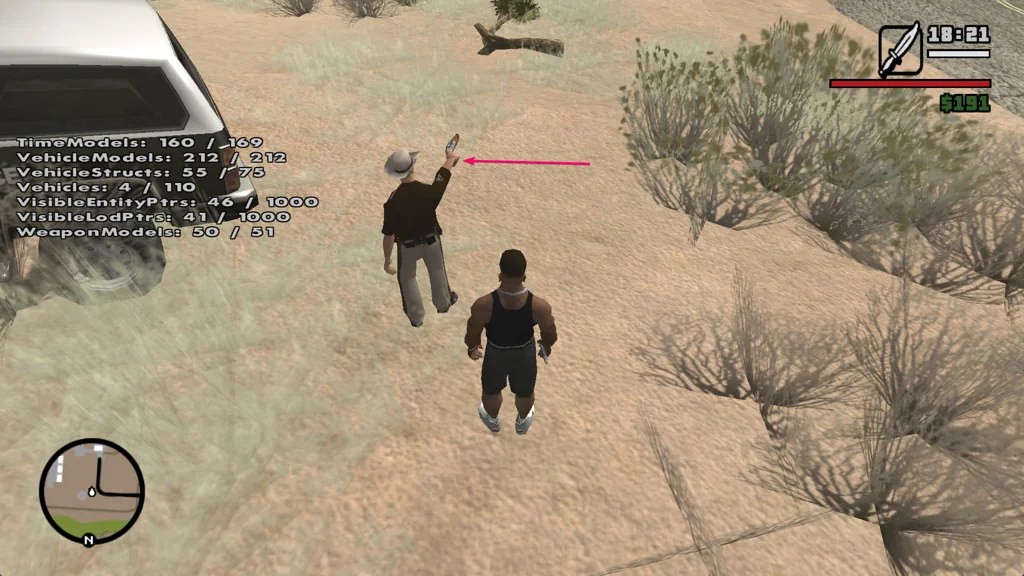
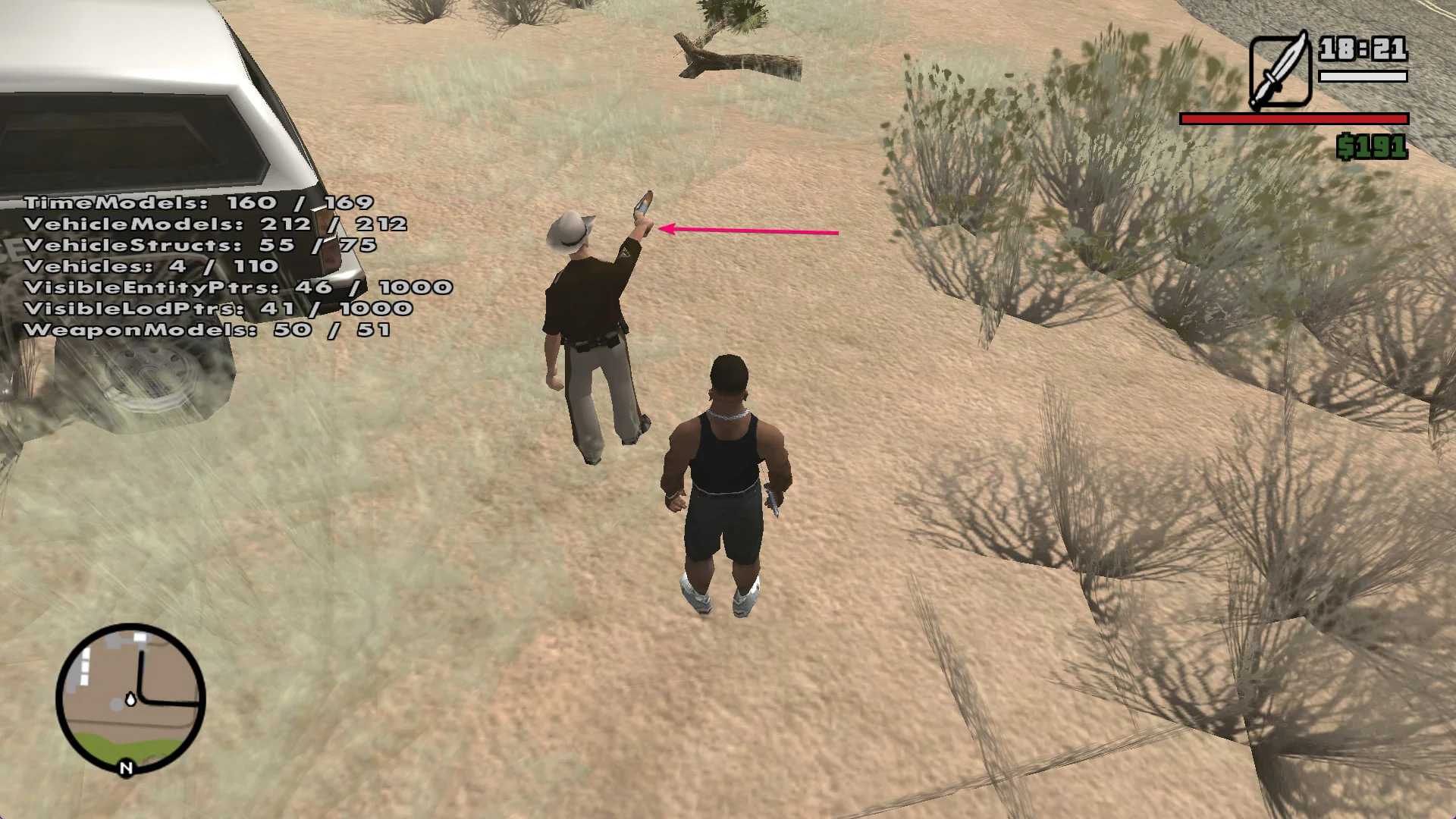
- With San Andreas using the IK system for the gun aiming animations, Rockstar had an opportunity to spruce up those animations a little: CJ and civilians
shoot one-handed weapons with their feet aligned, while gangsters lean in and put one leg forward. Due to an oversight, cops (like SWAT using the Micro Uzi)
also use the “gangster stance”. iFarbod contributed a fix for this and instead assigned this stance to criminals.
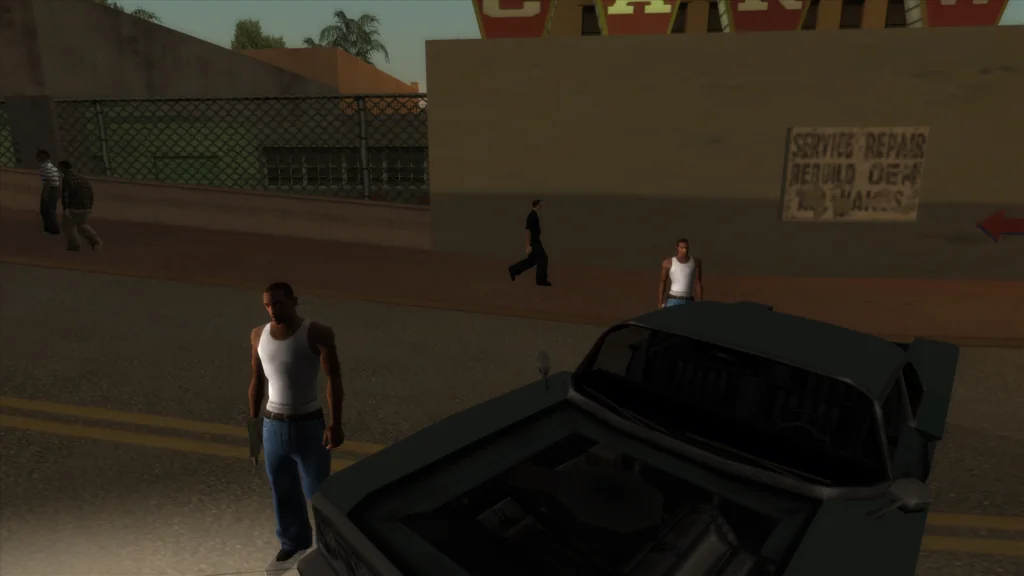
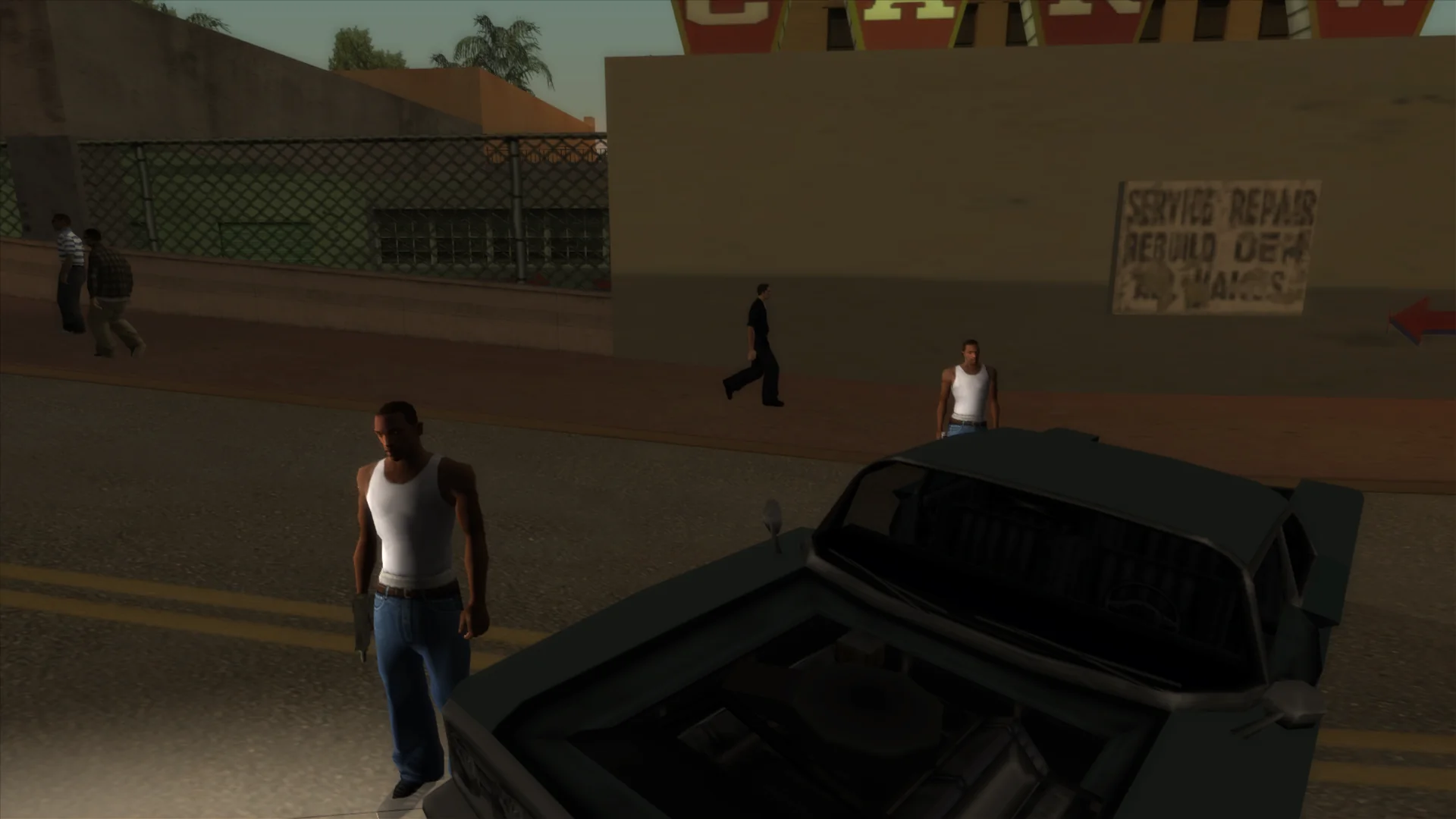
- In End of the Line, there was a single roadblock that, if approached from a specific route, spawned clones of CJ instead of the gang members.
This has now been resolved after Bob El Aventurero documented this bug in their YouTube video.
Guh? -
The number of tags now loads correctly from the save game. This does not affect the stock game, but mods adding more sprayable tags can benefit from this improvement.
-
In two-player mode, player blips now display correctly on the map. Previously, they both displayed in the center, on top of each other.
-
Gang wars no longer remove map blips of the player’s gang.
-
Script text draws (mostly used by CLEO mods) used to affect the line width of the radio station name text. This has now been resolved.
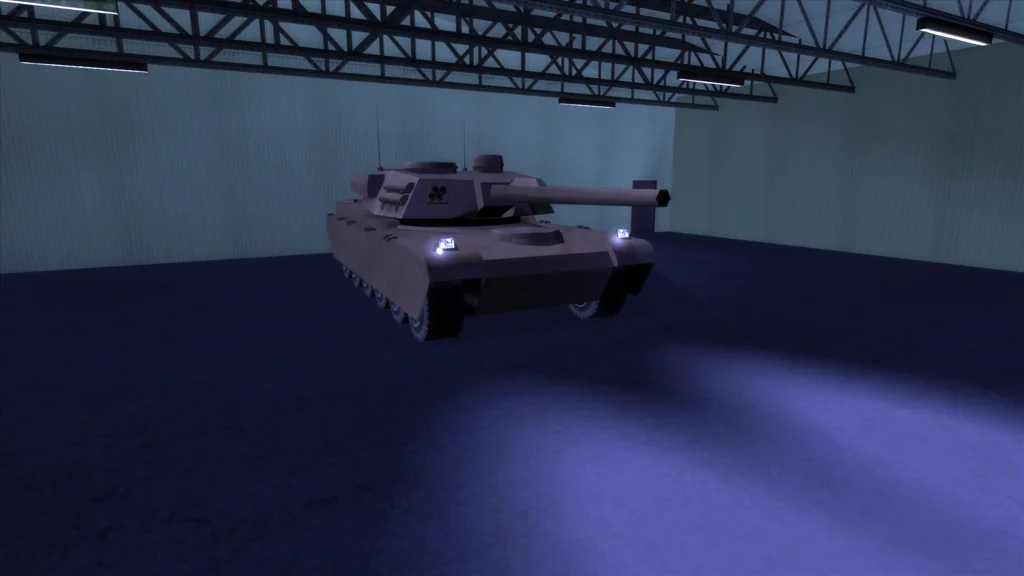
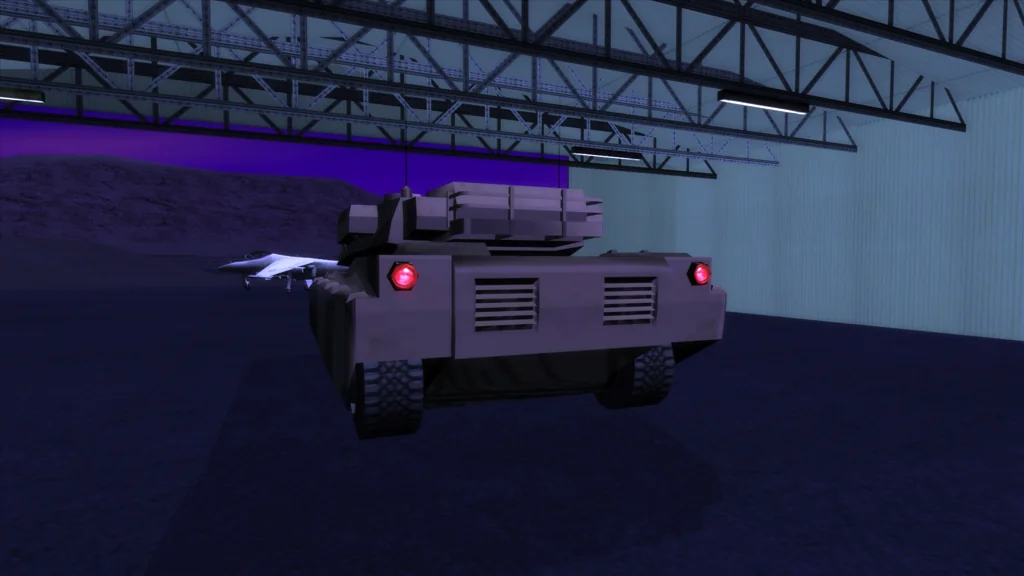
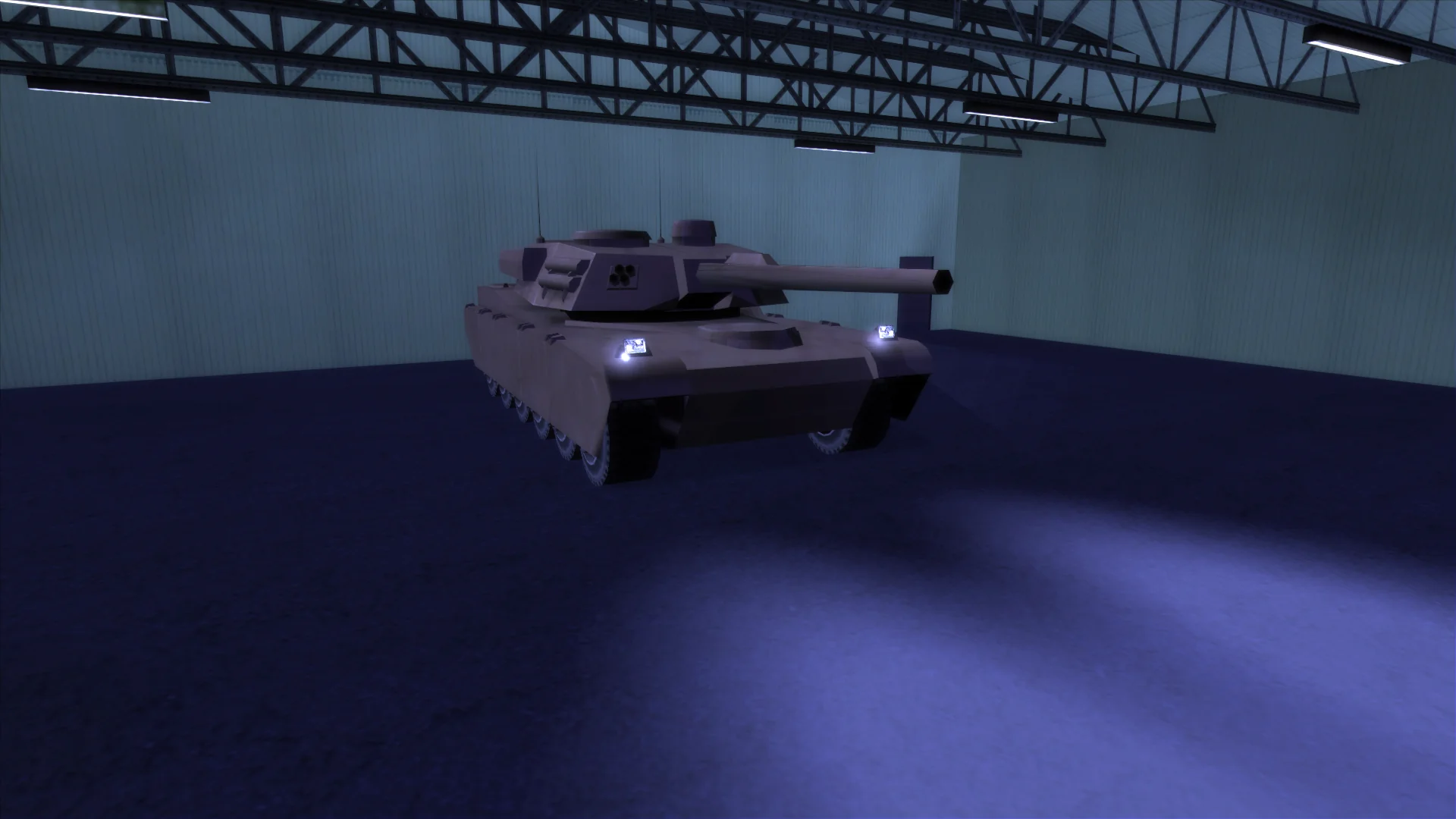
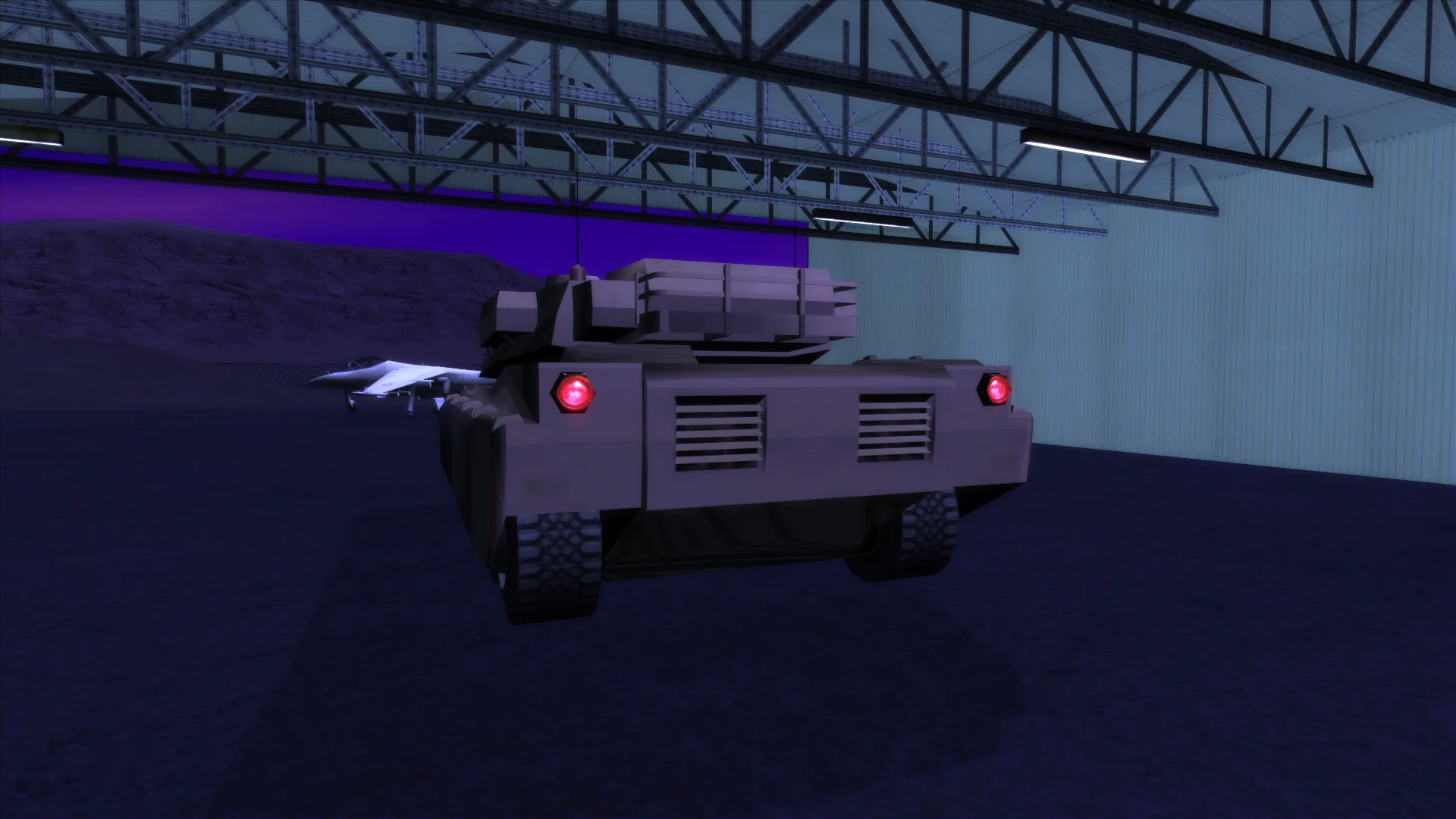
- San Andreas rendition of a Rhino has lights present on the model that should be fully functional, but they are explicitly disabled from the code.
This made sense in GTA III and Vice City, but I suspect that no one updated the code for San Andreas. rx spotted this issue and contributed a fix,
so lights on Rhino now work like on any other vehicle.
Internal changes
I’m not sure if this is related to open sourcing SilentPatch, but for this release, many new and old regressions were identified. Even though I always put extra care not to cause side effects with my fixes, mistakes happen – and in this update, a lot of these mistakes were corrected, so this SP release should be the most stable and compatible to date.
-
In San Andreas,
device_remembered.setnow works correctly together with Portable GTA. - Multiple crashes in San Andreas caused by SP were addressed:
- A random crash caused by the cops Drive-By fix.
- A 1.0 EU-exclusive crash when starting replays or losing the police pursuit near the Pay ‘n Spray.
-
In San Andreas, credits are now correctly sized if SilentPatch is used together with Widescreen HOR+ Support.
-
In both GTA III and Vice City, SilentPatch introduced a bug where the fire and siren sounds could linger on starting a New Game. In Vice City, this could also happen without SP, but SP made it more likely to occur. In both cases, it’s now been completely fixed.
-
A scaling fix for the help box “margins” introduced in the previous update of SilentPatch caused undesirable side effects on some custom UI elements in San Andreas Multiplayer. In this update, SP opts out of this fix in SA-MP.
- Ever since the first release in 2013, SilentPatch backported one of the official fixes from GTA III 1.1 to 1.0:
Mouse sensitivity is now properly saved
Only now did it turn out that this backport was incomplete and broke the saved sensitivity whenever SilentPatch was loaded through Ultimate ASI Loader. In this update, this fix was updated in both GTA III and Vice City to be safer and more reliable.
- SilentPatch for San Andreas had this fix present since the very first release:
Hunter’s interior does not disappear when viewed through the glass door panel.
Recently, B1ack_Wh1te discovered that this fix causes sorting issues when the helicopter rotors are directly above this glass panel. This update replaces the old implementation with a new, simpler one, making the game not treat the glass panel as the left front door. A lot of 2014-era hacky code was removed, so the result is cleaner and more compatible.
-
Multiple old fixes for GTA III dating back to the first release of SilentPatch were rewritten to be safer and less invasive.
-
All UI scaling fixes across the trilogy are now compatible with HUD and radar scaling options from the Widescreen Fix.
-
A new
[DontDrawBackfaces]INI option was added to SilentPatch for Vice City, so mods relying on the stock backface culling behaviour can opt out of the SP fixes. This may be most useful for some custom character models. -
Several releases ago, SilentPatch for San Andreas introduced a regression where repairing the Vortex gave it invisible doors. This has now been resolved.
-
A small mistake in the latest release of SilentPatch for San Andreas made it not load correctly on Windows XP and Vista. This has now been resolved.
-
The VRAM check that SilentPatch cuts has now been completely removed, so the game doesn’t create a DirectDraw device on startup any longer.
-
In the latest SP for Vice City,
mall_hardwarehad a special case included to fix this model misbehaving with a disabled backface culling. Sadly, this caused more rendering issues, so this special case has now been removed. -
In SP for GTA III, one of the pickup fixes caused an incompatibility with Open Limit Adjuster if SP was loaded before OLA; most notably, it triggered a crash on the loading screen if Upstate Liberty was installed. The incompatibility has now been resolved.
- A very specific combination of mods (SP + SkyGfx with non-PC vehicle pipelines + ImVehFt) caused the detached car parts to be green. After some investigation, it appears to be an issue in SkyGfx itself, and SilentPatch “exposed” it by applying correct lighting on the detached parts. In the past, SilentPatch opted out of the fix that added proper colors to the detached components if IVF was installed in order to prevent incompatibilities, but after the recent rewrites in the patch, this is no longer necessary. The fix will now apply as-is, with or without IVF, so the detached parts appear consistent regardless of the mods installed.
Download
The latest SilentPatch builds can be downloaded from the Mods & Patches section:
Those new to SilentPatch are encouraged to check the Setup Instructions. However, the easiest way to install SP boils down to:
- For GTA III and Vice City, get both downloads for the respective game and extract them to the game directory.
- For GTA San Andreas, players using a 1.0 or Steam version can use my ASI Loader. Rockstar Games Launcher versions of the game need to use Ultimate ASI Loader instead.
Wish to check out the source code instead? Check it out on GitHub:
Like with the previous release, TJGM has also published a showcase video covering some of the most impactful new fixes across the trilogy:
Credits and acknowledgments
SilentPatch includes code contributions from:
- aap
- B1ack_Wh1te
- CanerKaraca
- DK22Pac
- Fire_Head
- iFarbod
- Kaizo M
- Nick007J
- NTAuthority
- rx
- Sergeanur
- spaceeinstein
- Wesser