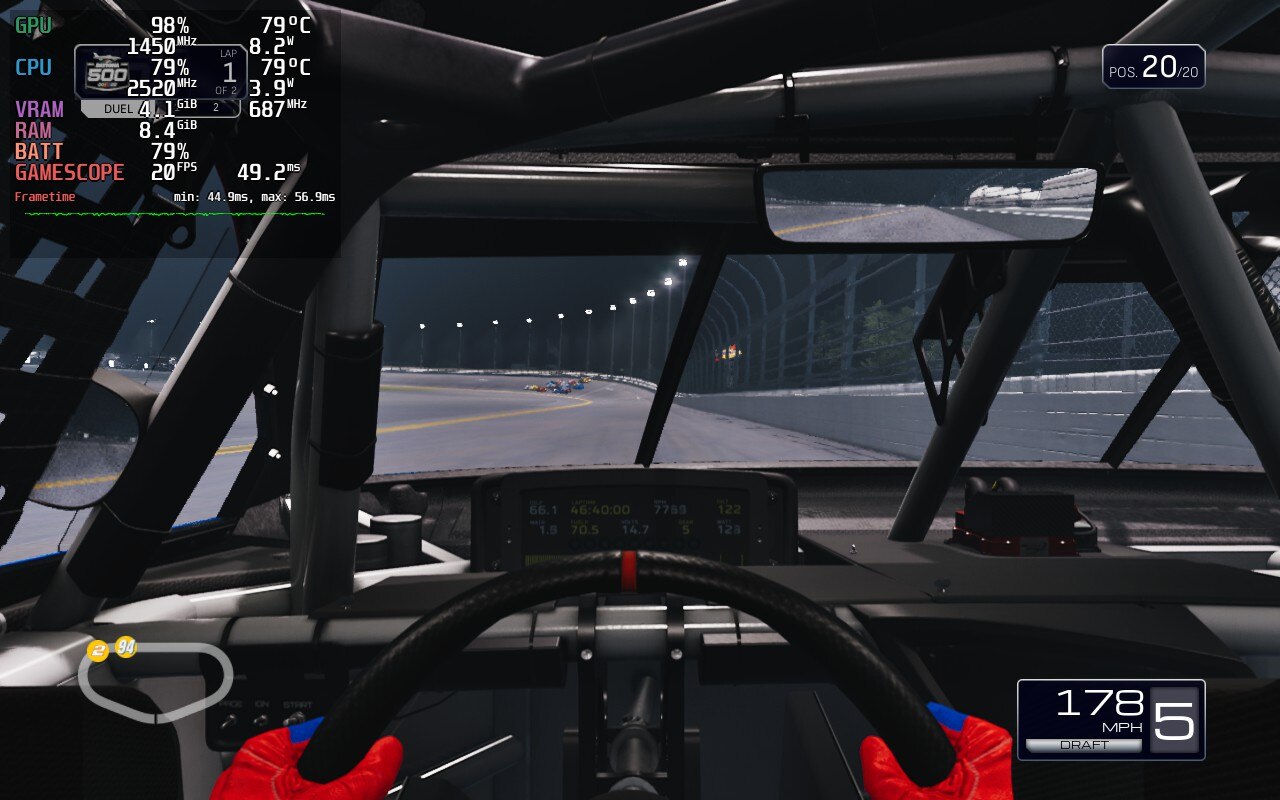
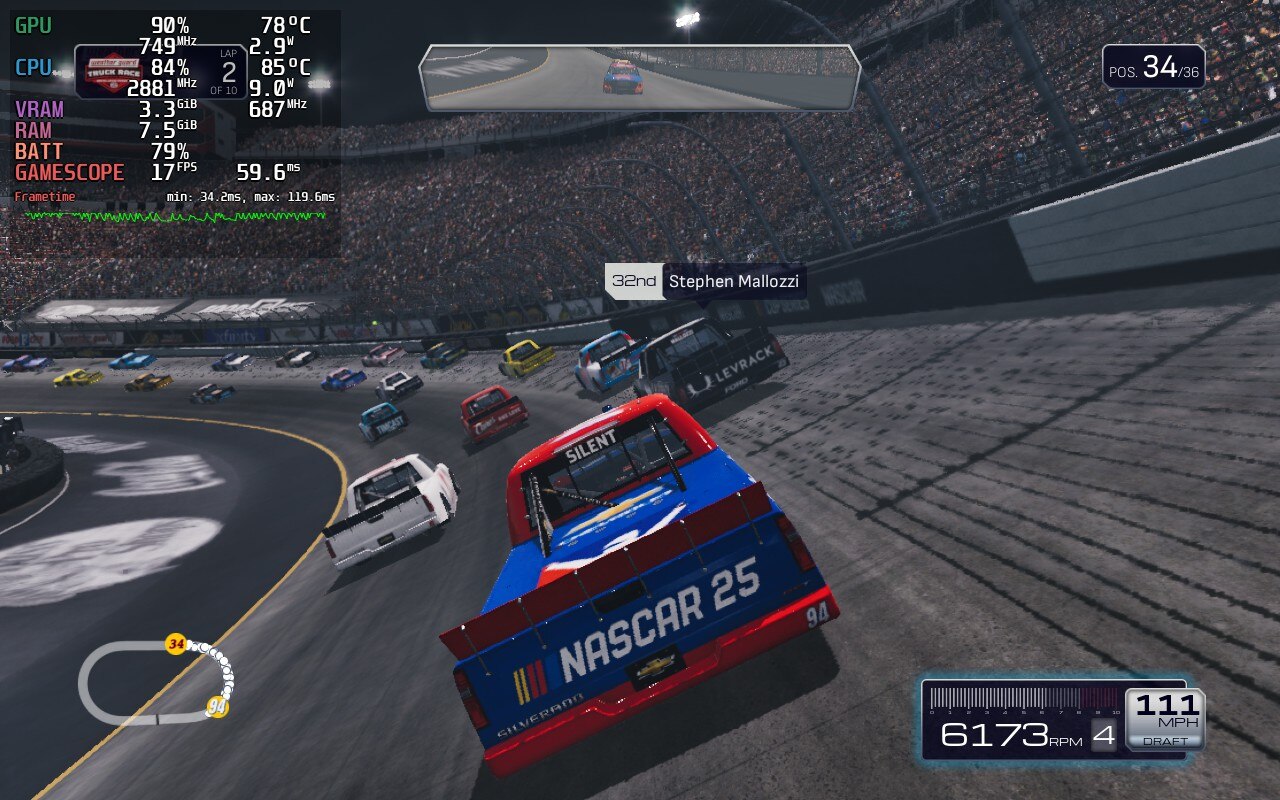
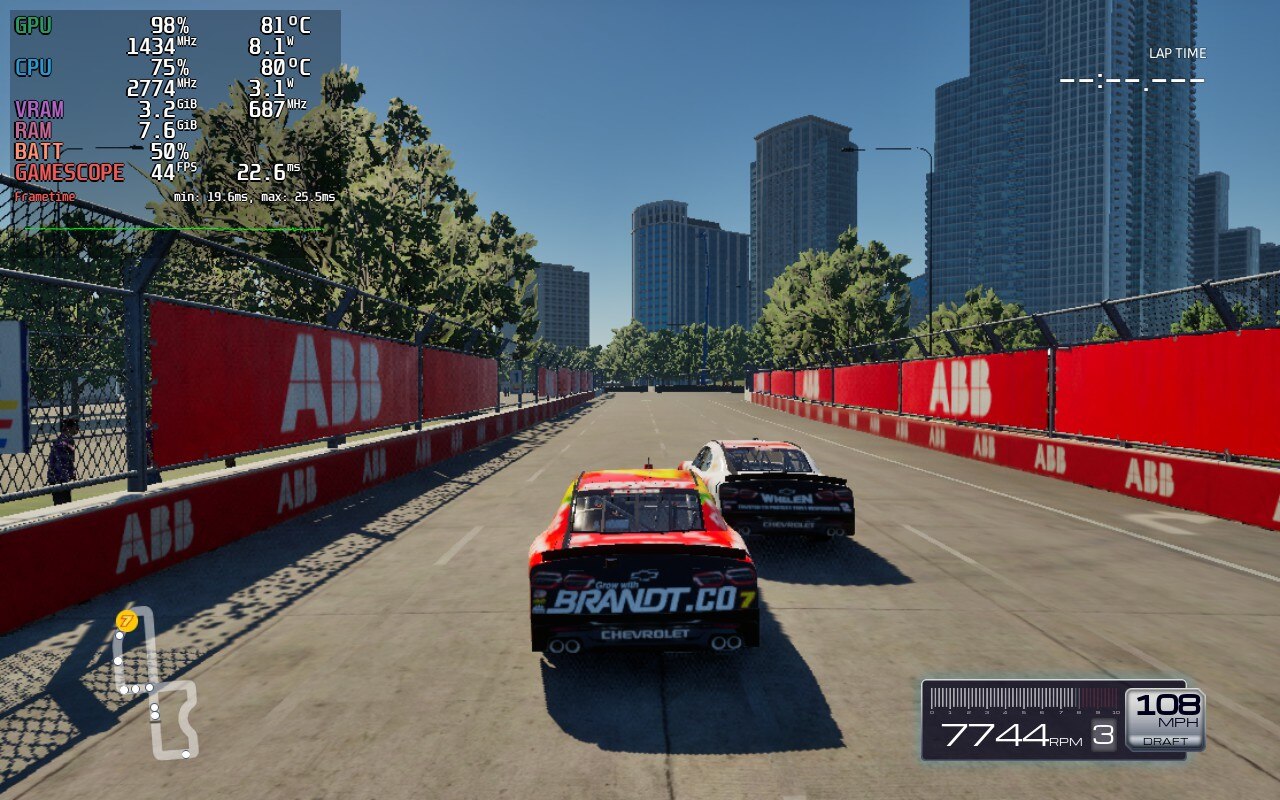
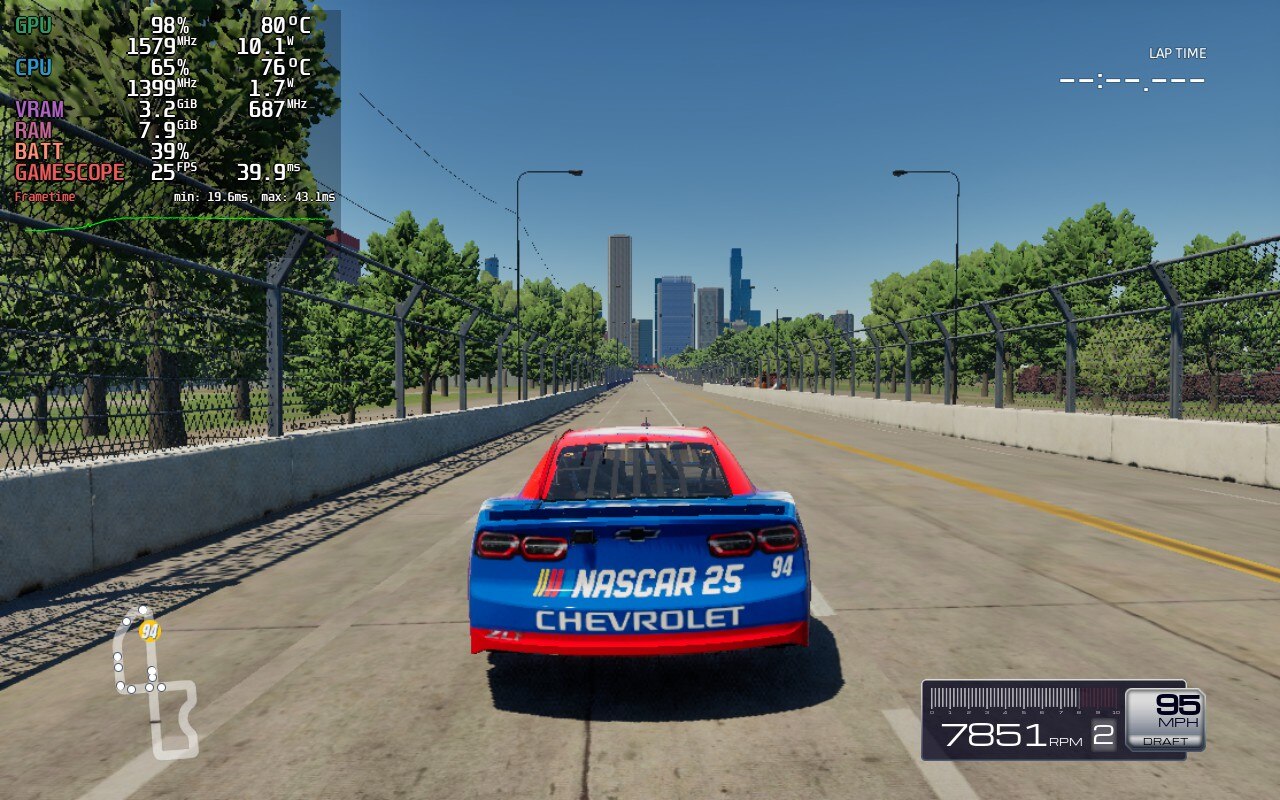
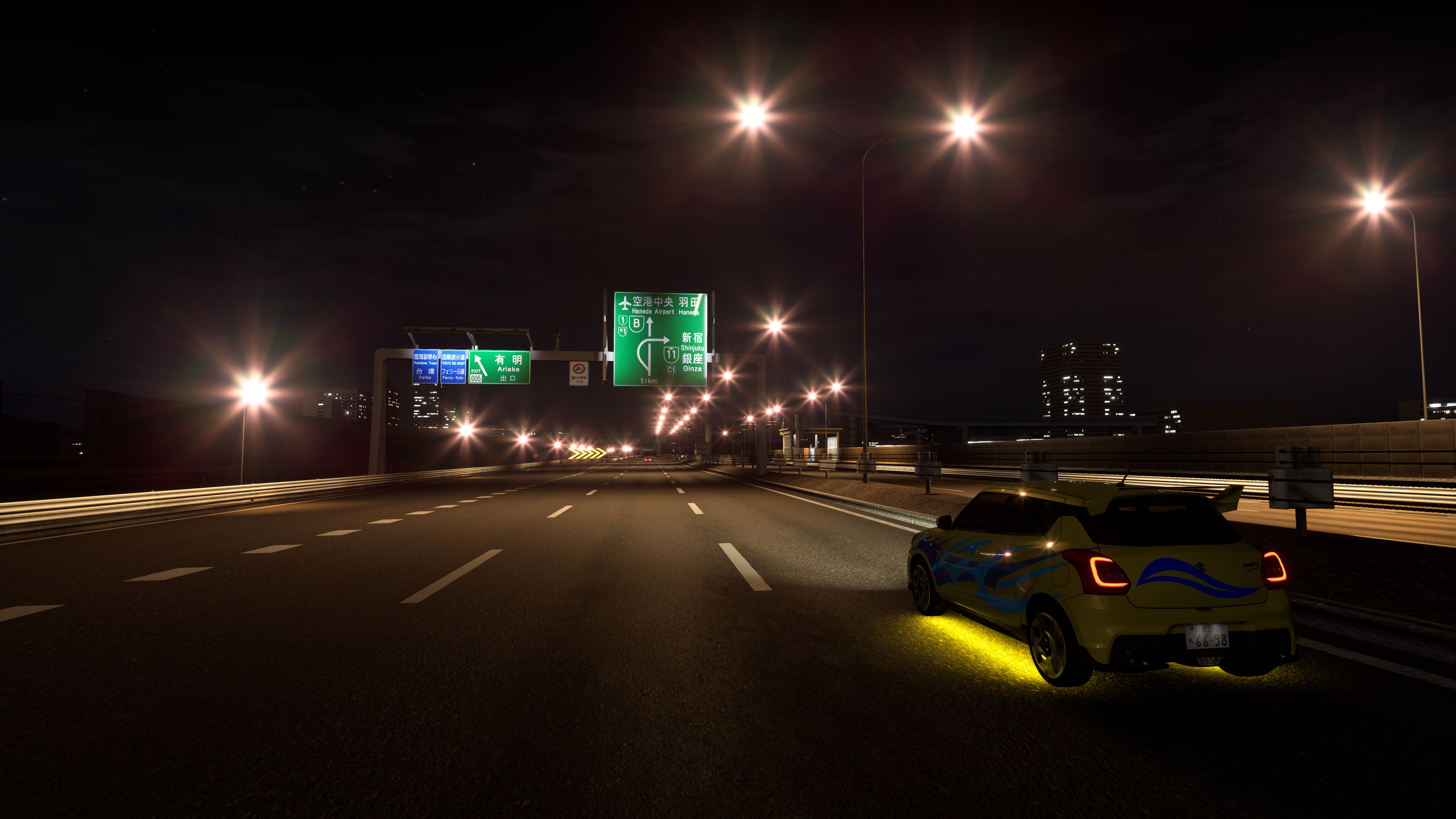
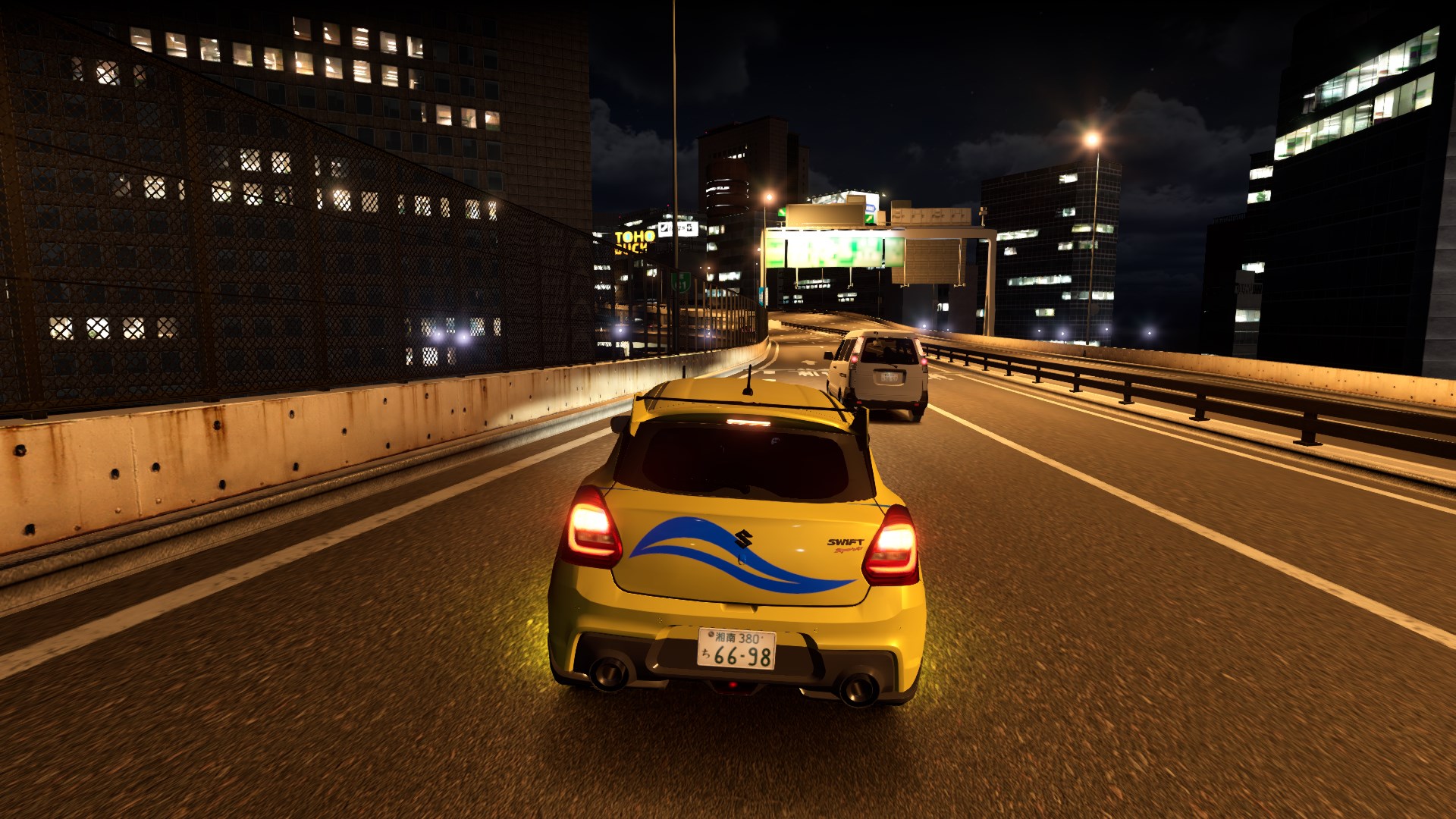
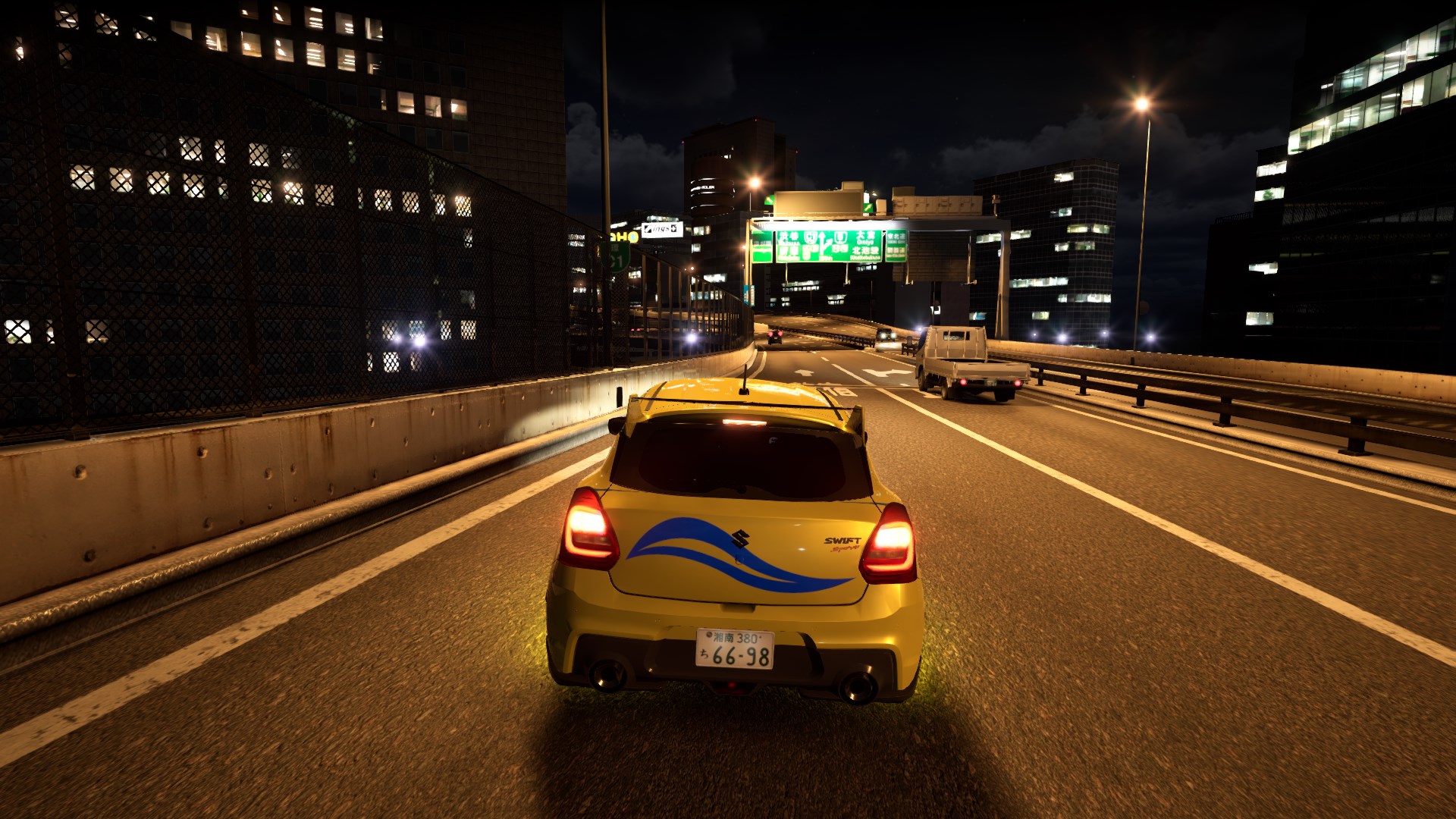
<?xml version="1.0" encoding="utf-8"?><feed xmlns="http://www.w3.org/2005/Atom" ><generator uri="https://jekyllrb.com/" version="4.4.1">Jekyll</generator><link href="https://silentsblog.com/feed.xml" rel="self" type="application/atom+xml" /><link href="https://silentsblog.com/" rel="alternate" type="text/html" /><updated>2026-04-22T11:39:43+00:00</updated><id>https://silentsblog.com/feed.xml</id><title type="html">Silent’s Blog</title><subtitle>A blog and portfolio of Silent</subtitle><entry xml:lang="en"><title type="html">iRacing Arcade review – casual racing under a serious brand</title><link href="https://silentsblog.com/2026/03/03/iracing-arcade-review/" rel="alternate" type="text/html" title="iRacing Arcade review – casual racing under a serious brand" /><published>2026-03-03T14:00:00+00:00</published><updated>2026-03-03T14:00:00+00:00</updated><id>https://silentsblog.com/2026/03/03/iracing-arcade-review</id><content type="html" xml:base="https://silentsblog.com/2026/03/03/iracing-arcade-review/"><![CDATA[<ul id="markdown-toc">
  <li><a href="#introduction" id="markdown-toc-introduction">Introduction</a></li>
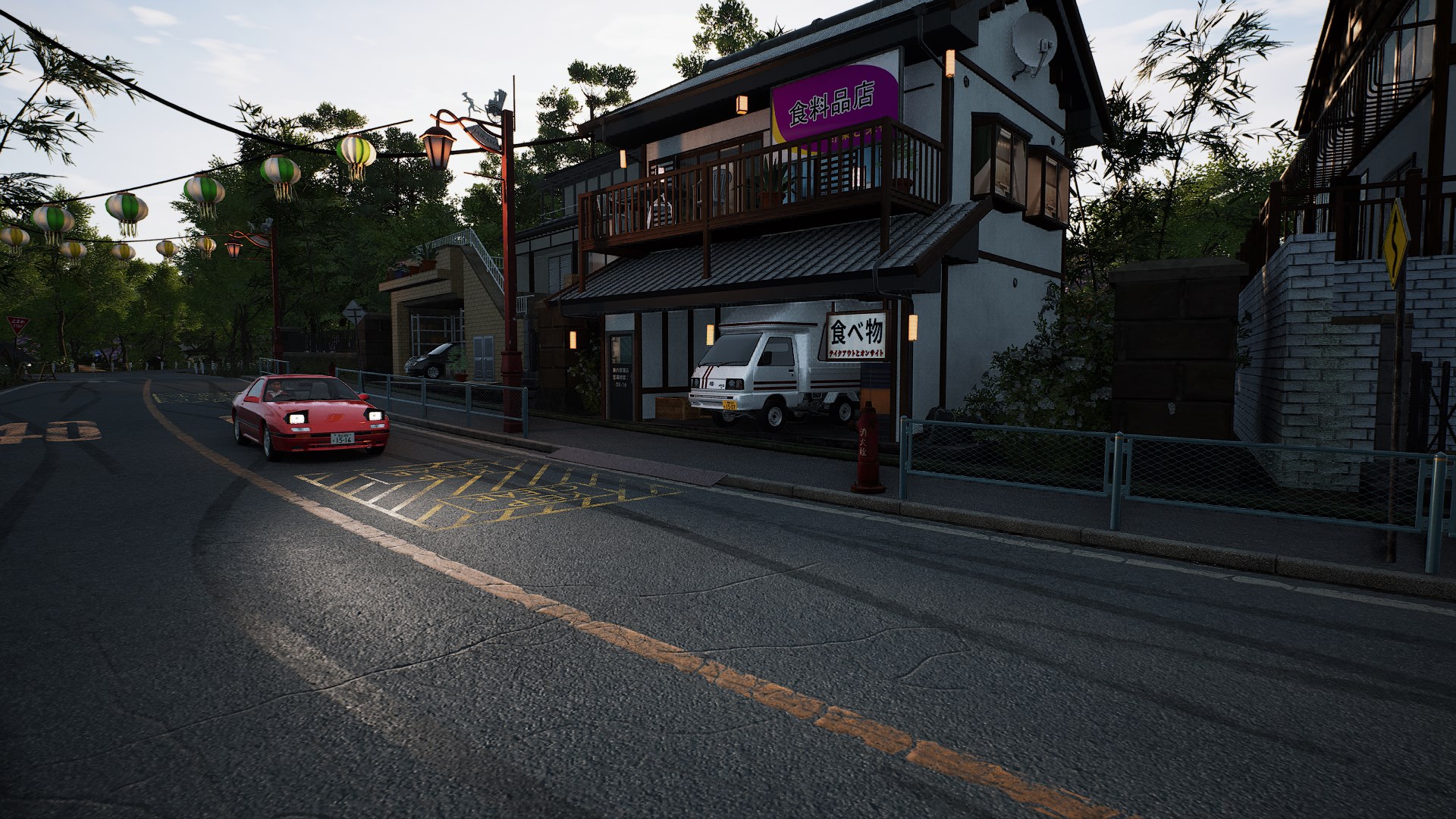
  <li><a href="#it-is-arcade-but-is-it-iracing" id="markdown-toc-it-is-arcade-but-is-it-iracing">It is Arcade, but is it iRacing?</a></li>
  <li><a href="#i-wish-things-were-different" id="markdown-toc-i-wish-things-were-different">I wish things were different</a></li>
  <li><a href="#the-technicalities" id="markdown-toc-the-technicalities">The technicalities</a>    <ul>
      <li><a href="#graphics-options-and-presets" id="markdown-toc-graphics-options-and-presets">Graphics options and presets</a></li>
    </ul>
  </li>
  <li><a href="#benchmarks" id="markdown-toc-benchmarks">Benchmarks</a></li>
  <li><a href="#steam-deck" id="markdown-toc-steam-deck">Steam Deck</a></li>
  <li><a href="#to-buy-or-to-skip" id="markdown-toc-to-buy-or-to-skip">To buy or to skip?</a></li>
</ul>

<h2 id="introduction"><a href="#introduction"></a>Introduction</h2>

<p>A few years ago, iRacing was a name reserved for a hardcore, subscription-based sim. Since then, they’ve expanded into publishing
different racing games – first ExoCross and World of Outlaws, then <a href="/2025/11/18/nascar-25-review/">NASCAR 25</a>, and now iRacing Arcade.
This cartoony simcade spin-off, developed by Original Fire Games, previously known for Circuit Superstars and Karting Superstars,
releases on Steam on <time datetime="2026-03-03">March 3rd</time>, with console releases following later this year.</p>

<div class="center-blocks">
<iframe src="https://store.steampowered.com/widget/3226450/" frameborder="0" width="646" height="190"></iframe>
</div>

<p>I initially didn’t plan to cover this game, but iRacing Motorsport Simulations reached out with a review key, most likely due to my NASCAR 25 coverage,
so here we are. I played iRacing Arcade for several hours over the past week, and progressed through multiple seasons of the single-player career,
submitted several bug reports and impressions, and benchmarked it.</p>

<h2 id="it-is-arcade-but-is-it-iracing"><a href="#it-is-arcade-but-is-it-iracing"></a>It is Arcade, but is it iRacing?</h2>

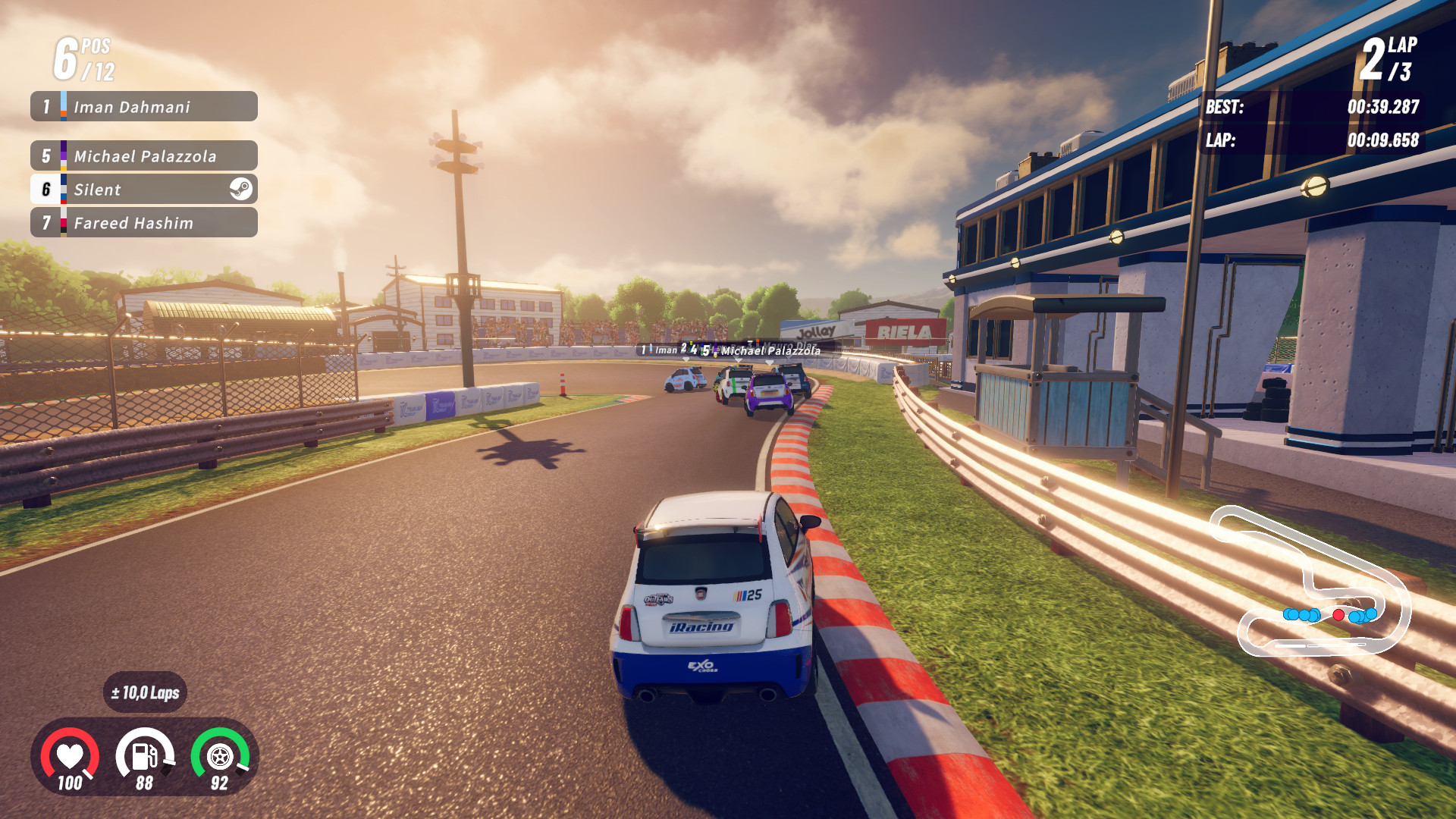
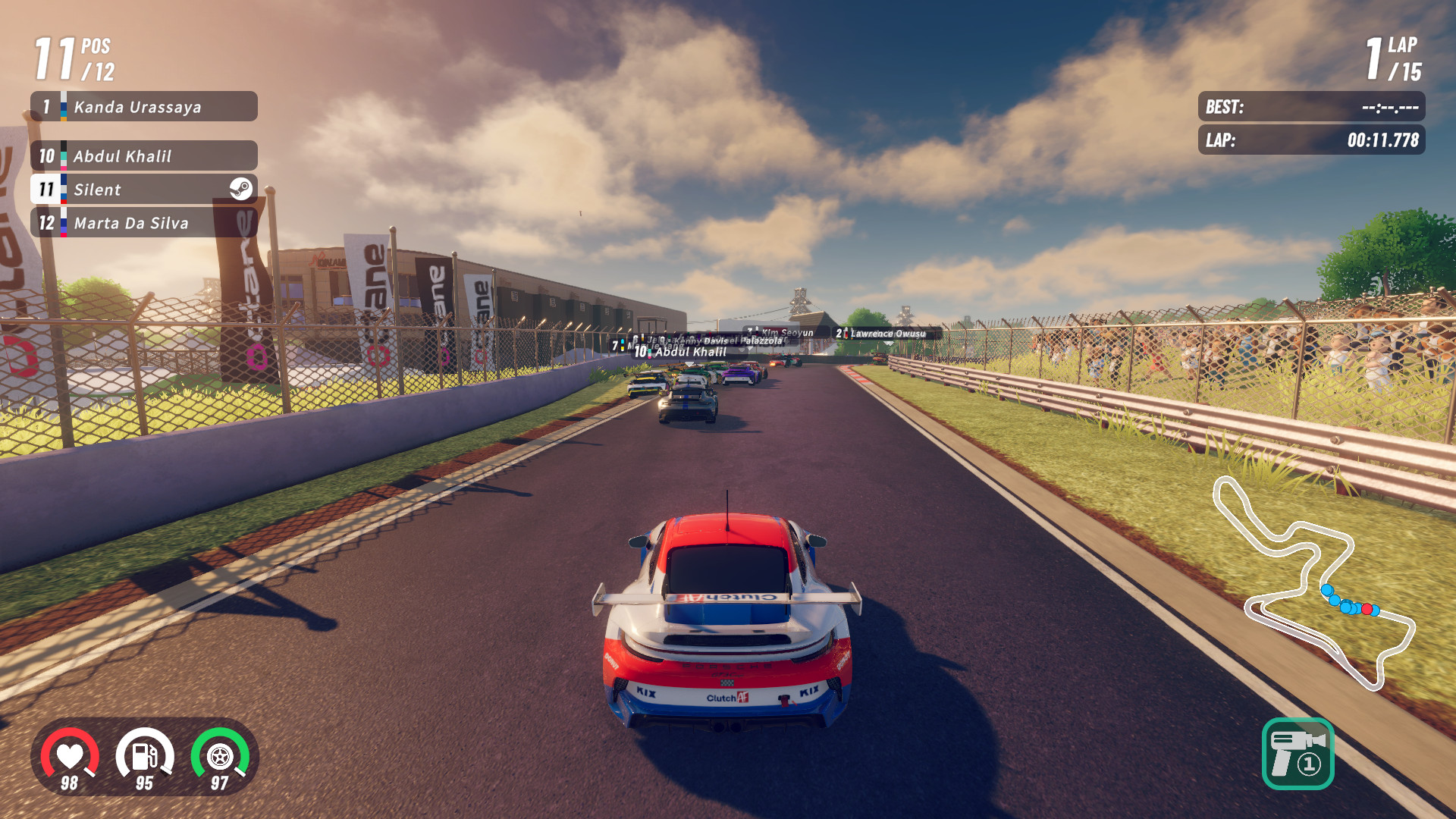
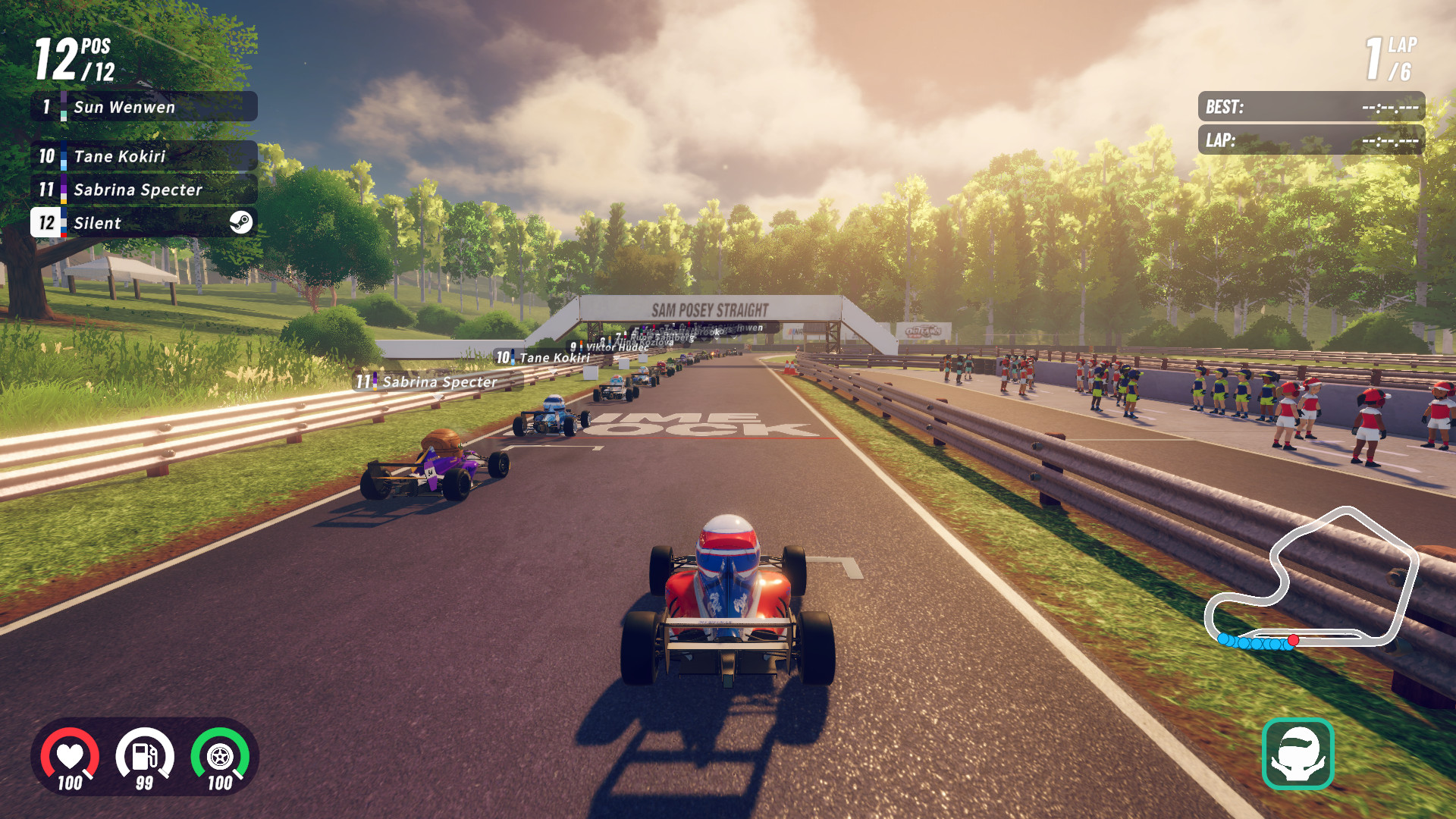
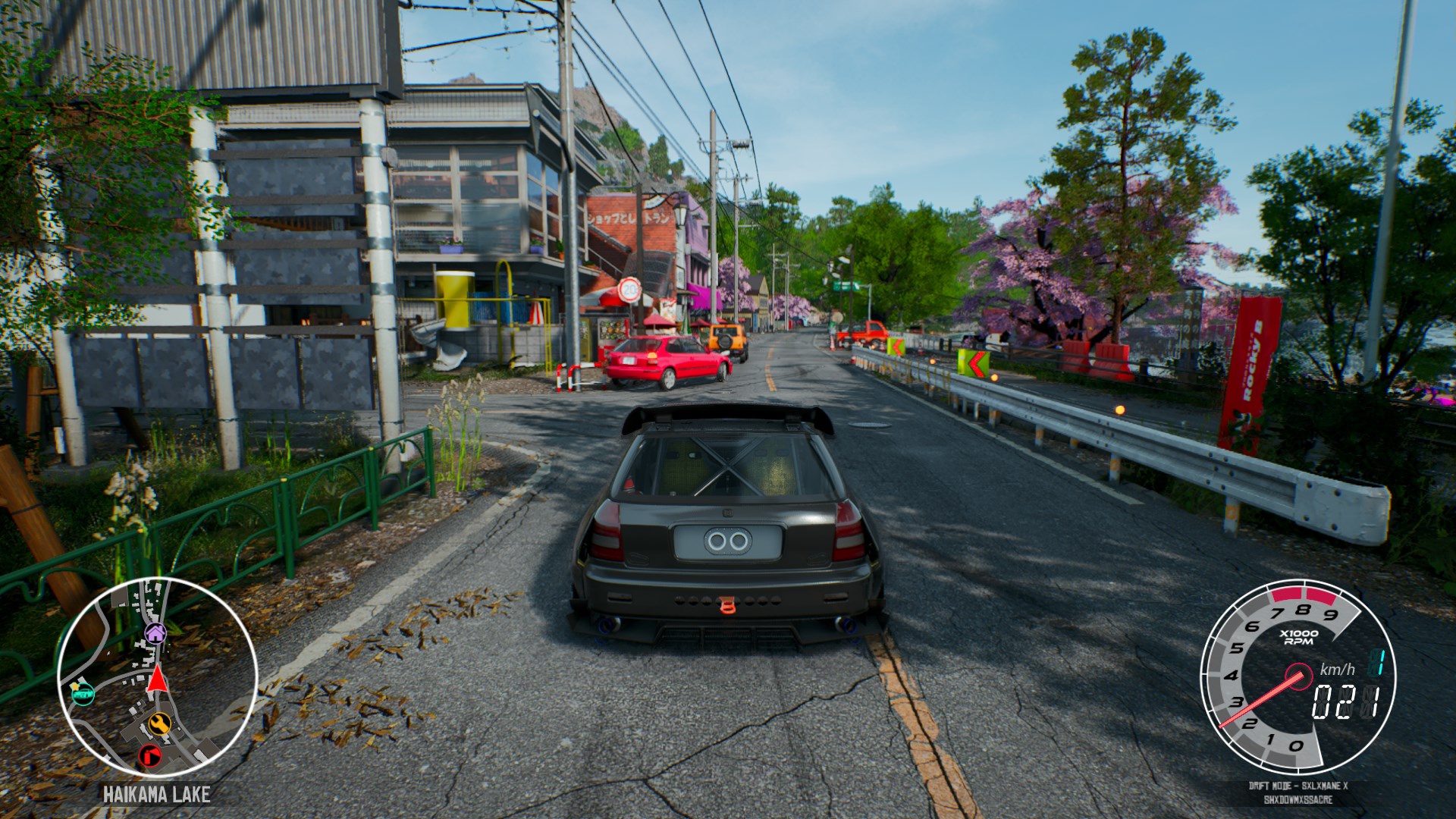
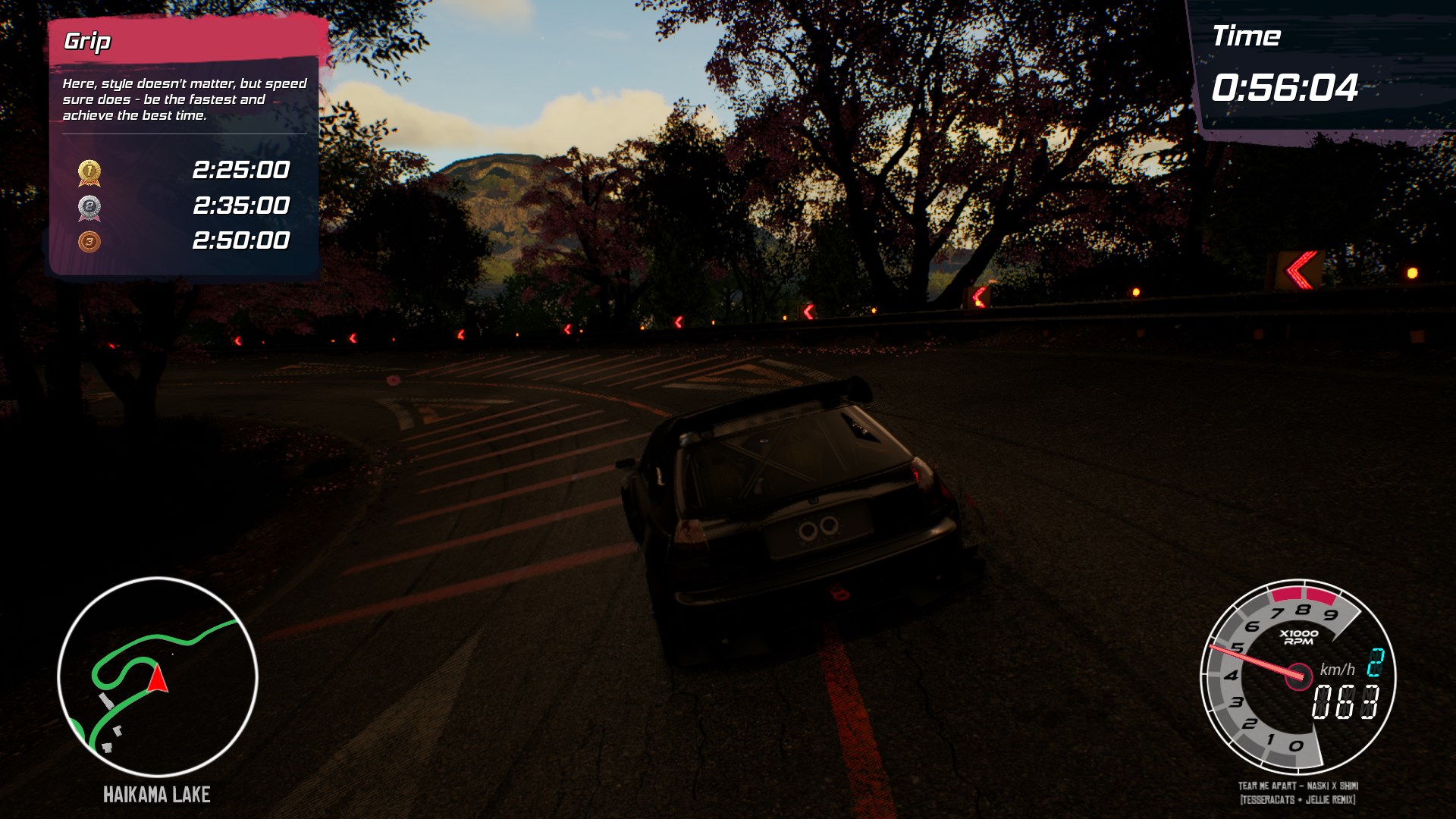
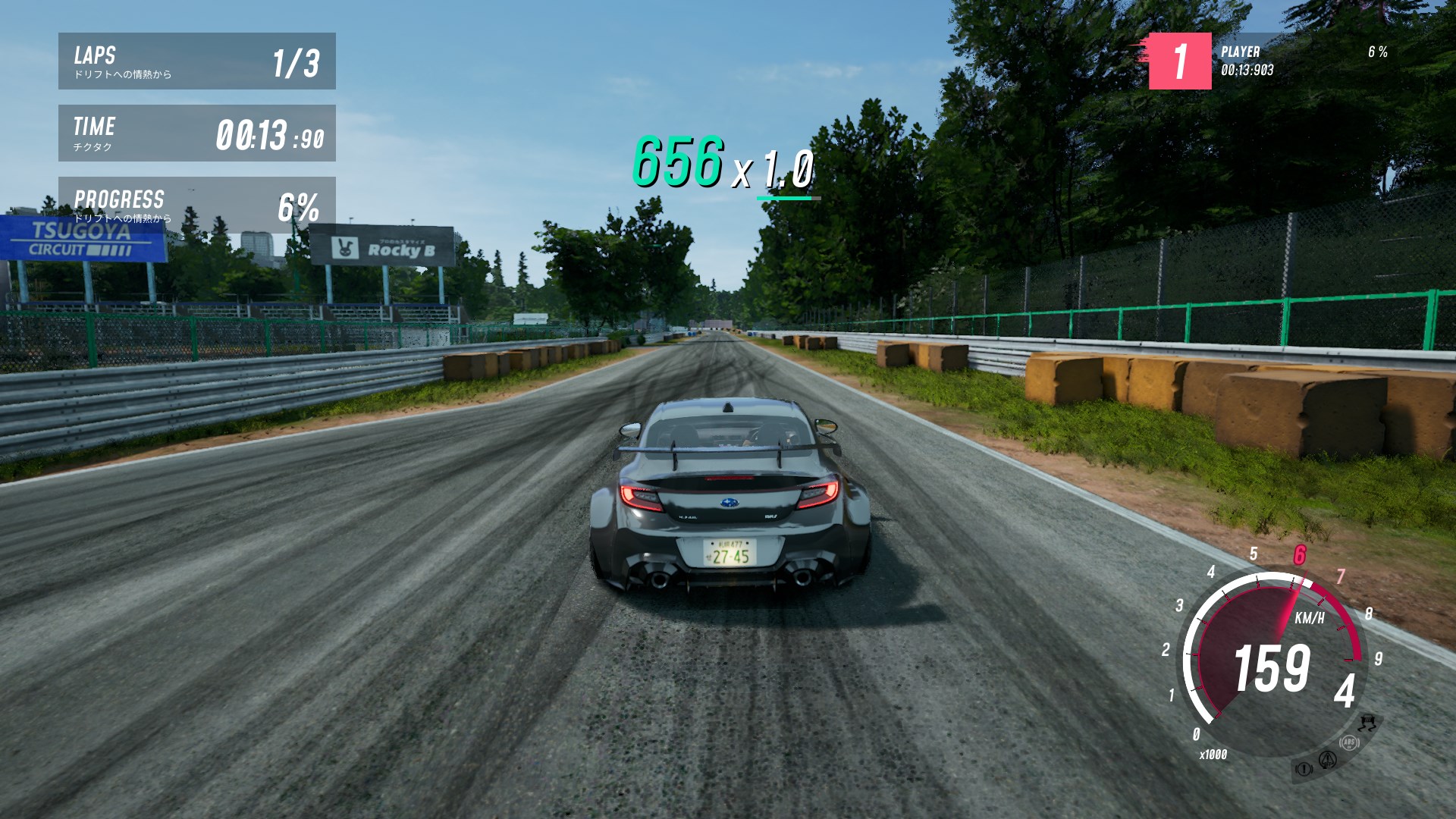
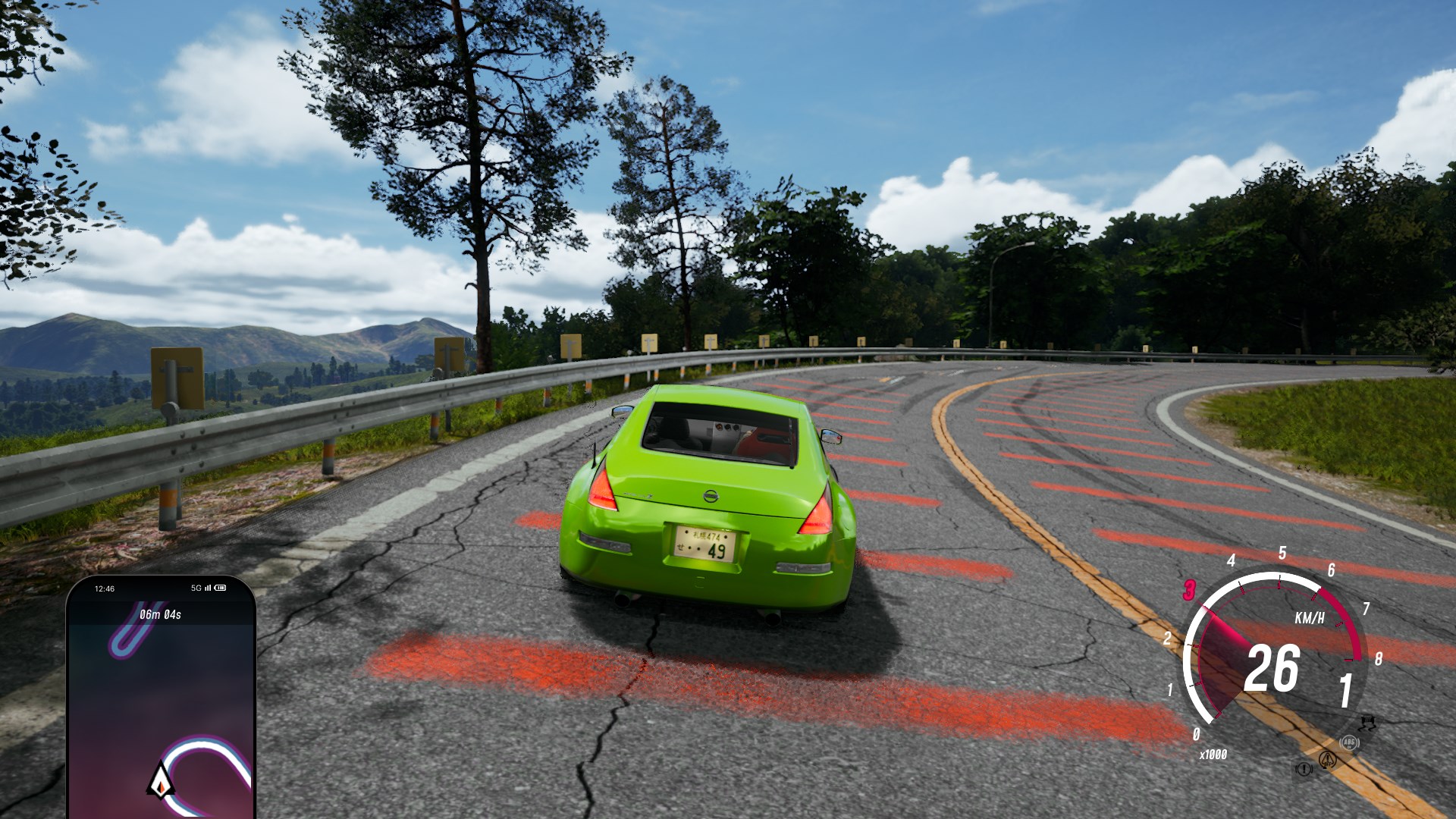
<p>Let’s get a few things out of the way: this is not a serious racing game with simplified physics, like TOCA or GRID.
What we get here is an experience similar to Circuit Superstars, with a chase camera first introduced in Karting Superstars;
whether that’s a good thing or not depends on how much you vibed with the way CS handles. It is best to think of iRacing Arcade
as Circuit Superstars 2 with licensed content – and on that front, it delivers.</p>

<figure class="media-container small">
<figure class="fig-entry"><a href="/assets/img/posts/iracing-arcade-review/screens/3226450_20260224224056_1.jpg" target="_blank"><img src="/assets/img/posts/iracing-arcade-review/screens/thumb/3226450_20260224224056_1.jpg" alt="" width="1024" height="576" /></a></figure>

<figure class="fig-entry"><a href="/assets/img/posts/iracing-arcade-review/screens/3226450_20260228164047_1.jpg" target="_blank"><img src="/assets/img/posts/iracing-arcade-review/screens/thumb/3226450_20260228164047_1.jpg" alt="" width="1024" height="576" /></a></figure>

</figure>

<p>Coming from Circuit (or Karting) Superstars, you might have a bit of deja-vu: the entirety of the race UI and most UI sounds are reused straight from that game.
The overall experience, however, is significantly expanded: a questionable Grand Prix mode with fixed championships is gone; instead, iRacing Arcade provides
a brand new calendar-based Career Mode with team management.</p>

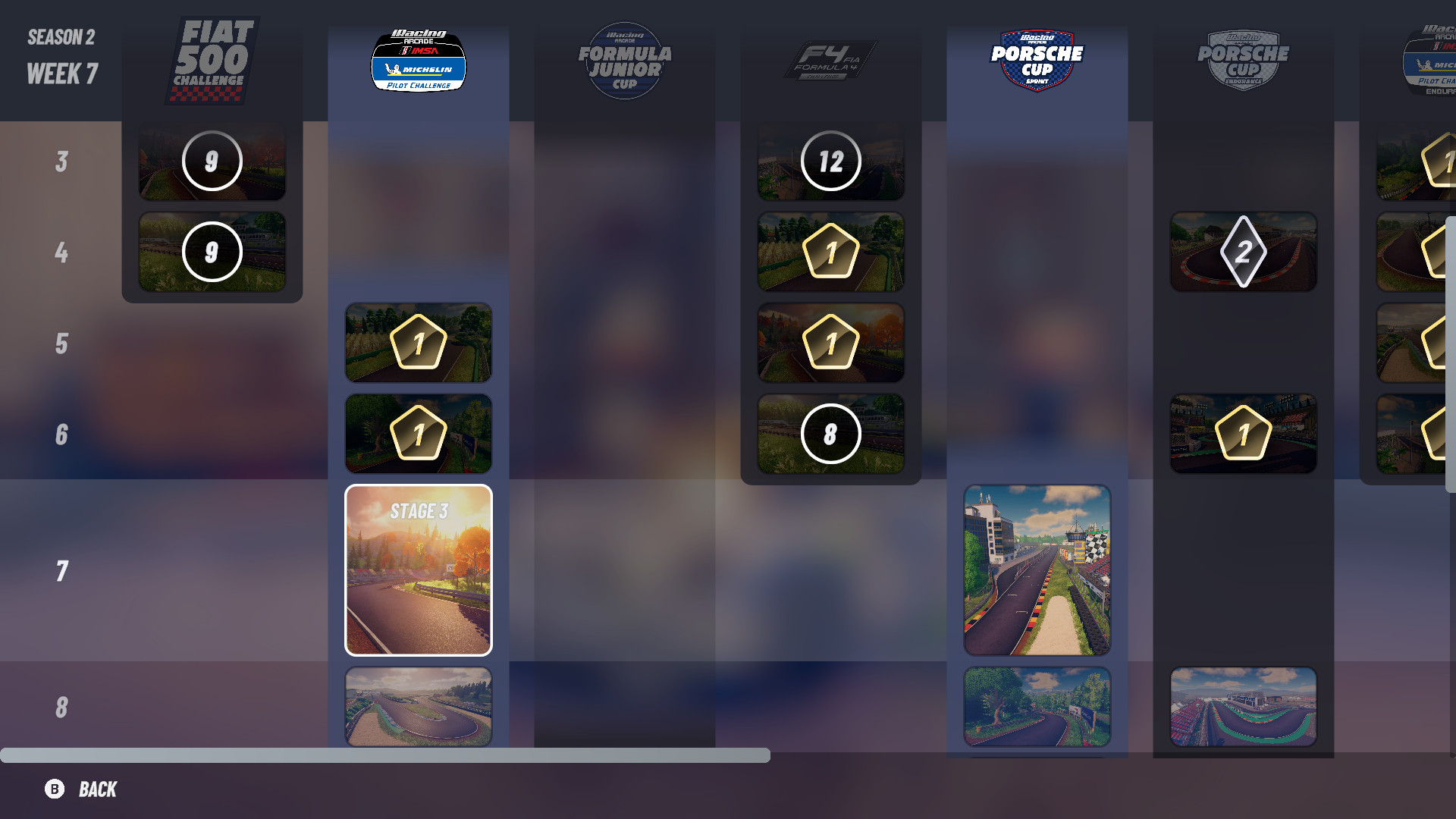
<figure class="fig-entry"><a href="/assets/img/posts/iracing-arcade-review/screens/3226450_20260302181250_1.jpg" target="_blank"><img src="/assets/img/posts/iracing-arcade-review/screens/thumb/3226450_20260302181250_1.jpg" alt="" width="1024" height="576" /></a><figcaption>The event calendar is clear, and it spans wide in later seasons. I like that.</figcaption></figure>

<p>The career experience is hands down the best part about this game, and I enjoyed it greatly. The career appears to consist of 7 seasons, although I only finished two so far;
I don’t know if the seasons are going to loop after that, or if the career just ends.
With each season, more championships open up to the player, and they can choose to participate in them directly, or expand the team with hired drivers and send them to race.
There are no restrictions whatsoever: you can participate in all championships personally, delegate them all to the rest of the team (provided you can hire enough drivers, that is),
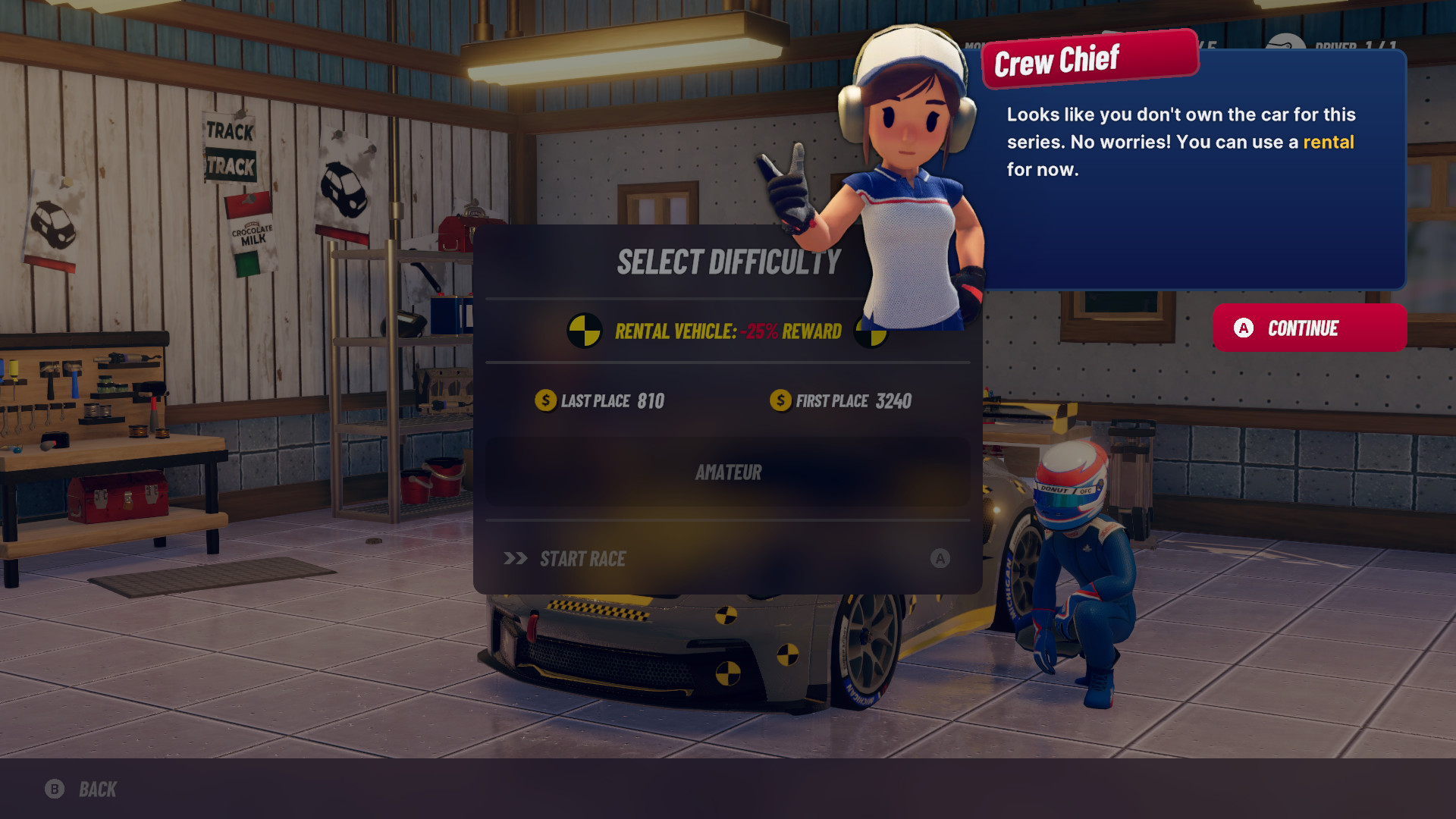
or simply skip championships you are no longer interested in. You can invest in your own fleet of cars or rely on rentals, in exchange for a part of the prize money.
The game gives you all the freedom you need.</p>

<figure class="media-container small">
<figure class="fig-entry"><a href="/assets/img/posts/iracing-arcade-review/screens/3226450_20260226183227_1.jpg" target="_blank"><img src="/assets/img/posts/iracing-arcade-review/screens/thumb/3226450_20260226183227_1.jpg" alt="" width="1024" height="576" /></a></figure>

<figure class="fig-entry"><a href="/assets/img/posts/iracing-arcade-review/screens/3226450_20260225193242_1.jpg" target="_blank"><img src="/assets/img/posts/iracing-arcade-review/screens/thumb/3226450_20260225193242_1.jpg" alt="" width="1024" height="576" /></a></figure>

<figcaption>The career experience is significantly more fleshed out than in Circuit Superstars.</figcaption>
</figure>

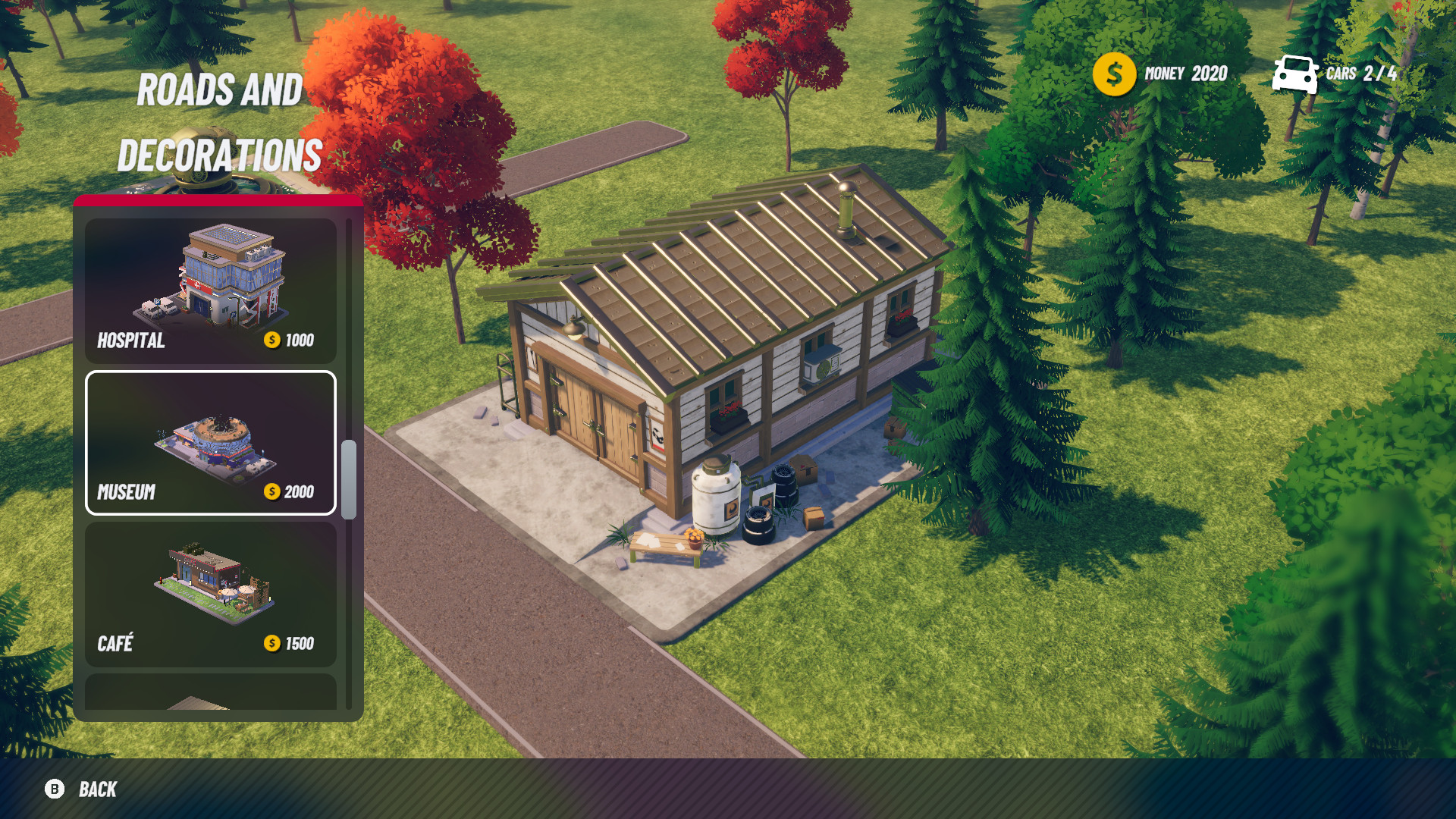
<p>When you’re not racing, you’re left to explore another interesting addition to the career loop: campus building. In this mode, stylized not unlike a very simplified version
of a Two Point game, players get to expand their team campus with bigger garages, workshops, R&amp;D teams, and more.</p>

<figure class="fig-entry"><a href="/assets/img/posts/iracing-arcade-review/screens/3226450_20260225193928_1.jpg" target="_blank"><img src="/assets/img/posts/iracing-arcade-review/screens/thumb/3226450_20260225193928_1.jpg" alt="" width="1024" height="576" /></a><figcaption>Hospital, Museum… and you’re building a campus. Comparisons to the Two Point games may have been on point.</figcaption></figure>

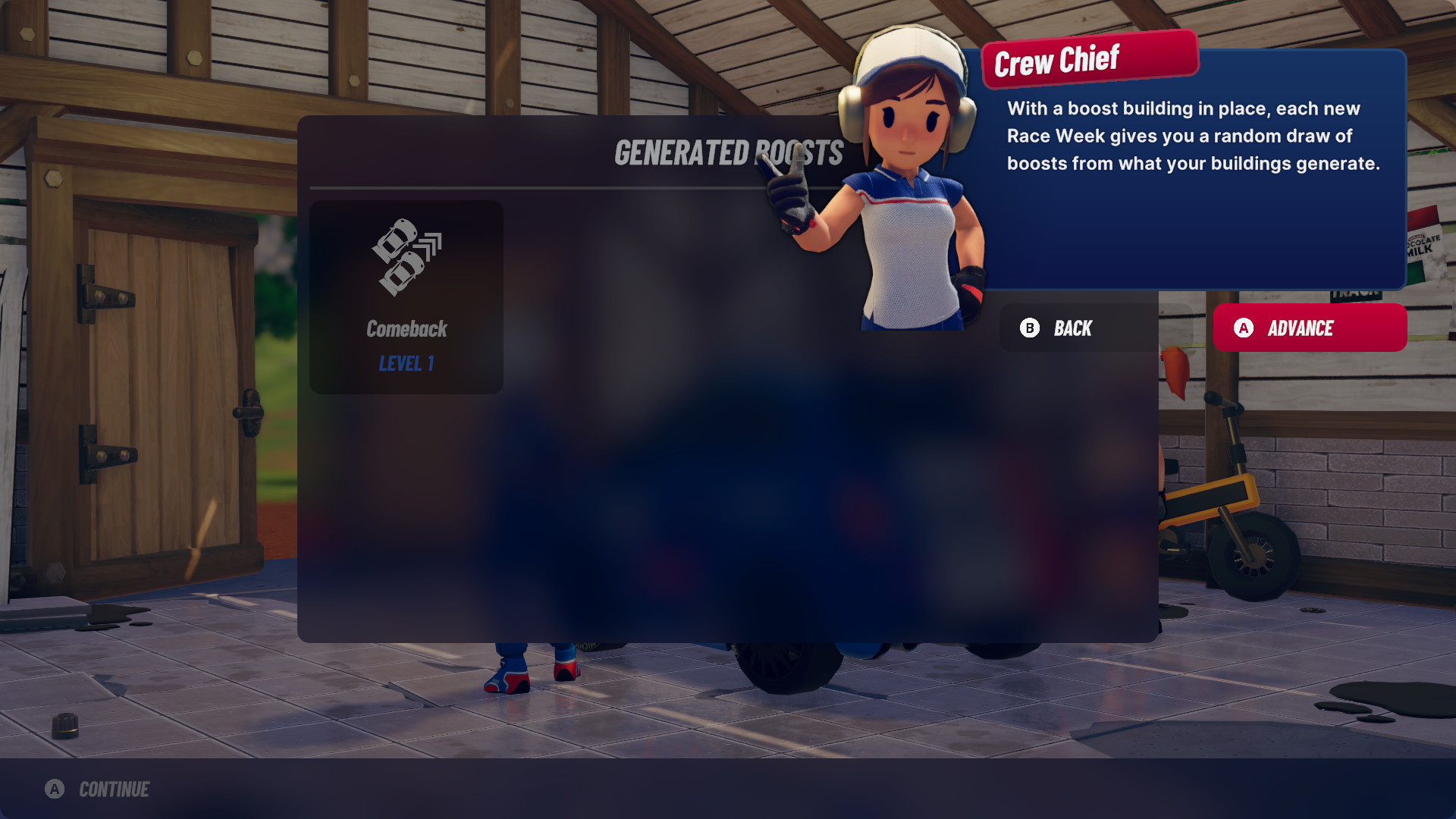
<p>Decorations and the road layout are only for show, as this map is not interactive, and the player cannot visit it on foot or in a car. Building better facilities
lets the player hire more drivers, buy extra cars, and provides better <strong>Boosts</strong>. Boosts are yet another addition in <del>Circuit Superstars 2</del> iRacing Arcade,
and they work as “perks” for the player: providing benefits like a permanent or a temporary increase of grip or engine power, more leeway regarding time penalties,
extra fuel given at the last lap, or… the big head mode.</p>

<figure class="fig-entry"><a href="/assets/img/posts/iracing-arcade-review/screens/3226450_20260228193050_1.jpg" target="_blank"><img src="/assets/img/posts/iracing-arcade-review/screens/thumb/3226450_20260228193050_1.jpg" alt="" width="1024" height="576" /></a><figcaption>I wonder if those big heads increase drag?</figcaption></figure>

<h2 id="i-wish-things-were-different"><a href="#i-wish-things-were-different"></a>I wish things were different</h2>

<p>So far, I’ve been really positive about the game, because at the core level, iRacing Arcade delivers exactly on what it promises: lighthearted, yet not simplistic racing
in a cartoony setting. The gameplay loop keeps me engaged as I get to alternate between multiple different racing classes, and the driving model <em>clicks</em>. But…</p>

<p>If you played Circuit Superstars, you probably remember how varied the car selection was. Compacts, touring cars, muscle cars, stock cars, buggies, race trucks…
iRacing Arcade throws that all away in favour of <strong>8 cars</strong>. Yes, eight: two licensed road cars, a generic touring car, three generic open wheelers,
a generic LMP, and a generic Hypercar. When the iRacing acquisition was announced, the hope was that their reputation and influence could help Original Fire Games integrate more
licensed content in their games, but the result seems to have been the opposite – the car selection was the best part of Circuit Superstars,
and it’s the worst part of iRacing Arcade.</p>

<p>It’s an abysmal decision, and one I can’t understand at all: if most of the vehicles in the game are not licensed,
why are we not seeing more of them? Why don’t we get an opportunity to race stock cars, muscle cars, or trucks?
This is not an Early Access release or a solo-dev indie game made on a shoestring budget – so this car selection is simply not enough.
And even that is not a good excuse: for comparison, the recently released
<a href="https://store.steampowered.com/app/3218630/Super_Woden_Rally_Edge/" target="_blank">Super Woden: Rally Edge</a>
is a solo-dev indie game with no licensed vehicles, but it has <strong>90 cars</strong>.</p>

<p>At least the track selection is more varied: 12 licensed courses, including some tracks less commonly seen in games, and two fictional circuits returning from Circuit Superstars.
They each offer only a single layout, but still, it’s not the worst.</p>

<hr />

<p>There are a few other things that didn’t sit right with me. Just like in Circuit Superstars, difficulty is all over the place: sometimes I struggle to finish in the Top 3 on
a Pro difficulty, while in other races I comfortably win on Master. The AI competitiveness seems to vary wildly per class: they are just right in Fiat 500s
and Porsches, really easy in Touring Cars, a little too difficult in open wheelers. Building a “team brand” is difficult, as the game lacks any presets for car and driver colors; if you want consistency in your fleet, you are in for a lot of manual color adjustments. The campus feature is interesting, but a little underutilized: the decorative elements are pointless, scrolling around this area with a gamepad is unintuitive, and there isn’t much you can do with that campus; is it too much to ask for to be able to drive around it, or have people walk around it?
There is no photo mode or even an ability to hide the UI in replays, so you can’t take nice screenshots easily.
There is no split-screen either, even though a game like this is an ideal candidate for local multiplayer. It is said that split-screen is going to arrive with the console versions,
but it’s unconfirmed whether it’s going to be available on PC too.</p>

<p>None of those drawbacks make iRacing Arcade feel like an unfinished experience, but it could have been something more.
I’ll keep my fingers crossed for post-launch support, as most of my complaints could be addressed in future updates. To my knowledge, there was no official communication
on whether the game will be expanded or not, so all we can do is wait and see.</p>

<h2 id="the-technicalities"><a href="#the-technicalities"></a>The technicalities</h2>

<p>iRacing Arcade is in a slightly different league from the other games I’ve reviewed in the past. It runs on <strong>Unity 6</strong>, so none of my usual technical comments apply here.
The game is significantly simpler and more lightweight because of this, and the minimum requirements indicate that the Steam Deck LCD is considered to be a minimum spec machine
that they support. I threw the game at two setups:</p>

<ul>
  <li><strong>Intel Core i9-12900K</strong> with an <strong>NVIDIA GeForce RTX 5070 Ti</strong>.</li>
  <li><strong>Intel Core i7-6700K</strong> with an <strong>NVIDIA GeForce GTX 1070</strong>.</li>
</ul>

<p>For my impressions, I’ve been using exclusively the primary PC. However, for benchmarking, I used both.
All screenshots in this article were taken on the max details, unless stated otherwise.</p>

<h3 id="graphics-options-and-presets"><a href="#graphics-options-and-presets"></a>Graphics options and presets</h3>

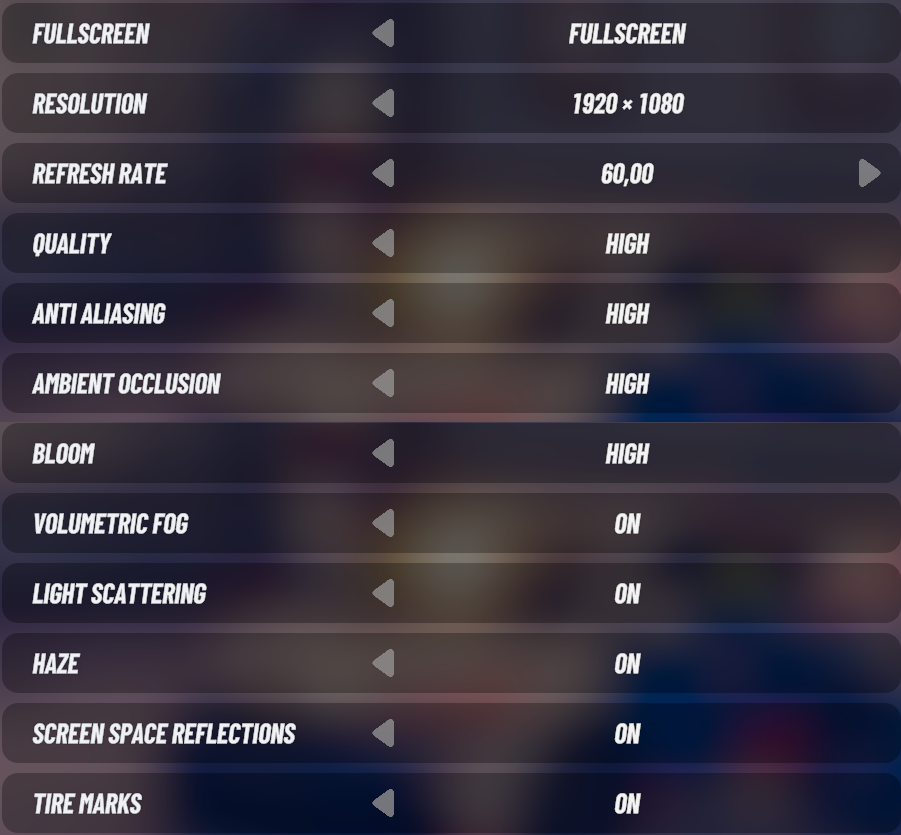
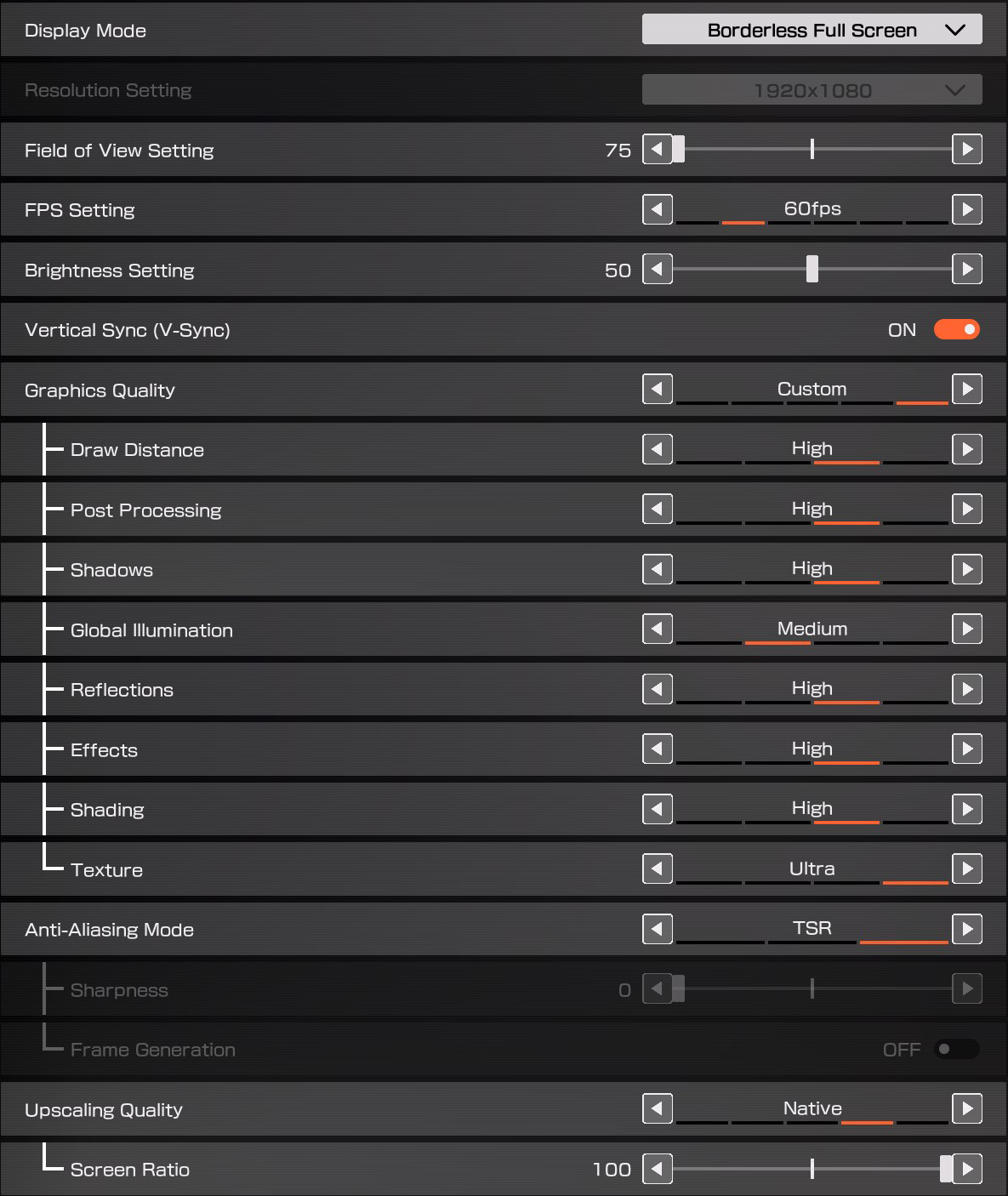
<p>iRacing Arcade goes beyond a single “Low/Medium/High Details” selection commonly found in Unity games:</p>

<figure class="fig-entry"><a href="/assets/img/posts/iracing-arcade-review/IRacing_Arcade_video.png" target="_blank"><img src="/assets/img/posts/iracing-arcade-review/IRacing_Arcade_video.png" alt="" width="901" height="835" /></a></figure>

<p>There are no upscalers or any “fancy” options, but honestly, this game doesn’t need any. That said, I wish the Anti-Aliasing options
were better described, as I don’t know what kind of an AA solution the game uses, and even on High, it can appear a little jagged.
It also appears to always run in a borderless window and caps the resolution at a desktop resolution, so I was unable to use DSR.</p>

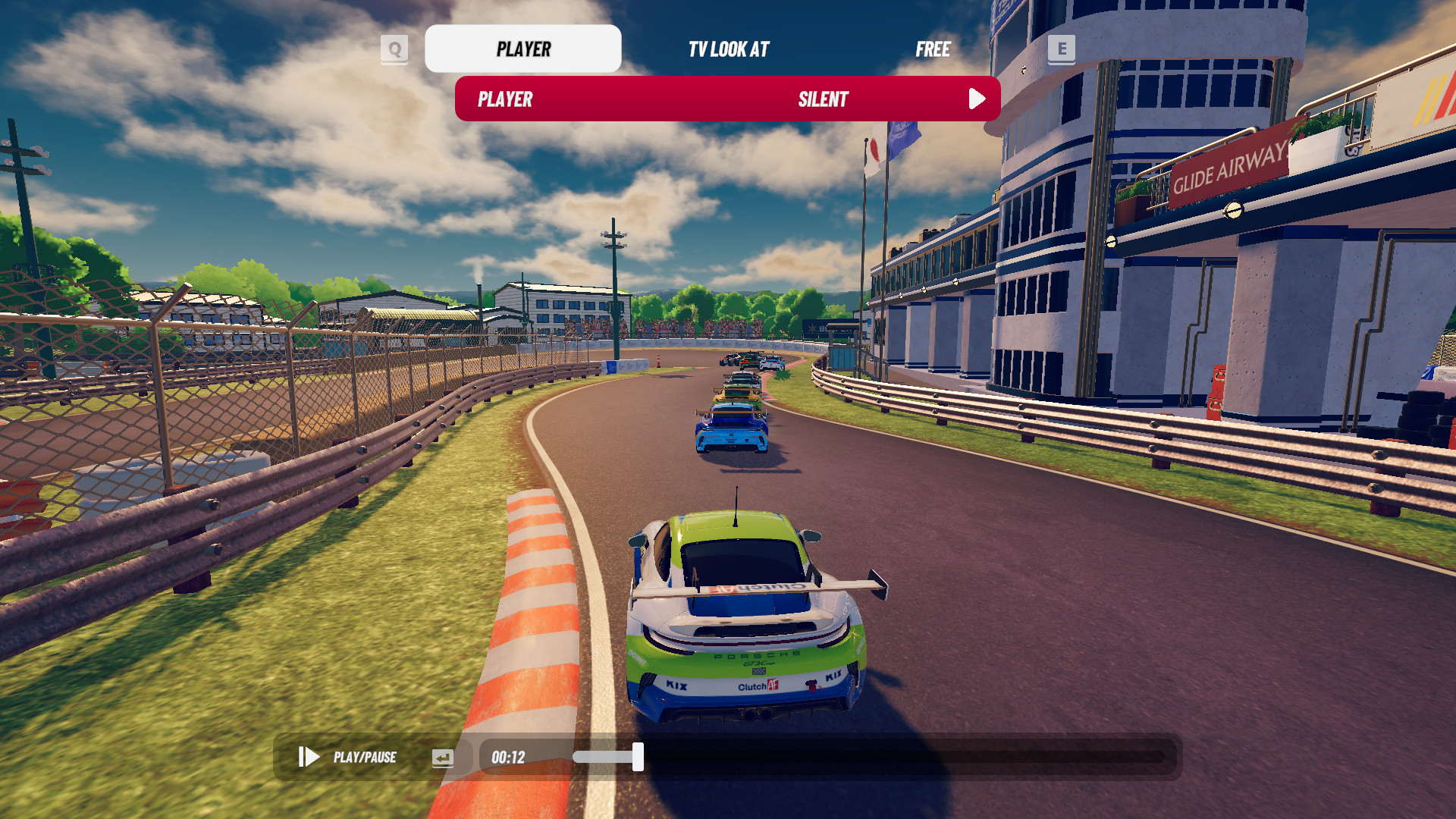
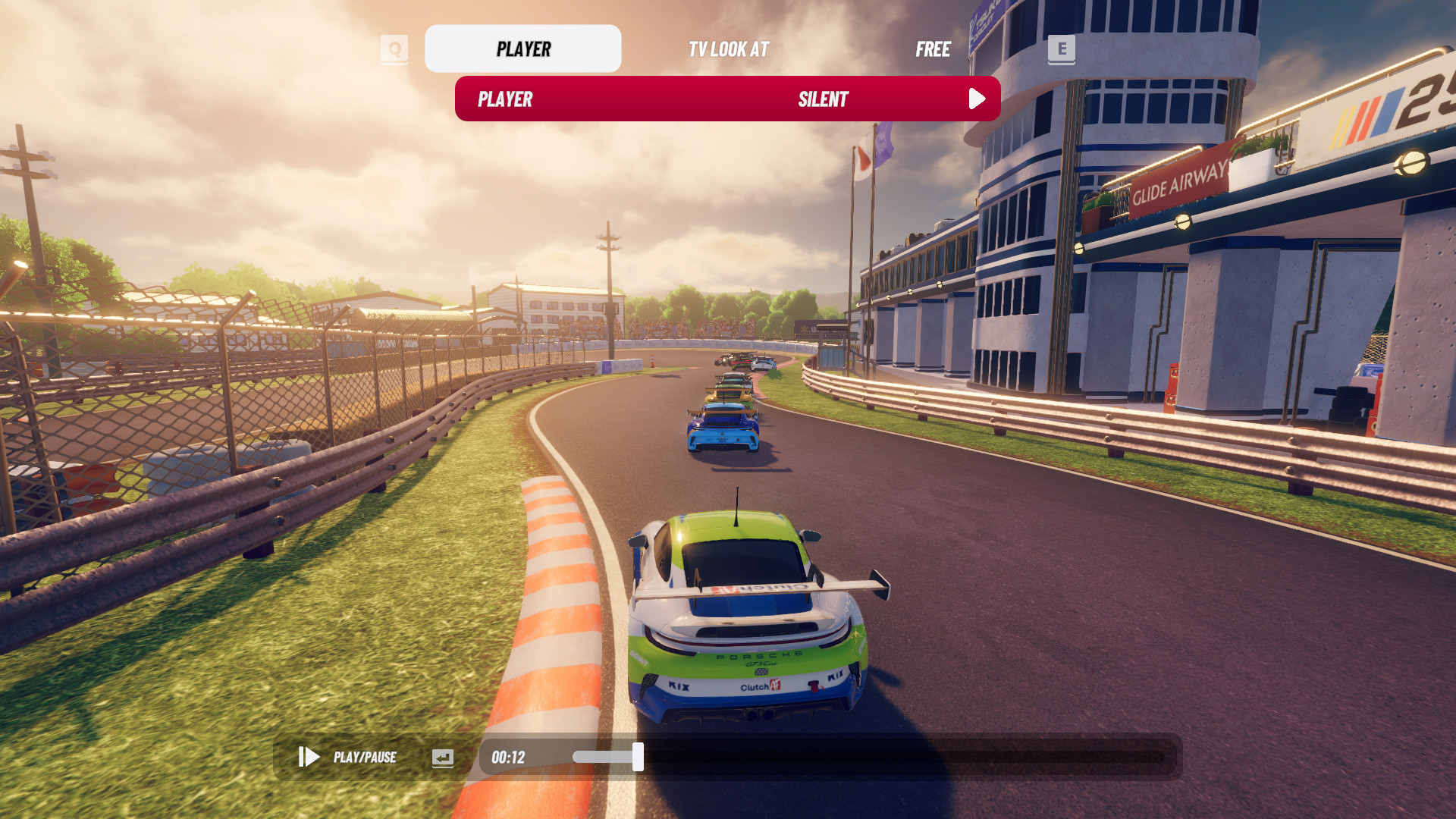
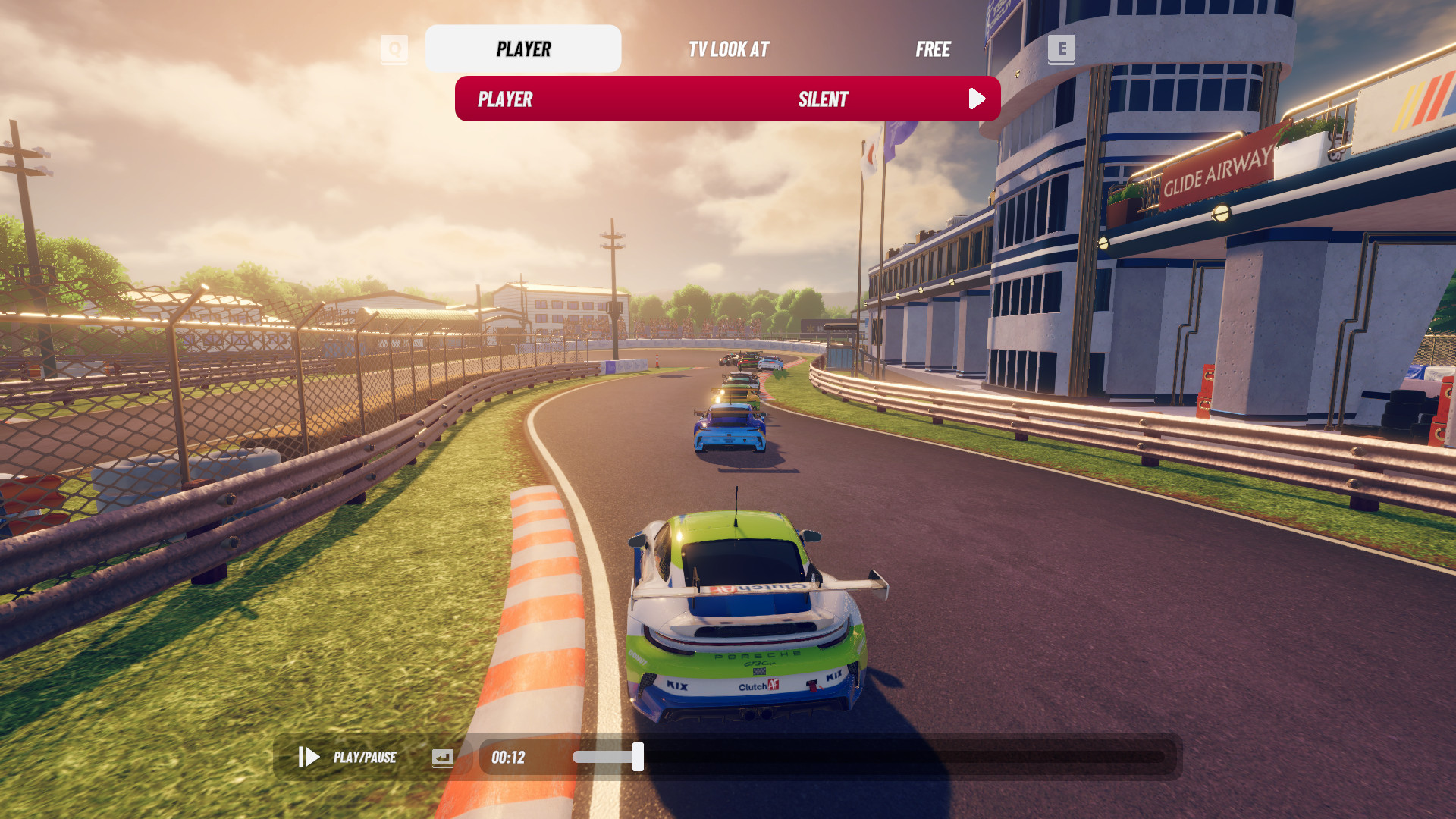
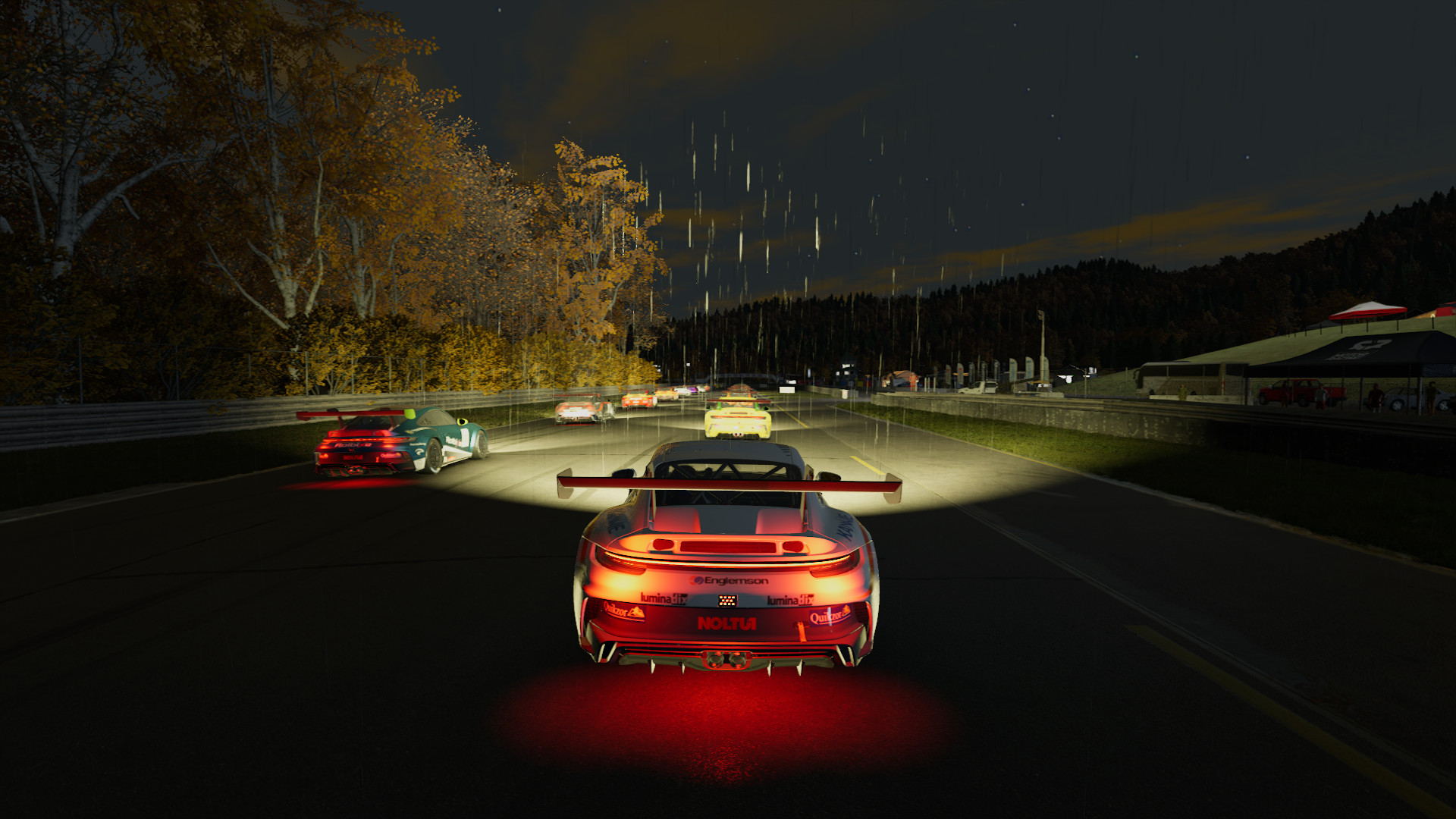
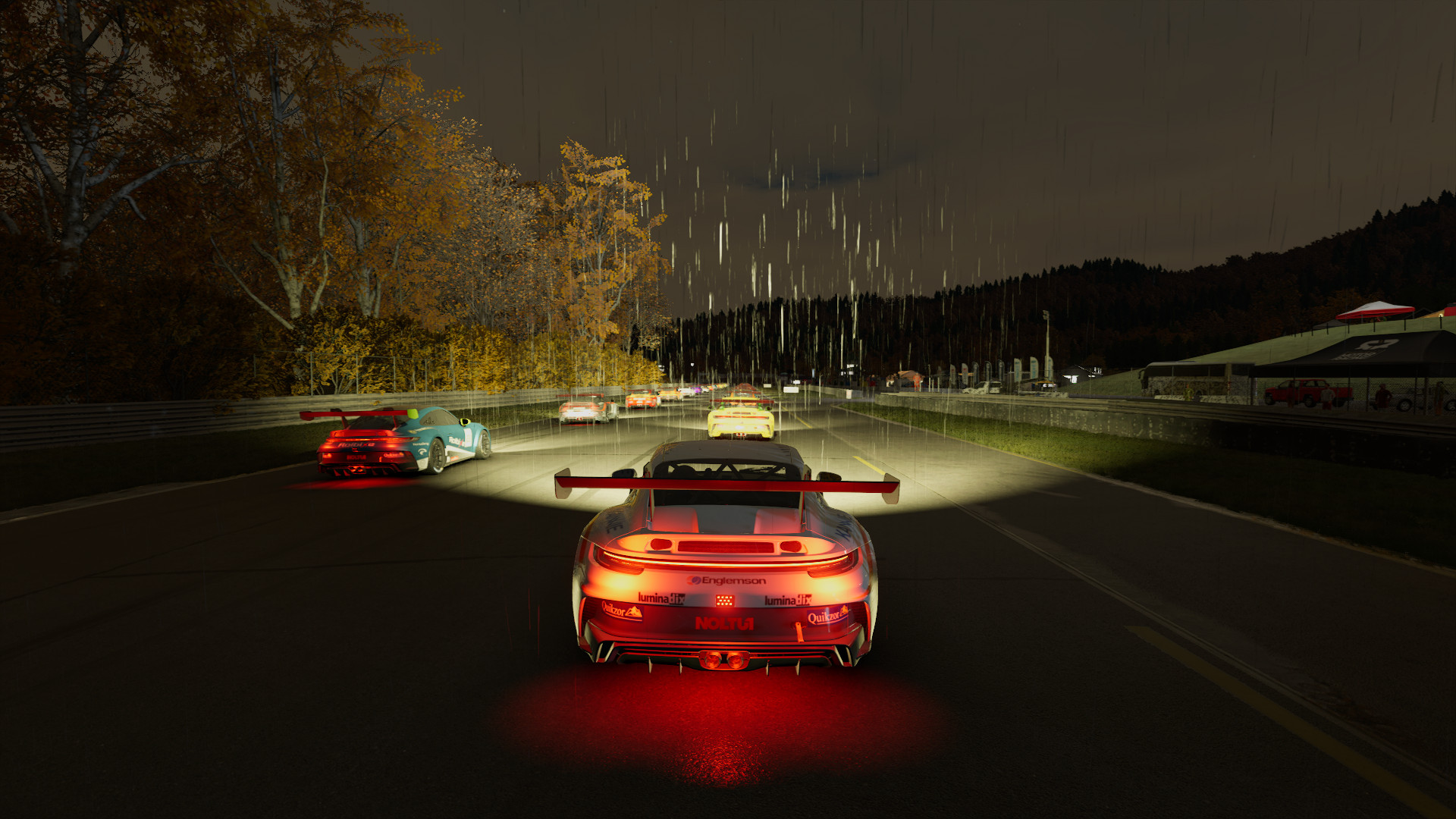
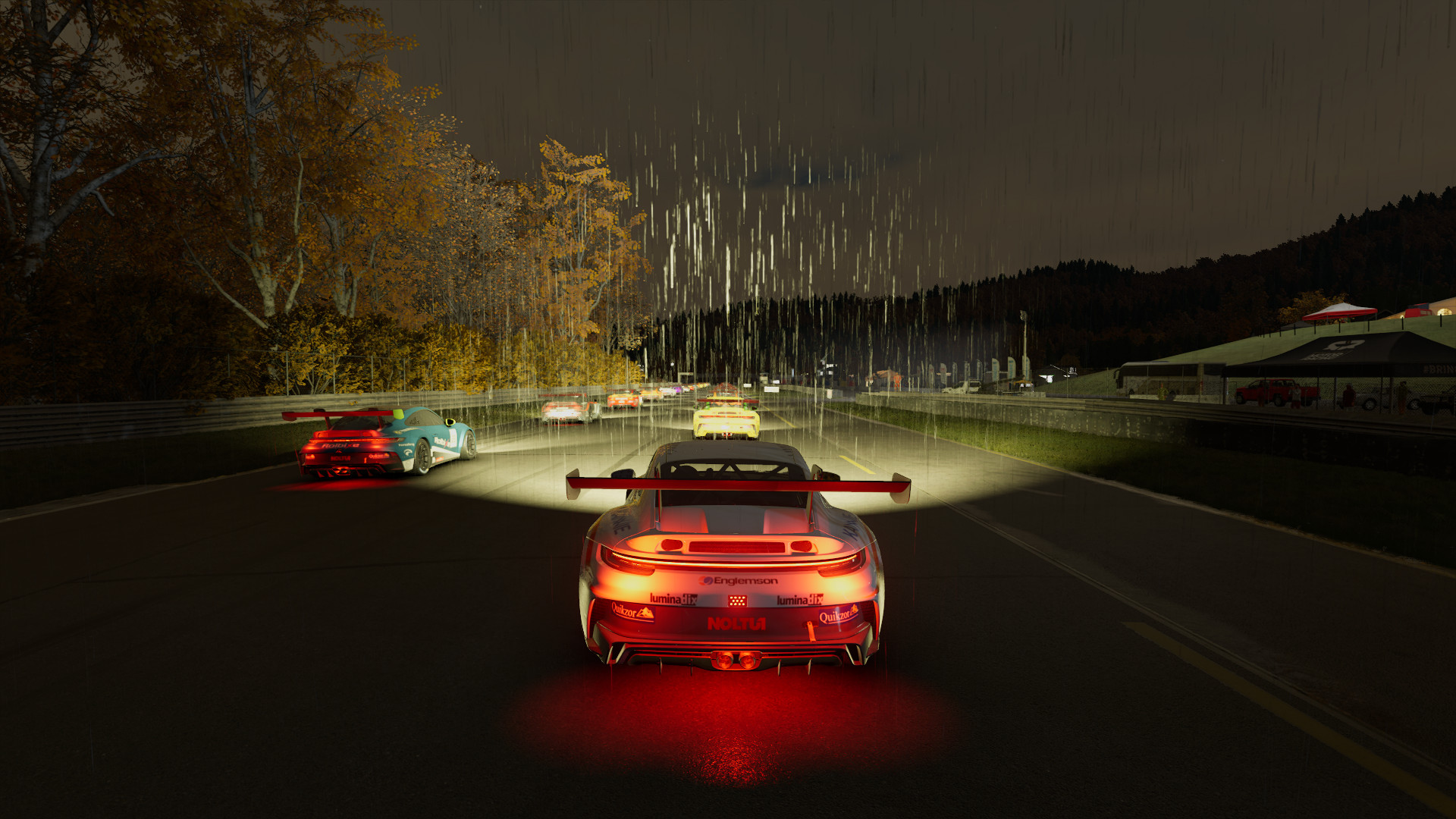
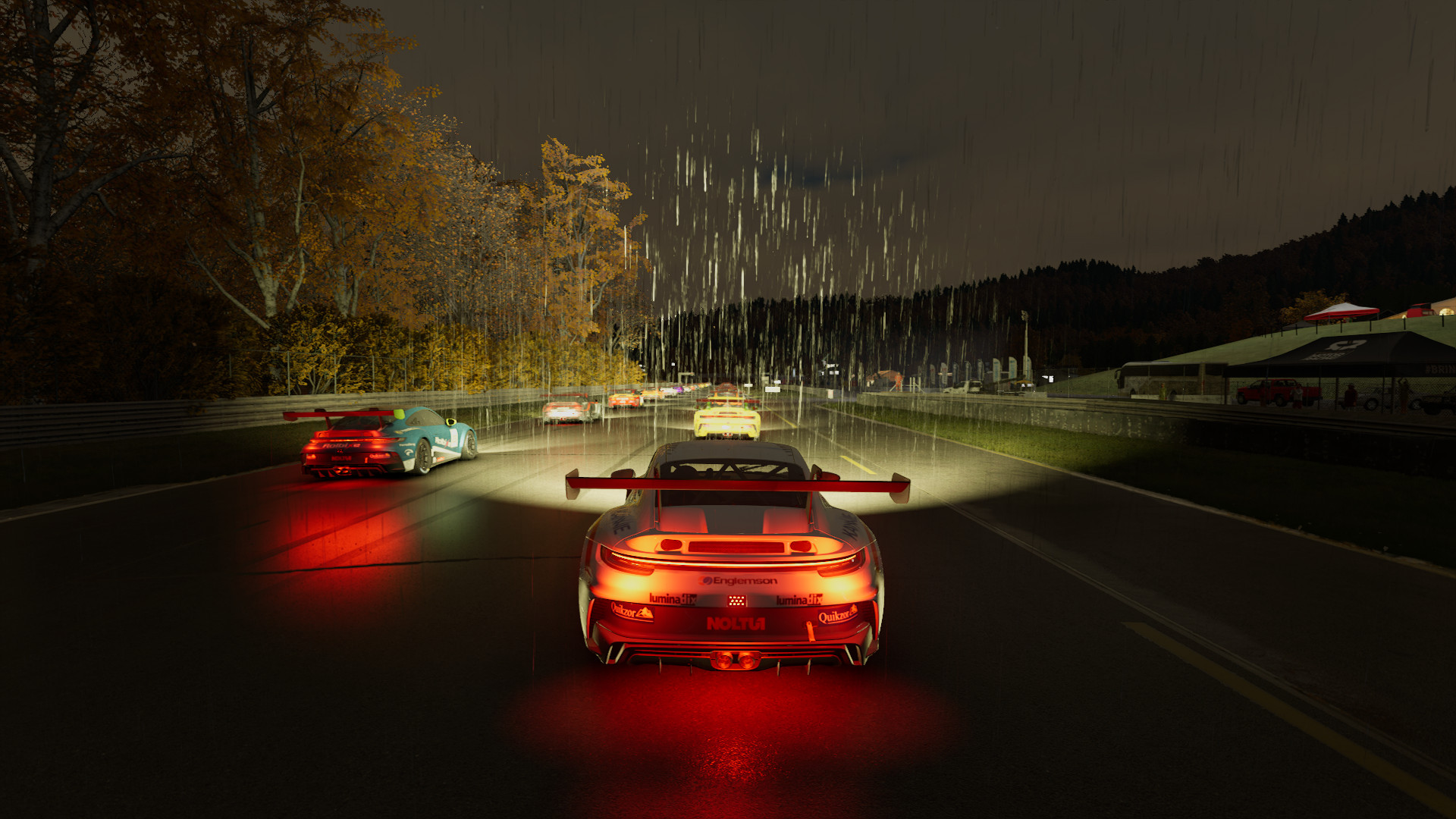
<p>iRacing Arcade doesn’t have presets; instead, most options can be individually turned on/off and changed between Low/Medium/High.
For Lowest, I turned everything as low as possible. For Medium, everything is on Medium. For High, everything is maxed.
Those “presets” correspond to what I later used in benchmarks.</p>

<figure class="media-container small">
<figure class="fig-entry"><a href="/assets/img/posts/iracing-arcade-review/screens/3226450_20260301203236_1.jpg" target="_blank"><img src="/assets/img/posts/iracing-arcade-review/screens/thumb/3226450_20260301203236_1.jpg" alt="" width="1024" height="576" /></a><figcaption>Lowest</figcaption></figure>

<figure class="fig-entry"><a href="/assets/img/posts/iracing-arcade-review/screens/3226450_20260301203320_1.jpg" target="_blank"><img src="/assets/img/posts/iracing-arcade-review/screens/thumb/3226450_20260301203320_1.jpg" alt="" width="1024" height="576" /></a><figcaption>Medium</figcaption></figure>

<figure class="fig-entry"><a href="/assets/img/posts/iracing-arcade-review/screens/3226450_20260301203408_1.jpg" target="_blank"><img src="/assets/img/posts/iracing-arcade-review/screens/thumb/3226450_20260301203408_1.jpg" alt="" width="1024" height="576" /></a><figcaption>High</figcaption></figure>

</figure>

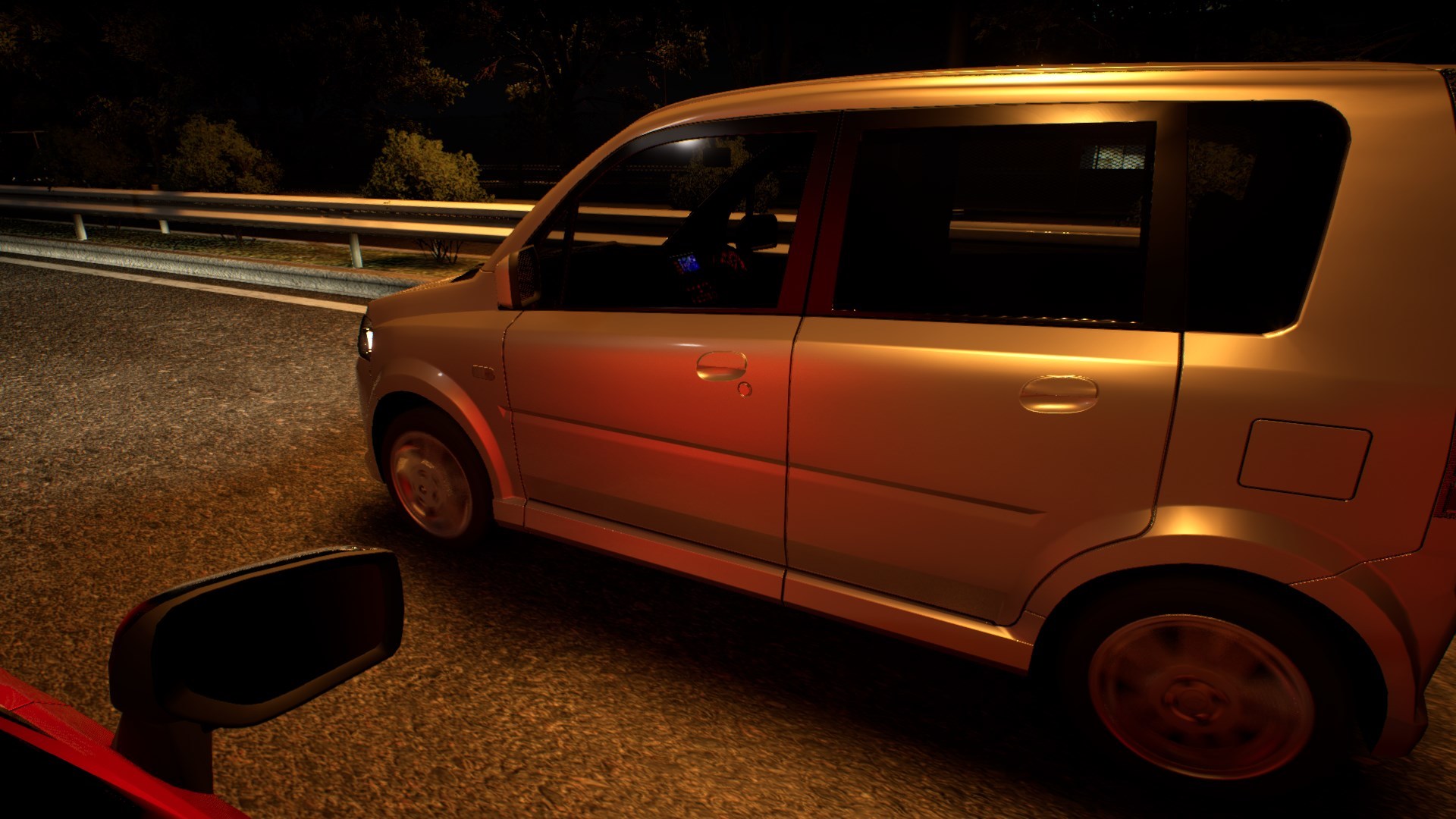
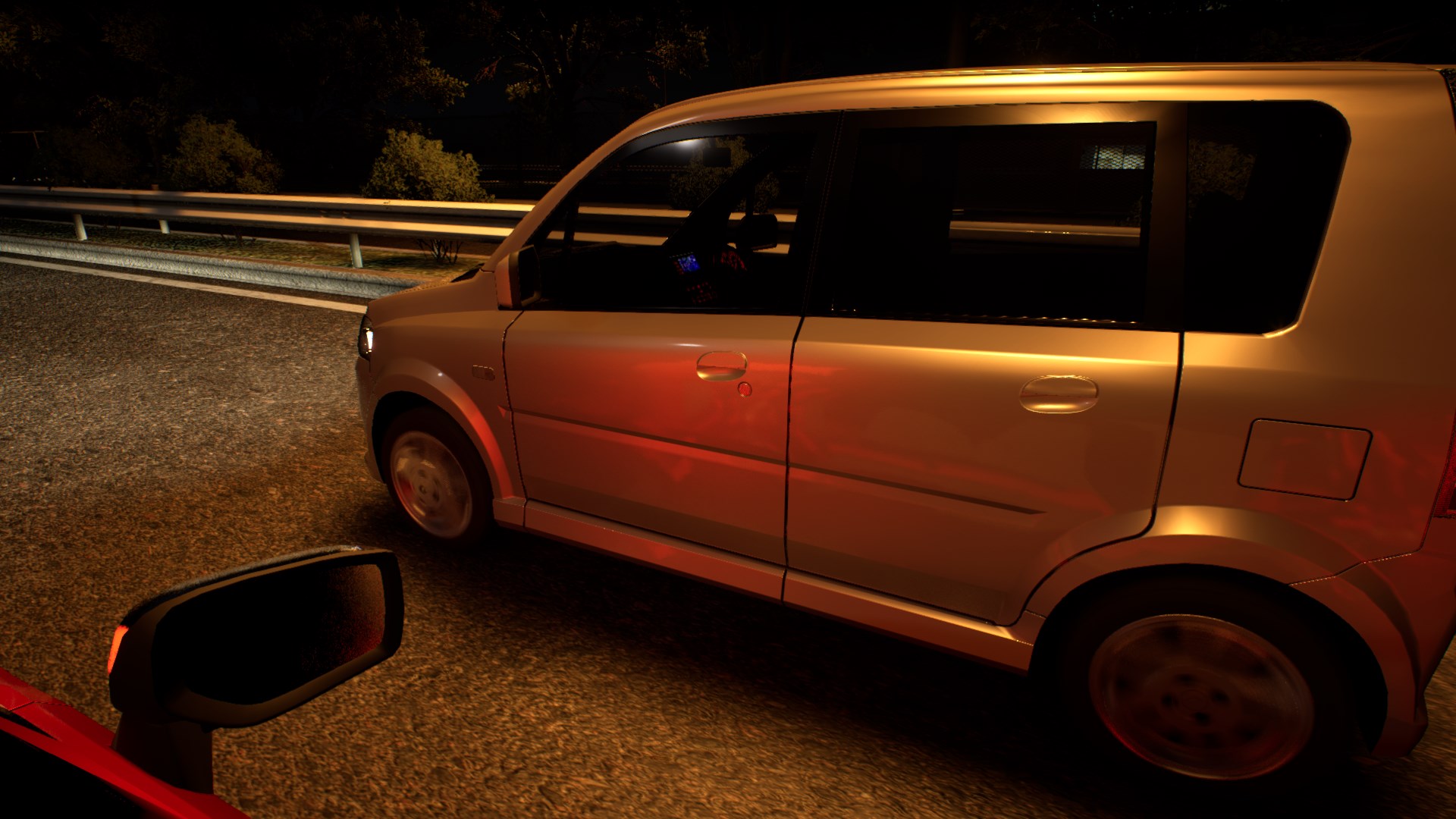
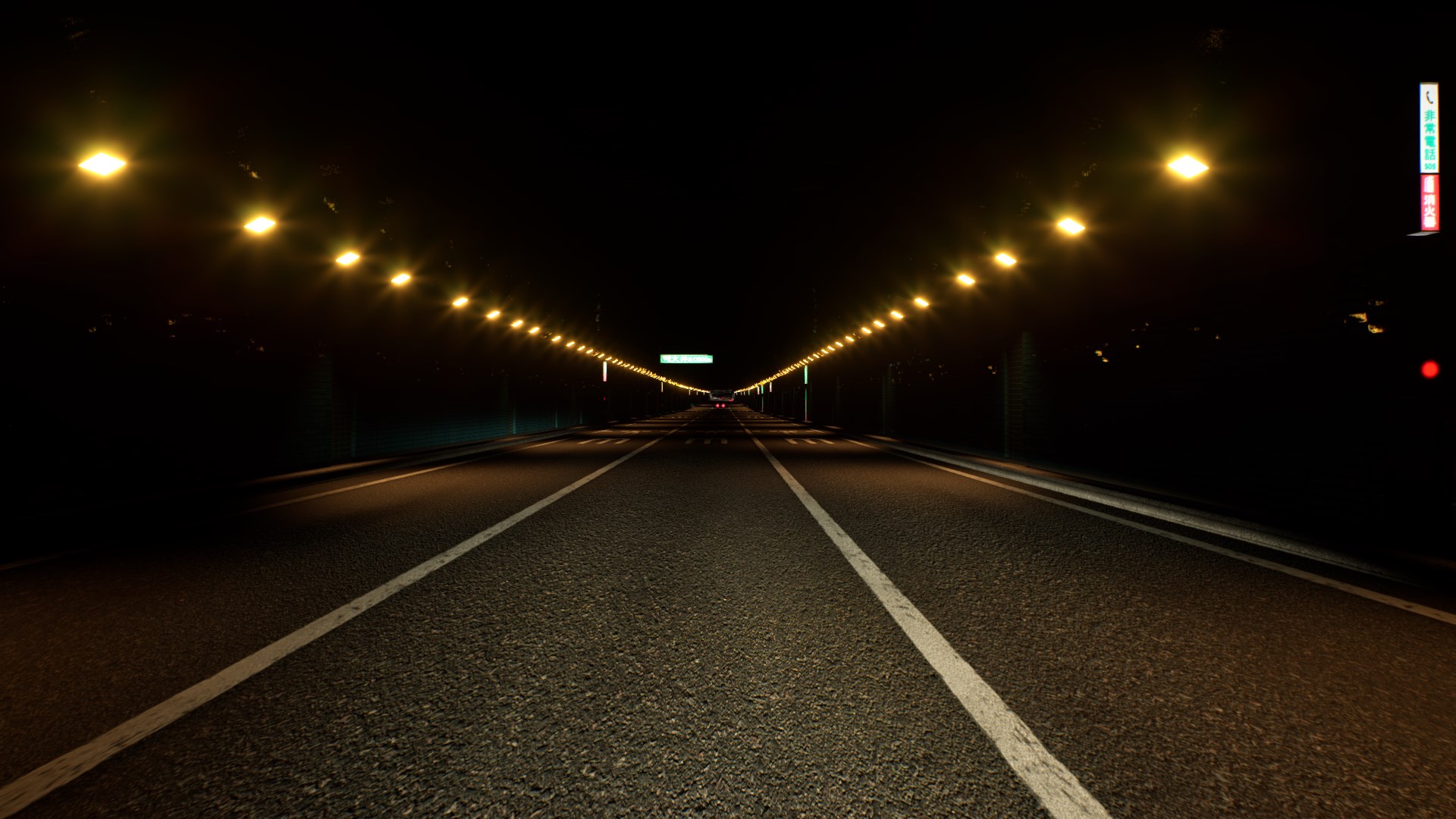
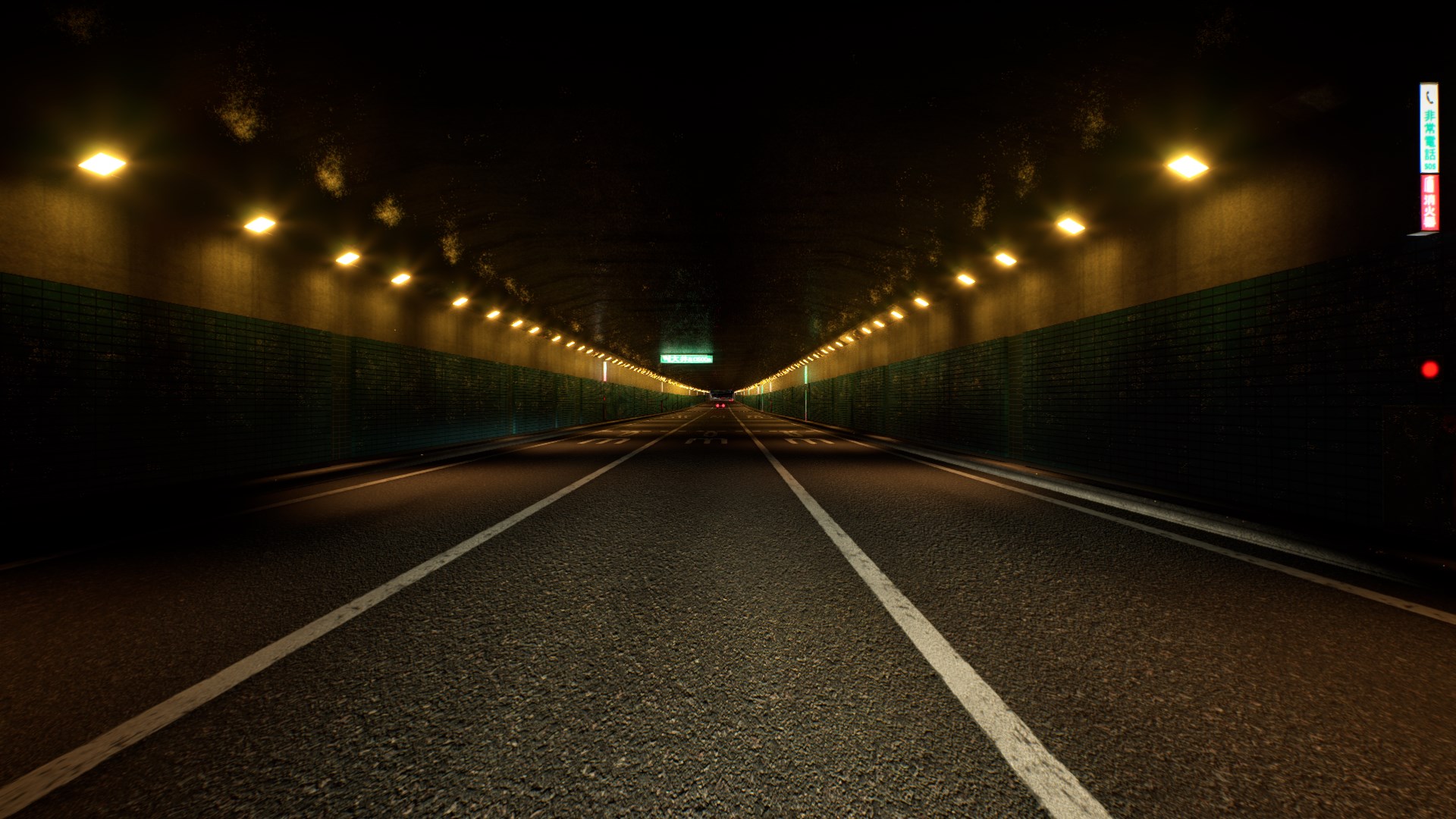
<p>Disabling the <strong>Volumetric Fog</strong> and <strong>Bloom</strong> makes the biggest visual difference and is the reason why the <strong>Lowest</strong> screenshot looks so lifeless.
Other options simply increase the quality of particular effects like shadows and Anti-Aliasing, so they should only be reduced if you need to reclaim performance.
However, with this being a Unity game, you’re unlikely to need to turn down the details, unless you’re using a Steam Deck or another handheld.</p>

<h2 id="benchmarks"><a href="#benchmarks"></a>Benchmarks</h2>

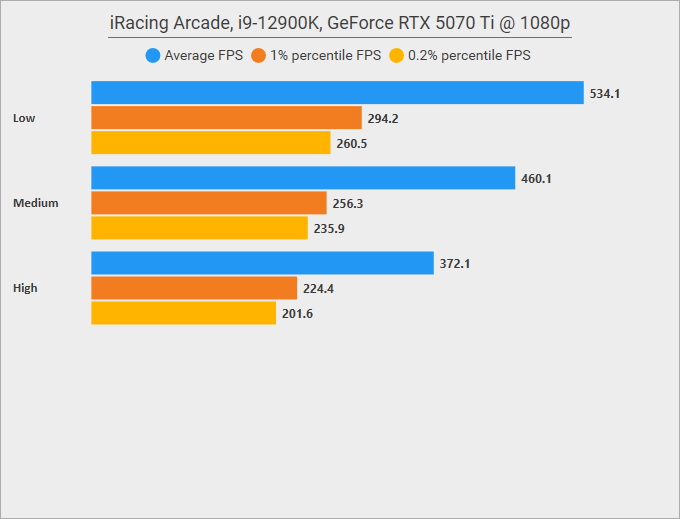
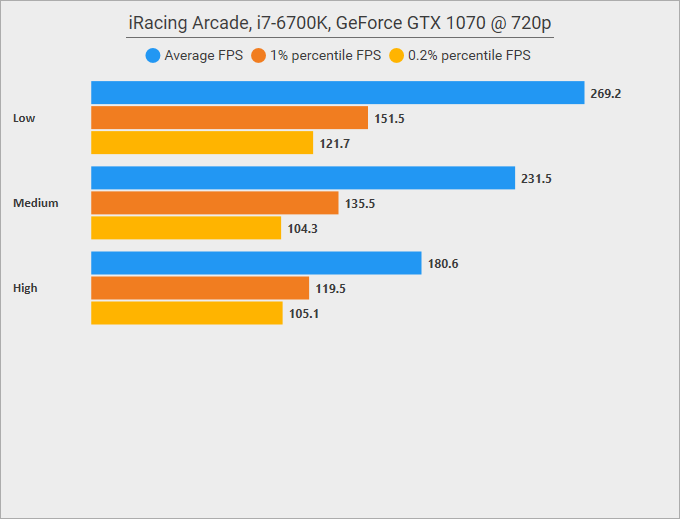
<p>For my benchmark, I utilized the in-game Replay option and recorded a race closely resembling a setup from the public demo of the game;
this way, you may easily compare my results with yours if you try that demo. The benchmark sampled 30 seconds of data from the very start of
a race in a <strong>Porsche 911 GT3 Cup</strong> on <strong>Tsukuba Circuit</strong>.</p>

<p>Since I was unable to use DSR, I ran the benchmark at 1080p on the <strong>RTX 5070 Ti</strong> machine and at 720p on the <strong>GTX 1070</strong> machine.
I ran the benchmarks with the following settings:</p>

<table>
  <thead>
    <tr>
      <th style="text-align: left"> </th>
      <th style="text-align: center">Low</th>
      <th style="text-align: right">Medium</th>
      <th style="text-align: right">High</th>
    </tr>
  </thead>
  <tbody>
    <tr>
      <td style="text-align: left"><strong>Quality</strong></td>
      <td style="text-align: center">Low</td>
      <td style="text-align: right">Medium</td>
      <td style="text-align: right">High</td>
    </tr>
    <tr>
      <td style="text-align: left"><strong>Anti-Aliasing</strong></td>
      <td style="text-align: center">Off</td>
      <td style="text-align: right">Medium</td>
      <td style="text-align: right">High</td>
    </tr>
    <tr>
      <td style="text-align: left"><strong>Ambient Occlusion</strong></td>
      <td style="text-align: center">Off</td>
      <td style="text-align: right">Medium</td>
      <td style="text-align: right">High</td>
    </tr>
    <tr>
      <td style="text-align: left"><strong>Bloom</strong></td>
      <td style="text-align: center">Off</td>
      <td style="text-align: right">Medium</td>
      <td style="text-align: right">High</td>
    </tr>
    <tr>
      <td style="text-align: left"><strong>Volumetric Fog</strong></td>
      <td style="text-align: center">Off</td>
      <td style="text-align: right">On</td>
      <td style="text-align: right">On</td>
    </tr>
    <tr>
      <td style="text-align: left"><strong>Light scattering</strong></td>
      <td style="text-align: center">Off</td>
      <td style="text-align: right">On</td>
      <td style="text-align: right">On</td>
    </tr>
    <tr>
      <td style="text-align: left"><strong>Haze</strong></td>
      <td style="text-align: center">Off</td>
      <td style="text-align: right">Off</td>
      <td style="text-align: right">On</td>
    </tr>
    <tr>
      <td style="text-align: left"><strong>Screen Space Reflections</strong></td>
      <td style="text-align: center">Off</td>
      <td style="text-align: right">Off</td>
      <td style="text-align: right">On</td>
    </tr>
    <tr>
      <td style="text-align: left"><strong>Tire marks</strong></td>
      <td style="text-align: center">Off</td>
      <td style="text-align: right">On</td>
      <td style="text-align: right">On</td>
    </tr>
  </tbody>
</table>

<figure class="fig-entry natural"><img src="/assets/img/posts/iracing-arcade-review/benchmark-1.webp" alt="" width="680" height="519" /></figure>

<figure class="fig-entry natural"><img src="/assets/img/posts/iracing-arcade-review/benchmark-2.webp" alt="" width="680" height="519" /></figure>

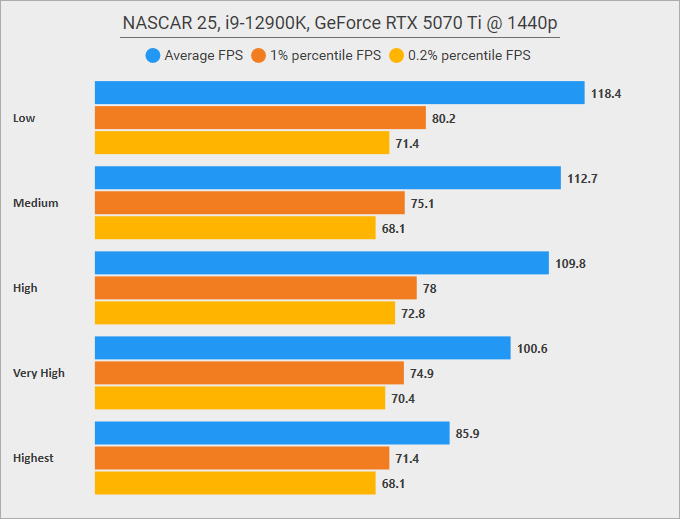
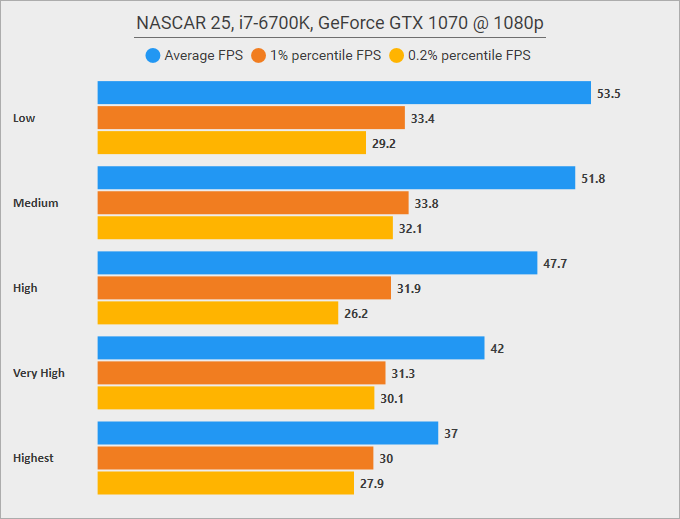
<p>To be fair, looking at these results, benchmarking this game feels like a pointless endeavour.
These results tell me something important, though: the official minimum requirements of <strong>i5-7500</strong> and <strong>GTX 1070 Ti</strong>
are most likely too conservative, and the game can run just fine on lower-end hardware. If it wasn’t for one important detail, I suspect that a <strong>GTX 1050</strong>
could have reached 1080p at 60 FPS on the highest details without much trouble…</p>

<p>…except the game does something strange on the initial startup: it seems to preload <strong>all</strong> the assets to VRAM, loading over 8GB of data!</p>
<figure class="fig-entry"><a href="/assets/img/posts/iracing-arcade-review/screens/vram-usage.jpg" target="_blank"><img src="/assets/img/posts/iracing-arcade-review/screens/thumb/vram-usage.jpg" alt="" width="1024" height="576" /></a></figure>

<p>I haven’t noticed any issues caused by this on the 8GB GTX 1070, but I imagine it might make 4/6GB VRAM cards rather unhappy.
I’m not sure if this is intentional or if it’s simply a mistake in the resource management, so I forwarded this as a bug report.</p>

<h2 id="steam-deck"><a href="#steam-deck"></a>Steam Deck</h2>

<p>At the time of writing this review, iRacing Arcade is not Deck Verified yet, but it’s clear that it was developed with Deck in mind,
as the minimum system requirements state:</p>

<blockquote>
  <p><strong class="upcase">Additional Notes:</strong> LCD Steam Deck equivalent or higher.</p>
</blockquote>

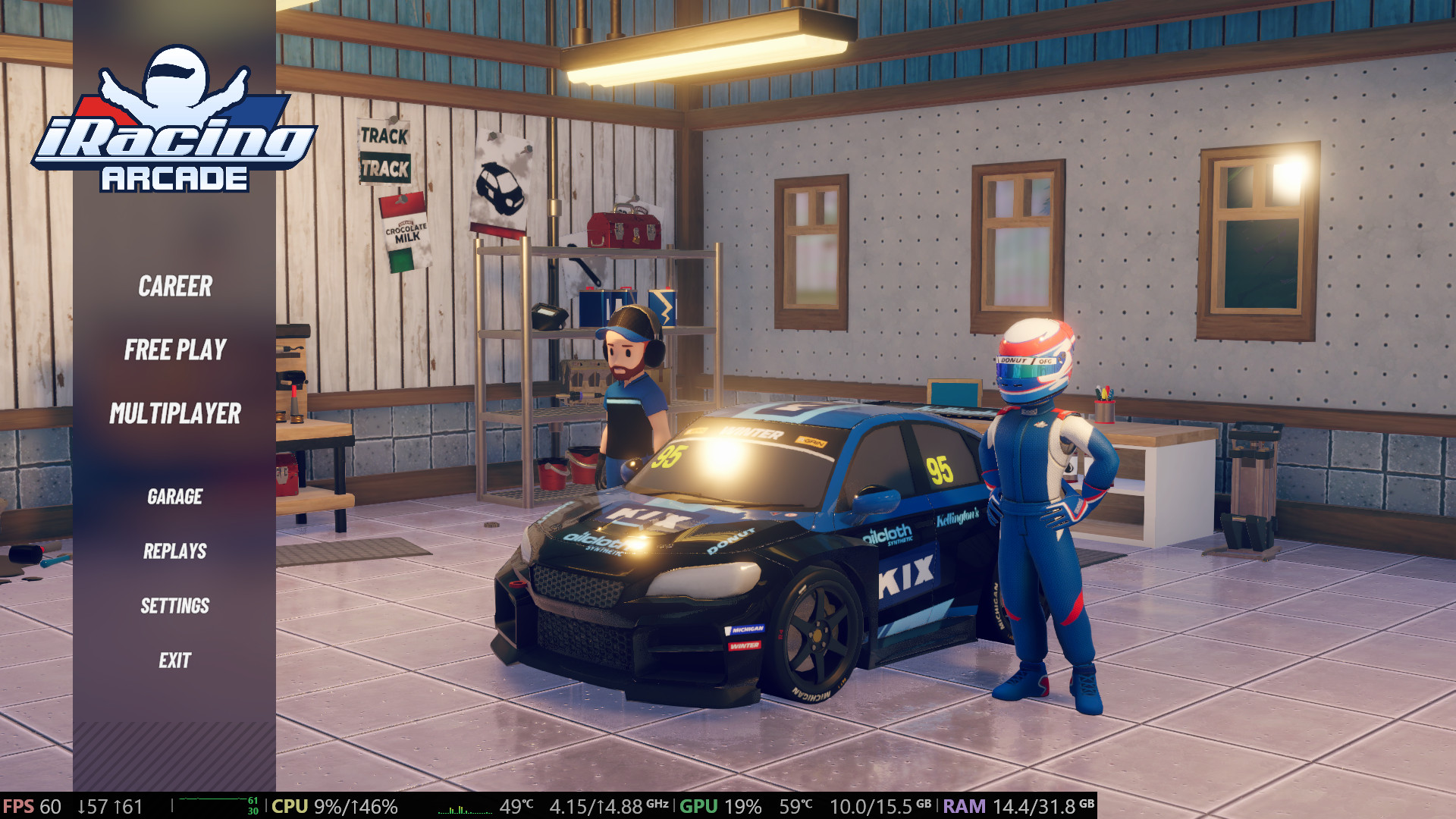
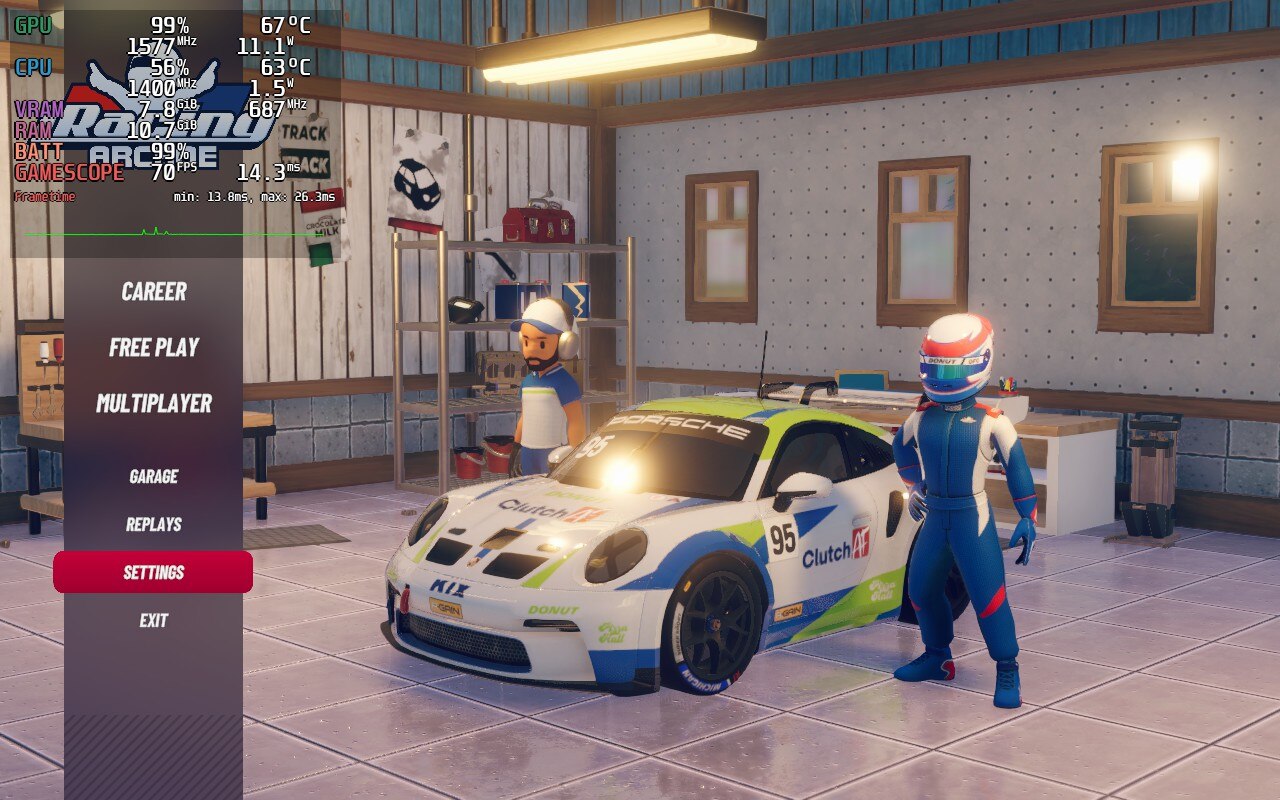
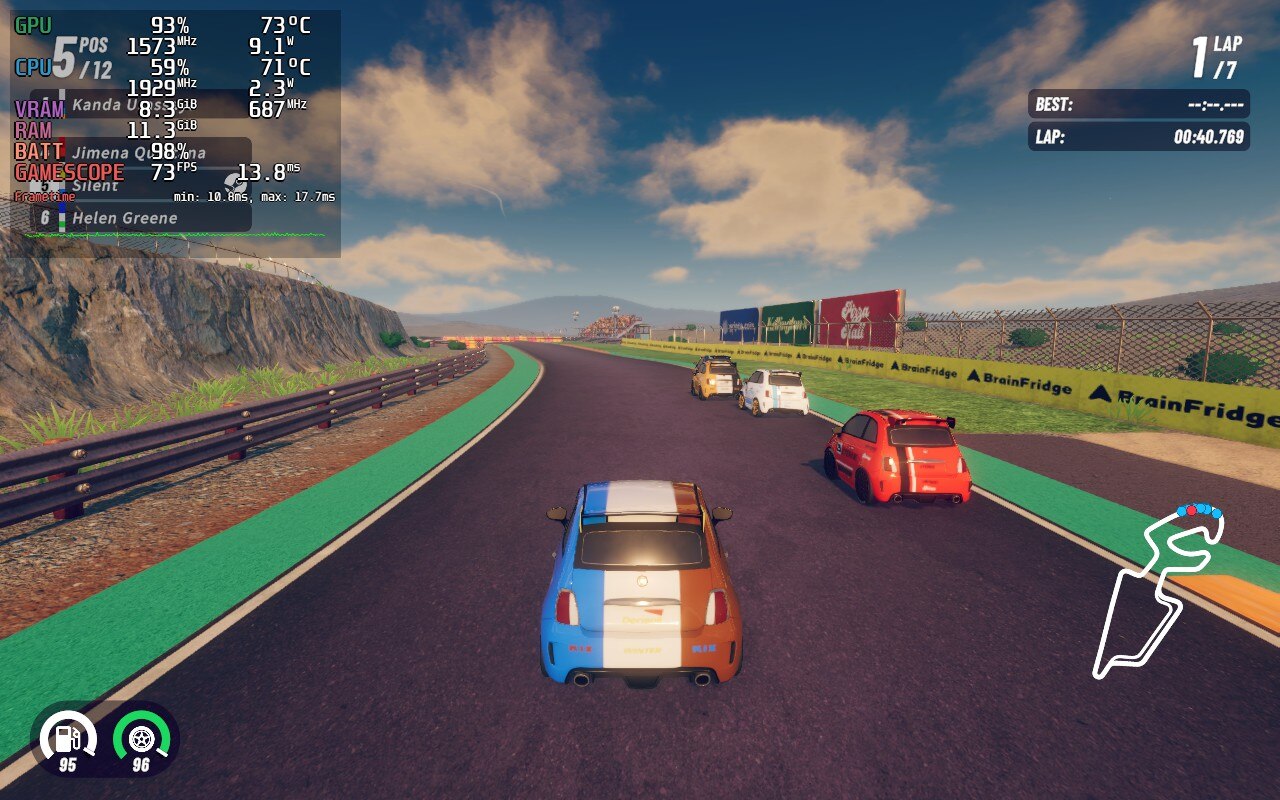
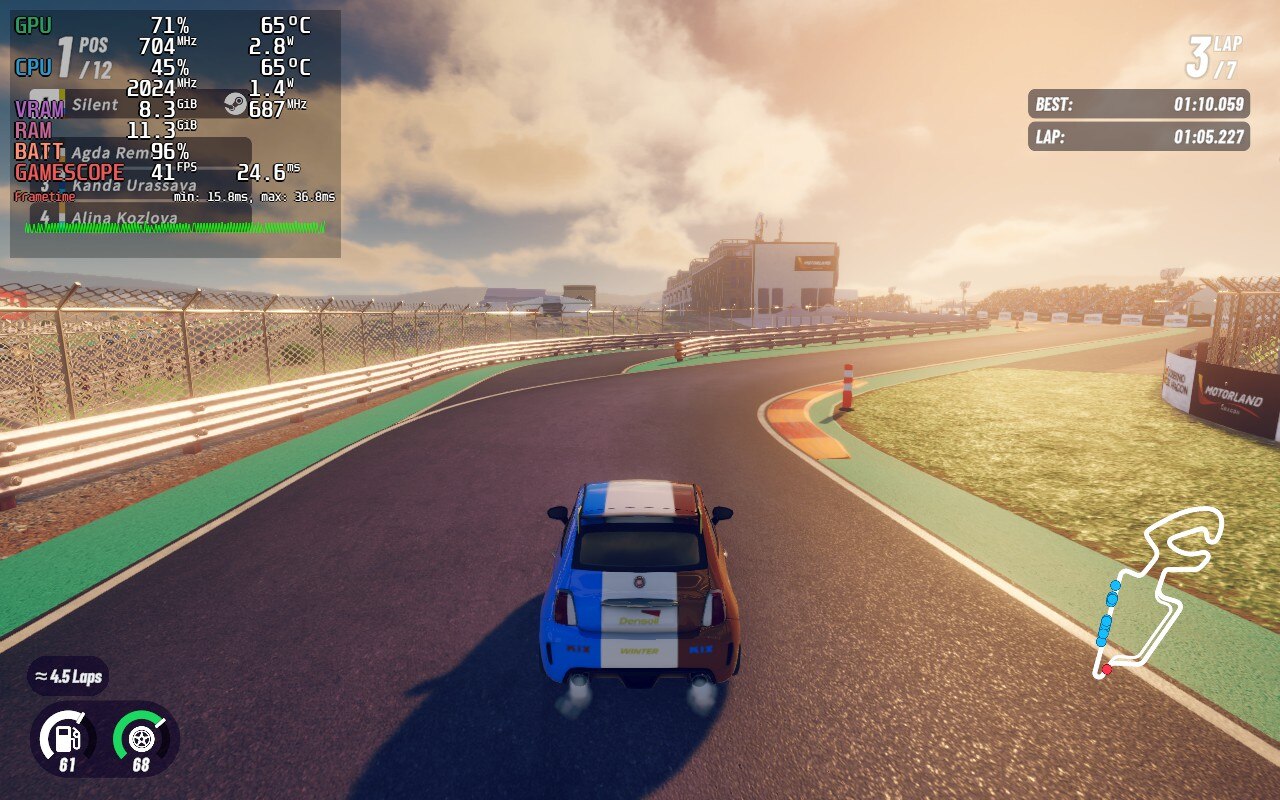
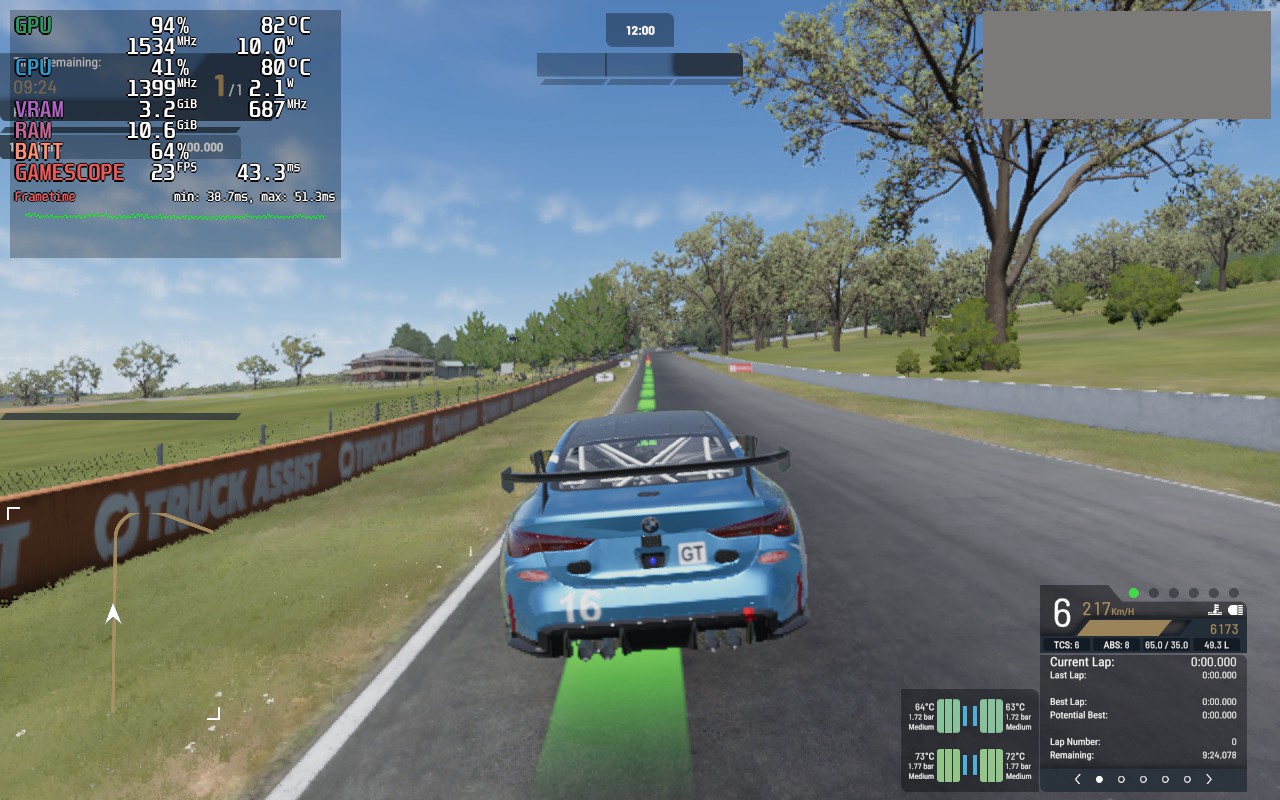
<p>Launching the game on a Deck, it defaults to a mix of Low and Medium details, and that preset reaches 60 FPS with ease and some headroom.
I did spot <strong>one</strong> spot where performance tanked to 40 FPS, but I forwarded this to the developers as a bug report,
as this spot seems to be a clear outlier. Notice that VRAM usage hovers around 8GB, just like I remarked in the previous section.</p>

<figure class="media-container small">
<figure class="fig-entry"><a href="/assets/img/posts/iracing-arcade-review/screens/iracing-arcade-deck1.jpg" target="_blank"><img src="/assets/img/posts/iracing-arcade-review/screens/thumb/iracing-arcade-deck1.jpg" alt="" width="1024" height="640" /></a></figure>

<figure class="fig-entry"><a href="/assets/img/posts/iracing-arcade-review/screens/iracing-arcade-deck2.jpg" target="_blank"><img src="/assets/img/posts/iracing-arcade-review/screens/thumb/iracing-arcade-deck2.jpg" alt="" width="1024" height="640" /></a></figure>

<figure class="fig-entry"><a href="/assets/img/posts/iracing-arcade-review/screens/iracing-arcade-deck3.jpg" target="_blank"><img src="/assets/img/posts/iracing-arcade-review/screens/thumb/iracing-arcade-deck3.jpg" alt="" width="1024" height="640" /></a></figure>

</figure>

<p>If you need more battery life, the game can target 30 FPS and 40 FPS with no issues, making it an excellent game to play on the go.
Steam Cloud is not used, but a cloud sync is set up – the game uses some sort of a custom solution (possibly PlayFab).</p>

<h2 id="to-buy-or-to-skip"><a href="#to-buy-or-to-skip"></a>To buy or to skip?</h2>

<p>I liked playing Circuit Superstars, and I like playing iRacing Arcade. I try not to lock myself to a specific sub-genre of racing games
and enjoy experiencing different approaches, and both those games are very much different than a typical racer. That said,
with the game launching with such a narrow range of cars, I’d not blame anyone for thinking that $24.99 is too steep for the amount of content it offers.
Diverse championships in the career mode can only help so much if you keep using the same few cars over and over, after all.</p>]]></content><author><name>Silent</name></author><category term="Reviews" /><summary type="html"><![CDATA[A sequel to Circuit Superstars with a new name.]]></summary><media:thumbnail xmlns:media="http://search.yahoo.com/mrss/" url="https://silentsblog.com/assets/img/games/bg/iracing-arcade.jpg" /><media:content medium="image" url="https://silentsblog.com/assets/img/games/bg/iracing-arcade.jpg" xmlns:media="http://search.yahoo.com/mrss/" /></entry><entry xml:lang="en"><title type="html">A technical dive into Project Motor Racing – we’re racing, not farming (with mixed results)</title><link href="https://silentsblog.com/2025/11/27/project-motor-racing-review/" rel="alternate" type="text/html" title="A technical dive into Project Motor Racing – we’re racing, not farming (with mixed results)" /><published>2025-11-27T12:20:00+00:00</published><updated>2025-11-27T12:20:00+00:00</updated><id>https://silentsblog.com/2025/11/27/project-motor-racing-review</id><content type="html" xml:base="https://silentsblog.com/2025/11/27/project-motor-racing-review/"><![CDATA[<ul id="markdown-toc">
  <li><a href="#introduction" id="markdown-toc-introduction">Introduction</a></li>
  <li><a href="#gameplay-impressions" id="markdown-toc-gameplay-impressions">Gameplay impressions</a>    <ul>
      <li><a href="#whats-with-this-ai" id="markdown-toc-whats-with-this-ai">What’s with this AI!?</a></li>
      <li><a href="#what-about-mods" id="markdown-toc-what-about-mods">What about mods?</a></li>
    </ul>
  </li>
  <li><a href="#the-technology" id="markdown-toc-the-technology">The technology</a>    <ul>
      <li><a href="#game-engine-and-system-requirements" id="markdown-toc-game-engine-and-system-requirements">Game engine and system requirements</a></li>
      <li><a href="#in-game-graphics-options" id="markdown-toc-in-game-graphics-options">In-game graphics options</a></li>
      <li><a href="#graphics-presets" id="markdown-toc-graphics-presets">Graphics presets</a></li>
    </ul>
  </li>
  <li><a href="#benchmarks-and-performance" id="markdown-toc-benchmarks-and-performance">Benchmarks and performance</a></li>
  <li><a href="#steam-deck" id="markdown-toc-steam-deck">Steam Deck</a></li>
  <li><a href="#whats-next" id="markdown-toc-whats-next">What’s next?</a></li>
</ul>

<h2 id="introduction"><a href="#introduction"></a>Introduction</h2>

<p>On <time datetime="2025-11-25">November 25th</time>, Project Motor Racing was released on PC and consoles.
From the player’s perspective, it’s just yet another racing sim like many others. But, from my perspective, this game attempts something exceptional:
initially started under the name <strong>GTRevival</strong> and developed largely by the same people as the Project CARS games, powered by Unreal Engine 5,
the project got restarted once Straight4 secured a publishing deal with GIANTS Software (of the Farming Simulator games);
the project got renamed to Project Motor Racing, and instead of UE5, it uses… the GIANTS Engine.</p>

<p>I can’t think of many (if any at all) other racing games that used UE5 and moved <strong>away</strong> from it, so obviously, I couldn’t pass on the opportunity
to dive into it. Last week, I received a review copy from GIANTS Software, so I can check it and see what came out of this unorthodox switch.</p>

<h2 id="gameplay-impressions"><a href="#gameplay-impressions"></a>Gameplay impressions</h2>

<p>As the game is already out and you’ve likely seen the other reviews, that are generally strongly unfavourable, I will flip the structure and start
this section with my final impression – <strong>I don’t think anything in PMR is “terrible”</strong> (with one exception, to be outlined below),
<strong>but the problem is that too many parts feel unfinished, untested, or partly broken;</strong>
in my eyes, the game’s current bad reception is a textbook definition of “a death by a thousand cuts.”</p>

<p>When I checked the game out on Friday, I felt like I’m beta testing a game that is finished in design and content, but months away from release:
UI bugs are rampant, some options flat out don’t work and you can’t reset some of them them back to default after changing,
menu controller navigation is lacking in many aspects, AI behaviour seems inconsistent and unbalanced between races.
With a day 1 patch, I know at least some of those issues have been fixed, but the overall vibe of “everything is a placeholder” remains.</p>

<p>To give you an example: PMR is advertised as a sim racing game with a strong single-player career and progression. With wording like this, you would expect
the Career Mode to be crafted in a way that rewards the player and lets them get immersed in the rituals of motorsports, right?
In reality, this is how PMR rewards you for winning a race, for “progressing through the game”:</p>

<figure class="fig-entry"><a href="/assets/img/posts/pmr-review/screens/12020224241480761344_20251124122544_1.jpg" target="_blank"><img src="/assets/img/posts/pmr-review/screens/thumb/12020224241480761344_20251124122544_1.jpg" alt="" width="1024" height="576" /></a><figcaption>
The first time I saw this pop-up, I exclaimed “That’s it?” That is indeed it. Hope you feel satisfied, because you’re not getting more.
</figcaption></figure>

<p>We will never have another TOCA Race Driver 3, I know that much. But come on, this isn’t even trying; we can do much better than settling on this “programmer art”
of user experience.</p>

<hr />

<p>To give credit where it’s due, my <strong>overall</strong> experience wasn’t hopelessly bad. I played the game on PC exclusively on the Xbox One gamepad, only in single player,
and I settled on playing the career mode starting from the slowest cars. Personally, I thought the gamepad controls are <em>fine</em> – not great,
as they make countersteering too difficult, but good enough that someone like me, who isn’t exactly high skill in simulation games, can play the game and have fun.
As with practically everything in this game, there is a clear room for improvement, but I wouldn’t call it unplayable.</p>

<p>Graphically, the game looks OK at best: it can look extremely dated in some aspects, but not to the level of being distracting,
and at least it’s free of upscaling artifacts (by default). Since Unreal Engine 5 was dropped, the entire rendering pipeline is naturally
raster-based (no raytracing), and it shows: daytime looks flat and uninspiring, but at least the sunsets can make the lighting pop.
It’s no coincidence that this is also the setting of most of the game’s official promotional material…</p>

<figure class="media-container small">
<figure class="fig-entry"><a href="/assets/img/posts/pmr-review/screens/12020224241480761344_20251121171748_1.jpg" target="_blank"><img src="/assets/img/posts/pmr-review/screens/thumb/12020224241480761344_20251121171748_1.jpg" alt="" width="1024" height="576" /></a></figure>

<figure class="fig-entry"><a href="/assets/img/posts/pmr-review/screens/12020224241480761344_20251123211008_1.jpg" target="_blank"><img src="/assets/img/posts/pmr-review/screens/thumb/12020224241480761344_20251123211008_1.jpg" alt="" width="1024" height="576" /></a></figure>

<figcaption>I really like how their grass and overall foliage look, though. That Farming Simulator engine is showing its roots (pun intended).</figcaption>
</figure>

<p>I enjoyed my time throwing Porsche 964s and the GT4 and GTO cars on various tracks, so I was very close to saying that my driving experience was “very good”, BUT…</p>

<h3 id="whats-with-this-ai"><a href="#whats-with-this-ai"></a>What’s with this AI!?</h3>

<p>As I mentioned before, I’m not a particularly skilled player in the sim games. When I “fear the AI”, most of the time I mean they are prohibitively fast and
beyond my skill level. In PMR, I found that I can match them at around 80% difficulty, but I feared them in another meaning of that term – in the current game build,
they actively want to murder the player:</p>

<figure class="media-container small">
<figure class="iframe-entry"><iframe src="https://www.youtube.com/embed/UJV6owxfbFc" allowfullscreen=""></iframe></figure>

<figure class="iframe-entry"><iframe src="https://www.youtube.com/embed/354cISrDtv8" allowfullscreen=""></iframe></figure>

<figure class="iframe-entry"><iframe src="https://www.youtube.com/embed/aAUpwezUCf8" allowfullscreen=""></iframe></figure>

<figcaption>This is just a few of the many frustrating moments I had.
I ended up retiring from the Nordschleife 24h race after countless attempts ruined by the murderous AI.</figcaption>
</figure>

<p>Before the release, a few people behind the game swore how lifelike the AI is and how it’s the best they’ve ever seen in a video game.
The current version of the game shows the polar opposite – these bots are good at driving their cars (sometimes a little too good),
but they obsessively stick to the racing line and have no qualms about ramming you if you’re in the way. It’s like we are back to
how things looked in Gran Turismo 2, but back then, the stakes were much lower, and you could freely trade punches with the AI without fear of
damaging your car and forfeiting the race.</p>

<p>I even posted some of these clips online and asked better racers than me: “Did I do anything wrong here? Did I divebomb too much and give no chance for the AI
to react?” Nope, at least in the examples I showed above, I was in the clear, and it’s the AI behaviour that in real life would have gotten them kicked out of the track.
Oh, and did I mention that if <strong>you</strong> get pushed out of the track by the AI car, <strong>you</strong> end up getting a penalty for exceeding the track limits?
Apparently, the race marshals are in cahoots with these bots.</p>

<p>This has likely been the most prominent problem with Project Motor Racing so far, and practically everyone is outspoken about it.
As of the time of writing this review, the developers have acknowledged that AI needs more spatial awareness and will be working on improving that,
so maybe soon we’ll see some change.</p>

<h3 id="what-about-mods"><a href="#what-about-mods"></a>What about mods?</h3>

<p>There is one aspect of PMR I can’t criticize at all: it’s been designed with moddability in mind. Every relevant parameter is out there in plain text,
mod tools (based on the tools for Farming Simulator) are already available, and we will even see mods <strong>on consoles</strong> delivered through the ModHub,
just as in FS25. At the time of writing this review, a few official mods are already available, and they serve as examples of what people can achieve.</p>

<p>With everything being out in the open, everyone peeked into the files straight away and discovered something interesting: despite the claims of
“AI using the same physics as the player” (which appears to be <em>technically</em> true), AI cars seem to be given different tire and engine data.
People suspected that the AI generally has more grip than the player, as their starts and cornering on the cold tires are inhuman.</p>

<p>I modified one of the vehicle’s Hadron definition data files to give myself the AI tires, and I accidentally turned PMR into a thoroughly enjoyable
arcade racer:</p>

<blockquote class="twitter-tweet" data-align="center" data-conversation="none"><p lang="en" dir="ltr">If you use the AI tire data on the player car and disable tire wear, <a href="https://twitter.com/projectmracing?ref_src=twsrc%5Etfw">@projectmracing</a> turns into Forza Horizon and I think that&#39;s fun as hell. <a href="https://t.co/lpl6eGErzm">pic.twitter.com/lpl6eGErzm</a></p>&mdash; Silent (@__silent_) <a href="https://twitter.com/__silent_/status/1992669249220014261?ref_src=twsrc%5Etfw">November 23, 2025</a></blockquote>
<script async="" src="https://platform.twitter.com/widgets.js" charset="utf-8"></script>

<p>I genuinely enjoyed trying out a few cars in this “Project CARS 3 Mode,” and I would love for it to eventually appear in the game as a separate mode.
It wouldn’t make sense for the Career or Ranked Online, of course, but an ability to set up an Arcade Race Weekend and an Arcade Online lobby could be great.
The data is there already, after all. And if it doesn’t happen, we can always mod it in.</p>

<h2 id="the-technology"><a href="#the-technology"></a>The technology</h2>

<p>All analysis (except for Steam Deck) and benchmarks were done on the <strong>1.4.0.1</strong> PC version,
dated <strong><time datetime="2025-11-21">November 21, 2025</time></strong>. The Day 1 Patch bumped the game up to <strong>1.5.0.0</strong> and should provide some minor CPU performance optimizations,
but I did not re-time my benchmarks with it.</p>

<h3 id="game-engine-and-system-requirements"><a href="#game-engine-and-system-requirements"></a>Game engine and system requirements</h3>

<p>As mentioned earlier, PMR is no longer using Unreal Engine 5. We’re looking at <strong>GIANTS Engine 10.0</strong>, previously used in Farming Simulator 25, used as a base,
with Straight4’s in-house <strong>Hadron</strong> vehicle dynamics model. Just like with NASCAR, I threw PMR at two setups:</p>

<ul>
  <li><strong>Intel Core i9-12900K</strong> with an <strong>NVIDIA GeForce RTX 5070 Ti</strong>. This rig sits well above the recommended system requirements.</li>
  <li><strong>Intel Core i7-6700K</strong> with an <strong>NVIDIA GeForce GTX 1070</strong>. This rig is under the minimum requirements, so I can’t expect miracles.</li>
</ul>

<p>For my impressions, I’ve been using the primary PC. However, for benchmarking, I used both.
All screenshots in this article were taken on the Ultra quality level, unless stated otherwise.</p>

<p>In general, I did not encounter too many tech issues while trying the game. I did have the game crash around three times and reported them,
but it wasn’t anything consistent and reproducible. The game ran at well over 60FPS at 1080p during the races, although I was heavily CPU-bound even on my i9,
while the GPU seldom maxed out, even with VSync disabled.
In the current build, Vertical Sync appears to be broken, and it instead engages an inaccurate frame limiter that introduces jitter, <strong>but</strong> the game also doesn’t
tear frames while in the windowed mode, so a combination of VSync off + Borderless Fullscreen allowed me to play without issues.
Earlier review copies reportedly also suffered from intense stutter, but we have received an update just before I got my hands on the game, and this issue must have been resolved,
as I encountered none of that.</p>

<p>The GIANTS Engine has one more upside to it that is quite unusual – debug visualizations and performance metrics are freely available even in public builds!
Hidden behind a single change in an XML file are some interesting tools:</p>

<figure class="media-container small">
<figure class="fig-entry"><a href="/assets/img/posts/pmr-review/screens/12020224241480761344_20251121152544_1.jpg" target="_blank"><img src="/assets/img/posts/pmr-review/screens/thumb/12020224241480761344_20251121152544_1.jpg" alt="" width="1024" height="576" /></a></figure>

<figure class="fig-entry"><a href="/assets/img/posts/pmr-review/screens/12020224241480761344_20251121152636_1.jpg" target="_blank"><img src="/assets/img/posts/pmr-review/screens/thumb/12020224241480761344_20251121152636_1.jpg" alt="" width="1024" height="576" /></a></figure>

<figure class="fig-entry"><a href="/assets/img/posts/pmr-review/screens/12020224241480761344_20251121152805_1.jpg" target="_blank"><img src="/assets/img/posts/pmr-review/screens/thumb/12020224241480761344_20251121152805_1.jpg" alt="" width="1024" height="576" /></a></figure>

<figure class="fig-entry"><a href="/assets/img/posts/pmr-review/screens/12020224241480761344_20251121155425_1.jpg" target="_blank"><img src="/assets/img/posts/pmr-review/screens/thumb/12020224241480761344_20251121155425_1.jpg" alt="" width="1024" height="576" /></a></figure>

</figure>

<p>Some of them ended up being useful for this review!</p>

<h3 id="in-game-graphics-options"><a href="#in-game-graphics-options"></a>In-game graphics options</h3>

<p>Project Motor Racing features a set of options similar to Farming Simulator 25:</p>

<figure class="media-container">
<figure class="fig-entry"><a href="/assets/img/posts/pmr-review/screens/pmr-display-options.png" target="_blank"><img src="/assets/img/posts/pmr-review/screens/thumb/pmr-display-options.jpg" alt="" width="1024" height="200" /></a></figure>

<figure class="fig-entry"><a href="/assets/img/posts/pmr-review/screens/pmr-graphics-options.png" target="_blank"><img src="/assets/img/posts/pmr-review/screens/thumb/pmr-graphics-options.jpg" alt="" width="1024" height="944" /></a></figure>

</figure>

<p>It’s good to see a good range of options you would expect from a modern game, and all options can be adjusted on the fly during the race.
Some highlights include:</p>

<ul>
  <li>Multiple post-processing anti-aliasing options – <strong>TAA</strong>, <strong>DLAA</strong>, <strong>FSRAA</strong>. Anti-aliasing can also be disabled, which is very welcome.
The review version also listed <strong>Intel XeSS</strong> as a valid AA option, but it’s gone for me in 1.5.0.0; maybe it was locked off on NVIDIA cards.</li>
  <li>Multiple upscaling options – <strong>FSR1</strong>, <strong>FSR3</strong>, <strong>DLSS4</strong>. Similar to AA, review copies had <strong>Intel XeSS</strong>, but 1.5.0.0 does not.</li>
  <li><strong>DLSS</strong> and <strong>FSR3</strong> Frame Generation are available, but personally, I don’t see much point in using frame generation in a game like this.</li>
  <li>The game scales down very well, going beyond the typical “Low” settings. The best example of that is the <strong>SSAO Quality</strong> option,
where Low/Medium/High/Very High gets you <strong>XeGTAO</strong>, but there is also a Mobile option, which gets a bog standard <strong>SSAO</strong>:
    <figure class="media-container small">
<figure class="fig-entry"><a href="/assets/img/posts/pmr-review/screens/full/12020224241480761344_20251124203630_1.jpg" target="_blank"><img src="/assets/img/posts/pmr-review/12020224241480761344_20251124203630_1.jpg" alt="" width="630" height="630" /></a><figcaption>Off</figcaption></figure>

<figure class="fig-entry"><a href="/assets/img/posts/pmr-review/screens/full/12020224241480761344_20251124203639_1.jpg" target="_blank"><img src="/assets/img/posts/pmr-review/12020224241480761344_20251124203639_1.jpg" alt="" width="630" height="630" /></a><figcaption>SSAO</figcaption></figure>

<figure class="fig-entry"><a href="/assets/img/posts/pmr-review/screens/full/12020224241480761344_20251124203647_1.jpg" target="_blank"><img src="/assets/img/posts/pmr-review/12020224241480761344_20251124203647_1.jpg" alt="" width="630" height="630" /></a><figcaption>XeGTAO</figcaption></figure>

</figure>
  </li>
</ul>

<p>The only significant option I am missing here is proper multimonitor support – not even spanning the game across multiple displays,
as that is officially confirmed to be coming in the future, but there isn’t even an option to select the output monitor!
You’re stuck to playing the game on whatever your primary screen is.</p>

<h3 id="graphics-presets"><a href="#graphics-presets"></a>Graphics presets</h3>

<p>The game comes with four graphics presets: <strong>Performance</strong>, <strong>Balanced</strong>, <strong>Quality</strong>, and <strong>Ultra</strong>.
They cover most of the options available in-game, but there is more configuration the user can do:</p>
<ul>
  <li>The lowest preset is not as low, and the highest preset is not as high as the game can go. Users can tweak graphical fidelity further.</li>
  <li>Every preset enables TAA, so those who want to use a different anti-aliasing solution, upscaling, or framegen need to manually correct it afterwards.</li>
  <li>Every preset leaves Depth of Field disabled.</li>
</ul>

<p>The presets look as follows:</p>
<figure class="media-container small">
<figure class="fig-entry"><a href="/assets/img/posts/pmr-review/screens/12020224241480761344_20251124200200_1.jpg" target="_blank"><img src="/assets/img/posts/pmr-review/screens/thumb/12020224241480761344_20251124200200_1.jpg" alt="" width="1024" height="576" /></a><figcaption>Performance</figcaption></figure>

<figure class="fig-entry"><a href="/assets/img/posts/pmr-review/screens/12020224241480761344_20251124200209_1.jpg" target="_blank"><img src="/assets/img/posts/pmr-review/screens/thumb/12020224241480761344_20251124200209_1.jpg" alt="" width="1024" height="576" /></a><figcaption>Balanced</figcaption></figure>

<figure class="fig-entry"><a href="/assets/img/posts/pmr-review/screens/12020224241480761344_20251124200216_1.jpg" target="_blank"><img src="/assets/img/posts/pmr-review/screens/thumb/12020224241480761344_20251124200216_1.jpg" alt="" width="1024" height="576" /></a><figcaption>Quality</figcaption></figure>

<figure class="fig-entry"><a href="/assets/img/posts/pmr-review/screens/12020224241480761344_20251124200224_1.jpg" target="_blank"><img src="/assets/img/posts/pmr-review/screens/thumb/12020224241480761344_20251124200224_1.jpg" alt="" width="1024" height="576" /></a><figcaption>Ultra</figcaption></figure>

</figure>

<figure class="media-container small">
<figure class="fig-entry"><a href="/assets/img/posts/pmr-review/screens/12020224241480761344_20251124200421_1.jpg" target="_blank"><img src="/assets/img/posts/pmr-review/screens/thumb/12020224241480761344_20251124200421_1.jpg" alt="" width="1024" height="576" /></a><figcaption>Performance</figcaption></figure>

<figure class="fig-entry"><a href="/assets/img/posts/pmr-review/screens/12020224241480761344_20251124200429_1.jpg" target="_blank"><img src="/assets/img/posts/pmr-review/screens/thumb/12020224241480761344_20251124200429_1.jpg" alt="" width="1024" height="576" /></a><figcaption>Balanced</figcaption></figure>

<figure class="fig-entry"><a href="/assets/img/posts/pmr-review/screens/12020224241480761344_20251124200437_1.jpg" target="_blank"><img src="/assets/img/posts/pmr-review/screens/thumb/12020224241480761344_20251124200437_1.jpg" alt="" width="1024" height="576" /></a><figcaption>Quality</figcaption></figure>

<figure class="fig-entry"><a href="/assets/img/posts/pmr-review/screens/12020224241480761344_20251124200447_1.jpg" target="_blank"><img src="/assets/img/posts/pmr-review/screens/thumb/12020224241480761344_20251124200447_1.jpg" alt="" width="1024" height="576" /></a><figcaption>Ultra</figcaption></figure>

</figure>

<ul>
  <li>On <strong>Performance</strong>, the game lacks any shadows, has the most basic AO, and a low draw distance. Honestly?
That’s good, we need more games where the lowest details go really low.</li>
  <li>On <strong>Balanced</strong>, shadows get introduced, particles look denser, proper clouds appear in the sky at night, object draw distance increases,
and cars generally are shaded nicer.</li>
  <li>On <strong>Quality</strong>, shadow quality, particle density, and objects draw distance increase further.</li>
  <li>On <strong>Ultra</strong>, screen-space reflections are introduced, shadow quality and objects’ draw distance increase even more.</li>
</ul>

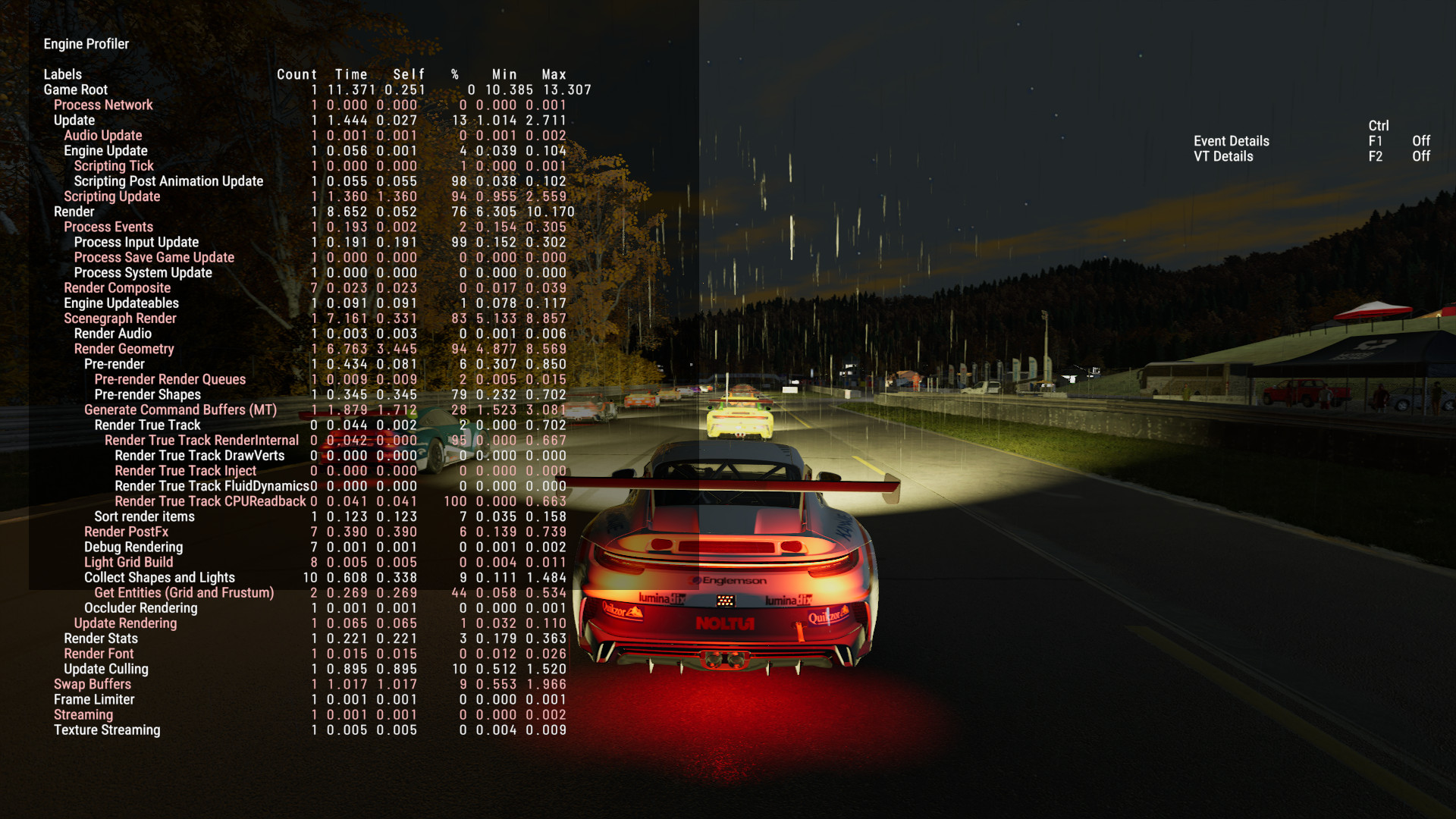
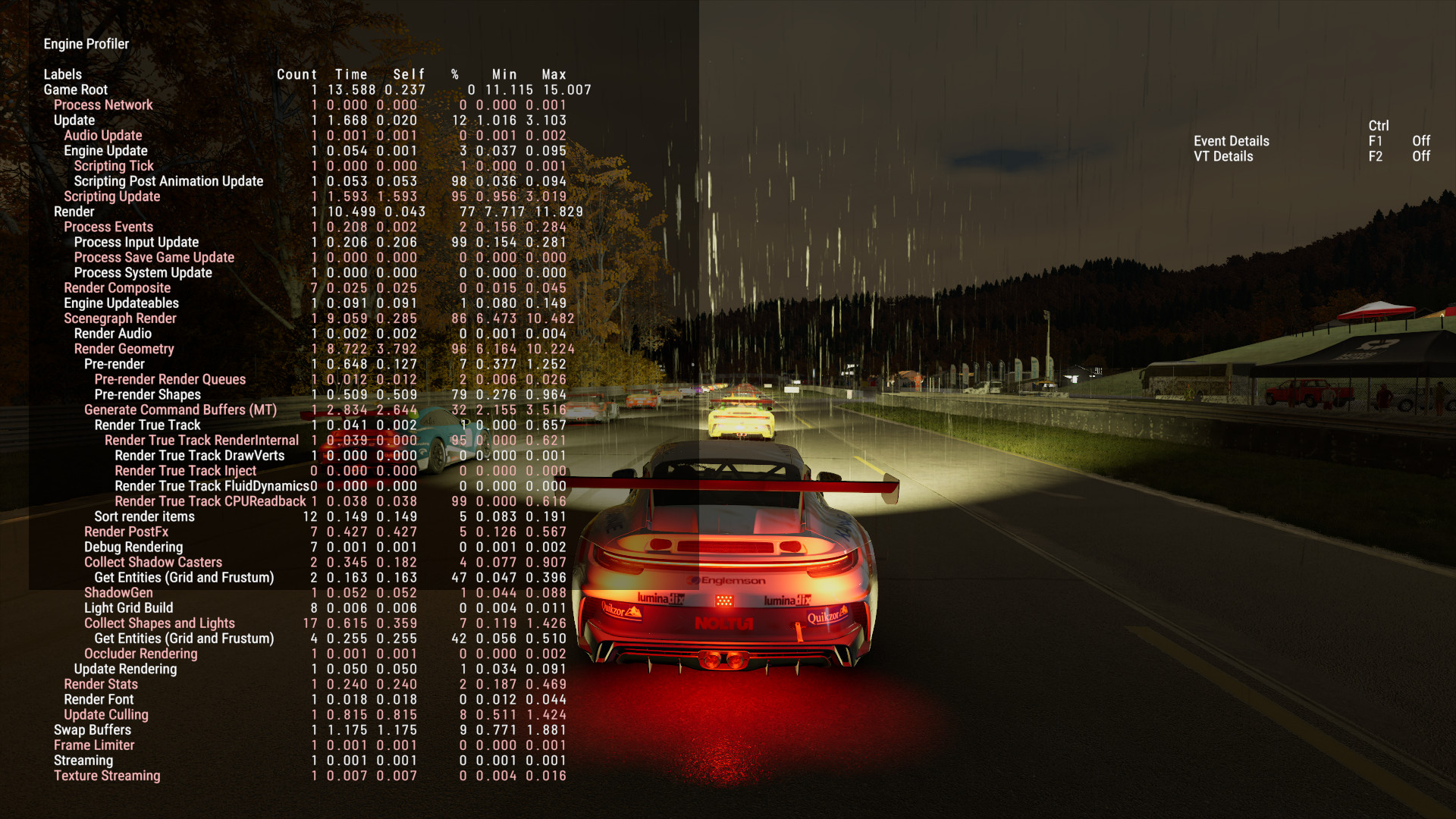
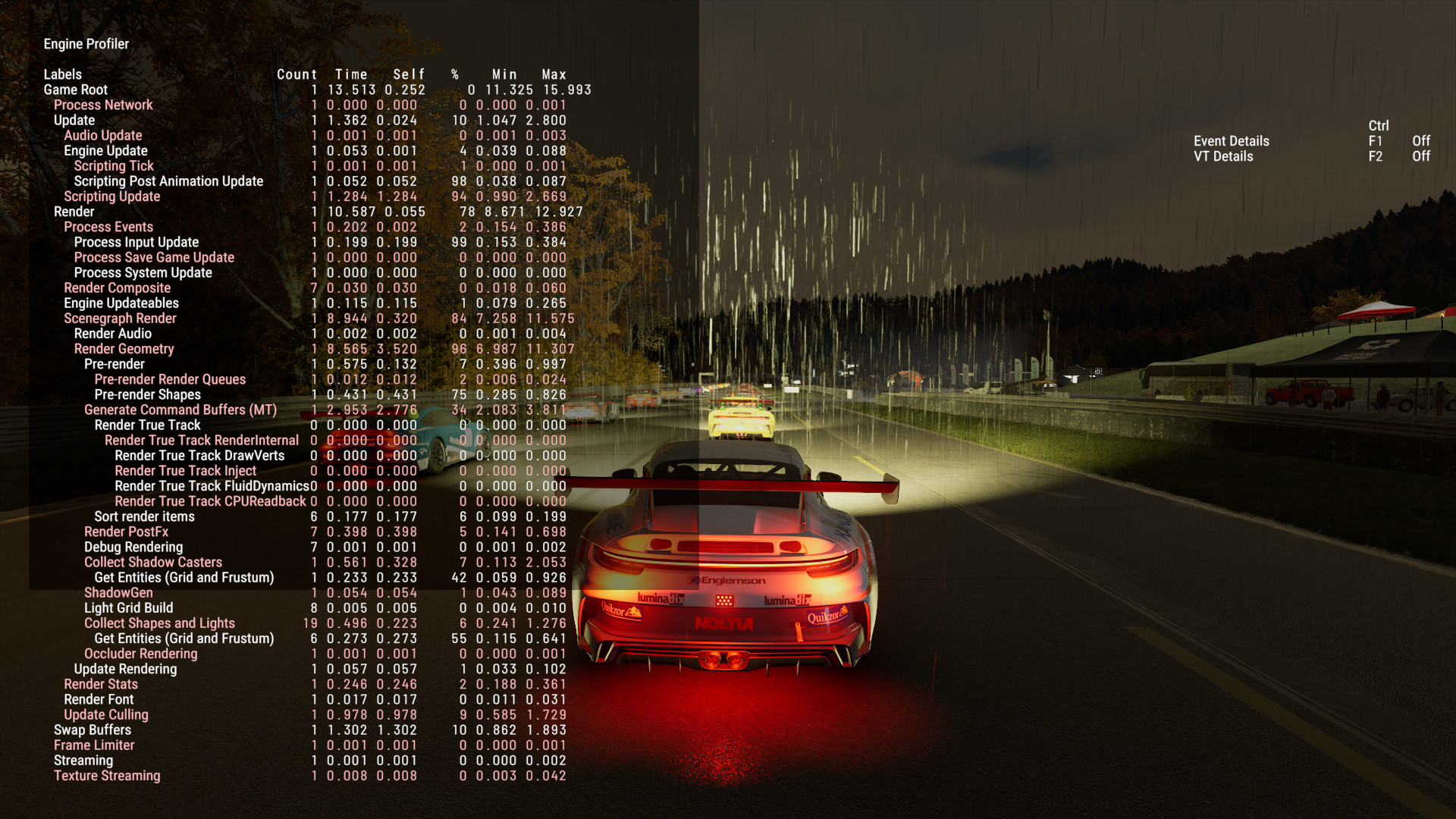
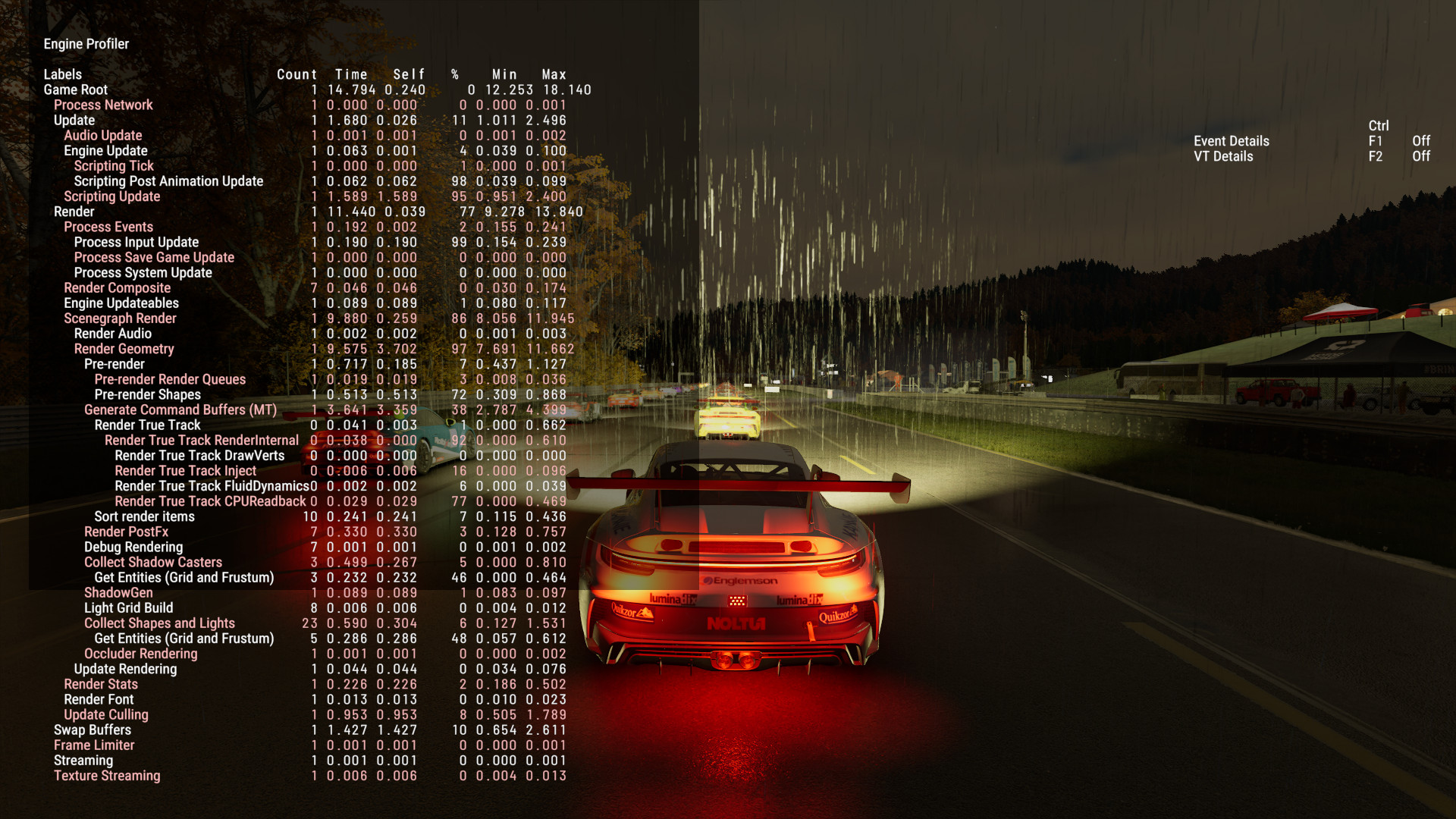
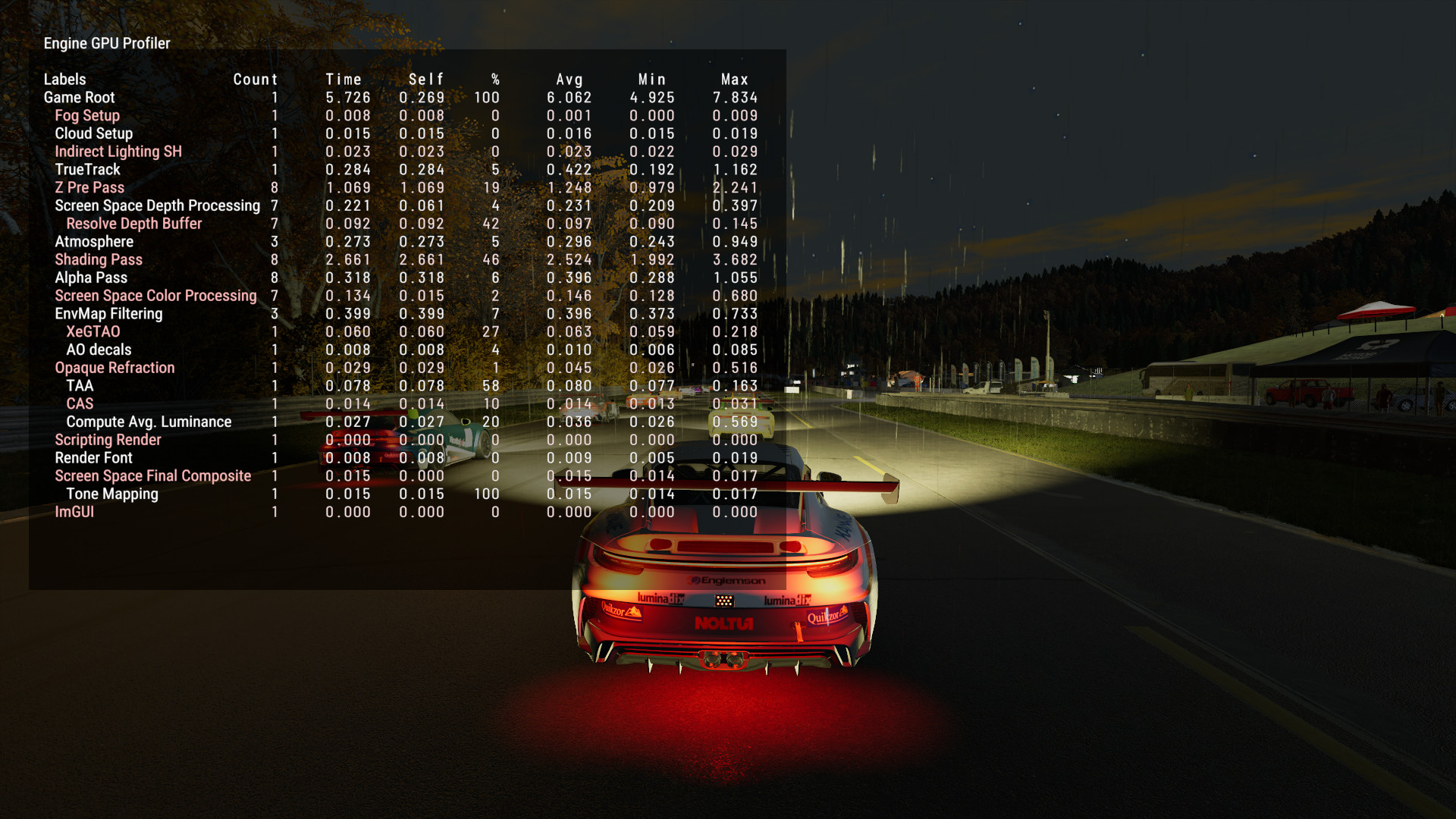
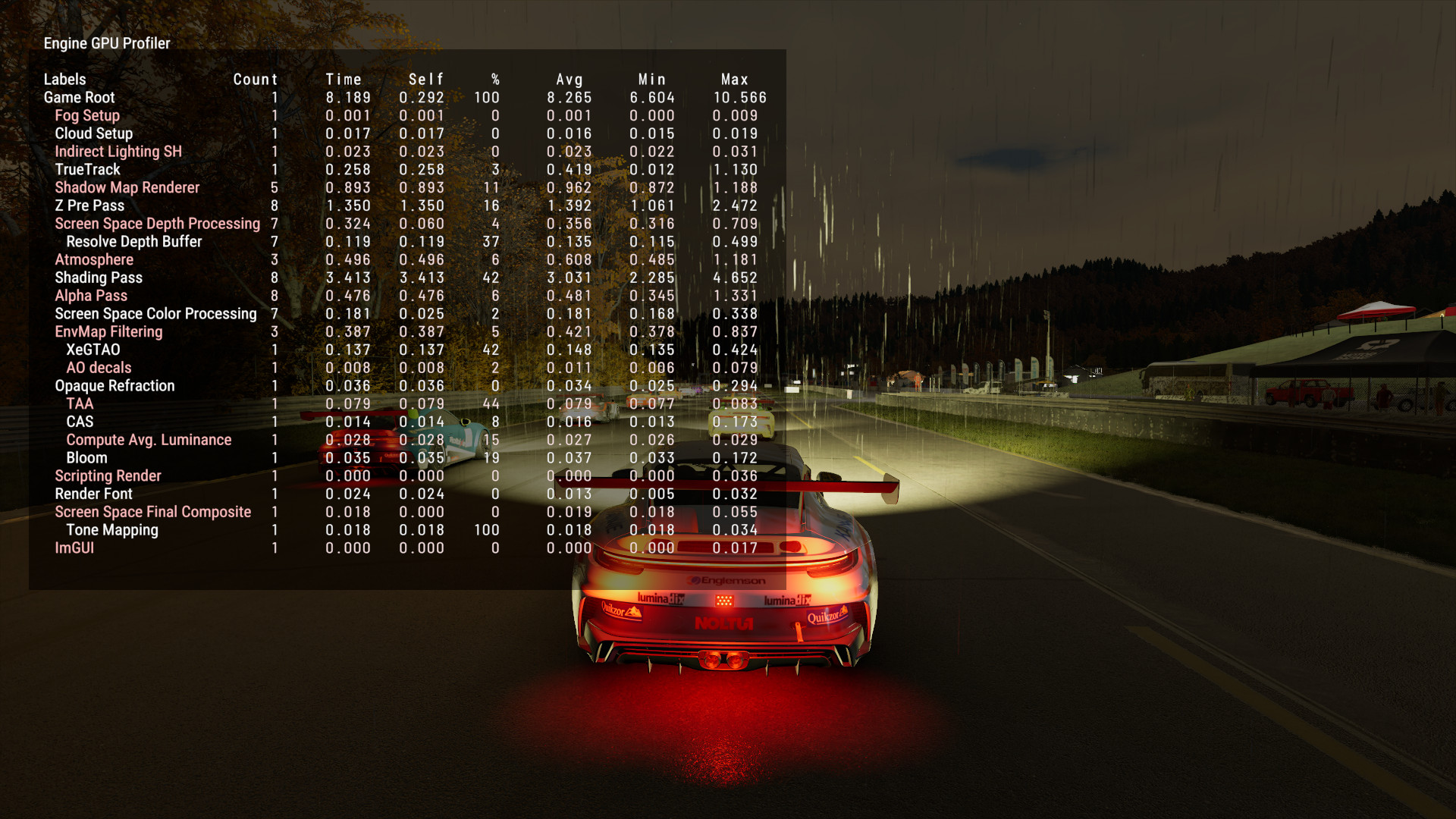
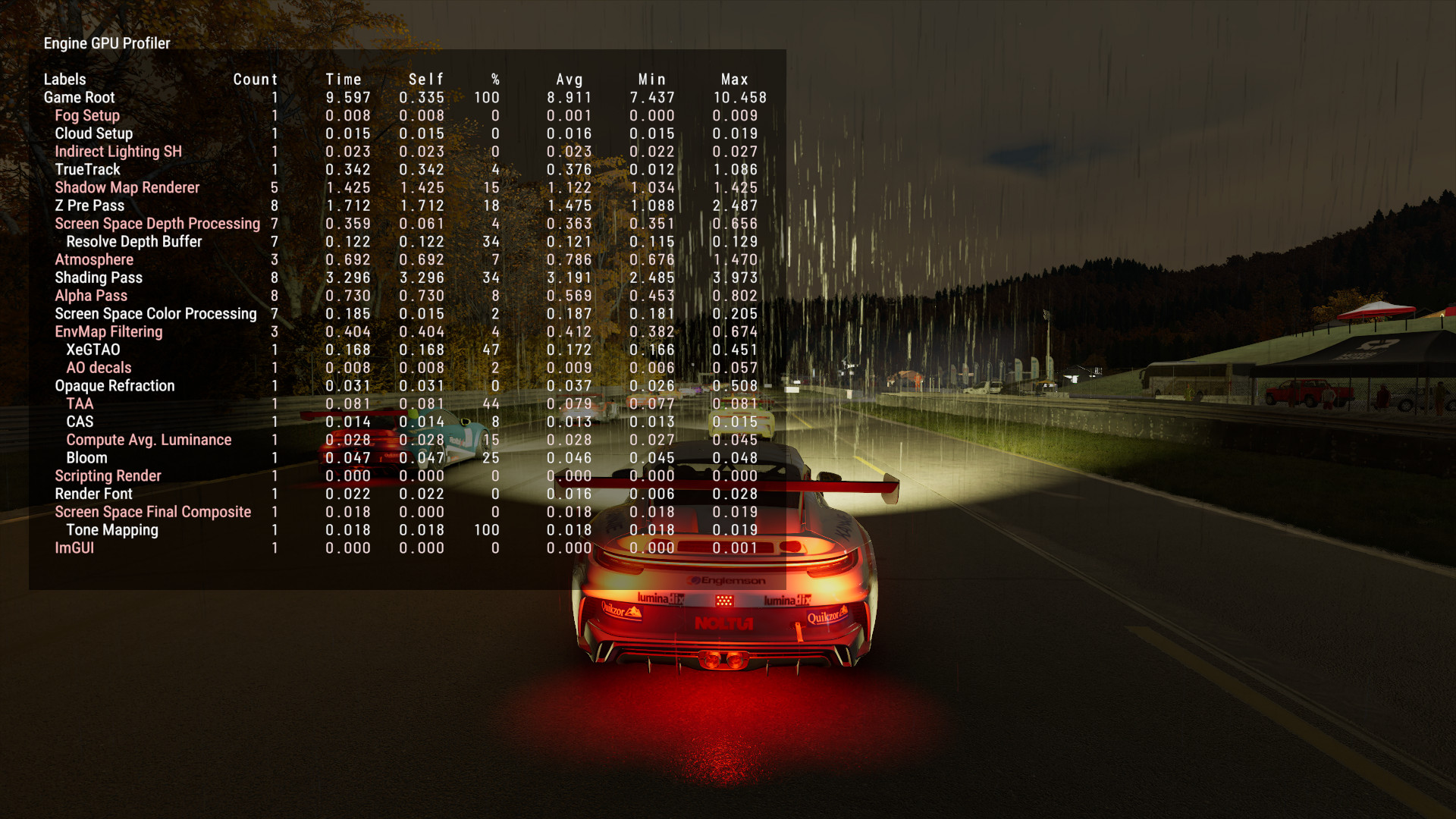
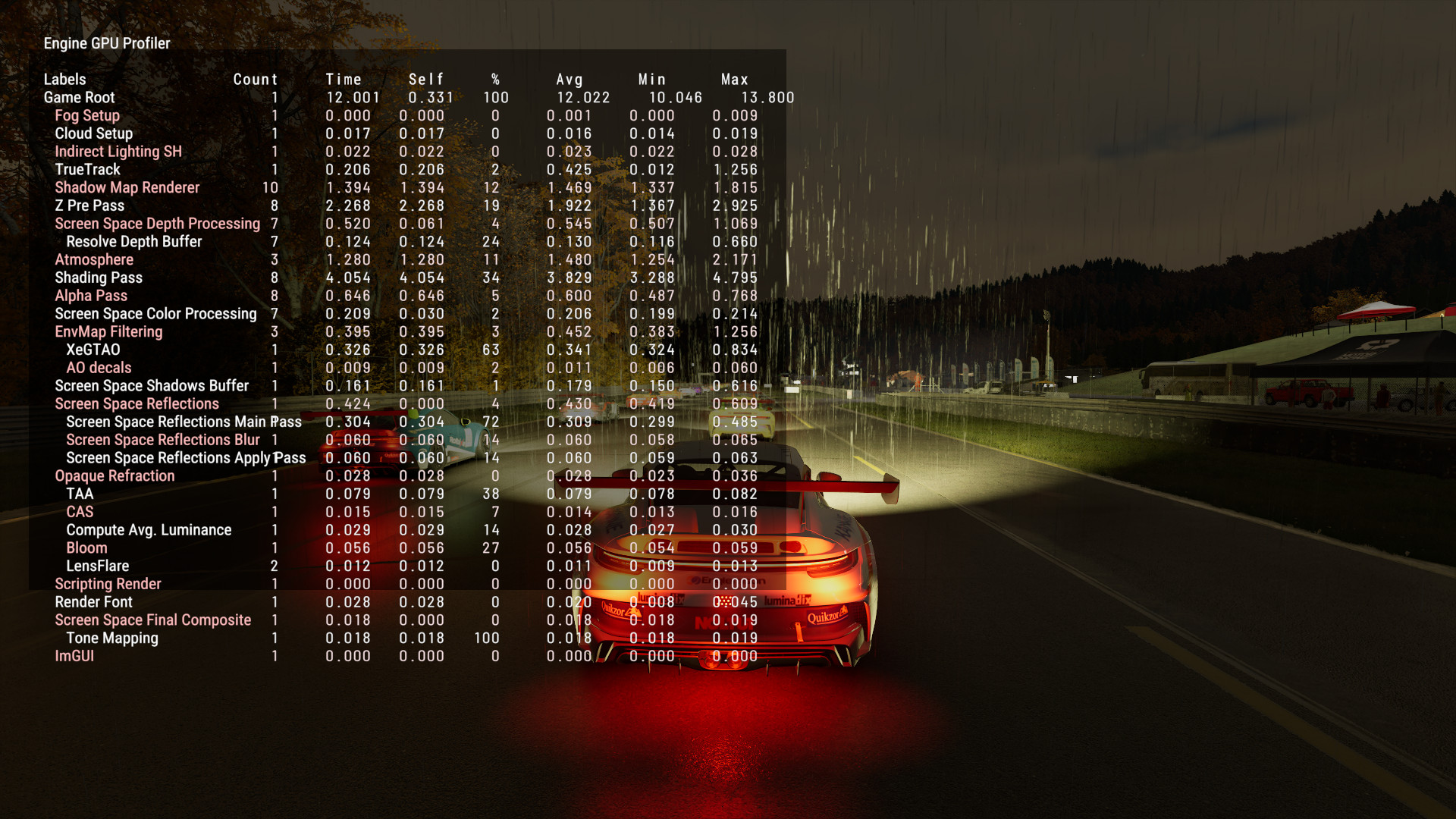
<p>But hey, this time we have the profiling data available in the game, so we don’t need to settle for comparing only by eye!
I won’t be breaking down every single metric here, but you can compare how the CPU and GPU costs of options increase with the details going up.
If you’re struggling to hit satisfactory frame rates, this may provide useful insight on what options to turn down.</p>

<p>CPU metrics:</p>
<figure class="media-container small">
<figure class="fig-entry"><a href="/assets/img/posts/pmr-review/screens/12020224241480761344_20251124200650_1.jpg" target="_blank"><img src="/assets/img/posts/pmr-review/screens/thumb/12020224241480761344_20251124200650_1.jpg" alt="" width="1024" height="576" /></a><figcaption>Performance</figcaption></figure>

<figure class="fig-entry"><a href="/assets/img/posts/pmr-review/screens/12020224241480761344_20251124200709_1.jpg" target="_blank"><img src="/assets/img/posts/pmr-review/screens/thumb/12020224241480761344_20251124200709_1.jpg" alt="" width="1024" height="576" /></a><figcaption>Balanced</figcaption></figure>

<figure class="fig-entry"><a href="/assets/img/posts/pmr-review/screens/12020224241480761344_20251124200729_1.jpg" target="_blank"><img src="/assets/img/posts/pmr-review/screens/thumb/12020224241480761344_20251124200729_1.jpg" alt="" width="1024" height="576" /></a><figcaption>Quality</figcaption></figure>

<figure class="fig-entry"><a href="/assets/img/posts/pmr-review/screens/12020224241480761344_20251124200803_1.jpg" target="_blank"><img src="/assets/img/posts/pmr-review/screens/thumb/12020224241480761344_20251124200803_1.jpg" alt="" width="1024" height="576" /></a><figcaption>Ultra</figcaption></figure>

</figure>

<p>GPU metrics:</p>
<figure class="media-container small">
<figure class="fig-entry"><a href="/assets/img/posts/pmr-review/screens/12020224241480761344_20251124200654_1.jpg" target="_blank"><img src="/assets/img/posts/pmr-review/screens/thumb/12020224241480761344_20251124200654_1.jpg" alt="" width="1024" height="576" /></a><figcaption>Performance</figcaption></figure>

<figure class="fig-entry"><a href="/assets/img/posts/pmr-review/screens/12020224241480761344_20251124200715_1.jpg" target="_blank"><img src="/assets/img/posts/pmr-review/screens/thumb/12020224241480761344_20251124200715_1.jpg" alt="" width="1024" height="576" /></a><figcaption>Balanced</figcaption></figure>

<figure class="fig-entry"><a href="/assets/img/posts/pmr-review/screens/12020224241480761344_20251124200732_1.jpg" target="_blank"><img src="/assets/img/posts/pmr-review/screens/thumb/12020224241480761344_20251124200732_1.jpg" alt="" width="1024" height="576" /></a><figcaption>Quality</figcaption></figure>

<figure class="fig-entry"><a href="/assets/img/posts/pmr-review/screens/12020224241480761344_20251124200808_1.jpg" target="_blank"><img src="/assets/img/posts/pmr-review/screens/thumb/12020224241480761344_20251124200808_1.jpg" alt="" width="1024" height="576" /></a><figcaption>Ultra</figcaption></figure>

</figure>

<h2 id="benchmarks-and-performance"><a href="#benchmarks-and-performance"></a>Benchmarks and performance</h2>

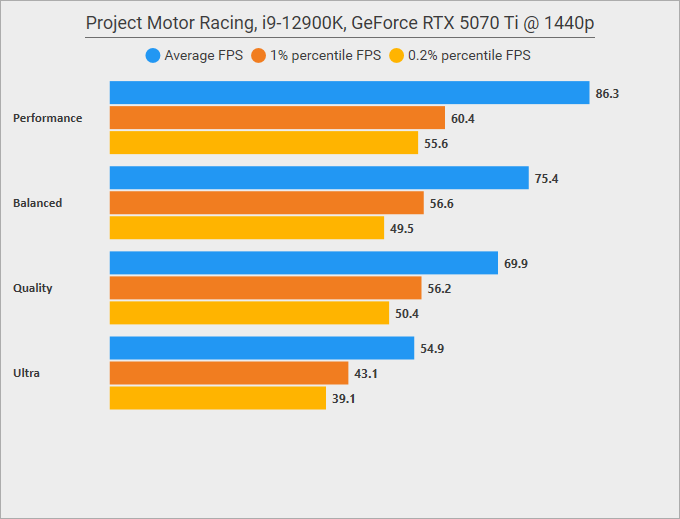
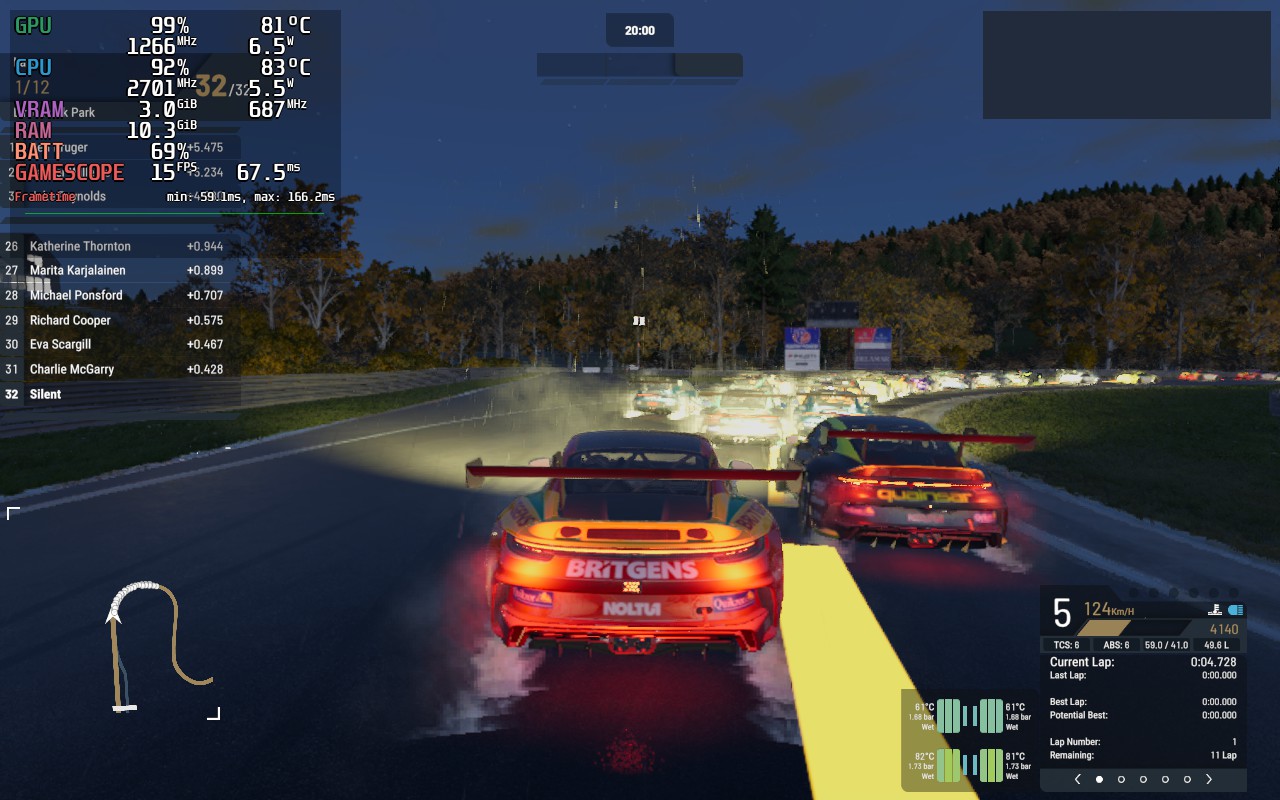
<p>I benchmarked the game on both PCs, on all graphics presets, with TAA and no upscaling.
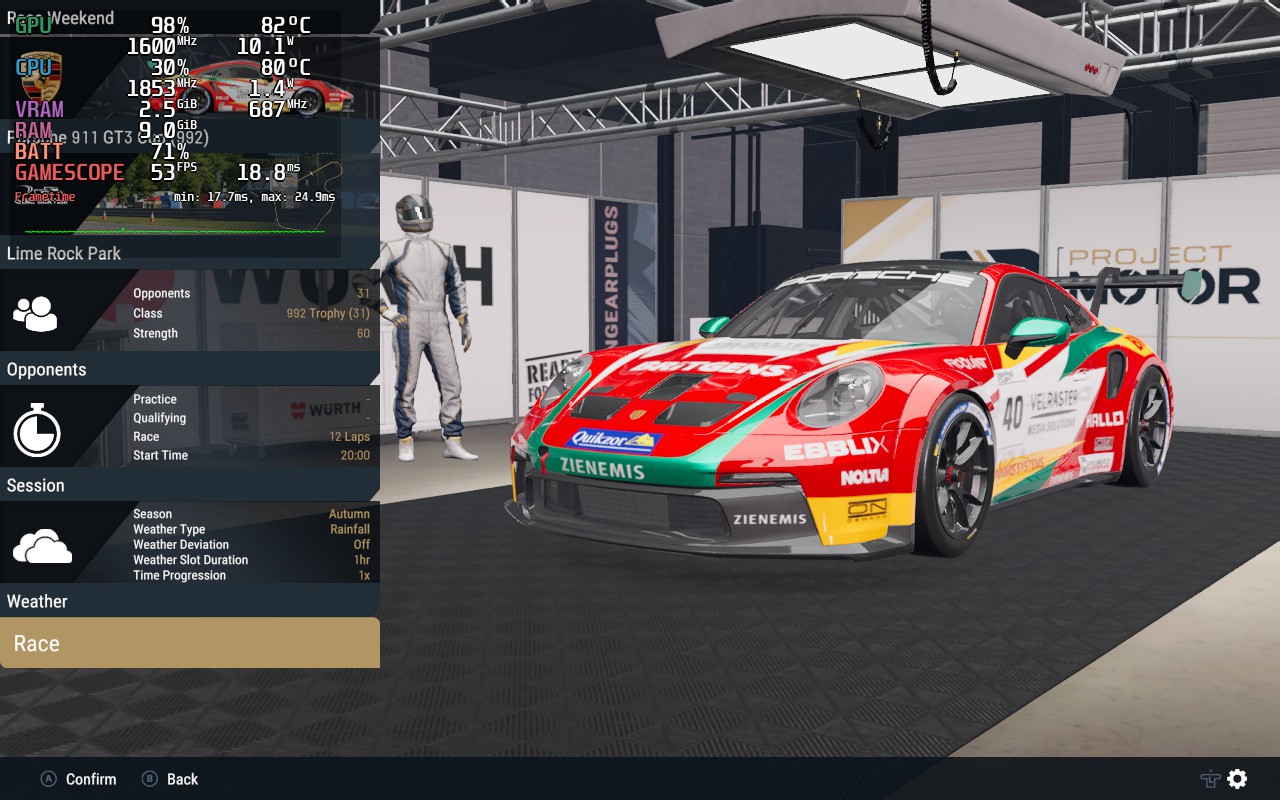
My benchmarking environment is also the same I used for the above nighttime preset comparisons:</p>
<ul>
  <li>Porsche 911 GT3 Cup (992).</li>
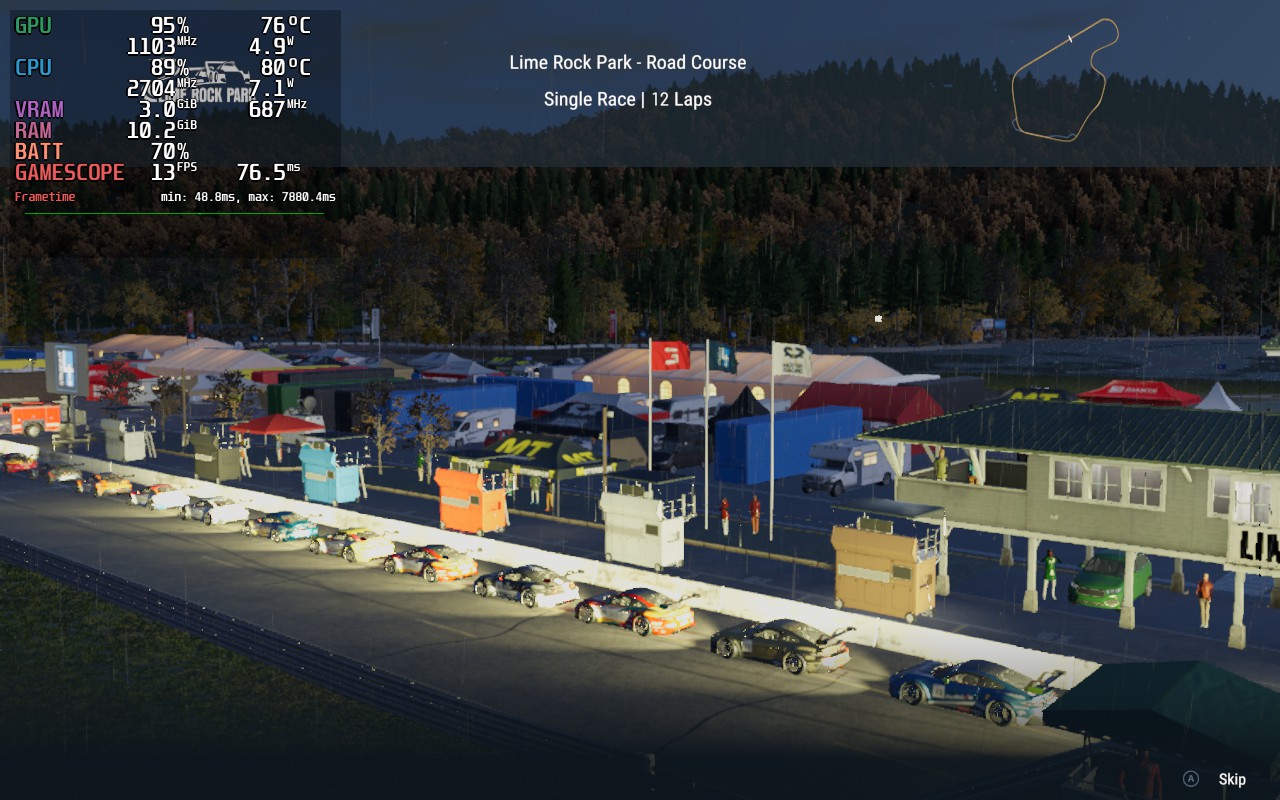
  <li>Lime Rock Park Road Course.</li>
  <li>31 Opponents.</li>
  <li>20:00 race start time.</li>
  <li>Autumn, Rainfall.</li>
  <li>In each benchmark, I started at the back of the pack and followed the AI closely without overtaking them.</li>
</ul>

<p>Both benchmarks were performed on the 1.4.0.1 version of the game. 1.5.0.0 made a few performance fixes to particles
and adjusted the draw distances of some objects, so you may expect to see performance <strong>slightly better than what I had</strong>.</p>

<figure class="fig-entry natural"><img src="/assets/img/posts/pmr-review/benchmark-1.webp" alt="" width="680" height="519" /></figure>

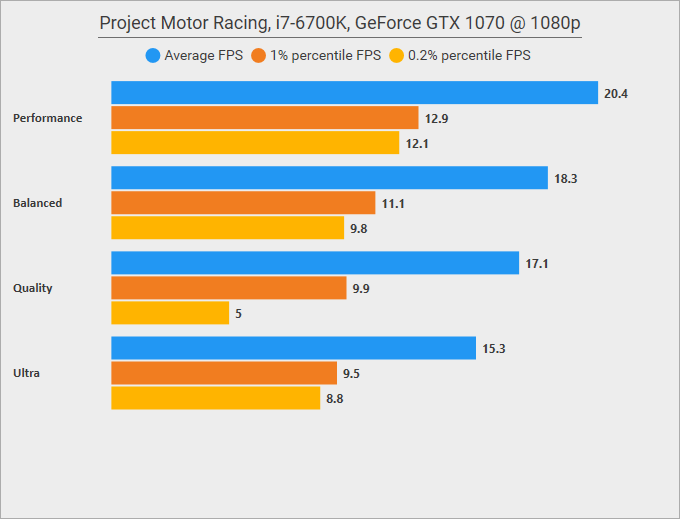
<figure class="fig-entry natural"><img src="/assets/img/posts/pmr-review/benchmark-2.webp" alt="" width="680" height="519" /></figure>

<p>The results on the primary PC look… acceptable, but not mindblowing. It’s not immediately evident on the benchmark,
but the lower presets were CPU-bound, as for some reason the game struggles to submit the render commands to the GPU efficiently,
and bottlenecks on a single CPU thread are commonplace. On higher detail levels, GPU usage rose drastically,
but so did the CPU load on the render thread, as draw distances also increased. I think only on Ultra I reached the point where
the GPU became the obvious bottleneck, hence the sharp decline in the frame rates.</p>

<p>Results on the secondary PC are abysmal, but this PC is under the minimum system requirements, both CPU and GPU-wise.
Those results don’t surprise me.</p>

<p>In my subjective opinion, the GPU performance of the game satisfies me, but the CPU performance leaves plenty of room for improvement,
especially since you can’t easily reduce the CPU bottleneck through the existing options in the game.
Even though Hadron is the main contributor to the game’s overall CPU load, in my tests, the heaviest strain was always on the render thread,
and in some spots on specific tracks, I couldn’t even maintain a stable 60 FPS on Ultra <strong>in 1080p</strong>:</p>
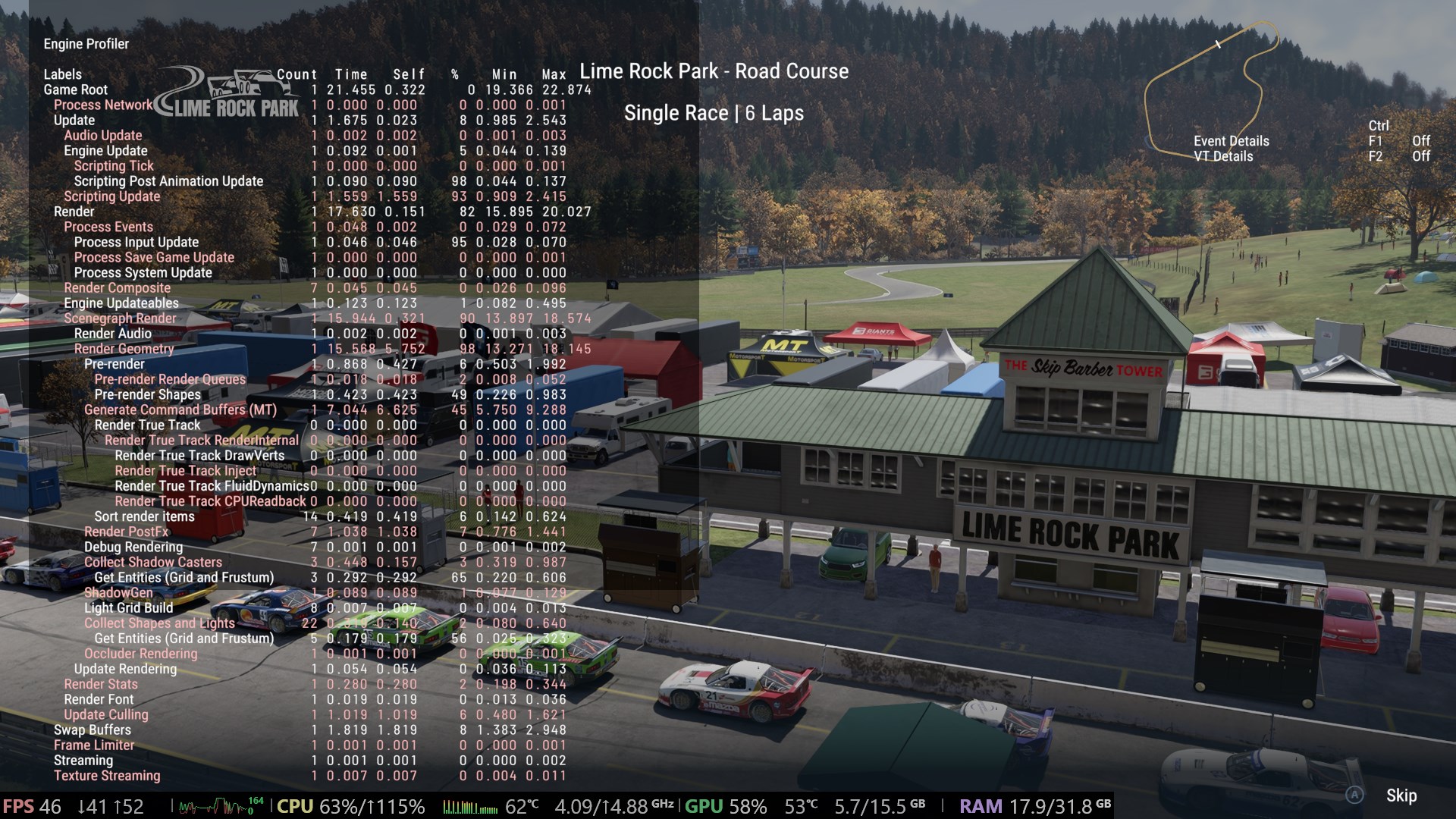
<figure class="fig-entry"><a href="/assets/img/posts/pmr-review/screens/ProjectMotorRacingGame_6PhTTLM6mp.jpg" target="_blank"><img src="/assets/img/posts/pmr-review/screens/thumb/ProjectMotorRacingGame_6PhTTLM6mp.jpg" alt="" width="1024" height="576" /></a></figure>

<p>On this shot, you can see that the GPU is hardly busy at all, yet the frame rate is poor, and a few CPU threads work overtime.
The in-game CPU profiler clearly shows the culprit – rendering the scene takes <strong>over 17.6 milliseconds</strong>, with nearly half of this time
spent on generating the command buffers for the GPU to render!</p>

<h2 id="steam-deck"><a href="#steam-deck"></a>Steam Deck</h2>

<p>This time, this section is going to be very brief! If you want to play PMR on a Steam Deck, my advice is: <strong>don’t</strong>.</p>

<figure class="media-container small">
<figure class="fig-entry"><a href="/assets/img/posts/pmr-review/screens/20251125150800_1.jpg" target="_blank"><img src="/assets/img/posts/pmr-review/screens/thumb/20251125150800_1.jpg" alt="" width="1024" height="640" /></a></figure>

<figure class="fig-entry"><a href="/assets/img/posts/pmr-review/screens/20251125150849_1.jpg" target="_blank"><img src="/assets/img/posts/pmr-review/screens/thumb/20251125150849_1.jpg" alt="" width="1024" height="640" /></a></figure>

<figure class="fig-entry"><a href="/assets/img/posts/pmr-review/screens/20251125150957_1.jpg" target="_blank"><img src="/assets/img/posts/pmr-review/screens/thumb/20251125150957_1.jpg" alt="" width="1024" height="640" /></a></figure>

<figure class="fig-entry"><a href="/assets/img/posts/pmr-review/screens/20251125151430_1.jpg" target="_blank"><img src="/assets/img/posts/pmr-review/screens/thumb/20251125151430_1.jpg" alt="" width="1024" height="640" /></a></figure>

</figure>

<p>The issue with the Steam Deck is that even though the game is very scalable on the GPU front, you can’t do much to save yourself
if your CPU isn’t up to scratch. In this case, Deck’s CPU is way underpowered to deal with the game’s physics engine,
so the game doesn’t even run at a normal speed – instead, if Hadron is unable to perform the calculations it wants,
the game slows down. On Deck, you’re effectively stuck to driving in slow motion, even on the very lowest details, upscaling,
and when you’re alone on the track. While it is possible to lower the physics processing rate through modding,
this most likely leaves you unable to play multiplayer, and I am not even convinced it would be enough if the game bottlenecks
on a render thread.</p>

<p>None of this is a surprise given the game’s system requirements, but at least this test proves the game works fine on Proton.
I suspect it will be performing quite well on Steam Machines, or at least I hope so.</p>

<h2 id="whats-next"><a href="#whats-next"></a>What’s next?</h2>

<p>I won’t lie – I think that, in the current state, Project Motor Racing simply isn’t good.
The developers already acknowledged the issues and promised fixes, but will it be enough, or will people simply move on to other games?
I want to believe they can turn this around, because nothing in the game is <em>fundamentally</em> broken and simply needs time.
This leads to my main point, though: PMR is currently simply unfinished, and I don’t say that often.</p>

<p>Something clearly went wrong, and the game got hit by an immovable, rushed release date.
Looking at how many issues I reported over a single weekend of trying the review copy, I think it’s a reasonable conclusion.
Over just a few days, I ended up with a direct line to the dev team, and stumbled upon multiple issues that likely haunted other,
less tech-oriented reviewers.</p>

<p>Personally, I have to give credit to PMR for recognizing the importance of letting different people
try the game early – in this case, giving me a review copy evidently paid off 🙂
The main reason I reach out for early copies nowadays is to break them in a controlled environment,
and PMR proves it best so far that this is mutually beneficial for both my services and for the game.</p>

<p>That said, those reviews are not going to become a regular thing; after NASCAR 25, this is most likely my last review for 2025.</p>]]></content><author><name>Silent</name></author><category term="Reviews" /><summary type="html"><![CDATA[One of the only games that moved **away** from Unreal Engine, was it worth it? Gameplay impressions from a gamepad user, benchmarks, highlights, and gripes.]]></summary><media:thumbnail xmlns:media="http://search.yahoo.com/mrss/" url="https://silentsblog.com/assets/img/games/bg/project-motor-racing-alt.jpg" /><media:content medium="image" url="https://silentsblog.com/assets/img/games/bg/project-motor-racing-alt.jpg" xmlns:media="http://search.yahoo.com/mrss/" /></entry><entry xml:lang="en"><title type="html">NASCAR 25 PC review – good game, basic port</title><link href="https://silentsblog.com/2025/11/18/nascar-25-review/" rel="alternate" type="text/html" title="NASCAR 25 PC review – good game, basic port" /><published>2025-11-18T21:45:00+00:00</published><updated>2025-11-18T21:45:00+00:00</updated><id>https://silentsblog.com/2025/11/18/nascar-25-review</id><content type="html" xml:base="https://silentsblog.com/2025/11/18/nascar-25-review/"><![CDATA[<ul id="markdown-toc">
  <li><a href="#introduction" id="markdown-toc-introduction">Introduction</a></li>
  <li><a href="#gameplay-impressions-aka-car-go-left-very-well" id="markdown-toc-gameplay-impressions-aka-car-go-left-very-well">Gameplay impressions, aka car go left very well</a></li>
  <li><a href="#the-technicalities" id="markdown-toc-the-technicalities">The technicalities</a>    <ul>
      <li><a href="#game-engine-graphics-system-requirements" id="markdown-toc-game-engine-graphics-system-requirements">Game engine, graphics, system requirements</a></li>
      <li><a href="#the-ports-disappointments" id="markdown-toc-the-ports-disappointments">The port’s disappointments</a></li>
      <li><a href="#in-game-graphics-options" id="markdown-toc-in-game-graphics-options">In-game graphics options</a></li>
      <li><a href="#graphics-presets" id="markdown-toc-graphics-presets">Graphics presets</a></li>
    </ul>
  </li>
  <li><a href="#benchmarks" id="markdown-toc-benchmarks">Benchmarks</a></li>
  <li><a href="#steam-deck" id="markdown-toc-steam-deck">Steam Deck</a></li>
  <li><a href="#conclusion" id="markdown-toc-conclusion">Conclusion</a></li>
</ul>

<h2 id="introduction"><a href="#introduction"></a>Introduction</h2>

<p>It’s been slightly over a month since NASCAR 25 released on consoles on <time datetime="2025-10-14">October 14th</time>.
As announced a few months back, we had to wait one more month for the PC release, and it got released according to plan,
on <time datetime="2025-11-11">November 11th</time>.</p>

<div class="center-blocks">
<iframe src="https://store.steampowered.com/widget/3873970/" frameborder="0" width="646" height="190"></iframe>
</div>

<p>Although I’m not big on NASCAR, I wanted to cover this game ever since I learned it’s developed on Unreal Engine 5 by
the legendary Monster Games – the same studio that gave us Viper Racing, NASCAR Dirt to Daytona,
and Test Drive: Eve of Destruction. In the 2010s, they’ve been busy working on the new NASCAR Heat games, and after a disastrous NASCAR 21: Ignition from Motorsport Games,
Monster Games got a chance to work on a NASCAR game again, this time under iRacing.</p>

<p>iRacing Motorsport Simulations supplied a review key for the purposes of this review, and so over the past several days,
I played through NASCAR 25 and documented my technical findings. As the game is locked down way more than a typical
UE5 game, it was more difficult than expected, but not impossible. While I can’t give you an informed opinion on how accurately this game portrays
stock car racing, I will voice my thoughts on the technicalities, as I tend to do in my reviews.</p>

<h2 id="gameplay-impressions-aka-car-go-left-very-well"><a href="#gameplay-impressions-aka-car-go-left-very-well"></a>Gameplay impressions, aka car go left very well</h2>

<p>NASCAR 25 features four racing series:</p>
<ul>
  <li>ARCA Menards Series (replacing the fictional Xtreme Dirt Tour series, introduced in NASCAR Heat 3)</li>
  <li>Craftsman Truck Series</li>
  <li>Xfinity Series</li>
  <li>NASCAR Cup Series</li>
</ul>

<p>It’s no secret that I’m a tourist when it comes to NASCAR games – after dabbling with the demos of excellent NASCAR Racing 3 and NASCAR Legends as a kid,
during my adult years I’ve only played NASCAR Heat 2002 on the PS2, and Heat 2, and Heat 3 on PC (NASCAR Rumble doesn’t count in this context);
thus, I lack much insight on how the games have been progressing over the years,
and I have no interest in this sport IRL either, to the point that three-segment races featured in Heat 2 completely caught me off guard.</p>

<p>This is all to say that my opinion of the game’s gameplay loop is that of an outsider’s. For this piece, I’ve almost exclusively played the Career Mode
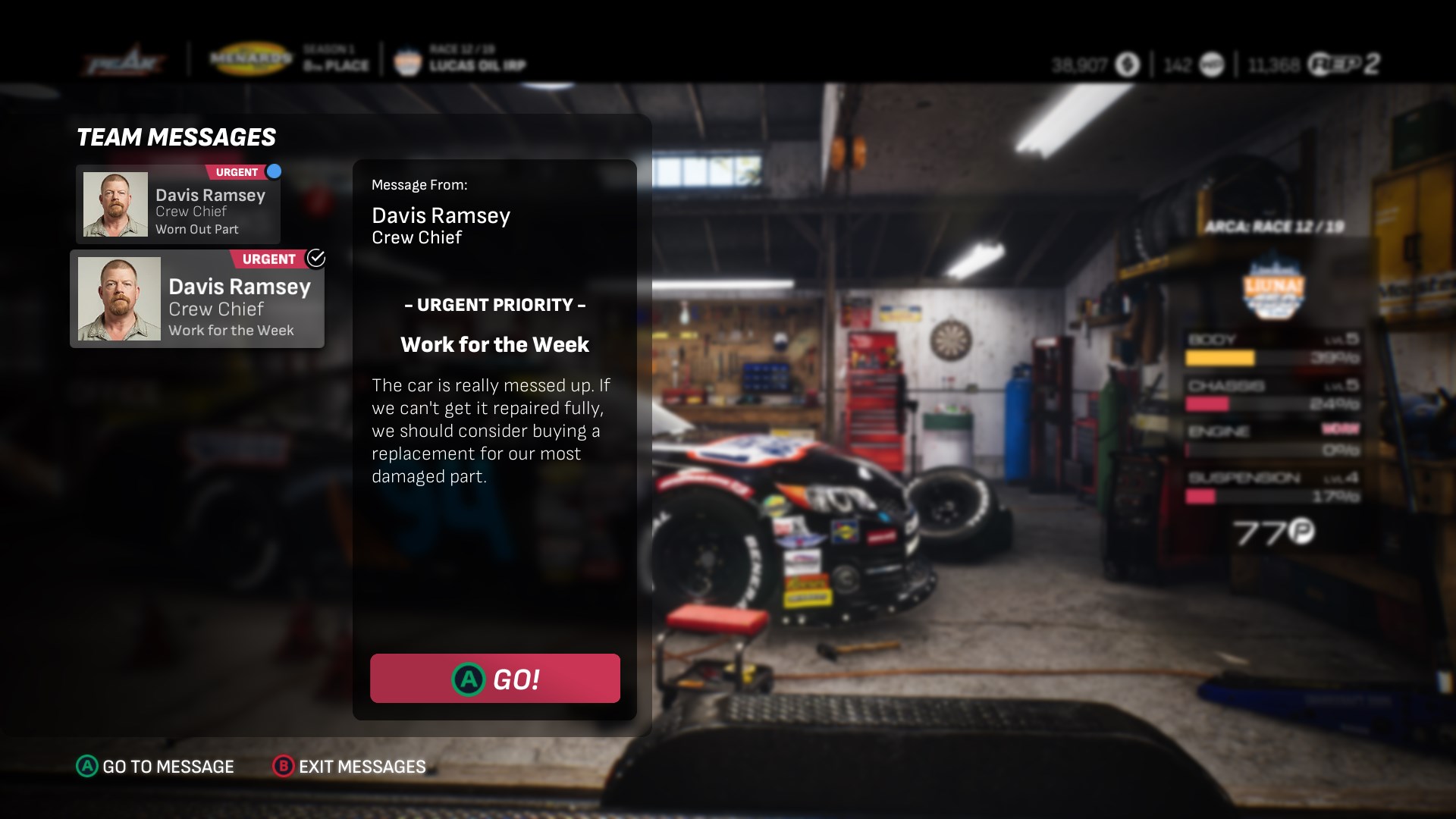
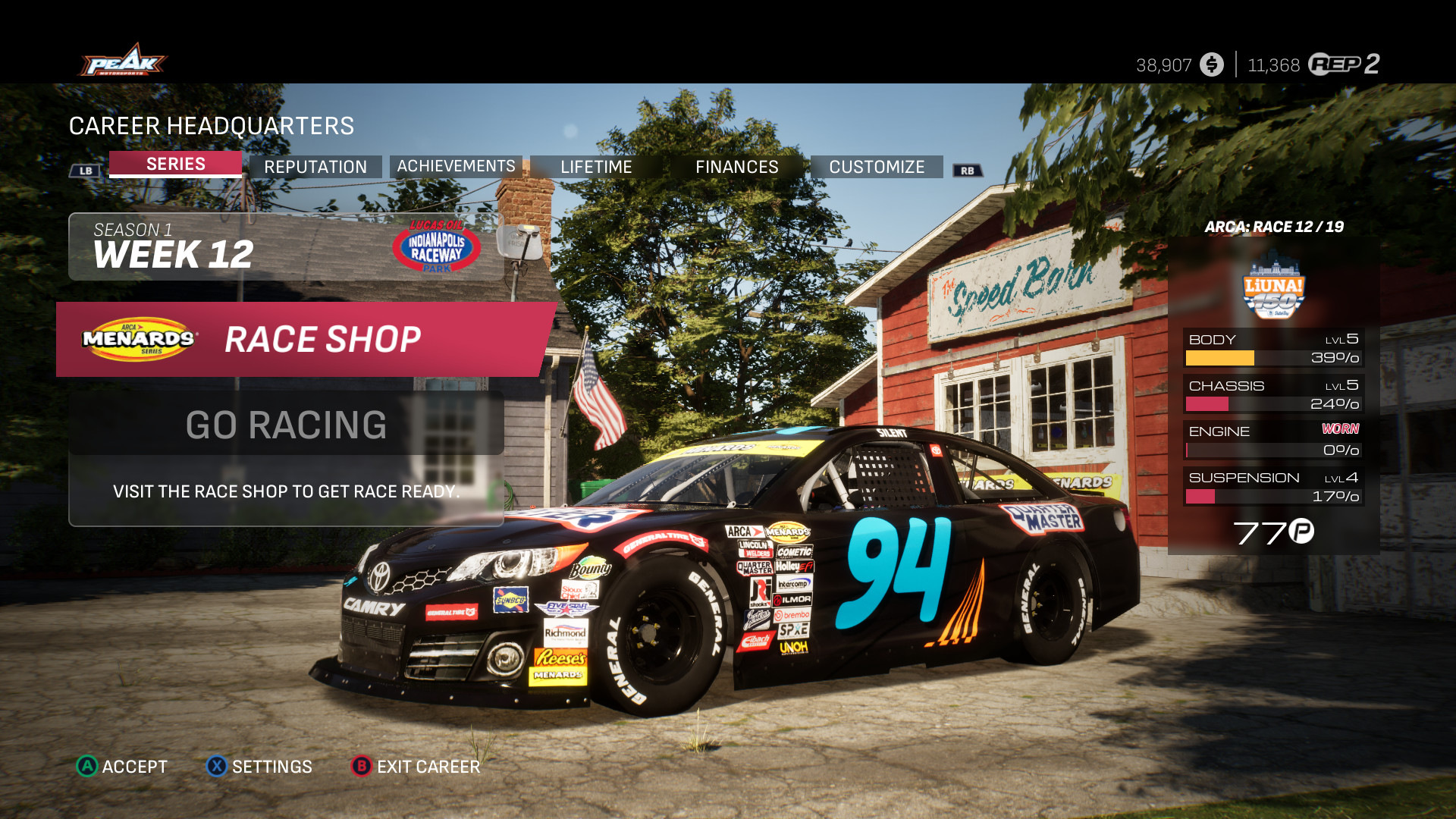
and have not advanced past the ARCA Series or touched the online mode. During that time in the Career Mode, I got to manage my own car, personnel, itinerary, and reputation.
None of those gameplay mechanics are particularly in-depth, and are usually limited to reacting to a message from a team member and making a hiring decision,
or selecting what event to attend. Managing the car has slightly more nuance, as the player needs to balance upgrading the car and keeping it in good shape,
and resources are quite limited. So far, I have always found myself with more than enough money to buy upgrades, but not enough time to get my car in good shape.
Maybe this means my driving is too reckless.</p>

<figure class="media-container small">
<figure class="fig-entry"><a href="/assets/img/posts/nascar25-review/screens/NASCAR25_Steam-Win64-Shipping_gFb79WQc3b.jpg" target="_blank"><img src="/assets/img/posts/nascar25-review/screens/thumb/NASCAR25_Steam-Win64-Shipping_gFb79WQc3b.jpg" alt="" width="1024" height="576" /></a></figure>

<figure class="fig-entry"><a href="/assets/img/posts/nascar25-review/screens/NASCAR25_Steam-Win64-Shipping_vj7qlU0JCN.jpg" target="_blank"><img src="/assets/img/posts/nascar25-review/screens/thumb/NASCAR25_Steam-Win64-Shipping_vj7qlU0JCN.jpg" alt="" width="1024" height="576" /></a></figure>

<figcaption>Finally, I get to inspire someone.</figcaption>
</figure>

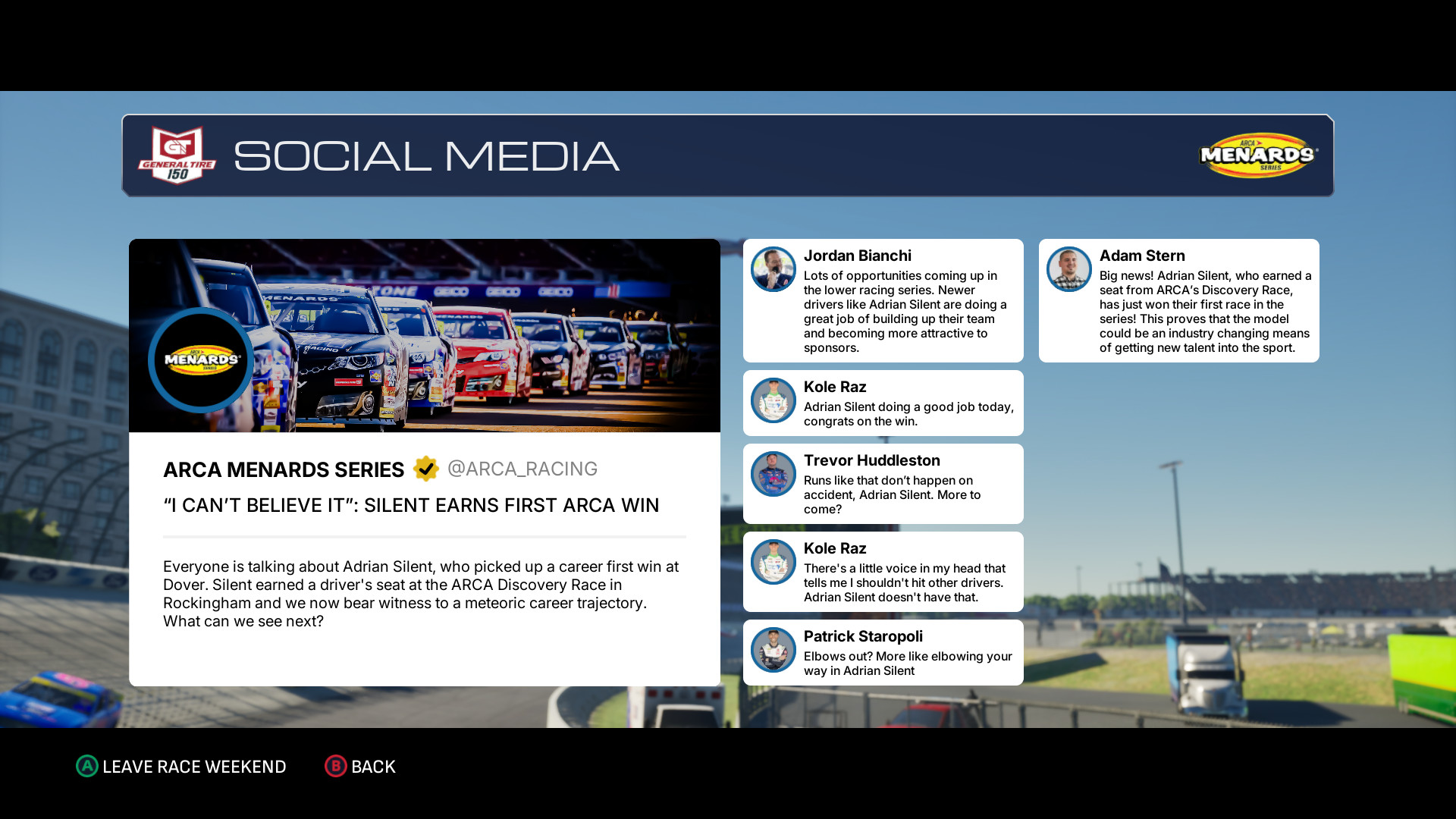
<p>Initially skeptical about the prospect of turning left for 15 minutes at a time (as I played at a 25% race length and 4x the fuel usage/tire wear),
I <em>think</em> I now see the appeal. For the first few races, I was slightly too careless, punting AI along the way as I wrestled for better positions,
and burning through fuel way too fast. This not only led to me finishing very far down the pack due to me having to pit more often than the rest,
but also the in-game social media coverage of my driving was <em>dire</em>.</p>

<p>But then, I started figuring things out. Smoother lines, less aggression, and higher awareness of my car’s dimensions, and coasting around the corners
– each next race in the season was cleaner and more satisfying. I started seeing a shift in perception both in the social media coverage,
but also on the track, as I collided with AI much less – I’m not sure if I simply got better at avoiding contact, or if the AI respected me more
and gave me space. As much as I’d like to believe it was the AI, it’s probably all on me predicting the AI lines better.</p>

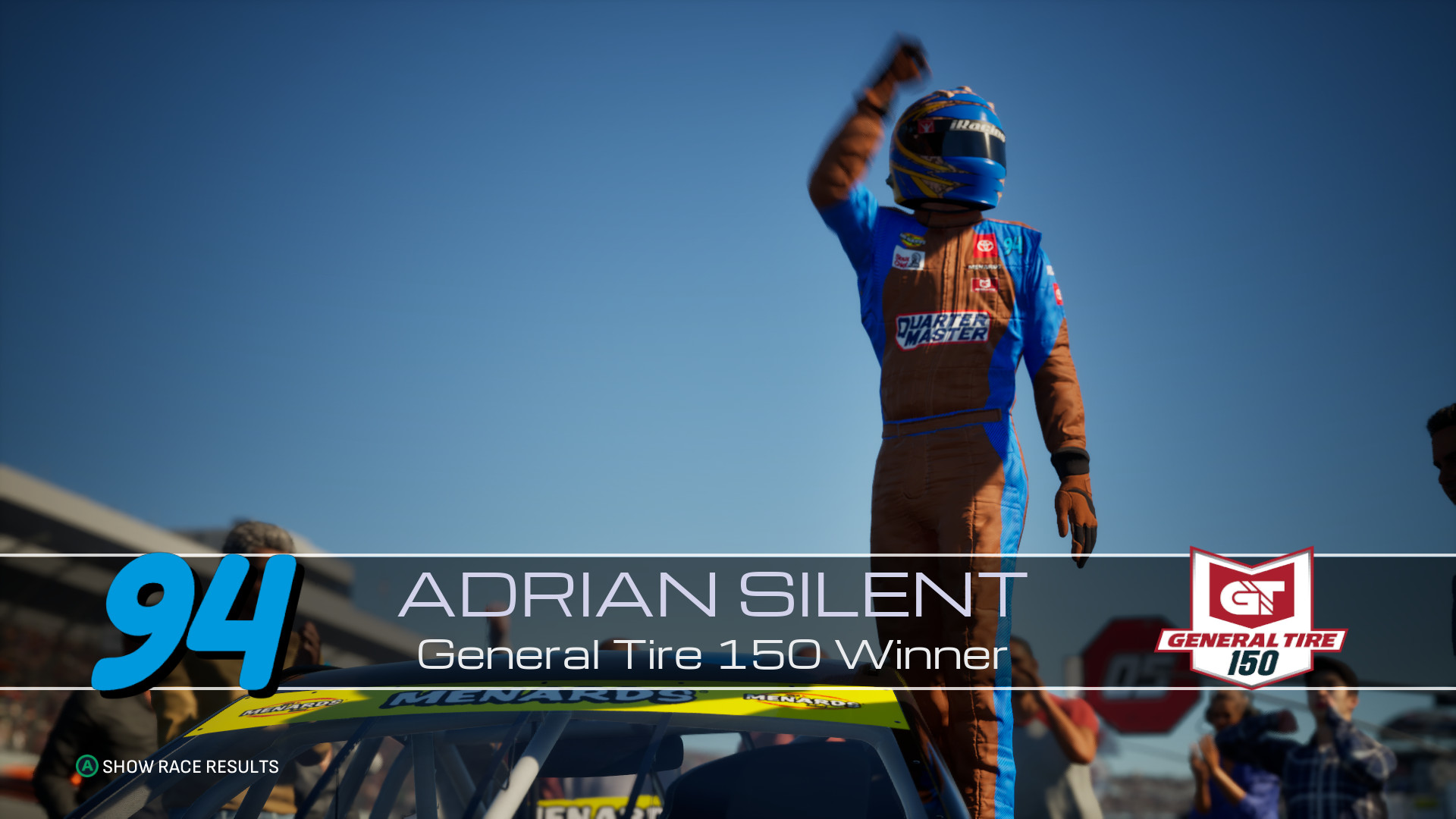
<p>Then, the very last race before I sat down to write this review, my pitting strategy and a lucky yellow flag from the AI crashing independently
of my actions, I won the race.</p>

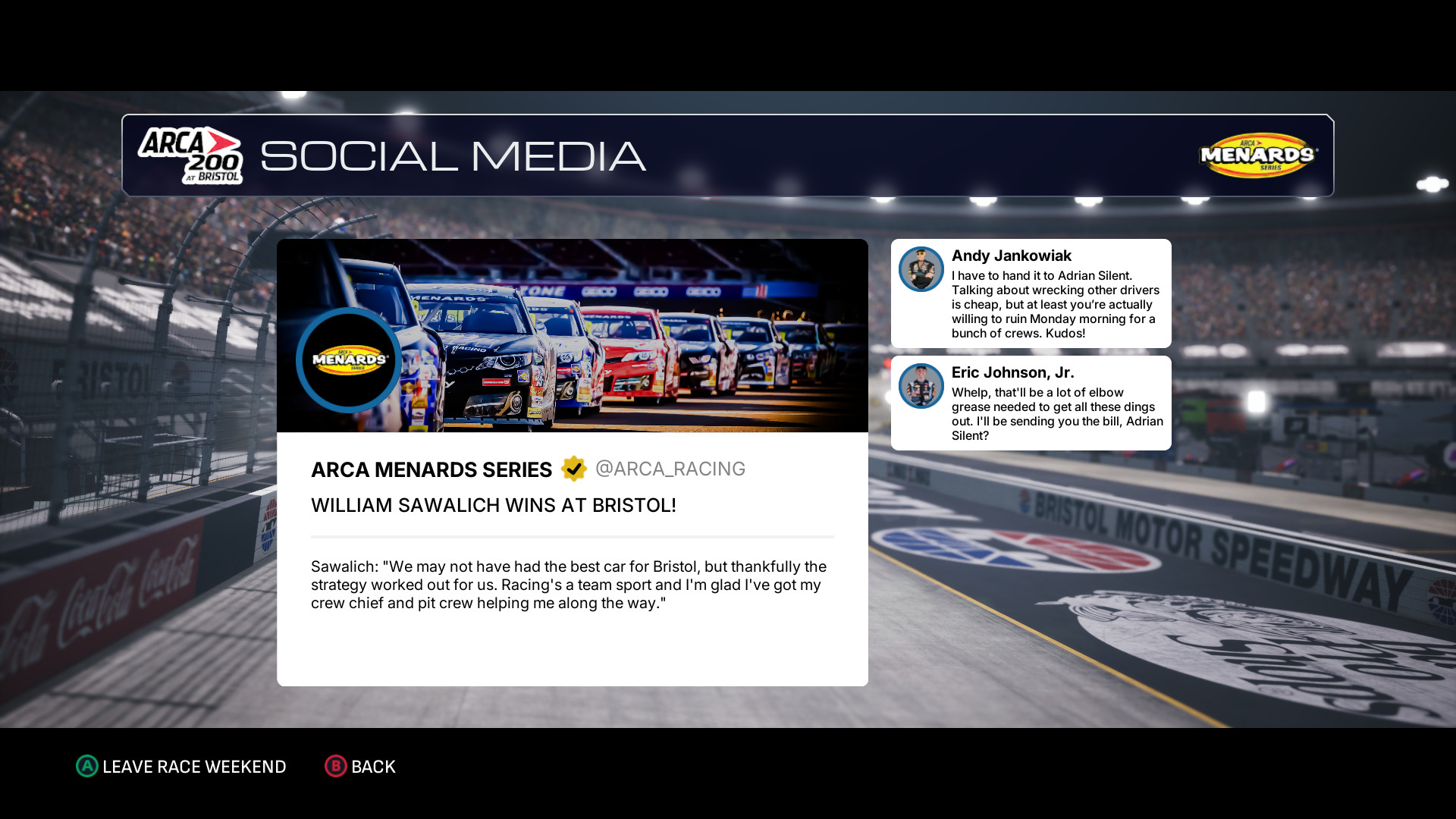
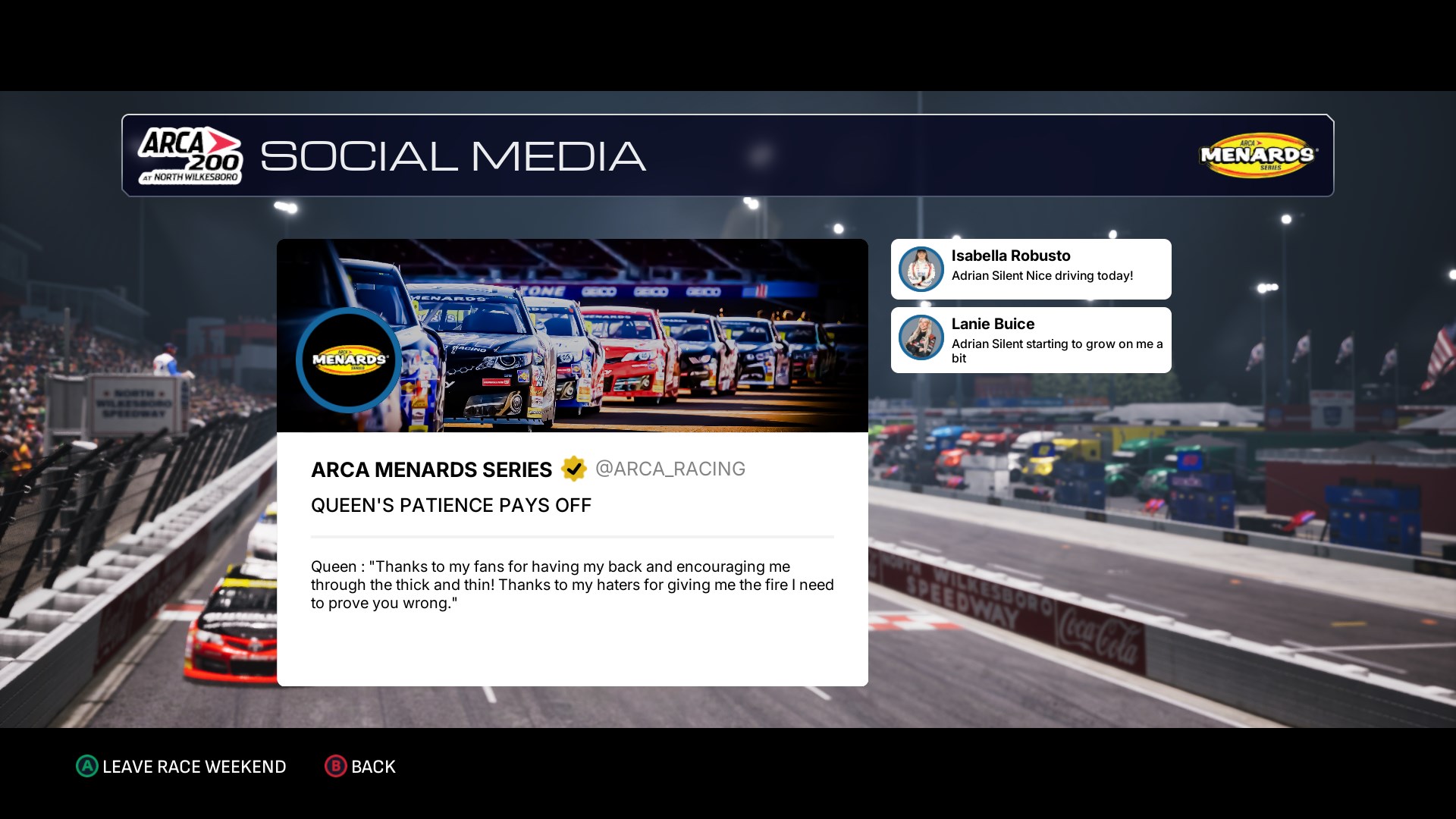
<figure class="media-container small">
<figure class="fig-entry"><a href="/assets/img/posts/nascar25-review/screens/NASCAR25_Steam-Win64-Shipping_vkFuL17zcG11.jpg" target="_blank"><img src="/assets/img/posts/nascar25-review/screens/thumb/NASCAR25_Steam-Win64-Shipping_vkFuL17zcG11.jpg" alt="" width="1024" height="576" /></a></figure>

<figure class="fig-entry"><a href="/assets/img/posts/nascar25-review/screens/NASCAR25_Steam-Win64-Shipping_vkFuL17zcG.jpg" target="_blank"><img src="/assets/img/posts/nascar25-review/screens/thumb/NASCAR25_Steam-Win64-Shipping_vkFuL17zcG.jpg" alt="" width="1024" height="576" /></a></figure>

<figure class="fig-entry"><a href="/assets/img/posts/nascar25-review/screens/3873970_20251116140308_1.jpg" target="_blank"><img src="/assets/img/posts/nascar25-review/screens/thumb/3873970_20251116140308_1.jpg" alt="" width="1024" height="576" /></a></figure>

<figure class="fig-entry"><a href="/assets/img/posts/nascar25-review/screens/3873970_20251116140205_1.jpg" target="_blank"><img src="/assets/img/posts/nascar25-review/screens/thumb/3873970_20251116140205_1.jpg" alt="" width="1024" height="576" /></a></figure>

<figcaption>As I got better, I could see the perception in the in-game social media shift.</figcaption>
</figure>

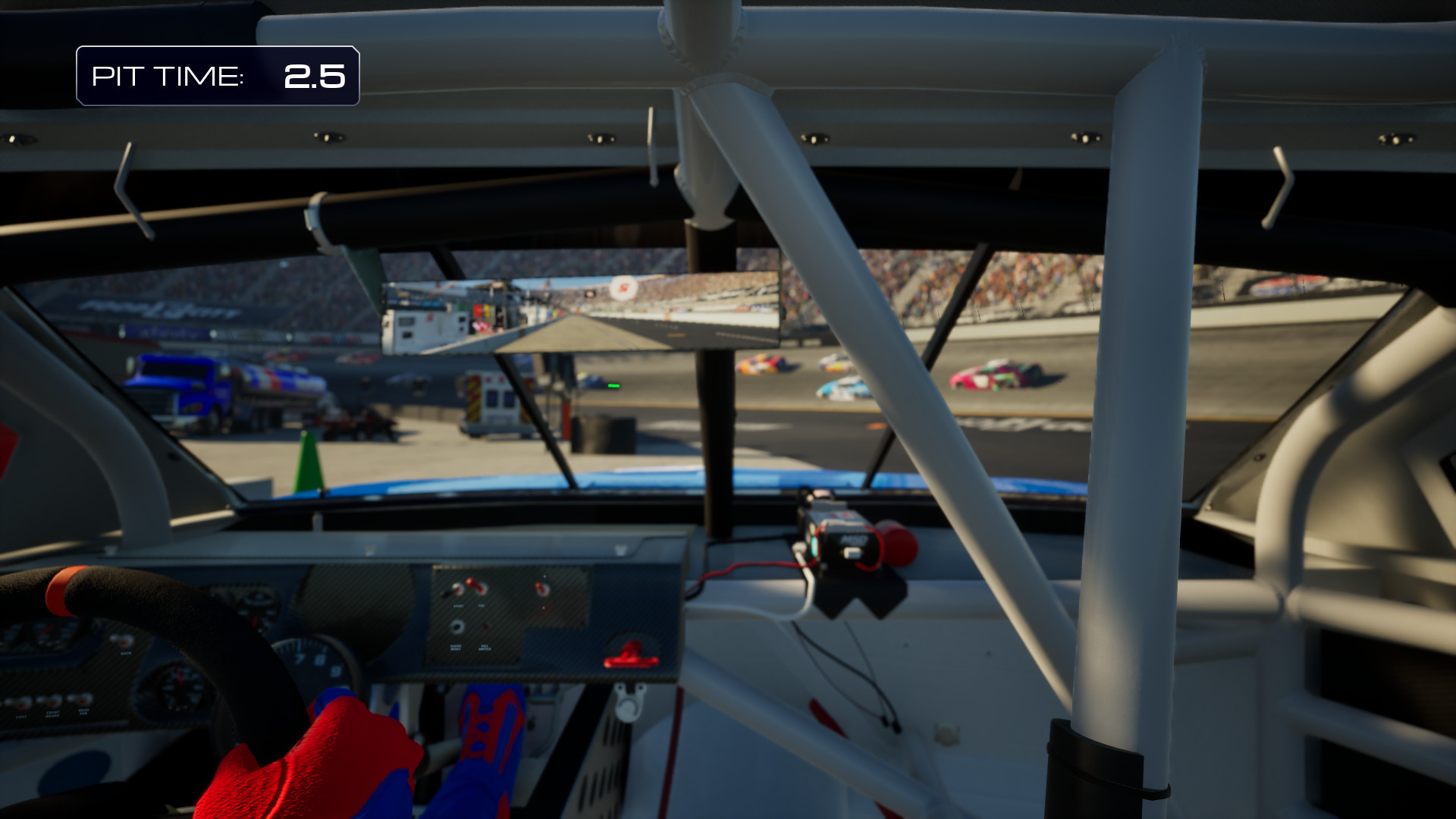
<p>Unfortunately, the game didn’t give me a chance to celebrate my win by doing a victory lap or a burnout. This is still done in real-life races,
and the older NASCAR Heat games from Monster Games included that, so I’m not sure why NASCAR 25 completely omits it. Oh well.</p>

<p>Regardless, I’ll keep playing NASCAR 25 more. I want to progress in the career <em>at least</em> far enough to enter the Craftsman Truck Series.
Career progression is reputation-based, so the better my driving is, the sooner I’ll get invited.</p>

<h2 id="the-technicalities"><a href="#the-technicalities"></a>The technicalities</h2>

<p>Now, for the main reason I’m looking into this game. All analysis and benchmarks were done on the launch PC version of the game,
dated <strong><time datetime="2025-11-10">November 10, 2025</time></strong>. A small patch was released during the writing of this review,
but it didn’t contain any performance changes or fixes to issues I outline here. Since the time I
<a href="/2025/05/23/jdm-japanese-drift-master-review/">published my previous game review</a>, I upgraded my main PC and retired
my aging graphics card to a secondary PC. This makes my benchmarks more meaningful and “true to life”, and I can try the game on both setups!</p>

<p>Does it work fine? Does it scale? Does the PC port go above and beyond, since it was released a month after the consoles? Let’s find out.</p>

<h3 id="game-engine-graphics-system-requirements"><a href="#game-engine-graphics-system-requirements"></a>Game engine, graphics, system requirements</h3>

<p>NASCAR 25 runs on <strong>Unreal Engine 5.5</strong>, although unlike the other games I’ve covered, it’s been heavily UE4-ified.
You won’t find any signs of Nanite or Lumen in here; they’ve been permanently disabled at the project level, and no amount
of INI tweaks will get you any ray-tracing. For this game, I am going to completely ignore the minimum requirements,
as they’ve been copy-pasted straight from iRacing, and I don’t trust them to be meaningful. I threw NASCAR 25 at two setups:</p>

<ul>
  <li><strong>Intel Core i9-12900K</strong> with an <strong>NVIDIA GeForce RTX 5070 Ti</strong>.</li>
  <li><strong>Intel Core i7-6700K</strong> with an <strong>NVIDIA GeForce GTX 1070</strong>.</li>
</ul>

<p>For my impressions, I’ve been using exclusively the primary PC. However, for benchmarking, I used both.
All screenshots in this article were taken on the Highest quality levels, unless stated otherwise.</p>

<hr />

<p>Graphically, I feel like NASCAR 25 caught the bug of a typical annual sports game – it doesn’t look “bad”, but it’s far from impressive.
To my knowledge, tracks come straight from iRacing, and they certainly show their age. Lighting is basic and relatively dull, and effects like
the lens flare appear to be similar to stock Unreal Engine 5 effects.</p>

<p>This decision makes sense to me, though – in the absence of ray-tracing and heavy upscaling, the game looks reasonably sharp, and doesn’t require a top-end PC.
Additionally, since it’s obviously not open world, in my experience, it’s free of any Unreal hitches: I don’t think I have seen a shader compilation stutter even once.
The game doesn’t seem to be shader-heavy in the first place – even though it doesn’t ship any precompiled PSOs,
at the time of writing this review, my gathered PSO cache file sits at around 760KB, which is not a lot for Unreal standards.</p>

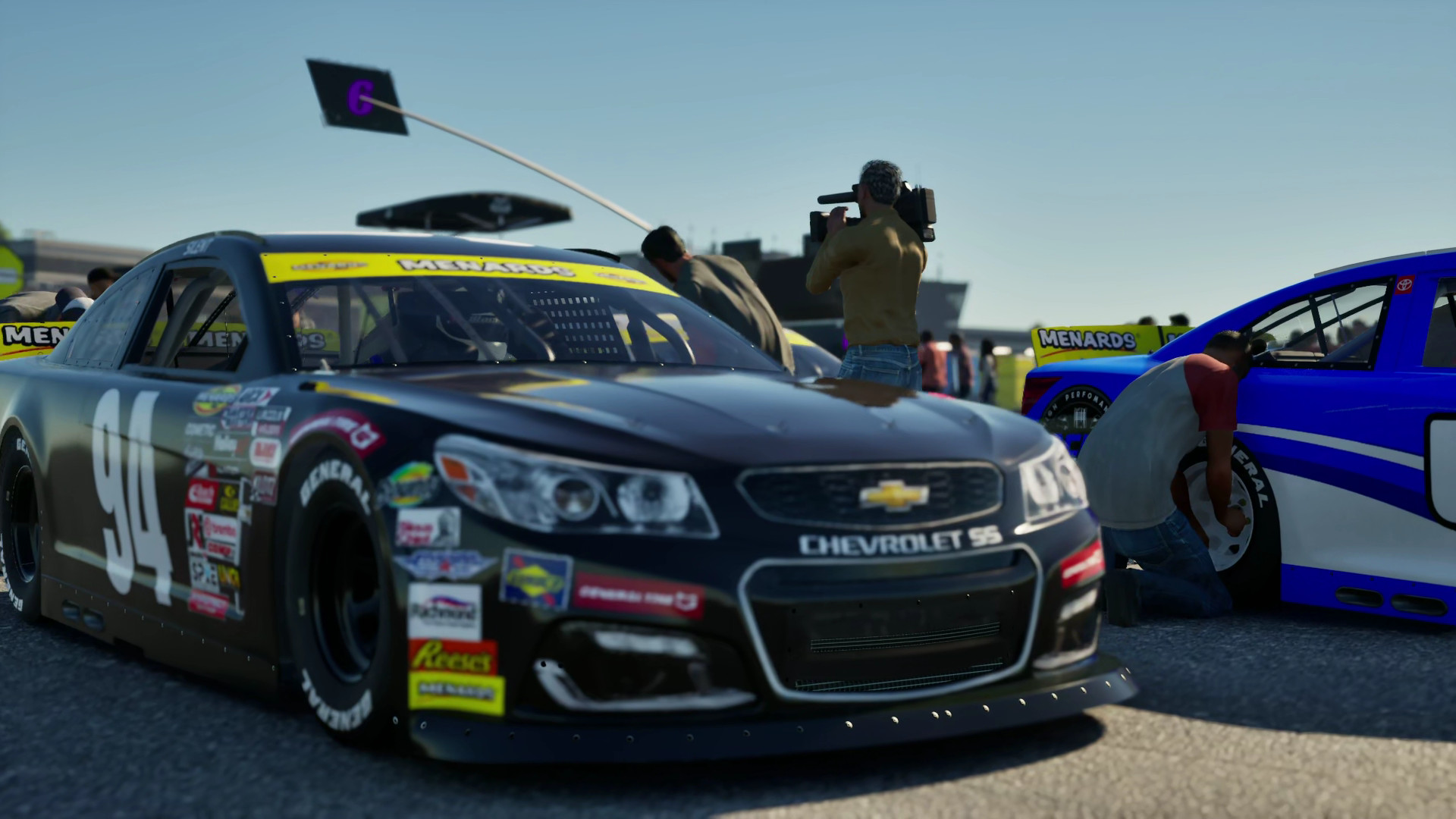
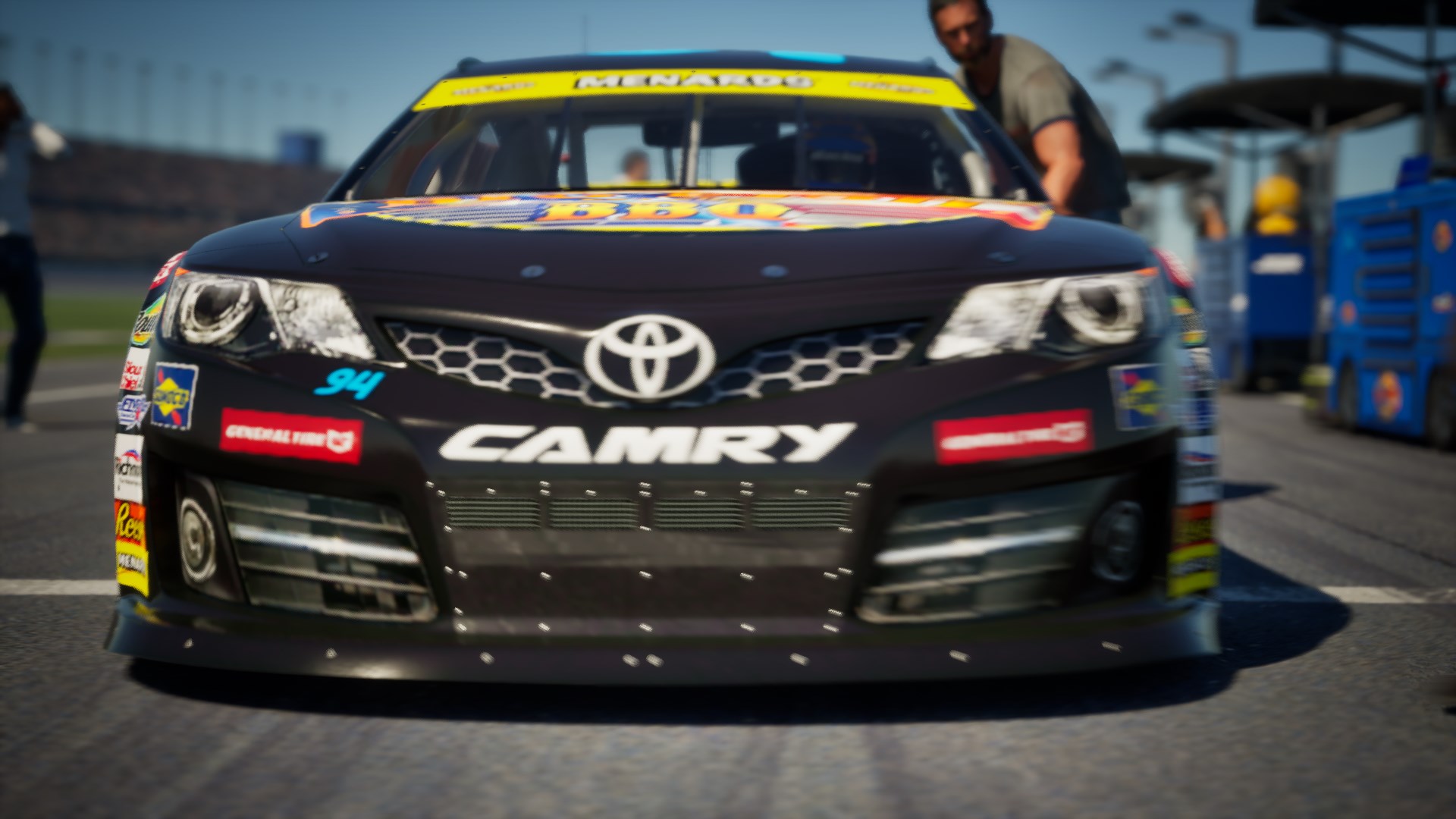
<p>That said, even before I started inspecting the graphics options, I couldn’t help but notice how blurry the cinematics are:</p>

<figure class="media-container small">
<figure class="fig-entry"><a href="/assets/img/posts/nascar25-review/screens/3873970_20251113122630_1.jpg" target="_blank"><img src="/assets/img/posts/nascar25-review/screens/thumb/3873970_20251113122630_1.jpg" alt="" width="1024" height="576" /></a></figure>

<figure class="fig-entry"><a href="/assets/img/posts/nascar25-review/screens/3873970_20251115185802_1.jpg" target="_blank"><img src="/assets/img/posts/nascar25-review/screens/thumb/3873970_20251115185802_1.jpg" alt="" width="1024" height="576" /></a></figure>

<figure class="fig-entry"><a href="/assets/img/posts/nascar25-review/screens/NASCAR25_Steam-Win64-Shipping_Al7Rt9co7p.jpg" target="_blank"><img src="/assets/img/posts/nascar25-review/screens/thumb/NASCAR25_Steam-Win64-Shipping_Al7Rt9co7p.jpg" alt="" width="1024" height="576" /></a></figure>

</figure>

<p>These aren’t temporal artifacts or anything like this – these cinematics are simply out of focus! I have no idea if this is a bug
or if cinematics neglect to set the focus points correctly, but I reported it to the developers with an assumption that it’s an oversight,
as I can’t imagine the camera focusing on a random cameraman is intentional.</p>

<h3 id="the-ports-disappointments"><a href="#the-ports-disappointments"></a>The port’s disappointments</h3>

<p>With this PC port arriving a month after the console releases, I was hoping the game would be well-adapted for PCs and offer
a wider range of options. Unfortunately, the reality couldn’t be further away from the truth, and we instead were given a simple,
straightforward PC port that works, but doesn’t offer anything of note either.</p>

<p>On the first boot, the game defaults to disabled VSync, so first-time players see the intro FMV with frame tearing and maxing 100% of their GPU.
The system mouse cursor doesn’t ever hide, and the mouse can’t be used to navigate menus, so it’s on you to tuck it away somewhere.
Keyboard prompts are nonexistent, so it’s up to you to figure out the keyboard menu controls.
Even then, you’ll soon find out that some actions, like opening the driver name text input field, <strong>require</strong> using the gamepad
(and then you need to use the keyboard to type the name, of course).</p>

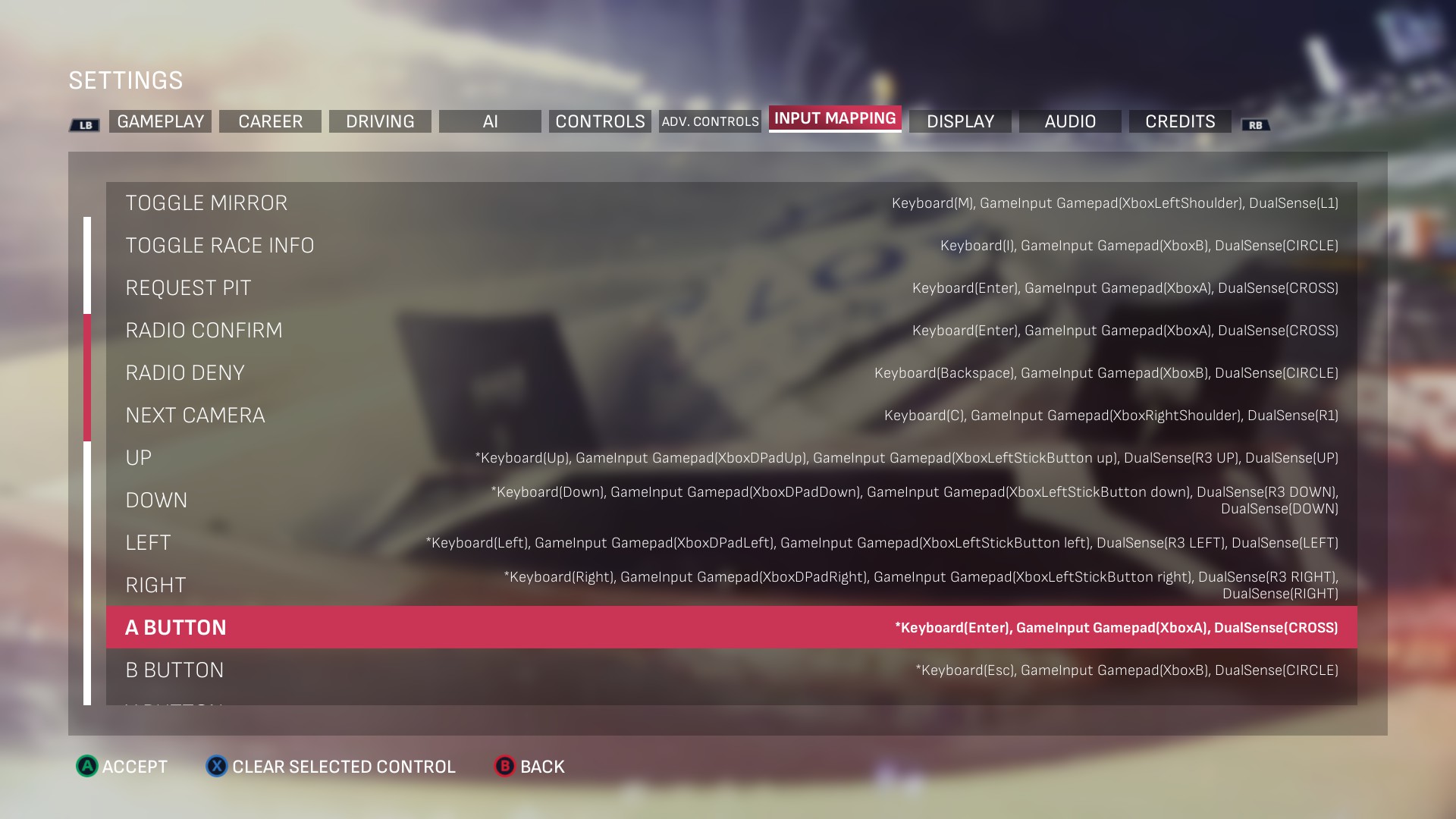
<p>On the upside, all input controls are customizable. Unfortunately, they are presented in such a disorganized way that I initially suspected
some of the mappings were listed by mistake, as the game’s enormous Input Mapping list includes game actions, followed by… remappable gamepad buttons.</p>

<figure class="fig-entry"><a href="/assets/img/posts/nascar25-review/screens/20251118185653_1.jpg" target="_blank"><img src="/assets/img/posts/nascar25-review/screens/thumb/20251118185653_1.jpg" alt="" width="1024" height="576" /></a><figcaption>“Toggle mirror” and radio controls, followed by DPad and gamepad buttons? Sure, whatever.</figcaption></figure>

<p>Later, I realized that those are mappings for <strong>menus</strong>, and so they correspond to the legends of the UI actions.<sup id="fnref:menu-actions"><a href="#fn:menu-actions" class="footnote" rel="footnote" role="doc-noteref">1</a></sup>
While this does make some sense, I feel like they should have been at least separated into a distinct sub-list, just like the axes (throttle/brake/steering) are.
To top it off, there is no way to reset bindings back to the defaults! The only way to do that is by deleting the input configuration file.</p>

<p>The game also lacks any sort of customizable FOV. It’s not as much of a port issue, but it would have been welcome to see, especially since ultra-wide
monitors are supported. However, the biggest indicator of this port’s simplistic nature is the Display menu.</p>

<h3 id="in-game-graphics-options"><a href="#in-game-graphics-options"></a>In-game graphics options</h3>

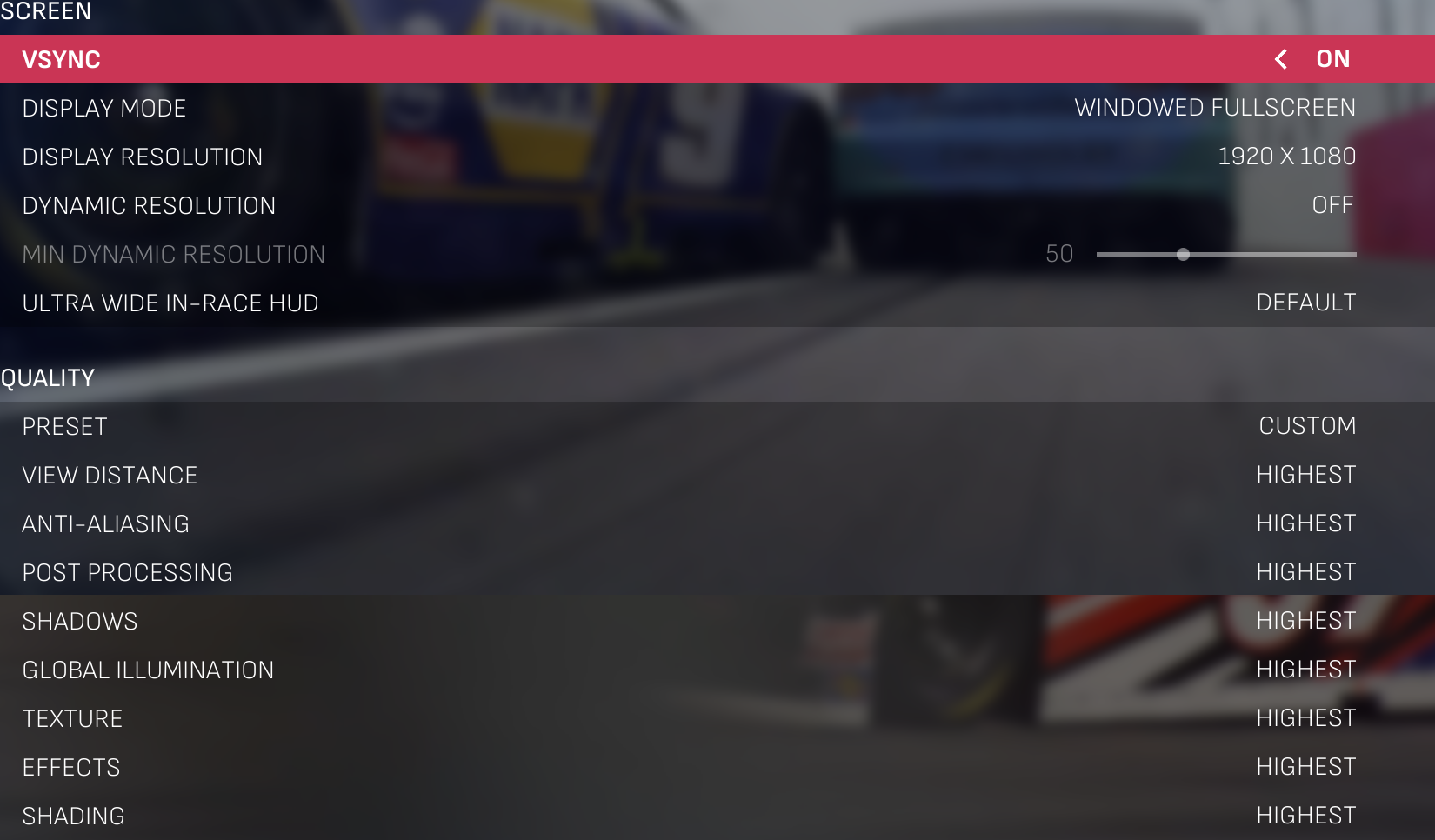
<p>If you were like me and expected this port to have reasonably extensive graphical options, I have bad news. NASCAR 25 features only the most fundamental
options typical of UE games:</p>

<figure class="fig-entry"><a href="/assets/img/posts/nascar25-review/screens/nascar25-graphics-options.png" target="_blank"><img src="/assets/img/posts/nascar25-review/screens/thumb/nascar25-graphics-options.jpg" alt="" width="1024" height="600" /></a></figure>

<p>Missing something? Yes, a lot:</p>
<ul>
  <li>Instead of an option to select and/or toggle upscalers, or at least a fixed Render Scale option, Dynamic Resolution is listed,
reminiscent of typical scaling mechanisms in the console games.</li>
  <li>Multi-monitor is not a thing at all, so you’re out of luck if you want to play on anything else but your primary monitor.
You can, of course, move the game window, but the game fails to list resolutions appropriate for the other screens and doesn’t play nice with high DPI scaling.</li>
  <li>For Anti-Aliasing, only a typical UE5 scalability option is exposed, adjusting the AA quality. Otherwise, the game always uses TSR and doesn’t give the player any alternatives.
On the upside, when Dynamic Resolution is disabled, TSR seems to work with a 100% screen scaling, effectively becoming a slightly better TAA.
You can’t, however, use FXAA or disable AA entirely.</li>
  <li>While omitting some UE scalability options (like Foliage Quality) makes sense, Reflection Quality would make sense in a game like this, yet it’s not exposed in menus.</li>
</ul>

<p>Let me demonstrate: with a simple <code class="language-plaintext highlighter-rouge">Engine.ini</code> change, I can make the game look better than the default max details, by disabling forced TSR, and setting the resolution scale to 200%:</p>

<div class="language-ini highlighter-rouge"><div class="highlight"><pre class="highlight"><code><span class="nn">[/Script/Engine.RendererSettings]</span><span class="w">
</span><span class="py">r.AntiAliasingMethod</span><span class="p">=</span><span class="s">0</span>
<span class="py">r.ScreenPercentage</span><span class="p">=</span><span class="s">200</span>
</code></pre></div></div>

<p>The result maxes out my GPU, but looks far better than the default anti-aliasing:</p>
<figure class="media-container small">
<figure class="fig-entry"><a href="/assets/img/posts/nascar25-review/screens/supersample-1.jpg" target="_blank"><img src="/assets/img/posts/nascar25-review/screens/thumb/supersample-1.jpg" alt="" width="1024" height="576" /></a></figure>

<figure class="fig-entry"><a href="/assets/img/posts/nascar25-review/screens/supersample-2.jpg" target="_blank"><img src="/assets/img/posts/nascar25-review/screens/thumb/supersample-2.jpg" alt="" width="1024" height="576" /></a></figure>

</figure>

<p>If users were given an option to use DLAA and/or FXAA, or an option to disable AA entirely, they could rely on DSR configured externally,
without the need for any INI tweaks like this.</p>

<h3 id="graphics-presets"><a href="#graphics-presets"></a>Graphics presets</h3>

<p>The game comes with a set of 5 presets that correspond directly to the scalability levels in Unreal: <strong>Low</strong>, <strong>Medium</strong>, <strong>High</strong>, <strong>Very High</strong> (renamed Epic),
<strong>Highest</strong> (renamed Cinematic). Interestingly enough, Epic discourages developers from exposing Cinematic in games as it’s only meant for offline rendering (e.g. movies or FMVs),
and yet NASCAR 25 uses it. From what I can tell, those scalability options are <em>mostly</em> left untouched from Epic’s defaults, although since Lumen is globally disabled,
higher Global Illumination options have barely any noticeable differences.</p>

<p>The presets look as follows. The differences are very subtle, so you’ll likely want to click on the images to open them full screen:</p>

<figure class="media-container small">
<figure class="fig-entry"><a href="/assets/img/posts/nascar25-review/screens/low-1.jpg" target="_blank"><img src="/assets/img/posts/nascar25-review/screens/thumb/low-1.jpg" alt="" width="1024" height="576" /></a><figcaption>Low</figcaption></figure>

<figure class="fig-entry"><a href="/assets/img/posts/nascar25-review/screens/medium-1.jpg" target="_blank"><img src="/assets/img/posts/nascar25-review/screens/thumb/medium-1.jpg" alt="" width="1024" height="576" /></a><figcaption>Medium</figcaption></figure>

<figure class="fig-entry"><a href="/assets/img/posts/nascar25-review/screens/high-1.jpg" target="_blank"><img src="/assets/img/posts/nascar25-review/screens/thumb/high-1.jpg" alt="" width="1024" height="576" /></a><figcaption>High</figcaption></figure>

<figure class="fig-entry"><a href="/assets/img/posts/nascar25-review/screens/veryhigh-1.jpg" target="_blank"><img src="/assets/img/posts/nascar25-review/screens/thumb/veryhigh-1.jpg" alt="" width="1024" height="576" /></a><figcaption>Very High</figcaption></figure>

<figure class="fig-entry"><a href="/assets/img/posts/nascar25-review/screens/highest-1.jpg" target="_blank"><img src="/assets/img/posts/nascar25-review/screens/thumb/highest-1.jpg" alt="" width="1024" height="576" /></a><figcaption>Highest</figcaption></figure>

</figure>

<figure class="media-container small">
<figure class="fig-entry"><a href="/assets/img/posts/nascar25-review/screens/low-2.jpg" target="_blank"><img src="/assets/img/posts/nascar25-review/screens/thumb/low-2.jpg" alt="" width="1024" height="576" /></a><figcaption>Low</figcaption></figure>

<figure class="fig-entry"><a href="/assets/img/posts/nascar25-review/screens/medium-2.jpg" target="_blank"><img src="/assets/img/posts/nascar25-review/screens/thumb/medium-2.jpg" alt="" width="1024" height="576" /></a><figcaption>Medium</figcaption></figure>

<figure class="fig-entry"><a href="/assets/img/posts/nascar25-review/screens/high-2.jpg" target="_blank"><img src="/assets/img/posts/nascar25-review/screens/thumb/high-2.jpg" alt="" width="1024" height="576" /></a><figcaption>High</figcaption></figure>

<figure class="fig-entry"><a href="/assets/img/posts/nascar25-review/screens/veryhigh-2.jpg" target="_blank"><img src="/assets/img/posts/nascar25-review/screens/thumb/veryhigh-2.jpg" alt="" width="1024" height="576" /></a><figcaption>Very High</figcaption></figure>

<figure class="fig-entry"><a href="/assets/img/posts/nascar25-review/screens/highest-2.jpg" target="_blank"><img src="/assets/img/posts/nascar25-review/screens/thumb/highest-2.jpg" alt="" width="1024" height="576" /></a><figcaption>Highest</figcaption></figure>

</figure>

<p>I’ll be honest: with the game not letting me change options in-race (so the comparison screens are not identical), and with differences this small,
pointing out the differences is difficult. Perhaps presets affect more under different circumstances, for example, during the night races,
but during the day, there isn’t much to talk about.</p>

<ul>
  <li>On <strong>Low</strong>, shadows are grainy and have a short draw distance, and textures are low resolution.</li>
  <li>On <strong>Medium</strong>, a vignette effect appears, and textures get a quality bump. Shadows look smoother and more detailed.</li>
  <li><strong>High</strong> and <strong>Very High</strong> further increase the quality of shadows and draw distance, but I’m not sure if they do anything meaningful in the main menu.</li>
  <li>On <strong>Highest</strong>, shadows draw from afar, and props appear to have “infinite” draw distance.</li>
</ul>

<p>Overall, the differences seem quite miniscule, other than shadows and the texture resolution. Not sure if they warrant 5 distinct presets,
but my guess is that it was done so they “automatically” benefit from the overkill settings of the Cinematic detail setting.</p>

<h2 id="benchmarks"><a href="#benchmarks"></a>Benchmarks</h2>

<p>As mentioned before, I benchmarked the game on two PCs, on all graphics presets. For the benchmark, I selected a night race setup
and tried my best to drive as consistently as possible. I selected:</p>
<ul>
  <li>NASCAR Cup Series.</li>
  <li>Bristol, Bass Pro Shops Night Race.</li>
  <li>Started at the back of the pack and stayed there for the duration of the benchmark.</li>
  <li>Raced in the chase camera.</li>
  <li>Kept the rear-view mirror enabled.</li>
  <li>Started the benchmark directly after taking control of the car, and sampled 30 seconds of data.</li>
</ul>

<p>For the <strong>RTX 5070 Ti</strong> machine, I performed the benchmark at 1440p, as otherwise all presets had nearly identical readings due to a CPU bottleneck.
On the <strong>GTX 1070</strong> machine, 1080p was enough.</p>

<figure class="fig-entry natural"><img src="/assets/img/posts/nascar25-review/benchmark-1.webp" alt="" width="680" height="519" /></figure>

<figure class="fig-entry natural"><img src="/assets/img/posts/nascar25-review/benchmark-2.webp" alt="" width="680" height="519" /></figure>

<p>The results look somewhat acceptable: similar Low 1%’s and Low 0.1%’s show that the game’s performance is stable and consistent.
Both machines started by being CPU-bound, before becoming GPU-bound on the higher details. The claim of a CPU bottleneck on an <strong>i9-12900K</strong> might sound strange,
but it’s a bottleneck on a single thread performance: it doesn’t show up in Practice or Qualify sessions, so I suspect it’s caused by the AI and physics simulation
happening on one or just a few threads for all 40 cars. A game of this type being more CPU-heavy than GPU-heavy makes perfect sense.</p>

<p>With those results, I could draw those conclusions about my hardware:</p>
<ul>
  <li>Not even an <strong>i9-12900K</strong> has single-thread performance good enough to achieve 120 FPS.</li>
  <li><strong>RTX 5070 Ti</strong> blasts through the game with ease.</li>
  <li><strong>i7-6700K</strong> is slightly too slow for stable 60 FPS.</li>
  <li><strong>GTX 1070</strong> should be fine at Low and Medium details, but it needs to be paired with a more powerful CPU.</li>
  <li><strong>GTX 1070</strong> may benefit from disabling TSR.</li>
</ul>

<h2 id="steam-deck"><a href="#steam-deck"></a>Steam Deck</h2>

<p>When I started this review, this section was intended to be very short – at launch, the game instantly crashed on the Deck (and on Wine/Proton) in general,
and a rather sparse official disclaimer was published shortly after launch:</p>

<blockquote>
  <h4 class="no_toc" id="steam-deck-compatibility-information"><a href="#steam-deck-compatibility-information"></a>Steam Deck Compatibility Information</h4>
  <p>NASCAR 25 does not support Steam Deck.</p>
</blockquote>

<p>The game crashed instantly while attempting to execute an illegal processor instruction. I investigated it and found that it was due to the block of code being… encrypted.
On Windows, this same block of code was not encrypted in-memory, yet it was encrypted on-disk, so it looked like under Proton, decryption was either failing
or deliberately not running at all. Just to be sure, I <a href="https://github.com/ValveSoftware/Proton/issues/9216" target="_blank">reported this incompatibility in the Proton repository</a>,
and just before this review was finalized, I heard back – <strong>the game crashed as it exposed an API implementation bug in Wine!</strong> Proton Bleeding Edge has since been updated with a few fixes,
and suddenly, encryption was no longer an issue, and the game boots!</p>

<figure class="media-container small">
<figure class="fig-entry"><a href="/assets/img/posts/nascar25-review/screens/deck1.jpg" target="_blank"><img src="/assets/img/posts/nascar25-review/screens/thumb/deck1.jpg" alt="" width="1024" height="640" /></a></figure>

<figure class="fig-entry"><a href="/assets/img/posts/nascar25-review/screens/deck2.jpg" target="_blank"><img src="/assets/img/posts/nascar25-review/screens/thumb/deck2.jpg" alt="" width="1024" height="640" /></a></figure>

<figure class="fig-entry"><a href="/assets/img/posts/nascar25-review/screens/deck3.jpg" target="_blank"><img src="/assets/img/posts/nascar25-review/screens/thumb/deck3.jpg" alt="" width="1024" height="640" /></a></figure>

<figure class="fig-entry"><a href="/assets/img/posts/nascar25-review/screens/deck4.jpg" target="_blank"><img src="/assets/img/posts/nascar25-review/screens/thumb/deck4.jpg" alt="" width="1024" height="640" /></a></figure>

</figure>

<p>As the game has anti-debug measures, I was not able to troubleshoot the exact cause properly, and thus my conclusion was incorrect – encryption was not the root cause of this issue,
and instead, a failure to create a resource executed code that was not decrypted <strong>yet</strong>. If, for any reason, this resource fails to be created on Windows, the same crash would occur – and
maybe it does, as some people report that the game crashes on launch instantly even on Windows.</p>

<hr />

<p>That said, you probably can tell that the performance on Deck leaves a lot to be desired. Similar to my desktop benchmarks, a severe CPU bottleneck appears in races, while big,
open courses (like Chicago) are GPU-bound. With a full grid of cars on a small oval track, the CPU bottleneck is so significant that it leaves the GPU starving for power, downclocked
to <strong>less than half</strong> of its maximum frequency!</p>

<p>I wasn’t able to get the game to maintain a stable 30 FPS no matter what, so I wouldn’t consider it Deck playable. However, those findings benefit all users of Wine/Proton,
and are good news for the future owners of a Steam Machine – the game will probably run great on it. I was able to squeeze a few more frames per second by disabling the rear view mirror
and TSR (via the INI tweak), but it’s still underwhelming:</p>

<figure class="media-container small">
<figure class="fig-entry"><a href="/assets/img/posts/nascar25-review/screens/deck1-notaa.jpg" target="_blank"><img src="/assets/img/posts/nascar25-review/screens/thumb/deck1-notaa.jpg" alt="" width="1024" height="640" /></a></figure>

<figure class="fig-entry"><a href="/assets/img/posts/nascar25-review/screens/deck2-notaa.jpg" target="_blank"><img src="/assets/img/posts/nascar25-review/screens/thumb/deck2-notaa.jpg" alt="" width="1024" height="640" /></a></figure>

</figure>

<p>iRacing, please let us disable TSR and mirrors in the cockpit cameras!</p>

<h2 id="conclusion"><a href="#conclusion"></a>Conclusion</h2>

<p>Overall, I’m content with the state of NASCAR 25 as it is now. Sure, I would have preferred if the game scaled better, offered better graphics,
and more PC customization. However, none of those were ever a priority for NASCAR games, and I need to acknowledge that it’s treated more like an annual sports game
than a beefed up racing game – with games of this kind, their absolute priority is to capture a wide range of fans of a particular sport or motorsport,
and those folks don’t necessarily have to be gamers.</p>

<p>In the long run, a decision to aim lower might be a better one, as it means more “casual gamers” can enjoy the game.</p>

<hr />
<div class="footnotes" role="doc-endnotes">
  <ol>
    <li id="fn:menu-actions">
      <p>My reaction to this realization was approximately like <a href="/assets/img/posts/nascar25-review/i-guess.jpg" target="_blank">THIS</a>. <a href="#fnref:menu-actions" class="reversefootnote" role="doc-backlink">&#8617;</a></p>
    </li>
  </ol>
</div>]]></content><author><name>Silent</name></author><category term="Reviews" /><summary type="html"><![CDATA[Curse of the PC versions of annual sports games hits the oval track. Gameplay impressions, benchmarks, Steam Deck compatibility.]]></summary><media:thumbnail xmlns:media="http://search.yahoo.com/mrss/" url="https://silentsblog.com/assets/img/games/bg/nascar-25-alt.jpg" /><media:content medium="image" url="https://silentsblog.com/assets/img/games/bg/nascar-25-alt.jpg" xmlns:media="http://search.yahoo.com/mrss/" /></entry><entry xml:lang="en"><title type="html">Modding Gran Turismo 2000 beyond boundaries</title><link href="https://silentsblog.com/2025/07/26/gran-turismo-2000-codes-pack/" rel="alternate" type="text/html" title="Modding Gran Turismo 2000 beyond boundaries" /><published>2025-07-26T16:50:00+00:00</published><updated>2025-07-26T16:50:00+00:00</updated><id>https://silentsblog.com/2025/07/26/gran-turismo-2000-codes-pack</id><content type="html" xml:base="https://silentsblog.com/2025/07/26/gran-turismo-2000-codes-pack/"><![CDATA[<aside class="sidenote">
  <p>TL;DR: If you are not interested in an overview of my new Gran Turismo 2000 cheat codes,
<strong>go to the <a href="#download">Download</a> section for download links.</strong></p>
</aside>

<hr />

<ul id="markdown-toc">
  <li><a href="#introduction" id="markdown-toc-introduction">Introduction</a></li>
  <li><a href="#the-main-goals" id="markdown-toc-the-main-goals">The main goals</a></li>
  <li><a href="#published-mods" id="markdown-toc-published-mods">Published mods</a>    <ul>
      <li><a href="#car-select" id="markdown-toc-car-select">Car Select</a></li>
      <li><a href="#widescreen-fix" id="markdown-toc-widescreen-fix">Widescreen fix</a></li>
      <li><a href="#no-time-limit" id="markdown-toc-no-time-limit">No time limit</a></li>
      <li><a href="#trigger-control-mappings" id="markdown-toc-trigger-control-mappings">Trigger control mappings</a></li>
      <li><a href="#automatic-dualshock-mode" id="markdown-toc-automatic-dualshock-mode">Automatic DualShock mode</a></li>
      <li><a href="#throttlebrake-on-the-right-stick" id="markdown-toc-throttlebrake-on-the-right-stick">Throttle/brake on the right stick</a></li>
    </ul>
  </li>
  <li><a href="#download" id="markdown-toc-download">Download</a></li>
</ul>

<h2 id="introduction"><a href="#introduction"></a>Introduction</h2>

<p>Over the past few weeks, I’ve been researching <strong>Gran Turismo 2000</strong>.
If that rings no bells for you, that’s okay – before Gran Turismo,
Polyphony Digital’s initial idea was to launch a new, smaller Gran Turismo game for the PS2 before the end of 2000. However,
as the release slipped into 2001, it eventually became <strong>Gran Turismo 2000: A-Spec</strong>, then <strong>Gran Turismo 3: A-Spec</strong>. We do, however,
have a single build of GT2000 publicly available – a small, 2-minute-long demo given away during a PlayStation Festival in early 2000.</p>

<p>You might ask, what makes this limited demo so interesting, other than the name? While it’s true that this game eventually
formed what we know as Gran Turismo 3, it’s also essentially a different game. Gran Turismo 2 and Gran Turismo 2000 were developed
side by side for most of 1999. At first GT2000, was likely supposed to be “GT2 on the PS2” (just like Gran Turismo HD was initially thought to be “GT4 on the PS3”).
This is evident in the festival demo’s visuals, sounds, and code: distant car LODs use GT2 models as-is, and big chunks of the game’s code (like physics)
strongly hint at being ported straight from the PS1!</p>

<p>This is further backed by pre-release interviews with Kazunori Yamauchi himself:</p>
<blockquote cite="https://archive.org/details/official-u.-s.-playstation-magazine-issue-40-january-2001/page/120/mode/2up">
  <p><strong>Originally conceived as nothing more than a fancy-shmancy update of Gran Turismo 2 with pretty graphics,</strong> this is now a fully fledged sequel.
“My original plan for this title was to be released close to the PS2 launch, when it would feature 50 different cars and four racing tracks,”
project leader and producer Kazunori Yamauchi tells us. “It would have been positioned as a digest or demo version of the GT series for the PS2.
That’s why it was titled as GT2000 and not the formal name, GT3.”</p>
</blockquote>

<p><cite>Official U.S. PlayStation Magazine</cite> Issue 40, January 2001<sup id="fnref:opm-gt2000"><a href="#fn:opm-gt2000" class="footnote" rel="footnote" role="doc-noteref">1</a></sup></p>

<p>This is why I dove into the GT2000 demo despite its extremely limited content. Unless more prototype builds show up online in the future, this is our only chance
to peek at what Gran Turismo 2 on the PlayStation 2 would be like. Documenting this demo and understanding how it works provides us with a unique opportunity
to see Gran Turismo in a very scaled-down, intermediate state of development.</p>

<h2 id="the-main-goals"><a href="#the-main-goals"></a>The main goals</h2>

<p>When I dove into this demo, I wanted to see how far it could be pushed content-wise. By default, the experience it offers is extremely limited – the player gets to race
around Seattle Circuit against 5 AI cars for 120 seconds, driving a Mitsubishi Lancer Evo V, and they can only choose the Lancer’s color and the handling model,
much like in Arcade Mode in the PS1 GTs. The “race” itself is also extremely barebones: it doesn’t count laps or split times, and the race cannot
be finished; instead, the game automatically switches to a replay after the time limit expires.</p>

<p>The tracks are immediately a lost cause: while some earlier public previews of GT2000
<a href="https://www.youtube.com/watch?v=hWCTj_i-JBI&amp;t=70s" target="_blank">showed Special Stage Route 5</a>, the festival build doesn’t feature any usable leftovers;
the only <code class="language-plaintext highlighter-rouge">highway</code> files that are left behind are in the formats this build doesn’t care about.</p>

<p>The situation with cars is a little better, since the AI opponents drive different cars with their distinct sounds and characteristics.
<strong>Xenn765</strong> has also looked into GT2000 a long time ago and <a href="https://www.gtplanet.net/forum/threads/xenns-cheat-device-codes-includes-demo-codes.187354/" target="_blank">created ARMax codes allowing the player to take control of the AI cars</a>,
so the player can “swap seats” with AI and drive their cars. What I wanted to know was – could these findings be used to create a “complete” car selection,
where the player sees a different car in the main menu and <em>starts</em> the race in it?</p>

<p>This curiosity sent me down a rabbit hole that resulted in a collection of cheats I’m sharing here with you today.</p>

<h2 id="published-mods"><a href="#published-mods"></a>Published mods</h2>

<h3 id="car-select"><a href="#car-select"></a>Car Select</h3>

<p>The existing car select cheat proves those cars are drivable, but I wanted to break down how to switch the player’s car without affecting AI.
I discovered that this build, unlike the final GT3, still uses GT2’s parts data, down to the vehicle identifiers and code using fixed-point values,
like a PS1 game would, proving that this code is likely identical to GT2!</p>

<p>Matching the vehicle identifiers to their names from Gran Turismo 2, the six cars available in this build are:</p>
<ul>
  <li><code class="language-plaintext highlighter-rouge">m2g6n</code> – <strong>Mitsubishi Lancer Evolution VI GSR ‘99</strong>; oddly enough, the actual car available is a <strong>Lancer Evolution V GSR ‘98</strong>, but using Evo VI’s parts data.</li>
  <li><code class="language-plaintext highlighter-rouge">t291n</code> – <strong>Toyota Altezza RS200 ‘98</strong></li>
  <li><code class="language-plaintext highlighter-rouge">s2lgn</code> – <strong>Subaru Legacy B4 RSK ‘98</strong></li>
  <li><code class="language-plaintext highlighter-rouge">a28sn</code> – <strong>Mazda RX-7 Type RS ‘98</strong></li>
  <li><code class="language-plaintext highlighter-rouge">n24vn</code> – <strong>Nissan Skyline GT-R V-spec (R34)</strong></li>
  <li><code class="language-plaintext highlighter-rouge">hnsnn</code> – <strong>Honda NSX Type S ZERO (J)</strong></li>
</ul>

<p>Unlike any “full” Gran Turismo, menus in GT2000 are fully hardcoded and laid out only through code. Thanks to this and to <abbr title="Run-Time Type Information">RTTI</abbr> data being left behind,
I was able to understand how the menus are structured and how to expand them.</p>

<p>My Car Select mod:</p>
<ul>
  <li>Lets users select the car in-game with DPad left/right.</li>
  <li>Features all available colors for each car. Although AI drivers always used fixed colors, all car models feature a selection of colors taken straight from Gran Turismo 2.
Notably, Honda NSX has 12 available colors, which is quite a bit compared to Evo V’s 5 available colors!</li>
  <li>Keeps the starting grid unchanged, so the player starts in the 6th position regardless of their car of choice.</li>
  <li>Remembers the selected car after the race, like the stock game does with the selected color.</li>
  <li>Makes the selection look fully native by including a fade-out effect when selecting cars, much like in Gran Turismo 3.</li>
  <li>As UI assets for other cars are not present in the files, Lancer Evo badges, performance characteristics, and color names are hidden for other cars.</li>
</ul>

<figure class="fig-entry">
    <video playsinline="" controls="" src="https://i.imgur.com/OGVFrYv.mp4">Your browser does not support the video tag.</video><figcaption>This is Gran Turismo 2000, but it looks almost like Gran Turismo 3 demos.</figcaption></figure>

<p>Currently, I only offer this mod as a PNACH patch. I might also release it as an xdelta patch later so it can be used like a romhack.</p>

<p class="disclaimer warning">At this time, Car Select is not compatible with the RetroAchievements set for GT2000. I will ensure it either gets updated as soon as possible,
or earning achievements gets blocked when Car Select is active.</p>

<h3 id="widescreen-fix"><a href="#widescreen-fix"></a>Widescreen fix</h3>

<p>GT2000 is technically the only Gran Turismo on the PlayStation 2 not to support 16:9 widescreen. A widescreen hack exists for it already,
but I wasn’t satisfied with how it adjusts the FOV and does nothing to the UI, so I created my own. In my widescreen fix:</p>
<ul>
  <li>The game FOV is switched to Hor+ everywhere, including the menus and replays; FOV is no longer manually increased to match the original game’s 4:3 vertical FOV.</li>
  <li>All menu and HUD elements, except for the fonts, have been adjusted for widescreen. This also includes the intro movie.</li>
</ul>

<p>Fonts proved to be impossible to rescale for widescreen – GT2000’s font rendering is taken straight from Gran Turismo 2, and that system
does not support resizing the fonts, as the PS1 did not support sprite scaling at all.</p>

<figure class="media-container small">
<figure class="fig-entry"><a href="/assets/img/posts/gt2000-cheats/screens/Gran%20Turismo%202000%20%5BTrial%5D_PAPX-90203_20250726165118.jpg" target="_blank"><img src="/assets/img/posts/gt2000-cheats/screens/thumb/Gran%20Turismo%202000%20%5BTrial%5D_PAPX-90203_20250726165118.jpg" alt="" width="1024" height="576" /></a></figure>

<figure class="fig-entry"><a href="/assets/img/posts/gt2000-cheats/screens/Gran%20Turismo%202000%20%5BTrial%5D_PAPX-90203_20250726165131.jpg" target="_blank"><img src="/assets/img/posts/gt2000-cheats/screens/thumb/Gran%20Turismo%202000%20%5BTrial%5D_PAPX-90203_20250726165131.jpg" alt="" width="1024" height="576" /></a></figure>

<figure class="fig-entry"><a href="/assets/img/posts/gt2000-cheats/screens/Gran%20Turismo%202000%20%5BTrial%5D_PAPX-90203_20250726165149.jpg" target="_blank"><img src="/assets/img/posts/gt2000-cheats/screens/thumb/Gran%20Turismo%202000%20%5BTrial%5D_PAPX-90203_20250726165149.jpg" alt="" width="1024" height="576" /></a></figure>

</figure>

<p>While currently I only offer a patch for 16:9 widescreen, in the future I may publish an online generator similar to
the <a href="/bonuscodes/">Bonus Codes</a> that can automatically create PNACHs for arbitrary aspect ratios specified by the user.
I have no ETA on this, but it’s something I’d like to offer for multiple games, like GT2, GT2000, and Juiced!</p>

<h3 id="no-time-limit"><a href="#no-time-limit"></a>No time limit</h3>

<p>In theory, the 120-second time limit of this demo was lifted years ago, and even removed from the UI. In practice, all the existing cheats
are flawed, as the game has <strong>two</strong> timers managing the playtime:</p>
<ol>
  <li>The timer visible in the HUD that ends the race shortly after 120 seconds elapse.</li>
  <li>The replay recorder is limited to 121 seconds, and it will also switch the game to play the replay back once the recorder fills up fully.</li>
</ol>

<p>Until now, all cheat codes available online only lifted the first timer, and they did nothing to the automatic replay playback, so in practice,
the time limit was still there, just hidden. With my cheat, both timers are lifted, so the race is now truly endless.</p>

<h3 id="trigger-control-mappings"><a href="#trigger-control-mappings"></a>Trigger control mappings</h3>

<p>Much like GT4 Prologue, GT2000 lacks remappable controls. As I was working with the input code for the <strong>Automatic DualShock mode</strong> cheat,
I figured remapping the controls to the modern triggers-based scheme should be easy, especially since the game already opts in to use pressure-sensitive buttons.</p>

<p>With this cheat, control mappings reflect the default modern controls scheme from Gran Turismo 7:</p>
<ul>
  <li><kbd>R2</kbd> – Accelerate</li>
  <li><kbd>L2</kbd> – Brake</li>
  <li><strong style="color:rgb(255, 102, 102);font-family:monospace, monospace">O</strong> – Handbrake</li>
  <li><strong style="color:rgb(124, 178, 232);font-family:monospace, monospace">X</strong> – Shift Up</li>
  <li><strong style="color:rgb(255, 105, 248);font-family:monospace, monospace">☐</strong> – Shift Down</li>
  <li><strong style="color:rgb(64, 226, 160);font-family:monospace, monospace">△</strong> – Reverse</li>
</ul>

<p>Triggers are given the correct sensitivity, too, so they work equally across the full range of inputs.</p>

<h3 id="automatic-dualshock-mode"><a href="#automatic-dualshock-mode"></a>Automatic DualShock mode</h3>

<p>Many people who have played Gran Turismo 2000 previously (especially in PCSX2) may be unaware of the fact that it <em>does</em> support analog controls,
but unlike any other PS2 Gran Turismo (and most other racing games on the platform), they are not enabled by default and the user
needs to enable them every time by pressing the <kbd>Analog</kbd> button.</p>

<p>On real hardware, this is obvious, as the LED on the DualShock 2 is off, but it’s way less clear in PCSX2;
on top of that, software like Windows Game Bar and Steam Big Picture like to “take control” of the <kbd>Guide</kbd>
button on modern gamepads and make using it in PCSX2 annoying.</p>

<p>With this patch, the game automatically enables the Analog mode on startup and locks it.</p>

<h3 id="throttlebrake-on-the-right-stick"><a href="#throttlebrake-on-the-right-stick"></a>Throttle/brake on the right stick</h3>

<p>If controlling the car with face buttons or triggers isn’t your cup of tea, most Gran Turismo games also offer an alternative – throttle and braking
can also be controlled with the right stick. With this patch, GT2000 also gets this feature.</p>

<p>This patch can be used alongside <strong>Trigger control mappings</strong>, but doesn’t require it.</p>

<h2 id="download"><a href="#download"></a>Download</h2>

<p>All listed cheats can be downloaded from <em>Mods &amp; Patches</em>. Click here to head to the game’s page directly:</p>

<p><a href="/mods/gran-turismo-2000/" class="button" target="_blank"><i class="fas fa-download"></i> Download cheat codes for Gran Turismo 2000</a></p>

<hr />
<div class="footnotes" role="doc-endnotes">
  <ol>
    <li id="fn:opm-gt2000">
      <p>Read online: <a href="https://archive.org/details/official-u.-s.-playstation-magazine-issue-40-january-2001/page/120/mode/2up" target="_blank">https://archive.org/details/official-u.-s.-playstation-magazine-issue-40-january-2001/page/120/mode/2up</a> <a href="#fnref:opm-gt2000" class="reversefootnote" role="doc-backlink">&#8617;</a></p>
    </li>
  </ol>
</div>]]></content><author><name>Silent</name></author><category term="Releases" /><summary type="html"><![CDATA[Car select? Check. Widescreen? Check. Modern controls? Check.]]></summary><media:thumbnail xmlns:media="http://search.yahoo.com/mrss/" url="https://silentsblog.com/assets/img/posts/gt2000-cheats/gt2000-banner.jpg" /><media:content medium="image" url="https://silentsblog.com/assets/img/posts/gt2000-cheats/gt2000-banner.jpg" xmlns:media="http://search.yahoo.com/mrss/" /></entry><entry xml:lang="en"><title type="html">A technical dive into JDM: Japanese Drift Master</title><link href="https://silentsblog.com/2025/05/23/jdm-japanese-drift-master-review/" rel="alternate" type="text/html" title="A technical dive into JDM: Japanese Drift Master" /><published>2025-05-23T14:50:00+00:00</published><updated>2025-05-23T14:50:00+00:00</updated><id>https://silentsblog.com/2025/05/23/jdm-japanese-drift-master-review</id><content type="html" xml:base="https://silentsblog.com/2025/05/23/jdm-japanese-drift-master-review/"><![CDATA[<ul id="markdown-toc">
  <li><a href="#introduction" id="markdown-toc-introduction">Introduction</a></li>
  <li><a href="#what-is-japanese-drift-master-about-anyway" id="markdown-toc-what-is-japanese-drift-master-about-anyway">What is Japanese Drift Master about anyway?</a></li>
  <li><a href="#the-technicalities" id="markdown-toc-the-technicalities">The technicalities</a>    <ul>
      <li><a href="#game-engine-and-system-requirements" id="markdown-toc-game-engine-and-system-requirements">Game engine and system requirements</a></li>
      <li><a href="#in-game-graphics-options" id="markdown-toc-in-game-graphics-options">In-game graphics options</a>        <ul>
          <li><a href="#graphics-presets" id="markdown-toc-graphics-presets">Graphics presets</a></li>
          <li><a href="#resolution-upscaling-options" id="markdown-toc-resolution-upscaling-options">Resolution upscaling options</a></li>
          <li><a href="#individual-options-and-the-effects-of-lumen" id="markdown-toc-individual-options-and-the-effects-of-lumen">Individual options and the effects of Lumen</a></li>
        </ul>
      </li>
    </ul>
  </li>
  <li><a href="#benchmarks" id="markdown-toc-benchmarks">Benchmarks</a></li>
  <li><a href="#steam-deck" id="markdown-toc-steam-deck">Steam Deck</a></li>
  <li><a href="#unreal-engine-bugs-in-my-game" id="markdown-toc-unreal-engine-bugs-in-my-game">Unreal Engine bugs, in my game?</a></li>
  <li><a href="#whats-next-for-jdm" id="markdown-toc-whats-next-for-jdm">What’s next for JDM?</a></li>
</ul>

<h2 id="introduction"><a href="#introduction"></a>Introduction</h2>

<p>There is a new kid on the block – 2025 seems to be a year of independent racing games set in Japan,
and now, nearly two years after the first public demo, <strong>JDM: Japanese Drift Master</strong> released on <time datetime="2025-05-21">May 21st</time>:</p>

<div class="center-blocks">
<iframe src="https://store.steampowered.com/widget/1153410/" frameborder="0" width="646" height="190"></iframe>
</div>

<p>My <a href="/2025/01/21/tokyo-xtreme-racer-2025-review/">Tokyo Xtreme Racer analysis</a> from a few months ago was received well,
and so a few days ago I was given a review key for JDM, so I could look into it and share my thoughts. With both games revolving around
the Japanese car culture, and both running on <strong>Unreal Engine 5.4</strong>, comparisons are to be expected.</p>

<p>I spent the past several days playing the game, tinkering with settings, reporting bugs, running benchmarks,
and simply cruising around. In this review, I’m focusing on the technical experience, scalability, options, and performance.
Are you interested in this game but are on the fence due to your PC specs? Do you have doubts about some of its technical aspects?
Or maybe you want to see how it progressed from the 2023 demo? My findings may help you make a decision.</p>

<h2 id="what-is-japanese-drift-master-about-anyway"><a href="#what-is-japanese-drift-master-about-anyway"></a>What is Japanese Drift Master about anyway?</h2>

<p class="sidenote">If you’d rather jump to reading the technical overview of the game right away, go ahead and skip to <a href="#the-technicalities">The technicalities</a>.</p>

<p>If you’re not following this particular sub-genre of racing games closely, you may not have heard of Japanese Drift Master earlier.
JDM is an open-world, story-driven racing game set in Guntama, a fictional mountainous region of Japan that focuses but doesn’t limit itself to drifting.
Sounds familiar? Parallels to media like <a href="https://en.wikipedia.org/wiki/Initial_D" target="_blank">Initial D</a> aren’t a coincidence –
the game tells its story through manga comics, drawing clear inspirations from this cult Japanese manga.</p>

<p>Right from the get-go, the game puts you in a drift spec Nissan Silvia S15, and from the very first moment, it’s clear that the focus is on drifting.
After a brief intro limiting the player to a predefined course, we are thrown into the open world and given the chance to buy and tune their car.
From there, the game opens up and the player may either concentrate on going through the races or just forget it and cruise on the winding Japanese roads.</p>

<figure class="fig-entry"><a href="/assets/img/posts/jdm-review/screens/JDM-Win64-Shipping_hD930Ez5ox.jpg" target="_blank"><img src="/assets/img/posts/jdm-review/screens/thumb/JDM-Win64-Shipping_hD930Ez5ox.jpg" alt="" width="1024" height="576" /></a></figure>

<p>Before now, the game first had a proof-of-concept demo released back in mid-2023, followed by a prologue approximately a year later, in mid-2024.
They both were generally well received, although they pale in comparison to the current state of the game – those older previews,
especially the first demo, had a bit of a “default Unreal game” feel to them, but now it’s all gone. It’s immediately noticeable that a lot of work
was put into making the game look and play like a fully featured product. This is further emphasized by the fact the two preview versions
ran on <strong>Unreal Engine 4</strong>, while the final game runs on <strong>Unreal Engine 5</strong> – if you feel like the following screenshots look a generation apart,
that’s because they are.</p>

<figure class="media-container small">
<figure class="fig-entry"><a href="/assets/img/posts/jdm-review/screens/JDM-Win64-Shipping_RfPrRQlo36.jpg" target="_blank"><img src="/assets/img/posts/jdm-review/screens/thumb/JDM-Win64-Shipping_RfPrRQlo36.jpg" alt="" width="1024" height="576" /></a></figure>

<figure class="fig-entry"><a href="/assets/img/posts/jdm-review/screens/JDM-Win64-Shipping_JdlGpXOPIA.jpg" target="_blank"><img src="/assets/img/posts/jdm-review/screens/thumb/JDM-Win64-Shipping_JdlGpXOPIA.jpg" alt="" width="1024" height="576" /></a></figure>

<figcaption>The first demo looked nice already, but was… very dark, for some reason.</figcaption>
</figure>

<figure class="media-container small">
<figure class="fig-entry"><a href="/assets/img/posts/jdm-review/screens/JDM-Win64-Shipping_i2WGdQlH9z.jpg" target="_blank"><img src="/assets/img/posts/jdm-review/screens/thumb/JDM-Win64-Shipping_i2WGdQlH9z.jpg" alt="" width="1024" height="576" /></a></figure>

<figure class="fig-entry"><a href="/assets/img/posts/jdm-review/screens/JDM-Win64-Shipping_pd5rsHZMIT.jpg" target="_blank"><img src="/assets/img/posts/jdm-review/screens/thumb/JDM-Win64-Shipping_pd5rsHZMIT.jpg" alt="" width="1024" height="576" /></a></figure>

<figcaption>“Rise of the Scorpion” looked closer to the final game, but that’s still not it. Showed a lot of ghosting too.</figcaption>
</figure>

<figure class="media-container small">
<figure class="fig-entry"><a href="/assets/img/posts/jdm-review/screens/20250515234214_1.jpg" target="_blank"><img src="/assets/img/posts/jdm-review/screens/thumb/20250515234214_1.jpg" alt="" width="1024" height="576" /></a></figure>

<figure class="fig-entry"><a href="/assets/img/posts/jdm-review/screens/JDM-Win64-Shipping_5TfSeFjPSK.jpg" target="_blank"><img src="/assets/img/posts/jdm-review/screens/thumb/JDM-Win64-Shipping_5TfSeFjPSK.jpg" alt="" width="1024" height="576" /></a></figure>

<figure class="fig-entry"><a href="/assets/img/posts/jdm-review/screens/JDM-Win64-Shipping_Tgac5oCmW8.jpg" target="_blank"><img src="/assets/img/posts/jdm-review/screens/thumb/JDM-Win64-Shipping_Tgac5oCmW8.jpg" alt="" width="1024" height="576" /></a></figure>

<figure class="fig-entry"><a href="/assets/img/posts/jdm-review/screens/JDM-Win64-Shipping_TqDBkSzZkb.jpg" target="_blank"><img src="/assets/img/posts/jdm-review/screens/thumb/JDM-Win64-Shipping_TqDBkSzZkb.jpg" alt="" width="1024" height="576" /></a></figure>

<figcaption>The full release looks great even if you cannot “afford” to enable ray-tracing.</figcaption>
</figure>

<p>When I wasn’t gathering data for the review, I <em>loved</em> my time with JDM. I played through two of the five chapters available to reviewers,
during which I raced in numerous drift and grip events, and explored the map quite a bit. With JDM’s starter selection of 27 cars
(to be expanded later), 7 radio stations, and tons of visual and mechanical tuning options, this might just be my favorite racing game of 2025 so far.
It hits all the notes that made Test Drive Unlimited great, albeit without supercars – the cars I got to drive feel uniquely mine,
and I had to earn the right to get them. Or, true to TDU’s spirit, I could just take any car for a test drive and trash it around those
narrow, twisty roads.</p>

<figure class="fig-entry">
    <video playsinline="" controls="" src="https://i.imgur.com/JvuNXIo.mp4">Your browser does not support the video tag.</video><figcaption>I know it’s not exclusive to that one franchise, but when I see a game that lets me roll the windows down and listen to the engine sounds,
            I think “Test Drive Unlimited”.</figcaption></figure>

<p>Full disclosure – at the moment, this feature (rolling down windows) doesn’t work correctly as the action is not bound to the keyboard.
I reported this to the developers.</p>

<h2 id="the-technicalities"><a href="#the-technicalities"></a>The technicalities</h2>

<p>Japanese Drift Master is cool, but does it work well? I’ll try to answer that based on my expertise and the data I gathered
while playing the pre-release versions <strong>1.0.17.1</strong> and <strong>1.0.21.1</strong>, as well as a release build <strong>1.1.40.1</strong>.
The game updated ahead of its launch, but most of my observations still apply to the current public build.</p>

<h3 id="game-engine-and-system-requirements"><a href="#game-engine-and-system-requirements"></a>Game engine and system requirements</h3>

<p>The final version of JDM runs on <strong>Unreal Engine 5.4</strong>, which is the same UE version as Tokyo Xtreme Racer. Unlike that game, my rig partially falls under
the minimum requirements – they list an <strong>Intel Core i5-9400F</strong> and an <strong>NVIDIA GeForce GTX 1660</strong>,
while I still use an <strong>Intel Core i9-12900K</strong> with my <strong>NVIDIA GeForce GTX 1070</strong>.
On the CPU front I am set, sitting well above even the recommended specs, but this GPU is pushing it – as the GeForce GTX 16 series
is a slightly downgraded 20 series, a 10 series card is under the minimum requirements.</p>

<p>Thankfully, my experience wasn’t all that miserable. In this case, I opted to go for the highest details I could get reasonably stable 60 FPS on,
which the game was hitting most of the time, but not always. For this review, my settings of choice are:</p>

<ul>
  <li>1080p with TSR Quality.</li>
  <li>Frame generation Off (obviously).</li>
  <li>Mirrors Off.</li>
  <li>Motion Blur On.</li>
  <li>Anti-Aliasing, Shadows, and Global Illumination on Medium (Lumen Global Illumination disabled).</li>
  <li>Textures on Ultra (although I might need to reduce that, given I have 8GB VRAM).</li>
  <li>All the other options are on High.</li>
</ul>

<p>For Shadows, I additionally tweaked my settings with a script, but I’ll elaborate on that later in a separate subsection.
The script changes I made in the pre-release version are now mostly reflected in the current public build, so ironically enough,
they made my pre-release screenshots look more like the build you’ll be playing.</p>

<p>All screenshots in this post are taken at these detail settings unless stated otherwise.</p>

<figure class="fig-entry"><a href="/assets/img/posts/jdm-review/screens/JDM-Win64-Shipping_clhqK335VG.jpg" target="_blank"><img src="/assets/img/posts/jdm-review/screens/thumb/JDM-Win64-Shipping_clhqK335VG.jpg" alt="" width="1024" height="576" /></a></figure>

<p>Starting with some negatives:</p>
<ul>
  <li>Unfortunately, JDM does exhibit shader stutter, and as of the time of writing this review, the game does not precompile shaders on the first boot.
This might change later, but during my testing, I had to put up with the stutter – it wasn’t unbearable, but it certainly was noticeable,
and it soured the experience. Unreal Engine’s worst contribution to the gaming landscape handicaps yet another game.</li>
  <li>Anti-aliasing is forced and necessary for the game’s art style to look right. Forcing AA off from the console makes the game look grainy.</li>
  <li>Although upscaling is optional, it’s enabled by default. Keep this in mind when configuring the game’s settings.</li>
  <li><strong>As of the time of writing this review (at the game version 1.1.40.1), the game has trouble remembering some graphics options and resets them every launch,
even though they appear to be set correctly in the settings. Right now, this is known to affect the Mirrors option. This bug has been reported and acknowledged by the developers.</strong>
Should I be notified that this bug is fixed, I will edit this point accordingly.</li>
</ul>

<h3 id="in-game-graphics-options"><a href="#in-game-graphics-options"></a>In-game graphics options</h3>

<p>On the surface, Japanese Drift Master has a standard set of UE5 graphical options and upscalers:</p>

<figure class="fig-entry"><a href="/assets/img/posts/jdm-review/screens/jdm-graphics-options.png" target="_blank"><img src="/assets/img/posts/jdm-review/screens/thumb/jdm-graphics-options.jpg" alt="" width="436" height="1024" /></a></figure>

<ul>
  <li>Even though most options conform to the standard scalability groups from Unreal, they are not used at all and instead, all options tweak
the specific detail variables directly from the code. This means that many INI tweaks will simply not work, as changes done from code take precedence over the project settings.</li>
  <li>Unfortunately, the benchmark is simply a simulation running on an empty screen and not a live demo.</li>
</ul>

<h4 id="graphics-presets"><a href="#graphics-presets"></a>Graphics presets</h4>

<p>JDM comes with a set of 5 presets: <strong>Low</strong>, <strong>Medium</strong>, <strong>High</strong>, <strong>High Plus</strong>, and <strong>Ultra</strong>.
From my observations, High Plus is close to default UE5’s High preset, while High slightly scales back compared to the default,
for example by deactivating Lumen. Presets are independent of the resolution scaling, so for my comparisons, I settled on the highest available
resolution scaling option in the review build, <strong>TSR Quality</strong>.</p>

<p>The presets look as follows. Click on the images to open them full screen:</p>

<figure class="media-container small">
<figure class="fig-entry"><a href="/assets/img/posts/jdm-review/screens/20250520193555_1.jpg" target="_blank"><img src="/assets/img/posts/jdm-review/screens/thumb/20250520193555_1.jpg" alt="" width="1024" height="576" /></a><figcaption>Low</figcaption></figure>

<figure class="fig-entry"><a href="/assets/img/posts/jdm-review/screens/20250520193726_1.jpg" target="_blank"><img src="/assets/img/posts/jdm-review/screens/thumb/20250520193726_1.jpg" alt="" width="1024" height="576" /></a><figcaption>Medium</figcaption></figure>

<figure class="fig-entry"><a href="/assets/img/posts/jdm-review/screens/20250520193746_1.jpg" target="_blank"><img src="/assets/img/posts/jdm-review/screens/thumb/20250520193746_1.jpg" alt="" width="1024" height="576" /></a><figcaption>High</figcaption></figure>

<figure class="fig-entry"><a href="/assets/img/posts/jdm-review/screens/20250520193832_1.jpg" target="_blank"><img src="/assets/img/posts/jdm-review/screens/thumb/20250520193832_1.jpg" alt="" width="1024" height="576" /></a><figcaption>High Plus</figcaption></figure>

<figure class="fig-entry"><a href="/assets/img/posts/jdm-review/screens/20250520193854_1.jpg" target="_blank"><img src="/assets/img/posts/jdm-review/screens/thumb/20250520193854_1.jpg" alt="" width="1024" height="576" /></a><figcaption>Ultra</figcaption></figure>

</figure>

<figure class="media-container small">
<figure class="fig-entry"><a href="/assets/img/posts/jdm-review/screens/20250517141130_1.jpg" target="_blank"><img src="/assets/img/posts/jdm-review/screens/thumb/20250517141130_1.jpg" alt="" width="1024" height="576" /></a><figcaption>Low</figcaption></figure>

<figure class="fig-entry"><a href="/assets/img/posts/jdm-review/screens/20250517141149_1.jpg" target="_blank"><img src="/assets/img/posts/jdm-review/screens/thumb/20250517141149_1.jpg" alt="" width="1024" height="576" /></a><figcaption>Medium</figcaption></figure>

<figure class="fig-entry"><a href="/assets/img/posts/jdm-review/screens/20250517141207_1.jpg" target="_blank"><img src="/assets/img/posts/jdm-review/screens/thumb/20250517141207_1.jpg" alt="" width="1024" height="576" /></a><figcaption>High</figcaption></figure>

<figure class="fig-entry"><a href="/assets/img/posts/jdm-review/screens/20250517141234_1.jpg" target="_blank"><img src="/assets/img/posts/jdm-review/screens/thumb/20250517141234_1.jpg" alt="" width="1024" height="576" /></a><figcaption>High Plus</figcaption></figure>

<figure class="fig-entry"><a href="/assets/img/posts/jdm-review/screens/20250517141251_1.jpg" target="_blank"><img src="/assets/img/posts/jdm-review/screens/thumb/20250517141251_1.jpg" alt="" width="1024" height="576" /></a><figcaption>Ultra</figcaption></figure>

</figure>

<ul>
  <li>On <strong>Low</strong>, shadows and reflections are basic and low resolution, props have an extremely low draw distance,
and any lights outside of the ambient lighting practically do not exist. The game still looks acceptable, but it’s clearly missing “something”.
It’s also way too dark at night.</li>
  <li>On <strong>Medium</strong>, screen-space Global Illumination activates, giving the day environment a slightly darker, more planted look. Shadows and props are rendered further away,
and at night, some dim light sources appear. More props are placed on the map. In the current build, the volumetric fog is also enabled
(in the review build I took those screenshots from, it enabled on High instead).</li>
  <li>On <strong>High</strong>, lights are fully featured, volumetric clouds are enabled,
draw distance is significantly increased (notice the trees on the far away mountain), and shadows are higher resolution, have more cascades (so they draw at a farther distance),
and show more self-shadowing (like on the rearview mirror in the day scene). Even more props appear.</li>
  <li>On <strong>High Plus</strong>, Lumen Global Illumination and Lumen Reflections kick in, giving the scene a better-lit, more realistic look. Draw distance of small props is further increased.</li>
  <li><strong>Ultra</strong> introduces a flare effect and further increases the GI quality. The day scene looks slightly darker as it should according to the weather, and the night scene gains
a more pronounced bloom effect from the light sources. Shadows seem to be softer and blend with the ambiance better. Self-reflections are also introduced.</li>
</ul>

<h4 id="resolution-upscaling-options"><a href="#resolution-upscaling-options"></a>Resolution upscaling options</h4>

<p>JDM comes with a standard selection of up-to-date upscalers:</p>
<ul>
  <li>DLSS4</li>
  <li>TSR</li>
  <li>XeSS 2.0.1</li>
</ul>

<p>Curiously, DLSS is selectable even on hardware that isn’t supposed to support it – in this case, Unreal falls back to TSR.</p>

<p>All upscalers share the same set of presets:</p>
<ul>
  <li>Native/Ultra (100% resolution scale)</li>
  <li>Quality (66%)</li>
  <li>Balanced (58%)</li>
  <li>Performance (55%)</li>
  <li>Ultra-Performance (50%)</li>
</ul>

<p>The review build I tested lacked the Native scaling option, so all my testing was done on TSR Quality.
Native was added just before the public launch – it’s way too much for my GTX 1070,
but players using more modern GPUs might be up for it.</p>

<h4 id="individual-options-and-the-effects-of-lumen"><a href="#individual-options-and-the-effects-of-lumen"></a>Individual options and the effects of Lumen</h4>

<p>I won’t be comparing every single graphics option in the game, as this time there are too many of them, so I encourage you to experiment
if you need to reclaim some performance from your game. That said, there are a few outliers I would like to cover.</p>

<ul>
  <li>
    <p><strong>Detail Quality</strong> and <strong>Environment Quality</strong> options alter the complexity of the scene by adding more foliage and props,
as you could notice on the preset comparisons above.
These two options require restarting the game to take effect, but they have a huge impact on the GPU load,
so if you’re looking for performance, don’t hesitate to experiment with those options.</p>
  </li>
  <li><strong>Effects</strong> improve the shading of props and foliage and enable volumetric clouds on High and above.
I only observed a very minor visual difference otherwise, yet the performance hit is noticeable, so if you don’t care about volumetric clouds
too much, you can get some performance out of this option.
    <figure class="media-container small">
<figure class="fig-entry"><a href="/assets/img/posts/jdm-review/screens/JDM-Win64-Shipping_HMvp2J2zOn.jpg" target="_blank"><img src="/assets/img/posts/jdm-review/screens/thumb/JDM-Win64-Shipping_HMvp2J2zOn.jpg" alt="" width="1024" height="576" /></a><figcaption>Low</figcaption></figure>

<figure class="fig-entry"><a href="/assets/img/posts/jdm-review/screens/JDM-Win64-Shipping_VKv5L8nfp1.jpg" target="_blank"><img src="/assets/img/posts/jdm-review/screens/thumb/JDM-Win64-Shipping_VKv5L8nfp1.jpg" alt="" width="1024" height="576" /></a><figcaption>High</figcaption></figure>

<figure class="fig-entry"><a href="/assets/img/posts/jdm-review/screens/JDM-Win64-Shipping_G91ltEvIMp.jpg" target="_blank"><img src="/assets/img/posts/jdm-review/screens/thumb/JDM-Win64-Shipping_G91ltEvIMp.jpg" alt="" width="1024" height="576" /></a><figcaption>Ultra</figcaption></figure>

</figure>
  </li>
  <li><strong>Shadows</strong> increase the resolution of shadows, the number of cascades, and their draw distance. On High Plus and Ultra, more props cast shadows too
(such as the signage). On Medium and above, volumetric fog is added. This option also affects lighting in a weird way, which I consider a bug.
I elaborate on this more at the very end of this review, in <a href="#unreal-engine-bugs-in-my-game">Unreal Engine bugs, in my game?</a>
    <figure class="media-container small">
<figure class="fig-entry"><a href="/assets/img/posts/jdm-review/screens/JDM-Win64-Shipping_CFjwTI2f9O.jpg" target="_blank"><img src="/assets/img/posts/jdm-review/screens/thumb/JDM-Win64-Shipping_CFjwTI2f9O.jpg" alt="" width="1024" height="576" /></a><figcaption>Low</figcaption></figure>

<figure class="fig-entry"><a href="/assets/img/posts/jdm-review/screens/JDM-Win64-Shipping_tHX6MWrEKC.jpg" target="_blank"><img src="/assets/img/posts/jdm-review/screens/thumb/JDM-Win64-Shipping_tHX6MWrEKC.jpg" alt="" width="1024" height="576" /></a><figcaption>Medium</figcaption></figure>

<figure class="fig-entry"><a href="/assets/img/posts/jdm-review/screens/JDM-Win64-Shipping_IuBXCYTnxD.jpg" target="_blank"><img src="/assets/img/posts/jdm-review/screens/thumb/JDM-Win64-Shipping_IuBXCYTnxD.jpg" alt="" width="1024" height="576" /></a><figcaption>High</figcaption></figure>

<figure class="fig-entry"><a href="/assets/img/posts/jdm-review/screens/JDM-Win64-Shipping_Vxrt1c0Scg.jpg" target="_blank"><img src="/assets/img/posts/jdm-review/screens/thumb/JDM-Win64-Shipping_Vxrt1c0Scg.jpg" alt="" width="1024" height="576" /></a><figcaption>High Plus/Ultra</figcaption></figure>

</figure>
  </li>
  <li><strong>Global Illumination</strong> controls the lighting of the entire scene. At Medium, Screen-Space GI enables, although I struggled to see any improvement
on the scenes I used for testing – perhaps other scenes show more improvements on higher details. At High Plus, Lumen Global Illumination enables,
giving the entire scene RTGI. It’s probably the single most impactful option in the game, both in terms of performance, and visual improvement.
    <figure class="media-container small">
<figure class="fig-entry"><a href="/assets/img/posts/jdm-review/screens/JDM-Win64-Shipping_6eZYTDqZWI.jpg" target="_blank"><img src="/assets/img/posts/jdm-review/screens/thumb/JDM-Win64-Shipping_6eZYTDqZWI.jpg" alt="" width="1024" height="576" /></a><figcaption>Low/Medium/High</figcaption></figure>

<figure class="fig-entry"><a href="/assets/img/posts/jdm-review/screens/JDM-Win64-Shipping_TXueTfgMXE.jpg" target="_blank"><img src="/assets/img/posts/jdm-review/screens/thumb/JDM-Win64-Shipping_TXueTfgMXE.jpg" alt="" width="1024" height="576" /></a><figcaption>High Plus/Ultra</figcaption></figure>

</figure>
    <figure class="media-container small">
<figure class="fig-entry"><a href="/assets/img/posts/jdm-review/screens/JDM-Win64-Shipping_j96PKvCuJy.jpg" target="_blank"><img src="/assets/img/posts/jdm-review/screens/thumb/JDM-Win64-Shipping_j96PKvCuJy.jpg" alt="" width="1024" height="576" /></a><figcaption>Low/Medium/High</figcaption></figure>

<figure class="fig-entry"><a href="/assets/img/posts/jdm-review/screens/JDM-Win64-Shipping_oqLmpjb09k.jpg" target="_blank"><img src="/assets/img/posts/jdm-review/screens/thumb/JDM-Win64-Shipping_oqLmpjb09k.jpg" alt="" width="1024" height="576" /></a><figcaption>High Plus/Ultra</figcaption></figure>

</figure>
  </li>
  <li><strong>Reflections</strong> are relatively self-explanatory. On Low/Medium/High, screen-space reflections of progressively better quality are used,
while on High Plus and Ultra, Lumen reflections kick in.
    <figure class="media-container small">
<figure class="fig-entry"><a href="/assets/img/posts/jdm-review/screens/JDM-Win64-Shipping_XTCo7qTePu.jpg" target="_blank"><img src="/assets/img/posts/jdm-review/screens/thumb/JDM-Win64-Shipping_XTCo7qTePu.jpg" alt="" width="1024" height="576" /></a><figcaption>Low/Medium</figcaption></figure>

<figure class="fig-entry"><a href="/assets/img/posts/jdm-review/screens/JDM-Win64-Shipping_7uxG3tHooc.jpg" target="_blank"><img src="/assets/img/posts/jdm-review/screens/thumb/JDM-Win64-Shipping_7uxG3tHooc.jpg" alt="" width="1024" height="576" /></a><figcaption>High</figcaption></figure>

<figure class="fig-entry"><a href="/assets/img/posts/jdm-review/screens/JDM-Win64-Shipping_JUPOCn8Flv.jpg" target="_blank"><img src="/assets/img/posts/jdm-review/screens/thumb/JDM-Win64-Shipping_JUPOCn8Flv.jpg" alt="" width="1024" height="576" /></a><figcaption>High Plus</figcaption></figure>

<figure class="fig-entry"><a href="/assets/img/posts/jdm-review/screens/JDM-Win64-Shipping_gszQxAqGiT.jpg" target="_blank"><img src="/assets/img/posts/jdm-review/screens/thumb/JDM-Win64-Shipping_gszQxAqGiT.jpg" alt="" width="1024" height="576" /></a><figcaption>Ultra</figcaption></figure>

</figure>

    <p>Lumen Reflections requires Lumen Global Illumination to be active. If screen-space GI is used, reflections are screen-space even on Ultra.</p>
    <figure class="media-container small">
<figure class="fig-entry"><a href="/assets/img/posts/jdm-review/screens/JDM-Win64-Shipping_scAhjf2r4V.jpg" target="_blank"><img src="/assets/img/posts/jdm-review/screens/thumb/JDM-Win64-Shipping_scAhjf2r4V.jpg" alt="" width="1024" height="576" /></a><figcaption>High GI</figcaption></figure>

<figure class="fig-entry"><a href="/assets/img/posts/jdm-review/screens/JDM-Win64-Shipping_nIJrah0EsV.jpg" target="_blank"><img src="/assets/img/posts/jdm-review/screens/thumb/JDM-Win64-Shipping_nIJrah0EsV.jpg" alt="" width="1024" height="576" /></a><figcaption>Ultra GI</figcaption></figure>

</figure>
  </li>
</ul>

<hr />

<p>Regarding the usage of Lumen, I’m satisfied with JDM’s direction – ray-traced Global Illumination improves the game’s visuals drastically,
but they’ve also been obviously crafted with screen-space effects in mind. Lower details look <em>worse</em>, but they don’t look <em>bad or incomplete</em>.</p>

<figure class="media-container small">
<figure class="fig-entry"><a href="/assets/img/posts/jdm-review/screens/20250515101206_1.jpg" target="_blank"><img src="/assets/img/posts/jdm-review/screens/thumb/20250515101206_1.jpg" alt="" width="1024" height="576" /></a><figcaption>Global Illumination, Reflections - High, Shadows - Medium</figcaption></figure>

<figure class="fig-entry"><a href="/assets/img/posts/jdm-review/screens/20250515101223_1.jpg" target="_blank"><img src="/assets/img/posts/jdm-review/screens/thumb/20250515101223_1.jpg" alt="" width="1024" height="576" /></a><figcaption>Global Illumination, Reflections, Shadows - High Plus</figcaption></figure>

</figure>

<p>Naturally, ray-traced effects require considerable horsepower and even powerful GPUs might struggle to maintain high frame rates at higher resolutions,
which is why many modern Unreal Engine 5 games (including this one) enable resolution scaling by default.
It’s up to you to decide if you wish to deal with this in return for more natural lighting and reflections.</p>

<h2 id="benchmarks"><a href="#benchmarks"></a>Benchmarks</h2>

<p>Is benchmarking the game on a GPU under the minimum requirements a sensible idea? Probably not, but I believe it can still help – because realistically speaking,
those values can be treated as an absolute baseline showing that the game will perform <em>at least this well</em> on supported hardware.
I suspect the relative performance between presets might be similar on more powerful hardware too.</p>

<p>I ran all the benchmarks on a pre-release version <strong>1.0.17.1</strong>, running at 1920x1080 with TSR Quality – as of the time of writing this review,
the public version <strong>1.1.40.1</strong> has performance figures within the margin of error compared to my earlier samples.
In all those benchmarks, I started the game around noon, in the first garage the player gains access to,
then I turned right and continued driving along the road for the entire duration of that 30-second benchmark.</p>
<figure class="fig-entry natural"><img src="/assets/img/posts/jdm-review/benchmark-1.webp" alt="" width="738" height="538" /></figure>

<p>As with Tokyo Xtreme Racer, I also benchmarked the two highest detail presets with Global Illumination set to High, to disable Lumen.
Whether you need performance or simply don’t want your GPU to heat up too much, it’s an option worth exploring.</p>
<figure class="fig-entry natural"><img src="/assets/img/posts/jdm-review/benchmark-2.webp" alt="" width="738" height="538" /></figure>

<p>Personally, I consider those results satisfactory. Considering those benchmarks are done on a 2016 GPU that is under the minimum requirements,
the fact the game is evidently playable on Medium details is a pleasant surprise. With lower-spec PCs I imagine some CPU bottlenecks may start appearing,
but due to the obvious imbalance of my home setup, I am not able to pinpoint those effectively.</p>

<h2 id="steam-deck"><a href="#steam-deck"></a>Steam Deck</h2>

<p>I also tested the game on my LCD Steam Deck for some time. The experience isn’t ideal, but it works. I tried the game on <strong>Medium</strong> details with TSR Balanced,
but the Deck cannot sustain a stable 30 FPS at these details, even if at first glance it seems that it can. On <strong>Low</strong> with TSR Balanced, the framerate oscillates between
30 and 40 FPS, so locking the game to 30 FPS is reasonable.</p>

<figure class="media-container small">
<figure class="fig-entry"><a href="/assets/img/posts/jdm-review/deck-1-medium.jpg" target="_blank"><img src="/assets/img/posts/jdm-review/deck-1-medium.jpg" alt="" width="1280" height="800" /></a></figure>

<figure class="fig-entry"><a href="/assets/img/posts/jdm-review/deck-2-medium.jpg" target="_blank"><img src="/assets/img/posts/jdm-review/deck-2-medium.jpg" alt="" width="1280" height="800" /></a></figure>

<figure class="fig-entry"><a href="/assets/img/posts/jdm-review/deck-3-medium.jpg" target="_blank"><img src="/assets/img/posts/jdm-review/deck-3-medium.jpg" alt="" width="1280" height="800" /></a></figure>

<figcaption>At first glance, the game runs fine on Medium, but frame drops show up very quickly.</figcaption>
</figure>

<figure class="media-container small">
<figure class="fig-entry"><a href="/assets/img/posts/jdm-review/deck-1-low.jpg" target="_blank"><img src="/assets/img/posts/jdm-review/deck-1-low.jpg" alt="" width="1280" height="800" /></a></figure>

<figure class="fig-entry"><a href="/assets/img/posts/jdm-review/deck-2-low.jpg" target="_blank"><img src="/assets/img/posts/jdm-review/deck-2-low.jpg" alt="" width="1280" height="800" /></a></figure>

<figure class="fig-entry"><a href="/assets/img/posts/jdm-review/deck-3-low.jpg" target="_blank"><img src="/assets/img/posts/jdm-review/deck-3-low.jpg" alt="" width="1280" height="800" /></a></figure>

<figcaption>On Low details, the experience is much smoother. Add a 30 FPS limiter and you should be fine.</figcaption>
</figure>

<p>The good:</p>
<ul>
  <li>On the Deck screen, even the lowest details with TSR Balanced look acceptable.</li>
  <li>The game doesn’t slow down under 60 FPS, so locking to 30 or 40 FPS is perfectly fine.</li>
  <li>The game autosaves frequently, so it’s good for short sessions.</li>
  <li>The developers have promised future performance optimizations for the Deck and a Steam Deck preset. At the time of writing this review, this preset doesn’t yet exist.</li>
</ul>

<p>The bad:</p>
<ul>
  <li>The battery drains incredibly fast – on a Deck LCD, you’re likely looking at under 1 hour of playtime.</li>
  <li>At one point, my Deck ran out of VRAM, and the game locked up the entire console, putting it at one frame per half a minute. At that point,
I was playing on Medium textures, so I strongly recommend sticking to Low textures.</li>
  <li>There are a few UI bugs on 16:10 displays. I have reported them directly to the developers, so they are aware of those issues.</li>
  <li>The game misdetects Deck’s resolution as 800x1280, and an attempt to change it breaks the resolution permanently for that session.</li>
</ul>

<p>Overall, do I think it’s a good experience on Deck? Definitely not if you plan to play on the go due to the extreme battery drain, but if you play at home or docked,
you can have some fun. It’s not an optimal way to play JDM, though.</p>

<h2 id="unreal-engine-bugs-in-my-game"><a href="#unreal-engine-bugs-in-my-game"></a>Unreal Engine bugs, in my game?</h2>

<p>Can my blog post be complete without highlighting obscure bugs? Of course not 🙃</p>

<p>While tailoring the settings to my liking I noticed that my game was annoyingly dark. I narrowed it down to the Shadows Detail setting – on High,
the game is properly bright, but that setting is too much for my GPU. On Medium, I have good performance, but everything is dark.</p>

<figure class="media-container small">
<figure class="fig-entry"><a href="/assets/img/posts/jdm-review/screens/JDM-Win64-Shipping_Pz9IvN2Bso.jpg" target="_blank"><img src="/assets/img/posts/jdm-review/screens/thumb/JDM-Win64-Shipping_Pz9IvN2Bso.jpg" alt="" width="1024" height="576" /></a><figcaption>Medium Shadows</figcaption></figure>

<figure class="fig-entry"><a href="/assets/img/posts/jdm-review/screens/JDM-Win64-Shipping_qJPAqLOzOQ.jpg" target="_blank"><img src="/assets/img/posts/jdm-review/screens/thumb/JDM-Win64-Shipping_qJPAqLOzOQ.jpg" alt="" width="1024" height="576" /></a><figcaption>High Shadows</figcaption></figure>

</figure>

<figure class="media-container small">
<figure class="fig-entry"><a href="/assets/img/posts/jdm-review/screens/JDM-Win64-Shipping_XEW6gAzGgz.jpg" target="_blank"><img src="/assets/img/posts/jdm-review/screens/thumb/JDM-Win64-Shipping_XEW6gAzGgz.jpg" alt="" width="1024" height="576" /></a><figcaption>Medium Shadows</figcaption></figure>

<figure class="fig-entry"><a href="/assets/img/posts/jdm-review/screens/JDM-Win64-Shipping_vYYebVt3Jv.jpg" target="_blank"><img src="/assets/img/posts/jdm-review/screens/thumb/JDM-Win64-Shipping_vYYebVt3Jv.jpg" alt="" width="1024" height="576" /></a><figcaption>High Shadows</figcaption></figure>

</figure>

<p>Lowering Shadows details lowers their draw distance, and so lights draw at a lower distance too – this makes sense. However, they clearly shouldn’t
be dimmer even at a close range! For this, I could leverage the fact that JDM uses Unreal Engine 5, and dive into the code directly.</p>

<p>The light draw distance is controlled by a <code class="language-plaintext highlighter-rouge">r.LightMaxDrawDistanceScale</code> cvar. Medium Shadows set this value to <code class="language-plaintext highlighter-rouge">0.5</code>, while High and above leave it at
the default <code class="language-plaintext highlighter-rouge">1.0</code>. This value is then used to calculate the final brightness of the light source in <code class="language-plaintext highlighter-rouge">GetLightFadeFactor</code> (comments added by me)</p>

<div class="language-cpp highlighter-rouge"><div class="highlight"><pre class="highlight"><code><span class="kt">float</span> <span class="nf">GetLightFadeFactor</span><span class="p">(</span><span class="k">const</span> <span class="n">FSceneView</span><span class="o">&amp;</span> <span class="n">View</span><span class="p">,</span> <span class="k">const</span> <span class="n">FLightSceneProxy</span><span class="o">*</span> <span class="n">Proxy</span><span class="p">)</span>
<span class="p">{</span>
  <span class="n">FSphere</span> <span class="n">Bounds</span> <span class="o">=</span> <span class="n">Proxy</span><span class="o">-&gt;</span><span class="n">GetBoundingSphere</span><span class="p">();</span>

  <span class="k">const</span> <span class="kt">float</span> <span class="n">DistanceSquared</span> <span class="o">=</span> <span class="p">(</span><span class="n">Bounds</span><span class="p">.</span><span class="n">Center</span> <span class="o">-</span> <span class="n">View</span><span class="p">.</span><span class="n">ViewMatrices</span><span class="p">.</span><span class="n">GetViewOrigin</span><span class="p">()).</span><span class="n">SizeSquared</span><span class="p">();</span>
  <span class="k">extern</span> <span class="kt">float</span> <span class="n">GMinScreenRadiusForLights</span><span class="p">;</span>
  <span class="kt">float</span> <span class="n">SizeFade</span> <span class="o">=</span> <span class="n">FMath</span><span class="o">::</span><span class="n">Square</span><span class="p">(</span><span class="n">FMath</span><span class="o">::</span><span class="n">Min</span><span class="p">(</span><span class="mf">0.0002f</span><span class="p">,</span> <span class="n">GMinScreenRadiusForLights</span> <span class="o">/</span> <span class="n">Bounds</span><span class="p">.</span><span class="n">W</span><span class="p">)</span> <span class="o">*</span> <span class="n">View</span><span class="p">.</span><span class="n">LODDistanceFactor</span><span class="p">)</span> <span class="o">*</span> <span class="n">DistanceSquared</span><span class="p">;</span>
  <span class="n">SizeFade</span> <span class="o">=</span> <span class="n">FMath</span><span class="o">::</span><span class="n">Clamp</span><span class="p">(</span><span class="mf">6.0f</span> <span class="o">-</span> <span class="mf">6.0f</span> <span class="o">*</span> <span class="n">SizeFade</span><span class="p">,</span> <span class="mf">0.0f</span><span class="p">,</span> <span class="mf">1.0f</span><span class="p">);</span>

  <span class="k">extern</span> <span class="kt">float</span> <span class="n">GLightMaxDrawDistanceScale</span><span class="p">;</span> <span class="c1">// r.LightMaxDrawDistanceScale</span>
  <span class="kt">float</span> <span class="n">MaxDist</span> <span class="o">=</span> <span class="n">Proxy</span><span class="o">-&gt;</span><span class="n">GetMaxDrawDistance</span><span class="p">()</span> <span class="o">*</span> <span class="n">GLightMaxDrawDistanceScale</span><span class="p">;</span> <span class="c1">// Max distance is decreased</span>
  <span class="kt">float</span> <span class="n">Range</span> <span class="o">=</span> <span class="n">Proxy</span><span class="o">-&gt;</span><span class="n">GetFadeRange</span><span class="p">();</span> <span class="c1">// Fade range is not</span>
  <span class="kt">float</span> <span class="n">DistanceFade</span> <span class="o">=</span> <span class="n">MaxDist</span> <span class="o">?</span> <span class="p">(</span><span class="n">MaxDist</span> <span class="o">-</span> <span class="n">FMath</span><span class="o">::</span><span class="n">Sqrt</span><span class="p">(</span><span class="n">DistanceSquared</span><span class="p">))</span> <span class="o">/</span> <span class="n">Range</span> <span class="o">:</span> <span class="mf">1.0f</span><span class="p">;</span> <span class="c1">// Does this make sense??</span>
  <span class="n">DistanceFade</span> <span class="o">=</span> <span class="n">FMath</span><span class="o">::</span><span class="n">Clamp</span><span class="p">(</span><span class="n">DistanceFade</span><span class="p">,</span> <span class="mf">0.0f</span><span class="p">,</span> <span class="mf">1.0f</span><span class="p">);</span>
  <span class="k">return</span> <span class="n">SizeFade</span> <span class="o">*</span> <span class="n">DistanceFade</span><span class="p">;</span>
<span class="p">}</span>
</code></pre></div></div>

<p>Do you see something wrong? <code class="language-plaintext highlighter-rouge">FadeRange</code> and <code class="language-plaintext highlighter-rouge">MaxDist</code> are both configurable per-light, yet only one of them is decreased as details decrease.
As <code class="language-plaintext highlighter-rouge">FadeRange</code> indicates the area where the light should start fading down to zero intensity, this creates a noticeable problem – in an extreme case,
where an artist sets <code class="language-plaintext highlighter-rouge">FadeRange</code> and <code class="language-plaintext highlighter-rouge">MaxDist</code> to equal values as they want the light to fade from 100% to 0% smoothly throughout its entire draw distance,
this will cap the light at 50% intensity! I believe this is exactly what’s happening in JDM.</p>

<p>Funny enough, in Unreal Engine 5.5, Epic noticed this issue, and then… left it as-is to preserve “legacy behavior”.</p>
<div class="language-cpp highlighter-rouge"><div class="highlight"><pre class="highlight"><code><span class="c1">// NOTE: Feels like we should scale fade range by GLightMaxDrawDistanceScale as well, but would change legacy behavior</span>
<span class="kt">float</span> <span class="n">Range</span> <span class="o">=</span> <span class="n">Proxy</span><span class="o">-&gt;</span><span class="n">GetFadeRange</span><span class="p">();</span>
</code></pre></div></div>
<p>Clearly, they haven’t thought of a case like this, where the “legacy behavior” is undesirable and visually broken.</p>

<p>As usual, the fix is trivial - simply scale <code class="language-plaintext highlighter-rouge">Range</code> by <code class="language-plaintext highlighter-rouge">GLightMaxDrawDistanceScale</code>, and the bug should be resolved!
<strong>I reported this issue to JDM devs and it has been acknowledged, and might potentially be fixed in the future.</strong>
I might also report this issue to Epic directly and showcase that their insistence on preserving the wrong behavior hurts games that don’t expect it.</p>

<h2 id="whats-next-for-jdm"><a href="#whats-next-for-jdm"></a>What’s next for JDM?</h2>

<p>The developers of Japanese Drift Master have published a roadmap for the next 9 months, promising more cars, features, and bug fixes.
I enjoy the game in its current iteration a lot already, but there are a few technical things I’d like to see addressed:</p>
<ol>
  <li>Resolution scaling should be exposed as a slider, not only presets. This is what Tokyo Xtreme Racer does, and everyone is happy.</li>
  <li>A lot of folks, myself included, end up accidentally running out of VRAM when ramping up the settings too high. A VRAM usage indicator in the menus would be nice.</li>
  <li>With some tweaks, JDM could be a great Deck-ready game. I hope the promised performance updates deliver on that.</li>
</ol>

<p>Personally, I’m glad to see a brand new contender in the racing games scene that is ambitious and (mostly) delivers on the promise, and on top of everything,
it comes from my home country 🙃 Happy drifting!</p>]]></content><author><name>Silent</name></author><category term="Reviews" /><summary type="html"><![CDATA[Does it deliver? First impressions, benchmarks, optimized settings, Steam Deck compatibility. And some bonus Unreal Engine 5 bugs.]]></summary><media:thumbnail xmlns:media="http://search.yahoo.com/mrss/" url="https://silentsblog.com/assets/img/games/bg/japanese-drift-master.jpg" /><media:content medium="image" url="https://silentsblog.com/assets/img/games/bg/japanese-drift-master.jpg" xmlns:media="http://search.yahoo.com/mrss/" /></entry><entry xml:lang="en"><title type="html">How a 20 year old bug in GTA San Andreas surfaced in Windows 11 24H2</title><link href="https://silentsblog.com/2025/04/23/gta-san-andreas-win11-24h2-bug/" rel="alternate" type="text/html" title="How a 20 year old bug in GTA San Andreas surfaced in Windows 11 24H2" /><published>2025-04-23T13:30:00+00:00</published><updated>2025-04-23T13:30:00+00:00</updated><id>https://silentsblog.com/2025/04/23/gta-san-andreas-win11-24h2-bug</id><content type="html" xml:base="https://silentsblog.com/2025/04/23/gta-san-andreas-win11-24h2-bug/"><![CDATA[<ul id="markdown-toc">
  <li><a href="#introduction" id="markdown-toc-introduction">Introduction</a></li>
  <li><a href="#investigating-the-bug" id="markdown-toc-investigating-the-bug">Investigating the bug</a>    <ul>
      <li><a href="#what-is-broken" id="markdown-toc-what-is-broken">What is broken?</a></li>
      <li><a href="#but-why-and-how" id="markdown-toc-but-why-and-how">But why and how?</a></li>
    </ul>
  </li>
  <li><a href="#here-be-dragons--the-true-root-cause" id="markdown-toc-here-be-dragons--the-true-root-cause">Here be dragons – the true root cause</a>    <ul>
      <li><a href="#diving-deeper" id="markdown-toc-diving-deeper">Diving deeper</a></li>
      <li><a href="#whose-stack-is-it-anyway" id="markdown-toc-whose-stack-is-it-anyway">Whose Stack Is It Anyway?</a></li>
      <li><a href="#what-are-the-odds-this-only-broke-now-darn-windows-11" id="markdown-toc-what-are-the-odds-this-only-broke-now-darn-windows-11">What are the odds this only broke now? Darn Windows 11!</a></li>
    </ul>
  </li>
  <li><a href="#i-want-this-fixed-in-my-game" id="markdown-toc-i-want-this-fixed-in-my-game">I want this fixed in my game!</a></li>
  <li><a href="#final-word" id="markdown-toc-final-word">Final word</a></li>
</ul>

<h2 id="introduction"><a href="#introduction"></a>Introduction</h2>

<p>On the <a href="https://github.com/CookiePLMonster/SilentPatch/issues/172" target="_blank">SilentPatch GitHub issue tracker</a>,
I received a rather specific bug report:</p>

<blockquote>
  <h4 class="no_toc no_anchor" id="skimmer-airplane-doesnt-exist-in-windows-11-24h2"><a href="#skimmer-airplane-doesnt-exist-in-windows-11-24h2"></a>Skimmer airplane doesn’t exist in Windows 11 24H2</h4>

  <p>When I upgraded my windows to version 24H2, the Skimmer plane disappear completely from the game.
It can’t be spawn using trainer nor it can’t be found anywhere on it’s normal spawn points.
I’m using both my modded copy (which is before the update, is completely fine) and vanilla copy with only silentpatch
(I tried the 2018, 2020 and the most recent version of silentpatch) and the plane still won’t exist.</p>
</blockquote>

<p>If this was the first time I had heard about it, I’d likely consider it dubious and suspect there are more things at play,
and it’s not specifically Windows 11 24H2. However, on GTAForums, I’ve been receiving comments about this exact issue since November last year.
Some of them said SilentPatch causes this issue, others however stated the same happens on a completely unmodded game:</p>

<blockquote>
  <p>Apparently the skimmer cant spawn when playing on Windows 11 24h2 update, hope this bug gets fixed.</p>

  <p>EDIT: So I think I confirmed it, I set up a VM with Windows 11 23h2 and the damn plane spawns fine,
and updating that same VM to 24h2 breaks the skimmer, why would a small feature update in 2024 break a random plane in a 2005 game is anyone’s guess.</p>
</blockquote>

<blockquote>
  <p>After the latest Silent patch update there is no Skimmer in the game and when I try to spawn it with RZL-Trainer or Cheat Menu by Grinch,
the game freezes and I have to close it via Task Manager.</p>
</blockquote>

<blockquote>
  <p>[…] I was forced to update to 24H2, and now after the update, I have the same problem with the Skimmer in GTA SA as others.
This means that mods or anything else are not causing the issue, the problem appeared after the latest Windows update.</p>
</blockquote>

<hr />

<p>My home PC is still on Windows 10 22H2, while my work machine is on Windows 11 23H2, and, to no surprise, neither machine reproduced the issue – Skimmer spawned
on the water just fine, creating one via script and putting CJ in a driver’s seat worked too.</p>

<p>That said, I also asked a few people who upgraded to 24H2 to test this on their machines and they <strong>all</strong> hit this bug. Attempts to debug “remotely”
by giving instructions over the chat didn’t go anywhere, so I set up a 24H2 virtual machine on my own. I copied the game over to the machine, set it up for remote
debugging from the host OS, headed to the usual place the Skimmer spawns, and sure enough, it wasn’t there. All other planes and boats still spawned fine,
only this one vehicle did not:</p>

<figure class="media-container small">
<figure class="fig-entry"><a href="/assets/img/posts/sa-win11-24h2-bug/screens/gta_sa_SqUlKDKCRs.jpg" target="_blank"><img src="/assets/img/posts/sa-win11-24h2-bug/screens/thumb/gta_sa_SqUlKDKCRs.jpg" alt="" width="1024" height="576" /></a><figcaption>Skimmer is gone.</figcaption></figure>

<figure class="fig-entry"><a href="/assets/img/posts/sa-win11-24h2-bug/screens/gta_sa_qnldPBAKRl.jpg" target="_blank"><img src="/assets/img/posts/sa-win11-24h2-bug/screens/thumb/gta_sa_qnldPBAKRl.jpg" alt="" width="1024" height="576" /></a><figcaption>Other planes are still here, though.</figcaption></figure>

</figure>

<p>I then used the script to spawn a Skimmer and put CJ inside it, just to be launched
<code class="language-plaintext highlighter-rouge">1.0287648030984853e+0031</code> = <strong>10.3 nonillion meters</strong>, or <strong>10.3 octillion kilometers</strong>, or <strong>1.087 quadrillion light-years</strong> up in the sky 😆</p>

<figure class="fig-entry"><a href="/assets/img/posts/sa-win11-24h2-bug/screens/gta_sa_5KOLUPPHLe.jpg" target="_blank"><img src="/assets/img/posts/sa-win11-24h2-bug/screens/thumb/gta_sa_5KOLUPPHLe.jpg" alt="" width="1024" height="576" /></a><figcaption>Scientists claim to have discovered a ‘new color’ no one has seen before.</figcaption></figure>

<p>With SilentPatch installed, the game freezes shortly after launching the player up, as the game code gets stuck in a loop.
Without SilentPatch, the game doesn’t freeze, but instead, it succumbs to a famous “burn-in effect” known to occur when the camera gets launched into infinity or close to it.
Funny enough, you can still kind of make out the shape of the plane even though the animations give up completely to the inaccuracies of the floating point values:</p>

<figure class="media-container small">
<figure class="fig-entry"><a href="/assets/img/posts/sa-win11-24h2-bug/screens/gta_sa_GXULFRni6Y.jpg" target="_blank"><img src="/assets/img/posts/sa-win11-24h2-bug/screens/thumb/gta_sa_GXULFRni6Y.jpg" alt="" width="1024" height="576" /></a></figure>

<figure class="fig-entry"><a href="/assets/img/posts/sa-win11-24h2-bug/screens/gta_sa_qQUqnmyhV6.jpg" target="_blank"><img src="/assets/img/posts/sa-win11-24h2-bug/screens/thumb/gta_sa_qQUqnmyhV6.jpg" alt="" width="1024" height="576" /></a></figure>

</figure>

<h2 id="investigating-the-bug"><a href="#investigating-the-bug"></a>Investigating the bug</h2>

<h3 id="what-is-broken"><a href="#what-is-broken"></a>What is broken?</h3>

<p>But, enough messing around; now I knew it was a real bug and I needed to figure out the root cause. At this point it wasn’t possible to say
whether the game was at fault, or if I was really dealing with an API bug introduced in 24H2, as looking at how many games have issues with this OS version,
it could go either way.</p>

<p>I didn’t have much to go with, but the fact the game froze with SilentPatch installed provided me with a good starting point. Upon entering the seaplane,
the game froze in a very small loop in <code class="language-plaintext highlighter-rouge">CPlane::PreRender</code>, attempting to normalize the rotor blade angle to the 0-360 degree range:</p>

<div class="language-cpp highlighter-rouge"><div class="highlight"><pre class="highlight"><code><span class="k">this</span><span class="o">-&gt;</span><span class="n">m_fBladeAngle</span> <span class="o">=</span> <span class="n">CTimer</span><span class="o">::</span><span class="n">ms_fTimeStep</span> <span class="o">*</span> <span class="k">this</span><span class="o">-&gt;</span><span class="n">m_fBladeSpeed</span> <span class="o">+</span> <span class="k">this</span><span class="o">-&gt;</span><span class="n">m_fBladeAngle</span><span class="p">;</span>
<span class="k">while</span> <span class="p">(</span><span class="k">this</span><span class="o">-&gt;</span><span class="n">m_fBladeAngle</span> <span class="o">&gt;</span> <span class="mf">6.2831855f</span><span class="p">)</span>
<span class="p">{</span>
  <span class="k">this</span><span class="o">-&gt;</span><span class="n">m_fBladeAngle</span> <span class="o">=</span> <span class="k">this</span><span class="o">-&gt;</span><span class="n">m_fBladeAngle</span> <span class="o">-</span> <span class="mf">6.2831855f</span><span class="p">;</span>
<span class="p">}</span>
</code></pre></div></div>

<p>In the debugged session, <code class="language-plaintext highlighter-rouge">this-&gt;m_fBladeSpeed</code> was <code class="language-plaintext highlighter-rouge">3.73340132e+29</code>. This value is obviously enormous, big enough to make decrementing the value by <code class="language-plaintext highlighter-rouge">6.2831855</code>
entirely ineffective due to the difference in floating point exponents of these two values.<sup id="fnref:fp-explanation"><a href="#fn:fp-explanation" class="footnote" rel="footnote" role="doc-noteref">1</a></sup> But why is the blade speed so ridiculously high?
The blade speed is derived from the following formula:</p>
<div class="language-cpp highlighter-rouge"><div class="highlight"><pre class="highlight"><code><span class="k">this</span><span class="o">-&gt;</span><span class="n">m_fBladeSpeed</span> <span class="o">=</span> <span class="p">(</span><span class="n">v34</span> <span class="o">-</span> <span class="k">this</span><span class="o">-&gt;</span><span class="n">m_fBladeSpeed</span><span class="p">)</span> <span class="o">*</span> <span class="n">CTimer</span><span class="o">::</span><span class="n">ms_fTimeStep</span> <span class="o">/</span> <span class="mf">100.0f</span> <span class="o">+</span> <span class="k">this</span><span class="o">-&gt;</span><span class="n">m_fBladeSpeed</span><span class="p">;</span>
</code></pre></div></div>

<p>where <code class="language-plaintext highlighter-rouge">v34</code> is <strong>proportional to the plane’s altitude</strong>. This matches the initial findings – as mentioned earlier, the “burn-in effect” traditionally happens
when the camera is very far away from the map center, or at a great height.</p>

<p>What caused the plane to shoot so high up? There are two possibilities:</p>
<ol>
  <li>The plane spawns high up in the sky already.</li>
  <li>The plane spawns at ground level and then shoots up in the next frame.</li>
</ol>

<p>As for this test, I was spawning the Skimmer myself with a test script, so I could start from the function used in the game’s SCM (script) interpreter,
named <code class="language-plaintext highlighter-rouge">CCarCtrl::CreateCarForScript</code>. This function spawns a vehicle with a specified ID at the provided coordinates, and those come from my test script,
so I know they are correct. However, this function transforms the supplied Z coordinate slightly:</p>

<div class="language-cpp highlighter-rouge"><div class="highlight"><pre class="highlight"><code><span class="k">if</span> <span class="p">(</span><span class="n">pos</span><span class="p">.</span><span class="n">z</span> <span class="o">&lt;=</span> <span class="o">-</span><span class="mf">100.0f</span><span class="p">)</span>
<span class="p">{</span>
  <span class="n">pos</span><span class="p">.</span><span class="n">z</span> <span class="o">=</span> <span class="n">CWorld</span><span class="o">::</span><span class="n">FindGroundZForCoord</span><span class="p">(</span><span class="n">pos</span><span class="p">.</span><span class="n">x</span><span class="p">,</span> <span class="n">pos</span><span class="p">.</span><span class="n">y</span><span class="p">);</span>
<span class="p">}</span>
<span class="n">pos</span><span class="p">.</span><span class="n">z</span> <span class="o">+=</span> <span class="n">newVehicle</span><span class="o">-&gt;</span><span class="n">GetDistanceFromCentreOfMassToBaseOfModel</span><span class="p">();</span>
</code></pre></div></div>

<p><code class="language-plaintext highlighter-rouge">CEntity::GetDistanceFromCentreOfMassToBaseOfModel</code> contains multiple code paths, but the one used in this case simply gets the negated minimum Z value
of the model’s bounding box:</p>
<div class="language-cpp highlighter-rouge"><div class="highlight"><pre class="highlight"><code><span class="k">return</span> <span class="o">-</span><span class="n">CModelInfo</span><span class="o">::</span><span class="n">ms_modelInfoPtrs</span><span class="p">[</span><span class="k">this</span><span class="o">-&gt;</span><span class="n">m_wModelIndex</span><span class="p">]</span><span class="o">-&gt;</span><span class="n">pColModel</span><span class="o">-&gt;</span><span class="n">bbox</span><span class="p">.</span><span class="n">sup</span><span class="p">.</span><span class="n">z</span><span class="p">;</span>
</code></pre></div></div>

<p>At this point, I expected this value to be incorrect, so I peeked into Skimmer’s bounding box values just to find out that the minimum Z value is indeed corrupted:</p>

<div class="language-plaintext highlighter-rouge"><div class="highlight"><pre class="highlight"><code>- *(RwBBox**)0x00B2AC48	RwBBox *
  - sup	RwV3d
      x	-5.39924574	float
      y	-6.77431822	float
      z	-4.30747210e+33	float
  - inf	RwV3d
      x	5.42313004	float
      y	4.02343750	float
      z	1.87021971	float
</code></pre></div></div>

<p>If all the components of the bounding box were corrupted, I would have suspected some memory corruption, like another code writing past boundaries and overwriting
these values, but it’s specifically <code class="language-plaintext highlighter-rouge">sup.z</code> that is corrupted that is neither the first nor the last field in the bounding box. Once again, two possibilities came to my mind:</p>
<ol>
  <li>The collision file is read incorrectly and some fields remain uninitialized, or read unrelated data instead of the bounding box? Highly unlikely, but not impossible given that
  this issue could potentially have been an OS bug.</li>
  <li>The bounding box is read correctly, but then it’s updated with an outrageously incorrect value.</li>
</ol>

<p>A data breakpoint set up at <code class="language-plaintext highlighter-rouge">pColModel</code> reveals that at the time of the initial setup, the bounding box is correct, and the value of the Z coordinate is completely reasonable:</p>
<div class="language-plaintext highlighter-rouge"><div class="highlight"><pre class="highlight"><code>- *(RwBBox**)0x00B2AC48	RwBBox *
  - sup	RwV3d
    x	-5.39924574	float
    y	-6.77431822	float
    z	-2.21952772	float
  - inf	RwV3d
    x	5.42313004	float
    y	4.02343750	float
    z	1.87021971	float
</code></pre></div></div>

<p>Turns out, the first time a vehicle with a specific model is spawned, the game sets up the suspension in a function <code class="language-plaintext highlighter-rouge">SetupSuspensionLines</code>, and updates the Z coordinate
of the bounding box to reflect the car’s natural suspension height:</p>
<div class="language-cpp highlighter-rouge"><div class="highlight"><pre class="highlight"><code><span class="k">if</span> <span class="p">(</span><span class="n">pSuspensionLines</span><span class="p">[</span><span class="mi">0</span><span class="p">].</span><span class="n">p1</span><span class="p">.</span><span class="n">z</span> <span class="o">&lt;</span> <span class="n">colModel</span><span class="o">-&gt;</span><span class="n">bbox</span><span class="p">.</span><span class="n">sup</span><span class="p">.</span><span class="n">z</span><span class="p">)</span>
<span class="p">{</span>
  <span class="n">colModel</span><span class="o">-&gt;</span><span class="n">bbox</span><span class="p">.</span><span class="n">sup</span><span class="p">.</span><span class="n">z</span> <span class="o">=</span> <span class="n">pSuspensionLines</span><span class="p">[</span><span class="mi">0</span><span class="p">].</span><span class="n">p1</span><span class="p">.</span><span class="n">z</span><span class="p">;</span>
<span class="p">}</span>
</code></pre></div></div>

<p>This is where things went wrong first. The suspension lines are computed using a combination of values from <code class="language-plaintext highlighter-rouge">handling.cfg</code> and the wheel scale parameter
coming from <code class="language-plaintext highlighter-rouge">vehicles.ide</code>:</p>
<div class="language-cpp highlighter-rouge"><div class="highlight"><pre class="highlight"><code><span class="k">for</span> <span class="p">(</span><span class="kt">int</span> <span class="n">i</span> <span class="o">=</span> <span class="mi">0</span><span class="p">;</span> <span class="n">i</span> <span class="o">&lt;</span> <span class="mi">4</span><span class="p">;</span> <span class="n">i</span><span class="o">++</span><span class="p">)</span>
<span class="p">{</span>
  <span class="n">CVector</span> <span class="n">posn</span><span class="p">;</span>
  <span class="n">modelInfo</span><span class="o">-&gt;</span><span class="n">GetWheelPosn</span><span class="p">(</span><span class="n">i</span><span class="p">,</span> <span class="n">posn</span><span class="p">);</span>

  <span class="n">posn</span><span class="p">.</span><span class="n">z</span> <span class="o">+=</span> <span class="n">pHandling</span><span class="o">-&gt;</span><span class="n">fSuspensionUpperLimit</span><span class="p">;</span>
  <span class="n">colModel</span><span class="o">-&gt;</span><span class="n">lines</span><span class="p">[</span><span class="n">i</span><span class="p">].</span><span class="n">p0</span> <span class="o">=</span> <span class="n">posn</span><span class="p">;</span>

  <span class="kt">float</span> <span class="n">wheelScale</span> <span class="o">=</span> <span class="n">i</span> <span class="o">!=</span> <span class="mi">0</span> <span class="o">&amp;&amp;</span> <span class="n">i</span> <span class="o">!=</span> <span class="mi">2</span> <span class="o">?</span> <span class="n">modelInfo</span><span class="o">-&gt;</span><span class="n">m_frontWheelScale</span> <span class="o">:</span> <span class="n">modelInfo</span><span class="o">-&gt;</span><span class="n">m_rearWheelScale</span><span class="p">;</span>

  <span class="n">posn</span><span class="p">.</span><span class="n">z</span> <span class="o">+=</span> <span class="n">pHandling</span><span class="o">-&gt;</span><span class="n">fSuspensionLowerLimit</span> <span class="o">-</span> <span class="n">pHandling</span><span class="o">-&gt;</span><span class="n">fSuspensionUpperLimit</span><span class="p">;</span>
  <span class="n">posn</span><span class="p">.</span><span class="n">z</span> <span class="o">-=</span> <span class="n">wheelScale</span> <span class="o">/</span> <span class="mf">2.0f</span><span class="p">;</span>
  <span class="n">colModel</span><span class="o">-&gt;</span><span class="n">lines</span><span class="p">[</span><span class="n">i</span><span class="p">].</span><span class="n">p1</span> <span class="o">=</span> <span class="n">posn</span><span class="p">;</span>
<span class="p">}</span>
</code></pre></div></div>

<p>Since I knew <code class="language-plaintext highlighter-rouge">colModel-&gt;lines[0].p1</code> is corrupted, this meant either <code class="language-plaintext highlighter-rouge">pHandling-&gt;fSuspensionLowerLimit</code>, <code class="language-plaintext highlighter-rouge">pHandling-&gt;fSuspensionUpperLimit</code>, or <code class="language-plaintext highlighter-rouge">wheelScale</code> were bogus.
Skimmer’s <code class="language-plaintext highlighter-rouge">handling.cfg</code> values didn’t seem any different to any other plane in the game, but then I spotted something interesting in <code class="language-plaintext highlighter-rouge">vehicles.ide</code>. Skimmer’s line looks like this:</p>
<div class="language-plaintext pre-wrap highlighter-rouge"><div class="highlight"><pre class="highlight"><code>460, 	skimmer,	skimmer, 	plane,		SEAPLANE,	SKIMMER,	null,	ignore,		5,	0,	0
</code></pre></div></div>

<p>Compare this line to any other plane in the game, in this example Rustler:</p>
<div class="language-plaintext pre-wrap highlighter-rouge"><div class="highlight"><pre class="highlight"><code>476, 	rustler, 	rustler, 	plane, 		RUSTLER, 	RUSTLER,	rustler, ignore,		10,	0,	0,		-1, 0.6, 0.3,		-1
</code></pre></div></div>

<p>The line is shorter and it’s missing the last four parameters, moreover, <strong>two of the missing parameters are the front and rear wheel scale!</strong>
This is normal for boats, but Skimmer is <strong>the only</strong> plane to omit these parameters.</p>

<p>Does re-adding those parameters fix the seaplane? Unsurprisingly, it does!</p>

<figure class="fig-entry"><a href="/assets/img/posts/sa-win11-24h2-bug/screens/gta_sa_3hbE1KfRUe.jpg" target="_blank"><img src="/assets/img/posts/sa-win11-24h2-bug/screens/thumb/gta_sa_3hbE1KfRUe.jpg" alt="" width="1024" height="576" /></a></figure>

<h3 id="but-why-and-how"><a href="#but-why-and-how"></a>But why and how?</h3>

<p>I have a likely explanation for why Rockstar made this specific mistake in the data to begin with – in Vice City, Skimmer was defined as a <strong>boat</strong>,
and therefore did not have those values defined by design!
When in San Andreas they changed Skimmer’s vehicle type to a <strong>plane</strong>, someone forgot to add those now-required extra parameters.
Since this game seldom verifies the completeness of its data, this mistake simply slipped under the radar.</p>

<p>Problem solved? Not quite yet, as for SilentPatch, I need to fix it from the code. A peek into the pseudocode of <code class="language-plaintext highlighter-rouge">CFileLoader::LoadVehicleObject</code>
reveals the true nature of this bug: the game assumes all parameters are always present in the definition line and it doesn’t default any but two parameters,
nor it checks the return value of <code class="language-plaintext highlighter-rouge">sscanf</code>, and so in the case of all boats and Skimmer, those parameters remained uninitialized:</p>
<div class="language-cpp highlighter-rouge"><div class="highlight"><pre class="highlight"><code><span class="kt">void</span> <span class="n">CFileLoader</span><span class="o">::</span><span class="n">LoadVehicleObject</span><span class="p">(</span><span class="k">const</span> <span class="kt">char</span><span class="o">*</span> <span class="n">line</span><span class="p">)</span>
<span class="p">{</span>
  <span class="kt">int</span> <span class="n">objID</span> <span class="o">=</span> <span class="o">-</span><span class="mi">1</span><span class="p">;</span>
  <span class="kt">char</span> <span class="n">modelName</span><span class="p">[</span><span class="mi">24</span><span class="p">];</span>
  <span class="kt">char</span> <span class="n">texName</span><span class="p">[</span><span class="mi">24</span><span class="p">];</span>
  <span class="kt">char</span> <span class="n">type</span><span class="p">[</span><span class="mi">8</span><span class="p">];</span>
  <span class="kt">char</span> <span class="n">handlingID</span><span class="p">[</span><span class="mi">16</span><span class="p">];</span>
  <span class="kt">char</span> <span class="n">gameName</span><span class="p">[</span><span class="mi">32</span><span class="p">];</span>
  <span class="kt">char</span> <span class="n">anims</span><span class="p">[</span><span class="mi">16</span><span class="p">];</span>
  <span class="kt">char</span> <span class="n">vehClass</span><span class="p">[</span><span class="mi">16</span><span class="p">];</span>
  <span class="kt">int</span> <span class="n">frq</span><span class="p">;</span>
  <span class="kt">int</span> <span class="n">flags</span><span class="p">;</span>
  <span class="kt">int</span> <span class="n">comprules</span><span class="p">;</span>
  <span class="kt">int</span> <span class="n">wheelModelID</span><span class="p">;</span> <span class="c1">// Uninitialized!</span>
  <span class="kt">float</span> <span class="n">frontWheelScale</span><span class="p">,</span> <span class="n">rearWheelScale</span><span class="p">;</span> <span class="c1">// Uninitialized!</span>
  <span class="kt">int</span> <span class="n">wheelUpgradeClass</span> <span class="o">=</span> <span class="o">-</span><span class="mi">1</span><span class="p">;</span> <span class="c1">// Funny enough, this one IS initialized</span>

  <span class="kt">int</span> <span class="n">TxdSlot</span> <span class="o">=</span> <span class="n">CTxdStore</span><span class="o">::</span><span class="n">FindTxdSlot</span><span class="p">(</span><span class="s">"vehicle"</span><span class="p">);</span>
  <span class="k">if</span> <span class="p">(</span><span class="n">TxdSlot</span> <span class="o">==</span> <span class="o">-</span><span class="mi">1</span><span class="p">)</span>
  <span class="p">{</span>
    <span class="n">TxdSlot</span> <span class="o">=</span> <span class="n">CTxdStore</span><span class="o">::</span><span class="n">AddTxdSlot</span><span class="p">(</span><span class="s">"vehicle"</span><span class="p">);</span>
  <span class="p">}</span>
  <span class="n">sscanf</span><span class="p">(</span><span class="n">line</span><span class="p">,</span> <span class="s">"%d %s %s %s %s %s %s %s %d %d %x %d %f %f %d"</span><span class="p">,</span> <span class="o">&amp;</span><span class="n">objID</span><span class="p">,</span> <span class="n">modelName</span><span class="p">,</span> <span class="n">texName</span><span class="p">,</span> <span class="n">type</span><span class="p">,</span> <span class="n">handlingID</span><span class="p">,</span>
        <span class="n">gameName</span><span class="p">,</span> <span class="n">anims</span><span class="p">,</span> <span class="n">vehClass</span><span class="p">,</span> <span class="o">&amp;</span><span class="n">frq</span><span class="p">,</span> <span class="o">&amp;</span><span class="n">flags</span><span class="p">,</span> <span class="o">&amp;</span><span class="n">comprules</span><span class="p">,</span> <span class="o">&amp;</span><span class="n">wheelModelID</span><span class="p">,</span> <span class="o">&amp;</span><span class="n">frontWheelScale</span><span class="p">,</span> <span class="o">&amp;</span><span class="n">rearWheelScale</span><span class="p">,</span>
        <span class="o">&amp;</span><span class="n">wheelUpgradeClass</span><span class="p">);</span>

  <span class="c1">// More processing here...</span>
<span class="p">}</span>
</code></pre></div></div>

<p>Given the symptoms, those uninitialized values must have evaluated to small, valid floating point values all the way until now,
whereas with Windows 11 24H2 they got out of hand and tripped the bounding box calculations.</p>

<p>In SilentPatch, the fix is easy – I wrap this call to <code class="language-plaintext highlighter-rouge">sscanf</code> and provide reasonable defaults for the final four parameters:</p>
<div class="language-cpp highlighter-rouge"><div class="highlight"><pre class="highlight"><code><span class="k">static</span> <span class="nf">int</span> <span class="p">(</span><span class="o">*</span><span class="n">orgSscanf</span><span class="p">)(</span><span class="k">const</span> <span class="kt">char</span><span class="o">*</span> <span class="n">s</span><span class="p">,</span> <span class="k">const</span> <span class="kt">char</span><span class="o">*</span> <span class="n">format</span><span class="p">,</span> <span class="p">...);</span>
<span class="k">static</span> <span class="kt">int</span> <span class="nf">sscanf_Defaults</span><span class="p">(</span><span class="k">const</span> <span class="kt">char</span><span class="o">*</span> <span class="n">s</span><span class="p">,</span> <span class="k">const</span> <span class="kt">char</span><span class="o">*</span> <span class="n">format</span><span class="p">,</span> <span class="kt">int</span><span class="o">*</span> <span class="n">objID</span><span class="p">,</span> <span class="kt">char</span><span class="o">*</span> <span class="n">modelName</span><span class="p">,</span> <span class="kt">char</span><span class="o">*</span> <span class="n">texName</span><span class="p">,</span> <span class="kt">char</span><span class="o">*</span> <span class="n">type</span><span class="p">,</span>
      <span class="kt">char</span><span class="o">*</span> <span class="n">handlingID</span><span class="p">,</span> <span class="kt">char</span><span class="o">*</span> <span class="n">gameName</span><span class="p">,</span> <span class="kt">char</span><span class="o">*</span> <span class="n">anims</span><span class="p">,</span> <span class="kt">char</span><span class="o">*</span> <span class="n">vehClass</span><span class="p">,</span> <span class="kt">int</span><span class="o">*</span> <span class="n">frequency</span><span class="p">,</span> <span class="kt">int</span><span class="o">*</span> <span class="n">flags</span><span class="p">,</span> <span class="kt">int</span><span class="o">*</span> <span class="n">comprules</span><span class="p">,</span>
      <span class="kt">int</span><span class="o">*</span> <span class="n">wheelModelID</span><span class="p">,</span> <span class="kt">float</span><span class="o">*</span> <span class="n">frontWheelSize</span><span class="p">,</span> <span class="kt">float</span><span class="o">*</span> <span class="n">rearWheelSize</span><span class="p">,</span> <span class="kt">int</span><span class="o">*</span> <span class="n">wheelUpgradeClass</span><span class="p">)</span>
<span class="p">{</span>
  <span class="o">*</span><span class="n">wheelModelID</span> <span class="o">=</span> <span class="o">-</span><span class="mi">1</span><span class="p">;</span>
  <span class="c1">// Why 0.7 and not 1.0, I'll explain later</span>
  <span class="o">*</span><span class="n">frontWheelSize</span> <span class="o">=</span> <span class="mf">0.7f</span><span class="p">;</span>
  <span class="o">*</span><span class="n">rearWheelSize</span> <span class="o">=</span> <span class="mf">0.7f</span><span class="p">;</span>
  <span class="o">*</span><span class="n">wheelUpgradeClass</span> <span class="o">=</span> <span class="o">-</span><span class="mi">1</span><span class="p">;</span>

  <span class="k">return</span> <span class="n">orgSscanf</span><span class="p">(</span><span class="n">s</span><span class="p">,</span> <span class="n">format</span><span class="p">,</span> <span class="n">objID</span><span class="p">,</span> <span class="n">modelName</span><span class="p">,</span> <span class="n">texName</span><span class="p">,</span> <span class="n">type</span><span class="p">,</span> <span class="n">handlingID</span><span class="p">,</span> <span class="n">gameName</span><span class="p">,</span> <span class="n">anims</span><span class="p">,</span> <span class="n">vehClass</span><span class="p">,</span>
                  <span class="n">frequency</span><span class="p">,</span> <span class="n">flags</span><span class="p">,</span> <span class="n">comprules</span><span class="p">,</span> <span class="n">wheelModelID</span><span class="p">,</span> <span class="n">frontWheelSize</span><span class="p">,</span> <span class="n">rearWheelSize</span><span class="p">,</span> <span class="n">wheelUpgradeClass</span><span class="p">);</span>
<span class="p">}</span>
</code></pre></div></div>

<p><a href="https://github.com/CookiePLMonster/SilentPatch/commit/881aded7237067202025934796cc2313104cba8c" target="_blank">Fixed!</a>
Another compatibility win for the patch.</p>

<hr />

<p>If this was a regular bug, I would’ve ended the post right here. However, in the case of this rabbit hole, the discovery of this fix only
raised more questions – why did this break only now? What made the game work fine despite of this issue for over twenty years,
before a new update to Windows 11 suddenly challenged this status quo?</p>

<p><strong>Finally, is this somehow caused by a problem in Windows 11 24H2, or is this just an unfortunate coincidence, stars aligning just right?</strong></p>

<h2 id="here-be-dragons--the-true-root-cause"><a href="#here-be-dragons--the-true-root-cause"></a>Here be dragons – the true root cause</h2>

<h3 id="diving-deeper"><a href="#diving-deeper"></a>Diving deeper</h3>

<p>At this point, the working theory was that the uninitialized local variables in <code class="language-plaintext highlighter-rouge">CFileLoader::LoadVehicleObject</code>
happened to have reasonable values until <em>something</em> changed in Windows 11 24H2, and those values became “unreasonable”.
What I knew could <strong>not</strong> be the cause was the CRT (and thus, the <code class="language-plaintext highlighter-rouge">sscanf</code> call) – San Andreas uses a statically compiled CRT,
and therefore any OS-level hotfixes wouldn’t apply to it.
However, considering the plethora of security enhancements in Windows 11, I couldn’t rule out that one of those enhancements,
for example, <strong>Kernel-mode Hardware-enforced Stack Protection</strong>, ends up scrambling the stack in a way the game’s bugged function doesn’t like.</p>

<p>I set up an experiment where I broke into a debugger before a <code class="language-plaintext highlighter-rouge">sscanf</code> call when parsing Skimmer’s line (vehicle ID 460) specifically,
and the observed variable values supported that claim. On my Windows 10 machine, they happened to be both <code class="language-plaintext highlighter-rouge">0.7</code>:</p>
<div class="language-plaintext highlighter-rouge"><div class="highlight"><pre class="highlight"><code>frontWheelSize  0x01779f14 {0.699999988}
rearWheelSize   0x01779f10 {0.699999988}
</code></pre></div></div>
<p>while on the Win11 24H2 VM, they are huge, similar in order of magnitude to the wrong values observed in the bounding box earlier.
The stack pointer has also shifted by 4 bytes for some reason, but that is unlikely to be related – and it’s likely caused by some changes
to the thread startup boilerplate inside <code class="language-plaintext highlighter-rouge">kernel32.dll</code>:</p>
<div class="language-plaintext highlighter-rouge"><div class="highlight"><pre class="highlight"><code>frontWheelSize  0x01779f18 {7.84421263e+33}
rearWheelSize   0x01779f14 {4.54809690e-38}
</code></pre></div></div>

<p>This got me curious - <code class="language-plaintext highlighter-rouge">0.7</code> is a bit “too good” of a value to be a result of interpreting random garbage from the stack as a floating point;
what’s more likely is that it’s an actual floating point value that was sitting on the stack in exactly the right spot.
I then inspected <code class="language-plaintext highlighter-rouge">vehicles.ide</code> for TopFun – the vehicle defined directly before Skimmer. Sure enough, its wheel scale is <code class="language-plaintext highlighter-rouge">0.7</code>!</p>
<div class="language-plaintext pre-wrap highlighter-rouge"><div class="highlight"><pre class="highlight"><code>459,	topfun,		topfun,		car,		TOPFUN,		TOPFUN,		van,	ignore,		1,	0,	0,		-1, 0.7, 0.7,		-1
</code></pre></div></div>

<p><code class="language-plaintext highlighter-rouge">vehicles.ide</code> is parsed in order, in a function working similarly to this (pseudocode):</p>
<div class="language-cpp highlighter-rouge"><div class="highlight"><pre class="highlight"><code><span class="kt">void</span> <span class="n">CFileLoader</span><span class="o">::</span><span class="n">LoadObjectTypes</span><span class="p">(</span><span class="k">const</span> <span class="kt">char</span><span class="o">*</span> <span class="n">filename</span><span class="p">)</span>
<span class="p">{</span>
  <span class="c1">// Open the file...</span>

  <span class="k">while</span> <span class="p">((</span><span class="n">line</span> <span class="o">=</span> <span class="n">fgets</span><span class="p">(</span><span class="n">file</span><span class="p">))</span> <span class="o">!=</span> <span class="nb">NULL</span><span class="p">)</span>
  <span class="p">{</span>
    <span class="c1">// Parse the section indicators...</span>
    <span class="k">switch</span> <span class="p">(</span><span class="n">section</span><span class="p">)</span>
    <span class="p">{</span>
      <span class="c1">// Different sections...</span>
    <span class="k">case</span> <span class="n">SECTION_CARS</span><span class="p">:</span>
      <span class="n">LoadVehicleObject</span><span class="p">(</span><span class="n">line</span><span class="p">);</span>
      <span class="k">break</span><span class="p">;</span>
    <span class="p">}</span>
  <span class="p">}</span>
<span class="p">}</span>
</code></pre></div></div>

<p>Seems like the code somehow persisted the stale wheel scale values, so Skimmer ends up getting the same wheel scales as Topfun.
I set up another experiment to verify this claim:</p>
<ol>
  <li>Set up a breakpoint before <code class="language-plaintext highlighter-rouge">sscanf</code> again, but this time before Topfun’s line (vehicle ID 459) gets parsed.</li>
  <li>Set up write breakpoints on <code class="language-plaintext highlighter-rouge">frontWheelScale</code> and <code class="language-plaintext highlighter-rouge">rearWheelScale</code>.</li>
  <li>Resume execution until the game gets to parsing the next vehicle definition.</li>
</ol>

<p>Windows 10 verified my claim – <strong>nothing wrote to these two stack values between the calls to <code class="language-plaintext highlighter-rouge">CFileLoader::LoadVehicleObject</code>,
so the function’s effective behavior was to preserve (albeit, unintentionally) the wheel scale values between the consecutive calls!</strong></p>

<p>Repeating the same exercise on Windows 11 24H2 triggered the write breakpoint! However, it wasn’t anywhere close to any security feature:
the stack values were overwritten by… <code class="language-plaintext highlighter-rouge">LeaveCriticalSection</code> inside <code class="language-plaintext highlighter-rouge">fgets</code>:</p>
<div class="language-plaintext pre-wrap highlighter-rouge"><div class="highlight"><pre class="highlight"><code>&gt;	ntdll.dll!_RtlpAbFindLockEntry@4()	Unknown
 	ntdll.dll!_RtlAbPostRelease@8()	Unknown
 	ntdll.dll!_RtlLeaveCriticalSection@4()	Unknown
 	gta_sa.exe!fgets()	Unknown
</code></pre></div></div>

<p>Seems like a change in Windows 11 24H2 modified the way <a href="https://learn.microsoft.com/en-us/windows/win32/sync/critical-section-objects" target="_blank">Critical Section Objects</a>
work internally, and the new code unlocking the critical section uses more stack space than the old one.
I ran one more experiment, comparing the changes to the stack space that happened after <code class="language-plaintext highlighter-rouge">sscanf</code> inside <code class="language-plaintext highlighter-rouge">LoadVehicleObject</code>, until the next invocation of this function.
Changed values are highlighted in red:</p>

<figure class="media-container">
<figure class="fig-entry"><a href="/assets/img/posts/sa-win11-24h2-bug/stack-win10.jpg" target="_blank"><img src="/assets/img/posts/sa-win11-24h2-bug/stack-win10.jpg" alt="" width="1190" height="611" /></a><figcaption>On Windows 10, the stack values didn’t change much between the calls.
        In fact, you can spot the two values of <code class="language-plaintext highlighter-rouge">0x3F449BA6</code> = <code class="language-plaintext highlighter-rouge">0.768</code> (highlighted on the screenshot).
        They correspond to Landstalker’s wheel scales.</figcaption></figure>

<figure class="fig-entry"><a href="/assets/img/posts/sa-win11-24h2-bug/stack-win11.jpg" target="_blank"><img src="/assets/img/posts/sa-win11-24h2-bug/stack-win11.jpg" alt="" width="1190" height="611" /></a><figcaption>On Windows 11 24H2, more stack space was modified by a new implementation of Critical Sections.
                The wheel scales are nowhere to be found, as they were overwritten!</figcaption></figure>

</figure>

<p>This is the exact proof I needed – notice that in the Windows 10 run, some of the local variables are even still visible to the human eye (like the <code class="language-plaintext highlighter-rouge">normal</code> vehicle class),
while in Windows 11, they are completely gone. It’s also worth pointing out that even in Windows 10, <strong>the very next local variable</strong> after the wheel scales has been overwritten
by <code class="language-plaintext highlighter-rouge">LeaveCriticalSection</code>, which means the game was <strong>4 bytes away</strong> from hitting this exact bug years earlier! The luck at display here is insane.</p>

<h3 id="whose-stack-is-it-anyway"><a href="#whose-stack-is-it-anyway"></a>Whose Stack Is It Anyway?</h3>

<p>To illustrate why the game got away with this bug for so long, I need to show how the stack changes across calls.
Let’s say the stack looks like this after the call to <code class="language-plaintext highlighter-rouge">LoadVehicleObject</code>. <strong>Emphasis</strong> on the local variables we’re interested in:</p>

<table>
  <tbody>
    <tr>
      <td>return address from <code class="language-plaintext highlighter-rouge">LoadObjectTypes</code></td>
    </tr>
    <tr>
      <td style="height:5em">local variables of <code class="language-plaintext highlighter-rouge">LoadObjectTypes</code>…</td>
    </tr>
    <tr>
      <td>return address from <code class="language-plaintext highlighter-rouge">LoadVehicleObject</code></td>
    </tr>
    <tr>
      <td style="height:8em">local variables of <code class="language-plaintext highlighter-rouge">LoadVehicleObject</code>…</td>
    </tr>
    <tr>
      <td><strong>frontWheelScale</strong></td>
    </tr>
    <tr>
      <td><strong>rearWheelScale</strong></td>
    </tr>
    <tr>
      <td>more local variables…</td>
    </tr>
  </tbody>
</table>

<p>The call to <code class="language-plaintext highlighter-rouge">fgets</code>, and consequently <code class="language-plaintext highlighter-rouge">LeaveCriticalSection</code>, that follows the call to <code class="language-plaintext highlighter-rouge">LoadVehicleObject</code>, reuses the stack space previously occupied by that function,
as the lifetime of the function stack is limited to the duration of the function itself and once the function is done, this space is up for grabs again.
On Windows 10, the stack looked like this once <code class="language-plaintext highlighter-rouge">fgets</code> and <code class="language-plaintext highlighter-rouge">LeaveCriticalSection</code> returned:</p>

<table>
  <tbody>
    <tr>
      <td>return address from <code class="language-plaintext highlighter-rouge">LoadObjectTypes</code></td>
    </tr>
    <tr>
      <td style="height:5em">local variables of <code class="language-plaintext highlighter-rouge">LoadObjectTypes</code>…</td>
    </tr>
    <tr>
      <td>return address from <code class="language-plaintext highlighter-rouge">fgets</code></td>
    </tr>
    <tr>
      <td style="height:4em; box-shadow: inset 10px 0 DarkOrange">local variables of <code class="language-plaintext highlighter-rouge">fgets</code>…</td>
    </tr>
    <tr>
      <td style="box-shadow: inset 10px 0 DarkOrange">return address from <code class="language-plaintext highlighter-rouge">LeaveCriticalSection</code></td>
    </tr>
    <tr>
      <td style="height:3em; box-shadow: inset 10px 0 DarkOrange">local variables of <code class="language-plaintext highlighter-rouge">LeaveCriticalSection</code>…</td>
    </tr>
    <tr>
      <td><strong>frontWheelScale</strong></td>
    </tr>
    <tr>
      <td><strong>rearWheelScale</strong></td>
    </tr>
    <tr>
      <td>more local variables…</td>
    </tr>
  </tbody>
</table>

<p><span style="color: DarkOrange">Highlighted parts</span> overwrite what used to be the stack space of <code class="language-plaintext highlighter-rouge">LoadVehicleObject</code>,
but notice how it doesn’t reach the area of the stack where the wheel scales resided.
In Windows 11 24H2, <code class="language-plaintext highlighter-rouge">LeaveCriticalSection</code> uses more stack space, so the stack space instead looks more like this:</p>

<table>
  <tbody>
    <tr>
      <td>return address from <code class="language-plaintext highlighter-rouge">LoadObjectTypes</code></td>
    </tr>
    <tr>
      <td style="height:5em">local variables of <code class="language-plaintext highlighter-rouge">LoadObjectTypes</code>…</td>
    </tr>
    <tr>
      <td>return address from <code class="language-plaintext highlighter-rouge">fgets</code></td>
    </tr>
    <tr>
      <td style="height:4em; box-shadow: inset 10px 0 DarkOrange">local variables of <code class="language-plaintext highlighter-rouge">fgets</code>…</td>
    </tr>
    <tr>
      <td style="box-shadow: inset 10px 0 DarkOrange">return address from <code class="language-plaintext highlighter-rouge">LeaveCriticalSection</code></td>
    </tr>
    <tr>
      <td style="height:3em; box-shadow: inset 10px 0 DarkOrange">local variables of <code class="language-plaintext highlighter-rouge">LeaveCriticalSection</code>…</td>
    </tr>
    <tr>
      <td style="box-shadow: inset 10px 0 Crimson"><strong>frontWheelScale is overwritten!</strong></td>
    </tr>
    <tr>
      <td style="box-shadow: inset 10px 0 Crimson"><strong>rearWheelScale is overwritten!</strong></td>
    </tr>
    <tr>
      <td>more local variables…</td>
    </tr>
  </tbody>
</table>

<p>Parts of the stack <span style="color: Crimson">highlighted in red</span> are now also scrambled
when in the past they were left intact; those parts include the wheel scales read by the previous call to <code class="language-plaintext highlighter-rouge">LoadVehicleObject</code>!
This in turn exposes the bug caused by those variables being uninitialized, and since <code class="language-plaintext highlighter-rouge">sscanf</code> can’t read those values from Skimmer’s <code class="language-plaintext highlighter-rouge">vehicles.ide</code> definition,
they are kept as-is in garbage form, and propagate further to the vehicle’s data.</p>

<h3 id="what-are-the-odds-this-only-broke-now-darn-windows-11"><a href="#what-are-the-odds-this-only-broke-now-darn-windows-11"></a>What are the odds this only broke now? Darn Windows 11!</h3>

<p>I want to make it clear: <strong>all these findings prove that the bug is NOT an issue with Windows 11 24H2,
as things like the way the stack is used by internal WinAPI functions are not contractual and they may change at any time, with no prior notice</strong>.
The real issue here is the game relying on undefined behavior (uninitialized local variables), and to be honest,
I’m shocked that the game didn’t hit this bug on so many OS versions, although as I pointed out earlier, it was extremely close.
San Andreas still supported Windows 98, which means it got away with this bug in <strong>at least</strong> a dozen different Windows versions <strong>and</strong> many more releases of Wine!</p>

<p>…or, did it? I found it hard to believe that the game would never hit this issue on any of the many, many platforms it released on,
so I looked into the binary files of some other releases. While this bug was <strong>not</strong> fixed in the official 1.01 PC patch, it <strong>was</strong> fixed in the original Xbox release,
where a “reasonable default” of <code class="language-plaintext highlighter-rouge">1.0</code> was added to the code, much like in my fix. This fix was then “inherited” by many future versions of San Andreas, including:</p>
<ul>
  <li>Steam 3.0, newsteam, and RGL, as they were all based on the Xbox branch of the code.</li>
  <li>Any releases from War Drum Studios, including Android, X360, and PS3.</li>
  <li>The Definitive Edition.</li>
</ul>

<p>However, unlike Rockstar, I decided to use the wheel scale of <code class="language-plaintext highlighter-rouge">0.7</code> instead of <code class="language-plaintext highlighter-rouge">1.0</code> as a default, for multiple reasons:</p>
<ol>
  <li>This is the effective wheel scale Skimmer had on PC (and possibly PS2) until now since that’s the wheel scale of Topfun.</li>
  <li>Two other non-boat vehicles that float on water, Sea Sparrow and Vortex, both have a wheel scale of <code class="language-plaintext highlighter-rouge">0.7</code>.</li>
  <li>Many cars in the game have a wheel scale of <code class="language-plaintext highlighter-rouge">0.7</code>.</li>
</ol>

<h2 id="i-want-this-fixed-in-my-game"><a href="#i-want-this-fixed-in-my-game"></a>I want this fixed in my game!</h2>

<p>The code fix will be included in <a href="https://github.com/CookiePLMonster/SilentPatch/milestone/3" target="_blank">the next SilentPatch hotfix</a>,
but for now, you may easily fix it yourself by editing <code class="language-plaintext highlighter-rouge">vehicles.ide</code>:</p>
<ol>
  <li>In your San Andreas directory, open <code class="language-plaintext highlighter-rouge">data\vehicles.ide</code> with Notepad.</li>
  <li>Scroll down to Skimmer’s line beginning with <code class="language-plaintext highlighter-rouge">460, 	skimmer</code>.</li>
  <li>Replace the original line with:
    <div class="language-plaintext pre-wrap highlighter-rouge"><div class="highlight"><pre class="highlight"><code>460, 	skimmer,	skimmer, 	plane,		SEAPLANE,	SKIMMER,	null,	ignore,		5,	0,	0,		-1, 0.7, 0.7,		-1
</code></pre></div>    </div>
  </li>
  <li>Save the file.</li>
</ol>

<h2 id="final-word"><a href="#final-word"></a>Final word</h2>

<p>This was the most interesting bug I’ve encountered for a while. I initially had a hard time believing that a bug like this would directly tie to a specific OS release,
but I was proven completely wrong. At the end of the day, it was a simple bug in San Andreas and this function should have never worked right,
and yet, at least on PC it hid itself for two decades.</p>

<p>This is an interesting lesson in compatibility: even changes to the stack layout of the internal implementations can have compatibility implications if an application
is bugged and unintentionally relies on a specific behavior. This is also not the first time I encountered issues like this: regular visitors might remember
<a href="/mods/bully/">Bully: Scholarship Edition</a> which famously broke on Windows 10, for very similar reasons. Just like in this case,
Bully should have never worked properly to begin with, but instead, it got away with making incorrect assumptions for years, before changes in Windows 10 finally
made it run out of luck.</p>

<p>Yet again, we are reminded to:</p>
<ul>
  <li><strong>Validate your input data</strong> – San Andreas was notoriously bad at this, and ultimately this was the main reason why an incomplete config line remained unnoticed.</li>
  <li><strong>Not ignore the compilation warnings</strong> – this code most likely threw a warning in the original code that was either ignored or disabled!</li>
</ul>

<p>In the end, the GTA players are lucky: in many other games, issues like this would’ve remained unfixed and they’d become a folk legend.
Thankfully, GTAs are moddable and well understood, so we can act upon problems like this and ensure the game stays functional for many more years to come.</p>

<hr />
<div class="footnotes" role="doc-endnotes">
  <ol>
    <li id="fn:fp-explanation">
      <p>In other words, due to the way floating point values are represented,
subtracting a small floating point value from a huge floating point value might not change the result at all. <a href="#fnref:fp-explanation" class="reversefootnote" role="doc-backlink">&#8617;</a></p>
    </li>
  </ol>
</div>]]></content><author><name>Silent</name></author><category term="Articles" /><summary type="html"><![CDATA[After over two decades, players are now forbidden from flying a seaplane, all thanks to undefined code behavior.]]></summary><media:thumbnail xmlns:media="http://search.yahoo.com/mrss/" url="https://silentsblog.com/assets/img/posts/sa-win11-24h2-bug/gta_sa_Bg0aamH1rZ.jpg" /><media:content medium="image" url="https://silentsblog.com/assets/img/posts/sa-win11-24h2-bug/gta_sa_Bg0aamH1rZ.jpg" xmlns:media="http://search.yahoo.com/mrss/" /></entry><entry xml:lang="en"><title type="html">Solving the mystery of Need for Speed: Underground’s Magazine 22 with SilentPatch</title><link href="https://silentsblog.com/2025/03/12/need-for-speed-underground-magazine-22-silentpatch/" rel="alternate" type="text/html" title="Solving the mystery of Need for Speed: Underground’s Magazine 22 with SilentPatch" /><published>2025-03-12T18:35:00+00:00</published><updated>2025-03-12T18:35:00+00:00</updated><id>https://silentsblog.com/2025/03/12/need-for-speed-underground-magazine-22-silentpatch</id><content type="html" xml:base="https://silentsblog.com/2025/03/12/need-for-speed-underground-magazine-22-silentpatch/"><![CDATA[<ul id="markdown-toc">
  <li><a href="#the-mysterious-magazine-22" id="markdown-toc-the-mysterious-magazine-22">The mysterious Magazine 22</a>    <ul>
      <li><a href="#theory--the-current-knowledge" id="markdown-toc-theory--the-current-knowledge">Theory – the current knowledge</a></li>
      <li><a href="#reality--sorry-you-are-all-partially-wrong" id="markdown-toc-reality--sorry-you-are-all-partially-wrong">Reality – sorry, you are all (partially) wrong</a></li>
      <li><a href="#fix-it-fix-it-fix-it" id="markdown-toc-fix-it-fix-it-fix-it">Fix it! Fix it! Fix it!</a></li>
    </ul>
  </li>
  <li><a href="#other-fixes-in-silentpatch-going-cross-platform" id="markdown-toc-other-fixes-in-silentpatch-going-cross-platform">Other fixes in SilentPatch, going cross-platform</a></li>
  <li><a href="#downloads" id="markdown-toc-downloads">Downloads</a></li>
</ul>

<h2 id="the-mysterious-magazine-22"><a href="#the-mysterious-magazine-22"></a>The mysterious Magazine 22</h2>

<h3 id="theory--the-current-knowledge"><a href="#theory--the-current-knowledge"></a>Theory – the current knowledge</h3>

<p>The career mode in NFS Underground has a built-in achievements system in form of the Magazine covers.
There are 27 magazines in the game, 4 tied to the Online reputation system, and the remaining 23 awarded for various feats in the career.
The last four offline magazines are awarded for beating the best track times for Circuit, Sprint, Drag and Drift events on Hard difficulty.
Three of those are reasonably easy to achieve – I am currently replaying Underground for the first time since 2003, and I beat the best times for
Circuit, Sprint, and Drag without even trying; I just got them after certain Career races.</p>

<p>The Drift Track record magazine is a whole other story. Thanks to the official strategy guide, we knew this magazine tied to the Drift Track record
so there was no mistake here. However, even though the unlock conditions were known, people were not getting the magazine regardless.</p>

<p>Turns out that the requirements for this magazine are much more difficult than originally assumed – to get the magazine in a Career event,
the high score has to be obtained <strong>in a single lap</strong>. This has been documented online <a href="https://bigsword.tripod.com/NFSU/nfsu-magazines.html" target="_blank">in old guides</a>,
people have been talking about the “one lap requirement” <a href="https://www.neoseeker.com/forums/6608/t515691-magazine-cover-22-impossible/" target="_blank">at least since 2005</a>,
and it’s also been the topic of investigative work on YouTube:</p>
<figure class="iframe-entry"><iframe src="https://www.youtube.com/embed/4m8Hq45rlcI" allowfullscreen=""></iframe></figure>

<p>Recently, this issue saw a resurgence of attention because of the NFS Underground RetroAchievements set that
<a href="https://retroachievements.org/achievement/258361/comments" target="_blank">tied one of the achievements to this magazine</a>. Some of the comments are dire,
showing just how much more difficult this magazine is compared to any other unlock in the game:</p>

<blockquote>
  <p>Damn finally got it, took me almost two days xD</p>
</blockquote>

<blockquote>
  <p>This is the hardest thing I’ve ever done, it took probably 30 hours of attempts on Drift Track 8 to get for me, and I was already “decent” at drifting.</p>
</blockquote>

<blockquote>
  <p>This was probably the worst experience I’ve had in a need for speed game and sooo unnecessary to have as an unlockable in-game.
I’m not blaming the RA dev, but the NFS:U devs themselves.</p>
</blockquote>

<h3 id="reality--sorry-you-are-all-partially-wrong"><a href="#reality--sorry-you-are-all-partially-wrong"></a>Reality – sorry, you are all (partially) wrong</h3>

<p>For my playthrough, I didn’t want to go through all this pain just because of what almost certainly is a bug in the game, so I dived into the code.
I found out that the game unlocks the magazine if the following inequality passes:</p>

\[\frac{player\_score}{laps} &gt; \operatorname{RoundUp}(\frac{preset\_score}{4})\]

<p>This check is not wrong per se. The magazines can also be obtained in Quick Race, where events up to 10 laps can be created.
Comparing the scores directly would make the requirements easy to hit with high lap counts, as all the preset scores in the game were set for 4-lap events.
Therefore, this formula makes it clear that the idea is to compare the <strong>average</strong> lap score, so the achievement is still challenging regardless of how many laps there are.</p>

<p>While the function is correct, the way it is used is not, as instead of the total player score, <strong>the best lap score</strong> is passed to the function as \(player\_score\)!
This aligns with the existing community findings, as with \(laps = 4\), the best lap score effectively must be higher than the preset score (as both are divided by 4).
This more or less means that to get this magazine in the Career, the player must be 4 times better than (most likely) originally intended.</p>

<p>There is one detail everyone missed, though. Contrary to popular belief, you <strong>do not need to necessarily run a 4-lap event while working towards this achievement!</strong>
Everyone incorrectly assumed this since all Drift events in the Career are 4 laps long, but this is simply not true. Therefore, <strong>there is a way to outsmart this issue</strong>
and nullify the effect of this coding mistake: if the player were to run a 1-lap event, the best lap score and the total score would be identical, and the value is not divided by laps,
effectively reducing the check to:</p>

\[total\_score &gt; \operatorname{RoundUp}(\frac{preset\_score}{4})\]

<p>See it now? It is relatively easy to get this magazine after all, despite this bug:</p>
<ol>
  <li>Head to Quick Race and set up a 1-lap Drift event.</li>
  <li>Get at least 25% of the high score points within that single lap.</li>
  <li>Go to the Underground mode and win any event to unlock Magazine 22.</li>
</ol>

<h3 id="fix-it-fix-it-fix-it"><a href="#fix-it-fix-it-fix-it"></a>Fix it! Fix it! Fix it!</h3>

<p>Before I move on to fix this issue myself, I wanted to find out if it was fixed officially in any of the many game versions released.</p>
<ul>
  <li>On PC, this bug is present even in the fully patched game.</li>
  <li>On PS2, there is a single version where this bug was fixed! A Japanese re-release of the game, <strong>Underground J</strong> (or <strong>J-Tune</strong>) changed the high score formula
not to divide the best score by laps. This means that this version of the game <strong>awards the magazine for getting at least 25% of the high score points in the best lap</strong>,
regardless of how many laps the event has.</li>
</ul>

<p>Looking at the code, I am certain the original intention was to compare the average lap score:</p>
<ul>
  <li>The current calculation of dividing the best lap score by laps makes no sense at all, and I cannot think of any plausible reasons for it.</li>
  <li>Rewarding the player only for the best lap makes more sense, but if this was the intention, I don’t think the function unlocking the magazine
would then be taking the \(laps\) parameter. It only makes sense to care about this if you intend to calculate an average score across the entire event.</li>
</ul>

<p>For SilentPatch, it’s an easy fix, with one caveat – this time, I needed this fixed not only in the PC version
but also in the PS2 version, due to the RetroAchievements set. Who says it couldn’t be fixed for both platforms, though?</p>

<p>For this <strong>SilentPatch</strong>, I targeted multiple versions of the game:</p>
<ul>
  <li>For PC, you get an ASI plugin as usual.</li>
  <li>For PS2, you get a PNACH patch for use with PCSX2.</li>
</ul>

<p>With this bug fixed, I could finally resume my playthrough and at last, get the magazine without much trouble:</p>

<figure class="media-container small">
<figure class="fig-entry"><a href="/assets/img/posts/silentpatch-nfsug/screens/Need%20for%20Speed%20-%20Underground_SLUS-20811_20250305222148.jpg" target="_blank"><img src="/assets/img/posts/silentpatch-nfsug/screens/thumb/Need%20for%20Speed%20-%20Underground_SLUS-20811_20250305222148.jpg" alt="" width="1024" height="576" /></a></figure>

<figure class="fig-entry"><a href="/assets/img/posts/silentpatch-nfsug/screens/Need%20for%20Speed%20-%20Underground_SLUS-20811_20250305222237.jpg" target="_blank"><img src="/assets/img/posts/silentpatch-nfsug/screens/thumb/Need%20for%20Speed%20-%20Underground_SLUS-20811_20250305222237.jpg" alt="" width="1024" height="576" /></a></figure>

</figure>

<p>However, that’s not the only issue fixed in this SilentPatch.</p>

<h2 id="other-fixes-in-silentpatch-going-cross-platform"><a href="#other-fixes-in-silentpatch-going-cross-platform"></a>Other fixes in SilentPatch, going cross-platform</h2>

<ul>
  <li>High scores for Drift events are shown in the menu incorrectly. Before the player sets a score for the first time, the game shows the total target score for the event
(the one you have to beat for the Magazine 22), but after that, it shows a number not related to the player’s score at all. In the video I linked above, <strong>DanielCarter1615</strong>
figured out that the game saves… style points. With SilentPatch, the total event score is saved instead:
    <figure class="fig-entry"><a href="/assets/img/posts/silentpatch-nfsug/screens/SpeedU_ciZyaYL0kV.jpg" target="_blank"><img src="/assets/img/posts/silentpatch-nfsug/screens/thumb/SpeedU_ciZyaYL0kV.jpg" alt="" width="1024" height="576" /></a></figure>
  </li>
  <li>On PC, under very specific circumstances the game could crash while saving. The game checks the time while saving and formats it according to the user’s system date format,
but it only allocates space for 11 characters. While this is fine with common date formats (for example, on my PC it’s <code class="language-plaintext highlighter-rouge">dd.MM.yyyy</code>), some European locales may have
longer formats (for example <code class="language-plaintext highlighter-rouge">yyyy. MM. dd.</code>). SilentPatch sets a fixed date format without punctuation and with abbreviated month names
(like <strong>12 Mar 2025</strong>), so it looks pretty and unambiguous, while also staying within the limit.
    <figure class="fig-entry"><a href="/assets/img/posts/silentpatch-nfsug/screens/full/SpeedU_Y9umqmzq50.jpg" target="_blank"><img src="/assets/img/posts/silentpatch-nfsug/SpeedU_Y9umqmzq50.jpg" alt="" width="1024" height="244" /></a></figure>
  </li>
  <li>The original PS2 releases had a bug where long opponent names appeared corrupted in the UI. It showed up only in a race against Samantha:
    <figure class="fig-entry"><a href="/assets/img/posts/silentpatch-nfsug/screens/full/Need%20for%20Speed%20-%20Underground_SLUS-20811_20250302130620.jpg" target="_blank"><img src="/assets/img/posts/silentpatch-nfsug/Need%20for%20Speed%20-%20Underground_SLUS-20811_20250302130620.jpg" alt="" width="849" height="717" /></a></figure>

    <p>This bug was later fixed on PC (possibly in a patch), and the PS2 Korean and J-Tune releases, so only the EU/US/JP PS2 SilentPatch includes it.</p>
  </li>
</ul>

<h2 id="downloads"><a href="#downloads"></a>Downloads</h2>

<p>SilentPatch for the PC and PS2 versions of Need for Speed: Underground can be downloaded from <em>Mods &amp; Patches</em>. Click here to head to the respective pages:</p>

<p class="flexible-buttons"><a href="/mods/need-for-speed-underground/#silentpatch" class="button" target="_blank"><i class="fas fa-download"></i> Download SilentPatch for the PC version</a>
<a href="/mods/need-for-speed-underground-ps2/#silentpatch" class="button" target="_blank"><i class="fas fa-download"></i> Download SilentPatch for the PS2 version</a></p>]]></content><author><name>Silent</name></author><category term="Articles" /><category term="Releases" /><summary type="html"><![CDATA[You no longer need to be superhuman to beat the drift record.]]></summary><media:thumbnail xmlns:media="http://search.yahoo.com/mrss/" url="https://silentsblog.com/assets/img/posts/silentpatch-nfsug/card-image.jpg" /><media:content medium="image" url="https://silentsblog.com/assets/img/posts/silentpatch-nfsug/card-image.jpg" xmlns:media="http://search.yahoo.com/mrss/" /></entry><entry xml:lang="en"><title type="html">Black Box-era Need for Speed – series research</title><link href="https://silentsblog.com/2025/02/22/need-for-speed-black-box-series-research/" rel="alternate" type="text/html" title="Black Box-era Need for Speed – series research" /><published>2025-02-22T14:20:00+00:00</published><updated>2025-03-12T18:35:00+00:00</updated><id>https://silentsblog.com/2025/02/22/need-for-speed-black-box-series-research</id><content type="html" xml:base="https://silentsblog.com/2025/02/22/need-for-speed-black-box-series-research/"><![CDATA[<p class="sidenote">Last update: <time datetime="2025-03-12">March 12, 2025</time></p>

<p>This is a <a href="/categories/#Research">Research</a>-style post – as I go through more games, I will keep updating it with new findings.</p>

<ul id="markdown-toc">
  <li><a href="#loyalty-career-bonuses" id="markdown-toc-loyalty-career-bonuses">Loyalty career bonuses</a>    <ul>
      <li><a href="#nfs-most-wanted-including-black-edition" id="markdown-toc-nfs-most-wanted-including-black-edition">NFS Most Wanted (including Black Edition)</a></li>
      <li><a href="#nfs-carbon-including-collectors-edition" id="markdown-toc-nfs-carbon-including-collectors-edition">NFS Carbon (including Collector’s Edition)</a></li>
      <li><a href="#nfs-prostreet" id="markdown-toc-nfs-prostreet">NFS ProStreet</a></li>
      <li><a href="#nfs-undercover-ps2" id="markdown-toc-nfs-undercover-ps2">NFS Undercover (PS2)</a></li>
    </ul>
  </li>
  <li><a href="#nfs-underground-magazine-22" id="markdown-toc-nfs-underground-magazine-22">NFS Underground Magazine 22</a></li>
  <li><a href="#post-changelog" id="markdown-toc-post-changelog">Post changelog</a></li>
</ul>

<h2 id="loyalty-career-bonuses"><a href="#loyalty-career-bonuses"></a>Loyalty career bonuses</h2>

<p>Most games from the Black Box era grant a cash bonus if saves from the previous games are found. However, online information about this feature is incomplete,
and games themselves have some bugs and leftovers related to that.</p>

<h3 id="nfs-most-wanted-including-black-edition"><a href="#nfs-most-wanted-including-black-edition"></a>NFS Most Wanted (including Black Edition)</h3>

<p>$10.000 is awarded if a save from NFS Underground 2 is found. On the PS2, the game checks for the following set of serials depending on the current build configuration:</p>
<ul>
  <li><code class="language-plaintext highlighter-rouge">SLES-52725</code> in the European build.</li>
  <li><code class="language-plaintext highlighter-rouge">SLUS-21065</code> in the American build.</li>
  <li><code class="language-plaintext highlighter-rouge">SLPM-65766</code> in the Japanese build. Seems like Sha-Do Underground 2 does not give bonuses, unless this has been specifically addressed in the Japanese releases.</li>
  <li><code class="language-plaintext highlighter-rouge">SLKA-25241</code> in the Korean build.</li>
  <li><code class="language-plaintext highlighter-rouge">SLAJ-25054</code> in the Asian build.</li>
</ul>

<h3 id="nfs-carbon-including-collectors-edition"><a href="#nfs-carbon-including-collectors-edition"></a>NFS Carbon (including Collector’s Edition)</h3>

<p>$10.000 is awarded if a save from NFS Most Wanted is found. On the PS2 (other platforms unconfirmed), this feature has a bug – <strong>by default,
this feature only works with base Most Wanted saves, as the NTSC-U versions check for Most Wanted Black Edition using a wrong serial (<code class="language-plaintext highlighter-rouge">SLAJ-25075</code>),
while PAL-E versions do not include a BE serial at all!</strong>
I submitted <a href="https://github.com/PCSX2/pcsx2_patches/pull/499" target="_blank">a patch to the PCSX2 patch database</a> to fix this.</p>

<p>The game also has a function to list Underground 2 saves that uses the same list of serials as Most Wanted,
so it may have been planned to grant bonuses for either UG2 or MW saves. However, those remain unused, either intentionally or through an oversight.</p>

<h3 id="nfs-prostreet"><a href="#nfs-prostreet"></a>NFS ProStreet</h3>

<p>Carbon’s bug has been fixed in NTSC-U (<strong>but not PAL</strong>), and the game (at least in the old-gen releases) grants the player 3 Repair Markers and 1 Totalled Marker
when saves from any of the following games are found:</p>
<ul>
  <li>NFS Most Wanted</li>
  <li>NFS Most Wanted Black Edition (fixed in the PAL release with my above fix)</li>
  <li>NFS Carbon</li>
  <li>NFS Carbon Collector’s Edition</li>
</ul>

<p>Once again, the game can detect Underground 2 saves, but this functionality remains unused.</p>

<p>This feature has a caveat – <strong>creating a new profile and starting the career through the <kbd>START</kbd> option will NOT grant you loyalty bonuses.</strong>
You <strong>must</strong> start a new career through the <kbd>NEW CAREER</kbd> option.</p>

<h3 id="nfs-undercover-ps2"><a href="#nfs-undercover-ps2"></a>NFS Undercover (PS2)</h3>

<p>Exient’s PS2/Wii version of NFS Undercover is NFS Carbon in disguise, and so the code carries over all the checks from Carbon (including a wrong serial for MW Black Edition).
However, these go unused, and the game grants no loyalty bonuses at all.</p>

<h2 id="nfs-underground-magazine-22"><a href="#nfs-underground-magazine-22"></a>NFS Underground Magazine 22</h2>

<p>For my NFS Underground playthrough, I looked into the infamous Drift Score magazine unlock conditions. Turns out they were bugged, and I now released a SilentPatch
for PC and PS2 versions of the game fixing this bug, as well as a few others.</p>

<p>Due to the significance of this bug fix, I detailed it in <a href="/2025/03/12/need-for-speed-underground-magazine-22-silentpatch/">a separate post</a>.</p>

<hr />

<h2 id="post-changelog"><a href="#post-changelog"></a>Post changelog</h2>

<ul>
  <li><time datetime="2025-03-12">March 12, 2025</time> – NFS Underground Magazine 22 issues researched.</li>
  <li><time datetime="2025-02-22">February 22, 2025</time> – initial version. Later edited to clarify missing MW Black Edition serials in PAL releases of Carbon and ProStreet.</li>
</ul>]]></content><author><name>Silent</name></author><category term="Research" /><summary type="html"><![CDATA[Miscellaneous pieces of info about the Black Box-era Need for Speed games.]]></summary><media:thumbnail xmlns:media="http://search.yahoo.com/mrss/" url="https://silentsblog.com/assets/img/games/bg/need-for-speed-carbon.jpg" /><media:content medium="image" url="https://silentsblog.com/assets/img/games/bg/need-for-speed-carbon.jpg" xmlns:media="http://search.yahoo.com/mrss/" /></entry><entry xml:lang="en"><title type="html">A technical dive into the new Tokyo Xtreme Racer</title><link href="https://silentsblog.com/2025/01/21/tokyo-xtreme-racer-2025-review/" rel="alternate" type="text/html" title="A technical dive into the new Tokyo Xtreme Racer" /><published>2025-01-21T09:30:00+00:00</published><updated>2025-01-21T09:30:00+00:00</updated><id>https://silentsblog.com/2025/01/21/tokyo-xtreme-racer-2025-review</id><content type="html" xml:base="https://silentsblog.com/2025/01/21/tokyo-xtreme-racer-2025-review/"><![CDATA[<ul id="markdown-toc">
  <li><a href="#introduction" id="markdown-toc-introduction">Introduction</a></li>
  <li><a href="#the-game" id="markdown-toc-the-game">The game</a></li>
  <li><a href="#the-technicalities" id="markdown-toc-the-technicalities">The technicalities</a>    <ul>
      <li><a href="#game-engine-and-my-experience-on-an-underpowered-gpu" id="markdown-toc-game-engine-and-my-experience-on-an-underpowered-gpu">Game engine and my experience on an underpowered GPU</a></li>
      <li><a href="#in-game-graphics-options" id="markdown-toc-in-game-graphics-options">In-game graphics options</a>        <ul>
          <li><a href="#anti-aliasing-and-upscaling" id="markdown-toc-anti-aliasing-and-upscaling">Anti-Aliasing and Upscaling</a></li>
          <li><a href="#graphics-quality-presets" id="markdown-toc-graphics-quality-presets">Graphics Quality presets</a></li>
          <li><a href="#individual-options-and-recommended-settings" id="markdown-toc-individual-options-and-recommended-settings">Individual options and recommended settings</a></li>
          <li><a href="#more-about-lumen" id="markdown-toc-more-about-lumen">More about Lumen</a></li>
        </ul>
      </li>
    </ul>
  </li>
  <li><a href="#how-well-does-the-game-run-benchmarks" id="markdown-toc-how-well-does-the-game-run-benchmarks">How well does the game run? Benchmarks</a></li>
  <li><a href="#steam-deck-experience" id="markdown-toc-steam-deck-experience">Steam Deck experience</a></li>
  <li><a href="#whats-next-for-txr" id="markdown-toc-whats-next-for-txr">What’s next for TXR?</a></li>
</ul>

<h2 id="introduction"><a href="#introduction"></a>Introduction</h2>

<p>It’s been 18 years since the last release of a <a href="https://en.wikipedia.org/wiki/Tokyo_Xtreme_Racer" target="_blank">Tokyo Xtreme Racer</a>
game outside of the two not-so-well-received mobile installments. This is about to change, as Genki is releasing a new TXR game
in Steam Early Access on <time datetime="2025-01-23">January 23rd</time>:</p>

<div class="center-blocks">
<iframe src="https://store.steampowered.com/widget/2634950/" frameborder="0" width="646" height="190"></iframe>
</div>

<p>A few days ago, I received a review key for the game and was given a free hand to play and inspect it however I wish;
<a href="https://x.com/Tokyo_Xtreme/status/1873759324541255952" target="_blank">a press kit</a> was also sent to me (thanks, folks!), but as of the time of publishing this review,
it’s stuck in transit 😬.
I spent some time playing the game (and trying to break it, of course), and I ran a few benchmarks to determine how well my PC could handle
the game in this state. Needless to say – I am more than satisfied with how well the game treated me.</p>

<p>If you are interested in a more gameplay-focused review, you might want to check
<a href="https://www.thedrive.com/news/tokyo-xtreme-racer-early-access-review" target="_blank">Adam’s review of the game on The Drive</a> before continuing with my post.
In my review, I’m taking a different approach: I will focus on the technical experience, scalability, options, and performance.
I’m no Digital Foundry, but my findings should still help players pick the optimal settings to play the game smoothly on their PCs.
Believe me – this game is extraordinarily scalable, much more than I initially expected.</p>

<h2 id="the-game"><a href="#the-game"></a>The game</h2>

<p class="sidenote">If you’d rather jump to reading the technical overview of the game right away, go ahead and skip to <a href="#the-technicalities">The technicalities</a>.</p>

<p>Let’s get back to the basics. What <em>is</em> Tokyo Xtreme Racer anyway? Perhaps you know this series under a different name, as throughout the years,
different publishers gave it many, <strong>many</strong> different titles:</p>
<ul>
  <li><strong>Tokyo Xtreme Racer</strong> is the US title, most widely used out of all.</li>
  <li><strong>Shutokō Battle</strong> is the original Japanese title.</li>
  <li><strong>Tokyo Highway Battle</strong> is the name given to a 1996 PS1 game published internationally.</li>
  <li><strong>Tokyo Highway Challenge</strong> is the name given to the two Dreamcast games published in Europe.</li>
  <li><strong>Street Supremacy</strong> is the name given to a 2005 PSP game published internationally.</li>
  <li><strong>Import Tuner Challenge</strong> is the name given to a 2006 X360 game published internationally.</li>
  <li>Like a cherry on top, the two <strong>Tokyo Xtreme Racer: Drift</strong> games are technically <strong>not</strong> part of the Shutokō Battle series.
Instead, they belong to a spin-off series, called <strong>Kaidō Battle</strong>.<sup id="fnref:kaido-battle-confusion"><a href="#fn:kaido-battle-confusion" class="footnote" rel="footnote" role="doc-noteref">1</a></sup></li>
</ul>

<p>Not confusing at all, right? Thankfully, this upcoming release is free of this mess:
it’s simply called <strong>Shutokō Battle</strong> in Japan and <strong>Tokyo Xtreme Racer</strong> everywhere else. Phew.</p>

<p>Fret not, though, as moving forward things are not this complicated. In fact, the core gameplay loop in all TXR games
is simplistic: you cruise at night around the highways located (for the most part) in Tokyo, flash your headlights at the rival cars
to challenge them to a race, then overtake them and stay in front for long enough to win.
If you’ve ever seen any of the “highway battle”-esque mods for games like Assetto Corsa, Tokyo Xtreme Racer is the series that inspired them all.</p>

<figure class="media-container small">
<figure class="fig-entry"><a href="/assets/img/posts/txr2025-review/screens/TokyoXtremeRacer-Win64-Shipping_8GDaPci446.jpg" target="_blank"><img src="/assets/img/posts/txr2025-review/screens/thumb/TokyoXtremeRacer-Win64-Shipping_8GDaPci446.jpg" alt="" width="1024" height="576" /></a></figure>

<figure class="fig-entry"><a href="/assets/img/posts/txr2025-review/screens/TokyoXtremeRacer-Win64-Shipping_WCwP2tKd6c.jpg" target="_blank"><img src="/assets/img/posts/txr2025-review/screens/thumb/TokyoXtremeRacer-Win64-Shipping_WCwP2tKd6c.jpg" alt="" width="1024" height="576" /></a></figure>

<figcaption>Challenged a rival and then stayed in front of them for long enough? Congrats, you win!</figcaption>
</figure>

<p>My personal experience with TXR isn’t too broad: I only started playing these games recently and only got up to the first PS2 game, TXR Zero,
so I wouldn’t be able to tell you yet how well the newer games (especially ITC) play.
Regardless, the 2025 Tokyo Xtreme Racer delivers much of the same qualities as the classic games: you start with a bunch of money and a few cars
to choose from, you defeat a few easy rivals, upgrade your car (and eventually get a new one), and make your way to defeating new teams
with progressively faster drivers.</p>

<figure class="fig-entry"><a href="/assets/img/posts/txr2025-review/screens/TokyoXtremeRacer-Win64-Shipping_EgN7xJ2wxK.jpg" target="_blank"><img src="/assets/img/posts/txr2025-review/screens/thumb/TokyoXtremeRacer-Win64-Shipping_EgN7xJ2wxK.jpg" alt="" width="1024" height="576" /></a><figcaption>New to the series is the ability to challenge and race traffic cars. If you fancy steamrolling a truck, now you can.</figcaption></figure>

<p>The core of the game is exactly as simple as it sounds, but it’s presented in a way that doesn’t get old and makes you want to race more.
I started my playthrough in a tiny Suzuki Swift that defeated the first few teams of rivals on the famous
<a href="https://en.wikipedia.org/wiki/Inner_Circular_Route">C1 Route</a> without much trouble, before unlocking the Shinkanjo, Wangan, and Yokohane routes.
As the game is in Early Access, it’s not yet content complete: it currently features 50 cars, and about half of the game’s planned rivals,
at the moment sitting at around 200. Much like in the older games, each rival has their backstory you get to learn as you defeat them – the game
is light on a concrete “story”, but those rival backstories are the one thing tying the lore of the series together.</p>

<figure class="fig-entry"><a href="/assets/img/posts/txr2025-review/screens/TokyoXtremeRacer-Win64-Shipping_ZV2KfDV8p3.jpg" target="_blank"><img src="/assets/img/posts/txr2025-review/screens/thumb/TokyoXtremeRacer-Win64-Shipping_ZV2KfDV8p3.jpg" alt="" width="1024" height="576" /></a></figure>

<p>What makes this game (and the series in general) tick is the <em>vibe</em>. Much like NFS Underground is remembered for its immaculate representation
of the tuner culture, Tokyo Xtreme Racer immerses you in the environment of the infamous Japanese highway racers. You find yourself looking
for the best way to tune your car for each segment of the highway, make it look and drive well, and constantly wondering what car you’ll
be challenging on your route next.</p>

<p>Or, if you want to just cruise on the Wangan and soak in the energy of a wide, mostly-empty highway at night,
you can – in the 2025 Tokyo Xtreme Racer this is made even easier by the addition of a toggleable autopilot. It’s a bit of a missed opportunity
that the game doesn’t currently feature a Photo Mode or any sort of customizable camera, as it could go very well with the automatic cruising.
But hey, we are still in Early Access: other than the other half of the game, those are the exact kinds of things that perhaps can make their way
into the game during this period.</p>

<figure class="fig-entry"><a href="/assets/img/posts/txr2025-review/screens/TokyoXtremeRacer-Win64-Shipping_P2FLCLorMY.jpg" target="_blank"><img src="/assets/img/posts/txr2025-review/screens/thumb/TokyoXtremeRacer-Win64-Shipping_P2FLCLorMY.jpg" alt="" width="1024" height="576" /></a></figure>

<h2 id="the-technicalities"><a href="#the-technicalities"></a>The technicalities</h2>

<p>Enough on the gameplay itself, as I don’t intend this to be a review of how the game plays: I wish to focus on how the game <strong>works</strong>.
The main point of this review is to detail my experience with the game in its current state. The version I tested is the <strong>0.10.0 Early Access Version</strong>.
It has also been updated during the weekend as I was writing this review, but all benchmarks were done on the most up-to-date version.
The build I am testing may or may not be the same as the launch build once the game releases on the 23rd.</p>

<h3 id="game-engine-and-my-experience-on-an-underpowered-gpu"><a href="#game-engine-and-my-experience-on-an-underpowered-gpu"></a>Game engine and my experience on an underpowered GPU</h3>

<p>The 2025 Tokyo Xtreme Racer is built on <strong>Unreal Engine 5.4</strong>, which has initially been met with a lot of skepticism; for a good reason,
considering that numerous recently released games using Unreal Engine 5 are plagued with stutter and subpar performance even on the top end GPUs.
I had my own reasons to worry – the game’s minimum system requirements list an <strong>Intel Core i7-7700</strong> and an <strong>NVIDIA GeForce GTX 1050Ti</strong>.
On the CPU front, I was more than ready with my <strong>Intel Core i9-12900K</strong>, but not so much on the GPU front with my <strong>NVIDIA GeForce GTX 1070</strong>.
A few Unreal Engine 5 games I tried ran terribly, so I was ready to be miserable. I also remembered
<a href="/2023/11/22/ea-sports-wrc-geforce-gtx-10-series-bug/">my adventures with EA Sports WRC showing artifacts on my GPU</a>,
even though the GeForce 10 series was within the minimum system requirements.</p>

<p>Considering the minimum requirements state they target Low graphics options at 1080p, I expected to be confined to a mix of Low
and Medium settings. Instead, I am running the game at a stable 60 frames per second at:</p>
<ul>
  <li>Native 1080p (no upscaling)</li>
  <li>FXAA</li>
  <li>Global Illumination on Medium (which disables Lumen Global Illumination)</li>
  <li>Textures on Ultra</li>
  <li>All the other options on High</li>
</ul>

<p>All screenshots posted above were also taken at these detail settings, so albeit not maxed out, they still look great.</p>

<figure class="fig-entry"><a href="/assets/img/posts/txr2025-review/screens/2634950_20250118235221_1.jpg" target="_blank"><img src="/assets/img/posts/txr2025-review/screens/thumb/2634950_20250118235221_1.jpg" alt="" width="1024" height="576" /></a><figcaption>This screenshot was taken with supersampling, but other than that, it’s at the exact detail settings I play the game at.</figcaption></figure>

<p>Needless to say, when I <a href="https://x.com/__silent_/status/1880227794690666740" target="_blank">shared that news online</a>,
people were positively surprised and the perception of the engine of choice shifted immediately.
Turns out, not every UE5 game has to run poorly on older graphics cards.
Not only that, but I did not observe practically any shader compilation stutter or traversal stutter!</p>

<p>This news also benefits those with more modern cards – after all, if a GTX 1070 from 2016 can run the game comfortably on High
details, anything newer can likely max the game out without much trouble.</p>

<h3 id="in-game-graphics-options"><a href="#in-game-graphics-options"></a>In-game graphics options</h3>

<p>Tokyo Xtreme Racer comes with a fairly standard set of Graphics Settings that conform to the default Unreal’s scalability options.
A few additional options are present though:</p>
<figure class="fig-entry"><a href="/assets/img/posts/txr2025-review/screens/Tokyo_Xtreme_Racer_graphics.png" target="_blank"><img src="/assets/img/posts/txr2025-review/screens/thumb/Tokyo_Xtreme_Racer_graphics.jpg" alt="" width="863" height="1024" /></a></figure>

<p>In this section, I will provide a comparison between all available presets, and elaborate (with examples) on the graphical settings
that make the most difference. Some of the options seem to make no difference, so it’s good to isolate the meaningful ones!</p>

<p>For now, I will be only showcasing the visual differences. For benchmarks, scroll down.</p>

<h4 id="anti-aliasing-and-upscaling"><a href="#anti-aliasing-and-upscaling"></a>Anti-Aliasing and Upscaling</h4>

<p>Most notably, Anti-Aliasing options are not like a typical UE5 game: you can select between <strong>None</strong>, <strong>FXAA</strong>, <strong>TSR</strong>, and (on supported hardware)
<strong>DLSS</strong>. There is no forced TAA, and upscaling options are independent of Anti-Aliasing, which means the game can have a perfectly sharp and stable image!
Unfortunately, the upscaling options cannot go above 100%, only below – so supersampling is not possible without the config file changes.
DLSS can be used as both an upscaler and an anti-aliasing solution: setting the AA mode to DLSS, and keeping the Upscaling Quality at Native will effectively
give you DLAA.</p>

<h4 id="graphics-quality-presets"><a href="#graphics-quality-presets"></a>Graphics Quality presets</h4>

<p>The game comes with a standard set of 4 presets: <strong>Low</strong>, <strong>Medium</strong>, <strong>High</strong>, and <strong>Ultra</strong>. They act as a good baseline for further configuring
the game to your liking, with one nasty caveat – while these options do not affect Anti-Aliasing, they <strong>do</strong> affect Upscaling, setting the scales to <strong>50%</strong>,
<strong>58%</strong>, <strong>67%</strong>, and <strong>100%</strong> respectively! This makes for a pretty poor representation of how the options truly look, so in my comparison below,
and later in the post, <strong>I will always stick to using FXAA and 100% resolution scaling.</strong> This way, the screenshots and benchmarks will be consistent
and more representative of how the options affect the game.</p>

<p>The presets look as follows. Click on the images to open them full screen:</p>

<figure class="media-container small">
<figure class="fig-entry"><a href="/assets/img/posts/txr2025-review/screens/TokyoXtremeRacer-Win64-Shipping_ygJuaTWJlN.jpg" target="_blank"><img src="/assets/img/posts/txr2025-review/screens/thumb/TokyoXtremeRacer-Win64-Shipping_ygJuaTWJlN.jpg" alt="" width="1024" height="576" /></a><figcaption>Low</figcaption></figure>

<figure class="fig-entry"><a href="/assets/img/posts/txr2025-review/screens/TokyoXtremeRacer-Win64-Shipping_j3hqqeCSC3.jpg" target="_blank"><img src="/assets/img/posts/txr2025-review/screens/thumb/TokyoXtremeRacer-Win64-Shipping_j3hqqeCSC3.jpg" alt="" width="1024" height="576" /></a><figcaption>Medium</figcaption></figure>

<figure class="fig-entry"><a href="/assets/img/posts/txr2025-review/screens/TokyoXtremeRacer-Win64-Shipping_xDSSGrLl3b.jpg" target="_blank"><img src="/assets/img/posts/txr2025-review/screens/thumb/TokyoXtremeRacer-Win64-Shipping_xDSSGrLl3b.jpg" alt="" width="1024" height="576" /></a><figcaption>High</figcaption></figure>

<figure class="fig-entry"><a href="/assets/img/posts/txr2025-review/screens/TokyoXtremeRacer-Win64-Shipping_MG8p6c74l9.jpg" target="_blank"><img src="/assets/img/posts/txr2025-review/screens/thumb/TokyoXtremeRacer-Win64-Shipping_MG8p6c74l9.jpg" alt="" width="1024" height="576" /></a><figcaption>Ultra</figcaption></figure>

</figure>

<figure class="media-container small">
<figure class="fig-entry"><a href="/assets/img/posts/txr2025-review/screens/TokyoXtremeRacer-Win64-Shipping_CSmWJUNcAh.jpg" target="_blank"><img src="/assets/img/posts/txr2025-review/screens/thumb/TokyoXtremeRacer-Win64-Shipping_CSmWJUNcAh.jpg" alt="" width="1024" height="576" /></a><figcaption>Low</figcaption></figure>

<figure class="fig-entry"><a href="/assets/img/posts/txr2025-review/screens/TokyoXtremeRacer-Win64-Shipping_21MctOOEsc.jpg" target="_blank"><img src="/assets/img/posts/txr2025-review/screens/thumb/TokyoXtremeRacer-Win64-Shipping_21MctOOEsc.jpg" alt="" width="1024" height="576" /></a><figcaption>Medium</figcaption></figure>

<figure class="fig-entry"><a href="/assets/img/posts/txr2025-review/screens/TokyoXtremeRacer-Win64-Shipping_Mr6aHc5v15.jpg" target="_blank"><img src="/assets/img/posts/txr2025-review/screens/thumb/TokyoXtremeRacer-Win64-Shipping_Mr6aHc5v15.jpg" alt="" width="1024" height="576" /></a><figcaption>High</figcaption></figure>

<figure class="fig-entry"><a href="/assets/img/posts/txr2025-review/screens/TokyoXtremeRacer-Win64-Shipping_29H0MD0YMV.jpg" target="_blank"><img src="/assets/img/posts/txr2025-review/screens/thumb/TokyoXtremeRacer-Win64-Shipping_29H0MD0YMV.jpg" alt="" width="1024" height="576" /></a><figcaption>Ultra</figcaption></figure>

</figure>

<figure class="media-container small">
<figure class="fig-entry"><a href="/assets/img/posts/txr2025-review/screens/TokyoXtremeRacer-Win64-Shipping_gV7tWAI3QE.jpg" target="_blank"><img src="/assets/img/posts/txr2025-review/screens/thumb/TokyoXtremeRacer-Win64-Shipping_gV7tWAI3QE.jpg" alt="" width="1024" height="576" /></a><figcaption>Low</figcaption></figure>

<figure class="fig-entry"><a href="/assets/img/posts/txr2025-review/screens/TokyoXtremeRacer-Win64-Shipping_vNd7TLDLCR.jpg" target="_blank"><img src="/assets/img/posts/txr2025-review/screens/thumb/TokyoXtremeRacer-Win64-Shipping_vNd7TLDLCR.jpg" alt="" width="1024" height="576" /></a><figcaption>Medium</figcaption></figure>

<figure class="fig-entry"><a href="/assets/img/posts/txr2025-review/screens/TokyoXtremeRacer-Win64-Shipping_II1nPwLKls.jpg" target="_blank"><img src="/assets/img/posts/txr2025-review/screens/thumb/TokyoXtremeRacer-Win64-Shipping_II1nPwLKls.jpg" alt="" width="1024" height="576" /></a><figcaption>High</figcaption></figure>

<figure class="fig-entry"><a href="/assets/img/posts/txr2025-review/screens/TokyoXtremeRacer-Win64-Shipping_CeYMx8TdPq.jpg" target="_blank"><img src="/assets/img/posts/txr2025-review/screens/thumb/TokyoXtremeRacer-Win64-Shipping_CeYMx8TdPq.jpg" alt="" width="1024" height="576" /></a><figcaption>Ultra</figcaption></figure>

</figure>

<ul>
  <li>On the <strong>Low</strong> preset shadows, reflections, and post-processing practically do not exist. The game doesn’t look bad, but something is definitely missing.</li>
  <li>On the <strong>Medium</strong> preset dynamic shadows, reflections, and a subtle vignette effect appear. The draw distance is also visibly boosted.</li>
  <li><strong>High</strong> preset introduces Lumen Global Illumination and Lumen Reflections, giving more light to the entire scene, and replacing sharp screen-space reflections
on cars and in the tunnels with software ray-traced reflections that account for the material roughness. Shadows are also even higher resolution.
Bloom is now applied to distant light sources like lamposts and building windows.</li>
  <li><strong>Ultra</strong> preset further bumps up the draw distance and shadow resolution, and introduces self-reflections: you can see that on the first comparison,
the third brake light reflects in the rear windshield.</li>
</ul>

<h4 id="individual-options-and-recommended-settings"><a href="#individual-options-and-recommended-settings"></a>Individual options and recommended settings</h4>

<p>For each option, I’ll explain what it does (if I managed to figure it out), and my recommendation on the setting to use.
Of course, your mileage may vary depending on your PC specs.</p>

<ul>
  <li>
    <p><strong>Draw Distance</strong> – self-explanatory, higher settings make further objects draw on-screen. Option I recommend: <strong>As high as you can</strong>.</p>
  </li>
  <li><strong>Post Processing</strong> – higher settings enable a vignette filter and bloom on the light sources. However, I did not see any differences past High, visual or performance.
Option I recommend: <strong>High</strong>.
    <figure class="media-container small">
<figure class="fig-entry"><a href="/assets/img/posts/txr2025-review/screens/TokyoXtremeRacer-Win64-Shipping_IE6sLKU9A6.jpg" target="_blank"><img src="/assets/img/posts/txr2025-review/screens/thumb/TokyoXtremeRacer-Win64-Shipping_IE6sLKU9A6.jpg" alt="" width="1024" height="576" /></a><figcaption>Low</figcaption></figure>

<figure class="fig-entry"><a href="/assets/img/posts/txr2025-review/screens/TokyoXtremeRacer-Win64-Shipping_W2P3NtS4hv.jpg" target="_blank"><img src="/assets/img/posts/txr2025-review/screens/thumb/TokyoXtremeRacer-Win64-Shipping_W2P3NtS4hv.jpg" alt="" width="1024" height="576" /></a><figcaption>Medium</figcaption></figure>

<figure class="fig-entry"><a href="/assets/img/posts/txr2025-review/screens/TokyoXtremeRacer-Win64-Shipping_H6Ly2eZKhU.jpg" target="_blank"><img src="/assets/img/posts/txr2025-review/screens/thumb/TokyoXtremeRacer-Win64-Shipping_H6Ly2eZKhU.jpg" alt="" width="1024" height="576" /></a><figcaption>High/Ultra</figcaption></figure>

</figure>
    <figure class="media-container small">
<figure class="fig-entry"><a href="/assets/img/posts/txr2025-review/screens/TokyoXtremeRacer-Win64-Shipping_b3nt1sNDUp.jpg" target="_blank"><img src="/assets/img/posts/txr2025-review/screens/thumb/TokyoXtremeRacer-Win64-Shipping_b3nt1sNDUp.jpg" alt="" width="1024" height="576" /></a><figcaption>Low</figcaption></figure>

<figure class="fig-entry"><a href="/assets/img/posts/txr2025-review/screens/TokyoXtremeRacer-Win64-Shipping_VG8U9Bxqxu.jpg" target="_blank"><img src="/assets/img/posts/txr2025-review/screens/thumb/TokyoXtremeRacer-Win64-Shipping_VG8U9Bxqxu.jpg" alt="" width="1024" height="576" /></a><figcaption>Medium</figcaption></figure>

<figure class="fig-entry"><a href="/assets/img/posts/txr2025-review/screens/TokyoXtremeRacer-Win64-Shipping_bGghgf9rG0.jpg" target="_blank"><img src="/assets/img/posts/txr2025-review/screens/thumb/TokyoXtremeRacer-Win64-Shipping_bGghgf9rG0.jpg" alt="" width="1024" height="576" /></a><figcaption>High/Ultra</figcaption></figure>

</figure>
  </li>
  <li><strong>Shadows</strong> – at Low, only static shadows exist. At higher settings, shadow resolution is bumped up, and seems like more light sources cast shadows too.
Ultra shadows appear to be very heavy, although they look the best. Option I recommend: <strong>High, or Ultra if you can handle it</strong>.
    <figure class="media-container small">
<figure class="fig-entry"><a href="/assets/img/posts/txr2025-review/screens/TokyoXtremeRacer-Win64-Shipping_QHoSDGPXVd.jpg" target="_blank"><img src="/assets/img/posts/txr2025-review/screens/thumb/TokyoXtremeRacer-Win64-Shipping_QHoSDGPXVd.jpg" alt="" width="1024" height="576" /></a><figcaption>Low</figcaption></figure>

<figure class="fig-entry"><a href="/assets/img/posts/txr2025-review/screens/TokyoXtremeRacer-Win64-Shipping_tryxUs4ZuV.jpg" target="_blank"><img src="/assets/img/posts/txr2025-review/screens/thumb/TokyoXtremeRacer-Win64-Shipping_tryxUs4ZuV.jpg" alt="" width="1024" height="576" /></a><figcaption>Medium</figcaption></figure>

<figure class="fig-entry"><a href="/assets/img/posts/txr2025-review/screens/TokyoXtremeRacer-Win64-Shipping_UtLcmUamKL.jpg" target="_blank"><img src="/assets/img/posts/txr2025-review/screens/thumb/TokyoXtremeRacer-Win64-Shipping_UtLcmUamKL.jpg" alt="" width="1024" height="576" /></a><figcaption>High</figcaption></figure>

<figure class="fig-entry"><a href="/assets/img/posts/txr2025-review/screens/TokyoXtremeRacer-Win64-Shipping_u39lfaIVSP.jpg" target="_blank"><img src="/assets/img/posts/txr2025-review/screens/thumb/TokyoXtremeRacer-Win64-Shipping_u39lfaIVSP.jpg" alt="" width="1024" height="576" /></a><figcaption>Ultra</figcaption></figure>

</figure>
  </li>
  <li>
    <p><strong>Global Illumination</strong> and <strong>Reflections</strong> – at Low/Medium, these options use screen-space effects. At High/Ultra, Lumen ray-tracing features enable,
impacting the look of the entire scene at the cost of performance. These two options are closely related to each other and also the ones my non-RTX card could not handle
right. I’ll be elaborating on Lumen separately in the next section. Option I recommend: <strong>High or Ultra if want Lumen, otherwise Medium GI and High Reflections</strong>.</p>
  </li>
  <li>
    <p><strong>Effects</strong> – this option appears to change the way the sky looks, perhaps switching between a pre-rendered image and volumetric clouds. However, the change is
so subtle I struggled to see any difference. Option I recommend: <strong>High if you want peace of mind, Low if you’re looking for performance</strong>.</p>
  </li>
  <li>
    <p><strong>Shading</strong> – this option, undocumented even in Unreal docs, appears to change the used shader quality. I couldn’t spot any difference between the options,
visual, or performance. Option I recommend: <strong>Any</strong>.</p>
  </li>
  <li><strong>Texture</strong> – makes the game load higher resolution versions of textures, and enables progressively higher Anisotropic Filtering. Option I recommend:
<strong>You will probably be fine with Ultra</strong>, even on Steam Deck I use that without issues.</li>
</ul>

<h4 id="more-about-lumen"><a href="#more-about-lumen"></a>More about Lumen</h4>

<p>The <strong>Global Illumination</strong> and <strong>Reflections</strong> options appeared to be a source of confusion, but thankfully, they actually follow the default behavior
of Unreal Engine 5:</p>
<ul>
  <li>Lumen Global Illumination toggles at <strong>Global Illumination High</strong>.</li>
  <li><strong>Reflections</strong> use screen-space reflections at <strong>Low/Medium</strong> and Lumen (ray-traced) Reflections at <strong>High/Ultra</strong>. However, Lumen Reflections require Lumen GI,
so they are enabled <strong>only</strong> if Global Illumination is also set to <strong>High/Ultra</strong>.</li>
</ul>

<p>To clarify – Lumen is the Unreal’s implementation of ray tracing. Unsurprisingly, it is also the main performance hit in the game:
for example, I run the game just fine with Global Illumination Medium and Reflections High, because then Lumen is inactive.
This effect is done purely in software (in compute shaders), that’s why it works on my non-RTX GPU and is just very demanding.
As far as I can tell, there is <strong>no</strong> hardware ray tracing in the game.</p>

<p>Is ray tracing worth the performance hit in this game? The effects seem to be negligible in open spaces, but quite noticeable in tunnels and on car reflections.
Lumen GI makes the light bounce off all surfaces and contribute to how nearby objects are lit, which is most noticeable when two cars are close together
and under a strong source of light. With Lumen Reflections on top, screen-space reflections are disabled and replaced with ray-traced reflections,
so even off-screen objects can contribute to the final look. Material roughness is also accounted for, so reflections like the ones in the tunnels are no longer crystal clear;
instead, they are realistically fuzzy and scattered.</p>

<figure class="media-container small">
<figure class="fig-entry"><a href="/assets/img/posts/txr2025-review/screens/TokyoXtremeRacer-Win64-Shipping_5nWf56DDce.jpg" target="_blank"><img src="/assets/img/posts/txr2025-review/screens/thumb/TokyoXtremeRacer-Win64-Shipping_5nWf56DDce.jpg" alt="" width="1024" height="576" /></a><figcaption>No Lumen</figcaption></figure>

<figure class="fig-entry"><a href="/assets/img/posts/txr2025-review/screens/TokyoXtremeRacer-Win64-Shipping_xjw2HQPkxe.jpg" target="_blank"><img src="/assets/img/posts/txr2025-review/screens/thumb/TokyoXtremeRacer-Win64-Shipping_xjw2HQPkxe.jpg" alt="" width="1024" height="576" /></a><figcaption>Lumen GI</figcaption></figure>

<figure class="fig-entry"><a href="/assets/img/posts/txr2025-review/screens/TokyoXtremeRacer-Win64-Shipping_4XEGdZtsZl.jpg" target="_blank"><img src="/assets/img/posts/txr2025-review/screens/thumb/TokyoXtremeRacer-Win64-Shipping_4XEGdZtsZl.jpg" alt="" width="1024" height="576" /></a><figcaption>Lumen GI + Reflections</figcaption></figure>

</figure>

<figure class="media-container small">
<figure class="fig-entry"><a href="/assets/img/posts/txr2025-review/screens/TokyoXtremeRacer-Win64-Shipping_Kw7j24wrDy.jpg" target="_blank"><img src="/assets/img/posts/txr2025-review/screens/thumb/TokyoXtremeRacer-Win64-Shipping_Kw7j24wrDy.jpg" alt="" width="1024" height="576" /></a><figcaption>No Lumen</figcaption></figure>

<figure class="fig-entry"><a href="/assets/img/posts/txr2025-review/screens/TokyoXtremeRacer-Win64-Shipping_yRiolJljVD.jpg" target="_blank"><img src="/assets/img/posts/txr2025-review/screens/thumb/TokyoXtremeRacer-Win64-Shipping_yRiolJljVD.jpg" alt="" width="1024" height="576" /></a><figcaption>Lumen GI</figcaption></figure>

<figure class="fig-entry"><a href="/assets/img/posts/txr2025-review/screens/TokyoXtremeRacer-Win64-Shipping_UcuJyBdDto.jpg" target="_blank"><img src="/assets/img/posts/txr2025-review/screens/thumb/TokyoXtremeRacer-Win64-Shipping_UcuJyBdDto.jpg" alt="" width="1024" height="576" /></a><figcaption>Lumen GI + Reflections</figcaption></figure>

</figure>

<p>In some cases, possible minor oversights surface when playing without Lumen. For example, the road in this tunnel is correctly lit when not using Lumen GI, but the walls are not:</p>
<figure class="media-container small">
<figure class="fig-entry"><a href="/assets/img/posts/txr2025-review/screens/TokyoXtremeRacer-Win64-Shipping_rWFRBua9nN.jpg" target="_blank"><img src="/assets/img/posts/txr2025-review/screens/thumb/TokyoXtremeRacer-Win64-Shipping_rWFRBua9nN.jpg" alt="" width="1024" height="576" /></a><figcaption>No Lumen</figcaption></figure>

<figure class="fig-entry"><a href="/assets/img/posts/txr2025-review/screens/TokyoXtremeRacer-Win64-Shipping_QLxFYKV0Nr.jpg" target="_blank"><img src="/assets/img/posts/txr2025-review/screens/thumb/TokyoXtremeRacer-Win64-Shipping_QLxFYKV0Nr.jpg" alt="" width="1024" height="576" /></a><figcaption>Lumen GI + Reflections</figcaption></figure>

</figure>

<h2 id="how-well-does-the-game-run-benchmarks"><a href="#how-well-does-the-game-run-benchmarks"></a>How well does the game run? Benchmarks</h2>

<p>I said earlier that my GeForce GTX 1070 handles the game more than fine at native 1080p, but how is that reflected in metrics? I benchmarked the four graphical presets
(at 100% Scaling, as I mentioned at the beginning of the previous section) in a 45-second long drive around the C1 Inner Loop, starting outside and heading through multiple tunnels.</p>

<p>The results show the game is quite scalable, as was said earlier:</p>
<figure class="fig-entry natural"><img src="/assets/img/posts/txr2025-review/benchmark-1.webp" alt="" width="704" height="579" /></figure>

<p>Low and Medium are obviously playable and they fare great, High and Ultra are both noticeably slower.
However, since both these presets include Lumen, I ran two more tests, where I kept the preset as-is,
but turned the <strong>Global Illumination</strong> down to Medium in order to disable Lumen GI and Reflections:</p>
<figure class="fig-entry natural"><img src="/assets/img/posts/txr2025-review/benchmark-2.webp" alt="" width="704" height="579" /></figure>

<p>IMO these results are great and show exactly why I considered the game playable on High details.
Ultra is still quite slow on this machine (yet still faster than High with Lumen), but as noted in the detailed options breakdown,
it’s mostly due to Ultra Shadows being demanding. Obviously, on PCs with newer and beefier GPUs,
Lumen will not drop the performance down to unplayable framerates, but the performance hit will be measurable regardless of the GPU.</p>

<p>Out of sheer curiosity, I also attempted to run the game on an older PC I have access to, with <strong>Intel Core i7-6700K</strong> (one generation under the minimum requirements)
and <strong>NVIDIA GeForce GTX 550Ti</strong> (half a decade under the minimum requirements), and…
<a href="https://x.com/__silent_/status/1881343596395418100" target="_blank"><strong>it works!</strong> I would not call it playable, but it’s hard to expect that from a 2011 GPU</a>.
Although 60 FPS is achievable on the lowest details and with upscaling, cars exhibit graphical artifacts, and Unreal warns the user about outdated drivers on every launch
(since NVIDIA stopped supporting Fermi cards in 2018).</p>

<h2 id="steam-deck-experience"><a href="#steam-deck-experience"></a>Steam Deck experience</h2>

<p>Like numerous other people who got the game early, I also took the opportunity to test TXR on my Steam Deck.
Looking at the above benchmark, it shouldn’t be a surprise that the game works fine!
On the lowest details, the game runs without any issues whatsoever and never dips under 60 frames per second.
It has enough headroom to accommodate a few options (like Global Illumination, Draw Distance, and Textures)
to be bumped up to Medium, too.</p>

<figure class="media-container small">
<figure class="fig-entry"><a href="/assets/img/posts/txr2025-review/screens/20250120232934_1.jpg" target="_blank"><img src="/assets/img/posts/txr2025-review/screens/thumb/20250120232934_1.jpg" alt="" width="1024" height="640" /></a></figure>

<figure class="fig-entry"><a href="/assets/img/posts/txr2025-review/screens/20250120232123_1.jpg" target="_blank"><img src="/assets/img/posts/txr2025-review/screens/thumb/20250120232123_1.jpg" alt="" width="1024" height="640" /></a></figure>

</figure>

<p>The good:</p>
<ul>
  <li>On the lowest details, Deck has no issue keeping stable 60 FPS.</li>
  <li>1280x800 is supported out of the box, so there are no black bars on the top and bottom of the screen.</li>
  <li>The game handles touch and gamepad input just fine, although, at the time of writing this review, no official presets were present yet.
However, manually selecting a gamepad preset worked well.</li>
  <li>Native Steam Deck prompts are present!</li>
</ul>

<p>The bad:</p>
<ul>
  <li>The biggest issue of them all – <strong>at the moment, the game slows down when it’s running at under 60 FPS</strong>.
This makes the 40Hz mode on the Deck unusable but also means that those with lower-end PCs do not have the option to target 30 FPS.</li>
  <li>The UI is a bit small for the Deck, although it’s still readable if you squint.</li>
  <li>Unsurprisingly, the game drains the battery pretty fast.</li>
</ul>

<p>Overall, would I recommend getting the game to play on Deck? <strong>Yes!</strong> The game already runs very well on this device, and it can only get better over time.
In fact, its performance on Deck already got better between the time I first tried it last week, and now, as the latest pre-release patch noticeably improved
the game’s performance.</p>

<h2 id="whats-next-for-txr"><a href="#whats-next-for-txr"></a>What’s next for TXR?</h2>

<p>Once TXR launches on Steam on the 23rd, it’s expected to stay in Early Access for four months. During this time, we may expect to see the second half of
the game completed, and more cars added. The console ports were not ruled out, but their existence depends on how well the game will be received on PC.</p>

<p>As for my personal wishlist? I would love to see an option to import custom decals in the Livery Editor. The selection of decals is already quite wide
(and it will likely expand later in the EA phase), but, given my modding spirit, I already could not help but take advantage of the fact
it’s an UE5 game:</p>

<figure class="fig-entry"><a href="/assets/img/posts/txr2025-review/screens/TokyoXtremeRacer-Win64-Shipping_geJxq5AQoC.jpg" target="_blank"><img src="/assets/img/posts/txr2025-review/screens/thumb/TokyoXtremeRacer-Win64-Shipping_geJxq5AQoC.jpg" alt="" width="1024" height="576" /></a><figcaption>COOOOKIE</figcaption></figure>

<p>For now, I’ll continue racing! I’ll keep my fingers crossed for this game’s success, as it delivers exactly what you would expect from a Tokyo Xtreme Racer game.
It’s old school at heart, and in the age of enormous live-service games, it’s a great thing.</p>

<hr />
<div class="footnotes" role="doc-endnotes">
  <ol>
    <li id="fn:kaido-battle-confusion">
      <p>You don’t want to know how confusing the international names of games in this spin-off are. <a href="#fnref:kaido-battle-confusion" class="reversefootnote" role="doc-backlink">&#8617;</a></p>
    </li>
  </ol>
</div>]]></content><author><name>Silent</name></author><category term="Reviews" /><summary type="html"><![CDATA[Looking into the game ahead of the Early Access launch with my first impressions, benchmarks, and Steam Deck compatibility.]]></summary><media:thumbnail xmlns:media="http://search.yahoo.com/mrss/" url="https://silentsblog.com/assets/img/games/bg/tokyo-xtreme-racer-2025.jpg" /><media:content medium="image" url="https://silentsblog.com/assets/img/games/bg/tokyo-xtreme-racer-2025.jpg" xmlns:media="http://search.yahoo.com/mrss/" /></entry><entry xml:lang="en"><title type="html">Tokyo Xtreme Racer – series research</title><link href="https://silentsblog.com/2025/01/13/tokyo-xtreme-racer-series-research/" rel="alternate" type="text/html" title="Tokyo Xtreme Racer – series research" /><published>2025-01-13T22:00:00+00:00</published><updated>2025-01-13T22:00:00+00:00</updated><id>https://silentsblog.com/2025/01/13/tokyo-xtreme-racer-series-research</id><content type="html" xml:base="https://silentsblog.com/2025/01/13/tokyo-xtreme-racer-series-research/"><![CDATA[<p class="sidenote">Last update: <time datetime="2025-01-13">January 13, 2025</time></p>

<p>As a new Tokyo Xtreme Racer <a href="https://store.steampowered.com/app/2634950/Tokyo_Xtreme_Racer/" target="_blank">is just around the corner</a>,
I spent some time playing the classic TXR games. As I go through the games in order, I wanted to note some things I encountered.</p>

<p>This is a <a href="/categories/#Research">Research</a>-style post – as I go through more games, I will keep updating it with new findings.
This post is reserved for the “classic” games only; I will most likely have another post about the 2025 Tokyo Xtreme Racer in the future!</p>

<ul id="markdown-toc">
  <li><a href="#tokyo-xtreme-racer-dreamcast" id="markdown-toc-tokyo-xtreme-racer-dreamcast">Tokyo Xtreme Racer (Dreamcast)</a>    <ul>
      <li><a href="#faulty-car-unlocks" id="markdown-toc-faulty-car-unlocks">Faulty car unlocks</a></li>
    </ul>
  </li>
  <li><a href="#tokyo-xtreme-racer-2-dreamcast" id="markdown-toc-tokyo-xtreme-racer-2-dreamcast">Tokyo Xtreme Racer 2 (Dreamcast)</a>    <ul>
      <li><a href="#aspect-ratio-inconsistencies" id="markdown-toc-aspect-ratio-inconsistencies">Aspect Ratio inconsistencies</a></li>
    </ul>
  </li>
  <li><a href="#tokyo-xtreme-racer-zero-playstation-2" id="markdown-toc-tokyo-xtreme-racer-zero-playstation-2">Tokyo Xtreme Racer: Zero (PlayStation 2)</a></li>
  <li><a href="#post-changelog" id="markdown-toc-post-changelog">Post changelog</a></li>
</ul>

<h2 id="tokyo-xtreme-racer-dreamcast"><a href="#tokyo-xtreme-racer-dreamcast"></a>Tokyo Xtreme Racer (Dreamcast)</h2>

<h3 id="faulty-car-unlocks"><a href="#faulty-car-unlocks"></a>Faulty car unlocks</h3>

<p>When localizing Shutokō Battle for the West, Crave also changed several gameplay aspects of the game. Unlike in the Japanese release,
in Tokyo Xtreme Racer you unlock several cars by beating the opponents who own them. One of those rivals is <strong>Midnight Cinderella</strong>,
whose TYPE-FDD can be purchased after you win the race.</p>

<p>Even though I obviously beat this rival, the car never unlocked for me. I never ended up figuring out the exact cause of this,
but I know I wasn’t the only one. Other people also encountered this issue, others had the rival cars unlock too early
before they defeated the rival driving them.</p>

<p>This doesn’t surprise me in the slightest – considering how this aspect of the game has been changed by the publisher during
the localization process, it is highly likely they implemented it wrong and introduced a few rare bugs.</p>

<hr />

<h2 id="tokyo-xtreme-racer-2-dreamcast"><a href="#tokyo-xtreme-racer-2-dreamcast"></a>Tokyo Xtreme Racer 2 (Dreamcast)</h2>

<h3 id="aspect-ratio-inconsistencies"><a href="#aspect-ratio-inconsistencies"></a>Aspect Ratio inconsistencies</h3>

<p>While TXR2 has a “native” widescreen option, named <strong>Wide TV</strong>, its behavior is strange. When Dreamcast (real or emulated)
uses a VGA output, this option doesn’t work at all. In VGA, the game always outputs a 4:3 image, and it looks exactly how you would expect:</p>

<figure class="fig-entry natural"><a href="/assets/img/posts/txr-research/vga.jpg" target="_blank"><img src="/assets/img/posts/txr-research/vga.jpg" alt="" width="640" height="480" /></a></figure>

<p>When using Composite or RGB outputs, the option works, but the results are rather strange:</p>
<figure class="media-container small">
<figure class="fig-entry"><a href="/assets/img/posts/txr-research/normal.jpg" target="_blank"><img src="/assets/img/posts/txr-research/normal.jpg" alt="" width="640" height="480" /></a><figcaption><strong>Normal TV</strong> produces a horizontally stretched image.</figcaption></figure>

<figure class="fig-entry"><a href="/assets/img/posts/txr-research/wide.jpg" target="_blank"><img src="/assets/img/posts/txr-research/wide.jpg" alt="" width="640" height="480" /></a><figcaption><strong>Wide TV</strong> produces a horizontally squashed image, as expected of anamorphic widescreen present in such retro platforms.</figcaption></figure>

</figure>

<p>I did not get the chance to look into the game’s code, so I started experimenting with stretching the images instead, using the formulas from
the <a href="https://en.wikipedia.org/wiki/Pixel_aspect_ratio" target="_blank">Pixel aspect ratio</a> page on Wikipedia. Treating Dreamcast’s output signal
as 720x480 and rescaling from there, I was able to get better results:</p>

<figure class="media-container small">
<figure class="fig-entry"><a href="/assets/img/posts/txr-research/normal-par.jpg" target="_blank"><img src="/assets/img/posts/txr-research/normal-par.jpg" alt="" width="569" height="480" /></a><figcaption>When scaling with a PAR of \({640 \over 720} = 0.\overline{8}\), <strong>Normal TV</strong> looks better, but not the same as VGA.</figcaption></figure>

<figure class="fig-entry"><a href="/assets/img/posts/txr-research/wide-par.jpg" target="_blank"><img src="/assets/img/posts/txr-research/wide-par.jpg" alt="" width="758" height="480" /></a><figcaption>When scaling with a PAR of \({853 \over 720} \approx 1.1847\), <strong>Wide TV</strong> looks nearly identical to VGA.</figcaption></figure>

</figure>

<p>So what’s going on with <strong>Normal TV</strong>? I initially couldn’t figure out the maths behind it, but then I figured I’d try to scale it,
incorrectly, with an inverse of the scaling used for <strong>Wide TV</strong>: \({720 \over 853} \approx 0.844\). This… gave me an exact match!</p>

<figure class="fig-entry natural"><a href="/assets/img/posts/txr-research/normal-par2.jpg" target="_blank"><img src="/assets/img/posts/txr-research/normal-par2.jpg" alt="" width="540" height="480" /></a></figure>

<p>This makes me suspect that the game scales for Composite output more or less like:</p>

<div class="language-c highlighter-rouge"><div class="highlight"><pre class="highlight"><code><span class="kt">float</span> <span class="n">arCorrection</span> <span class="o">=</span> <span class="mi">853</span><span class="p">.</span><span class="mi">0</span> <span class="o">/</span> <span class="mi">720</span><span class="p">.</span><span class="mi">0</span><span class="p">;</span>
<span class="k">if</span> <span class="p">(</span><span class="n">WideTV</span><span class="p">)</span>
   <span class="n">AR</span> <span class="o">*=</span> <span class="n">arCorrection</span><span class="p">;</span>
<span class="k">else</span>
   <span class="n">AR</span> <span class="o">/=</span> <span class="n">arCorrection</span><span class="p">;</span>
</code></pre></div></div>

<p>If this is true, it’s completely incorrect and is likely producing incorrect image on CRT TVs. If I look into the game’s code in the future,
I might be able to confirm or deny this suspicion properly, but as of the time of writing this post, I haven’t tried to disassemble any Dreamcast games.</p>

<p>My conclusion: <strong>When emulating, don’t bother with the in-game widescreen option. Just use VGA output and a widescreen cheat.</strong></p>

<hr />

<h2 id="tokyo-xtreme-racer-zero-playstation-2"><a href="#tokyo-xtreme-racer-zero-playstation-2"></a>Tokyo Xtreme Racer: Zero (PlayStation 2)</h2>

<p>Nothing here yet, but I published a few PCSX2 patches for this game! Head over to
<a href="/mods/tokyo-xtreme-racer-zero/">Tokyo Xtreme Racer: Zero</a> if you want to take a look.</p>

<hr />

<h2 id="post-changelog"><a href="#post-changelog"></a>Post changelog</h2>

<ul>
  <li><time datetime="2025-01-13">January 13, 2025</time> – initial version.</li>
</ul>]]></content><author><name>Silent</name></author><category term="Research" /><summary type="html"><![CDATA[Miscellaneous pieces of info about the classic Tokyo Xtreme Racer games.]]></summary><media:thumbnail xmlns:media="http://search.yahoo.com/mrss/" url="https://silentsblog.com/assets/img/games/bg/tokyo-xtreme-racer-zero.jpg" /><media:content medium="image" url="https://silentsblog.com/assets/img/games/bg/tokyo-xtreme-racer-zero.jpg" xmlns:media="http://search.yahoo.com/mrss/" /></entry></feed>